 Destinations
 Data sources
 AI insights
 About us
 Careers
 Security
 Customer reviews
 Contact us
 Affiliate program
 Solution partners
 Template gallery
 Looker Studio templates
 Power BI templates
 Excel templates
 Google Sheets templates
 Tableau templates
 Facebook Ads templates
 Google Ads templates
 Data fields & Metrics
 AI prompt library & Guides
 Product documentation
 API documentation
 Case studies
 Blog
Blog Data models
 Windsor vs Supermetrics
 Windsor vs Funnel.io
 Windsor vs Fivetran
 Windsor vs Rivery
 Windsor vs Portermetrics
 Windsor vs Coupler.io
Connect YouTube to Copilot Agent
Automatically sync your YouTube data to Microsoft Copilot using the Windsor.ai connector.
Run in-depth analysis in Microsoft Copilot to understand what drives views, watch time, and subscriber growth on your YouTube channel, and make smarter content decisions.
Forget CSVs. Stop copy/paste. Connect in minutes. No code required.
 Sign up with Google
 Free forever plan
No credit card needed
Free forever plan
No credit card needed










Improve video engagement with YouTube to Copilot Agent integration
Skip manual analysis and generate instant insights into your video performance by connecting YouTube to Copilot Agent with Windsor MCP. Key benefits and use cases include:

Identify top-performing videos
Rank your videos by views, watch time, or engagement rate over any time period. Spot which topics, formats, and video lengths consistently drive the strongest audience retention and subscriber growth.

Monitor channel growth over time
Track total subscriber count, view count, and published video count week over week or month over month. Catch slowdowns early and correlate dips with specific content decisions or publishing gaps.

Run cross-channel analysis
Blend YouTube data with Google Ads, GA4, or any of Windsor’s 350+ supported sources in a single Copilot session. Understand how your video content contributes to traffic, conversions, and overall marketing performance.

Works seamlessly inside Microsoft 365
Turn any Copilot insight into an Excel report, a Word content brief, or a Teams update, without switching tools or copy-pasting data manually.
Using Windsor.ai to connect data from YouTube to Copilot
With Windsor MCP, your YouTube Analytics data reaches Copilot Agent in minutes, without manual exports or engineering support. The connector automatically pulls, normalizes, and streams your channel and video performance metrics into Copilot, ready for instant AI analysis.
Connect once and analyze your videos and audience engagement in plain language.
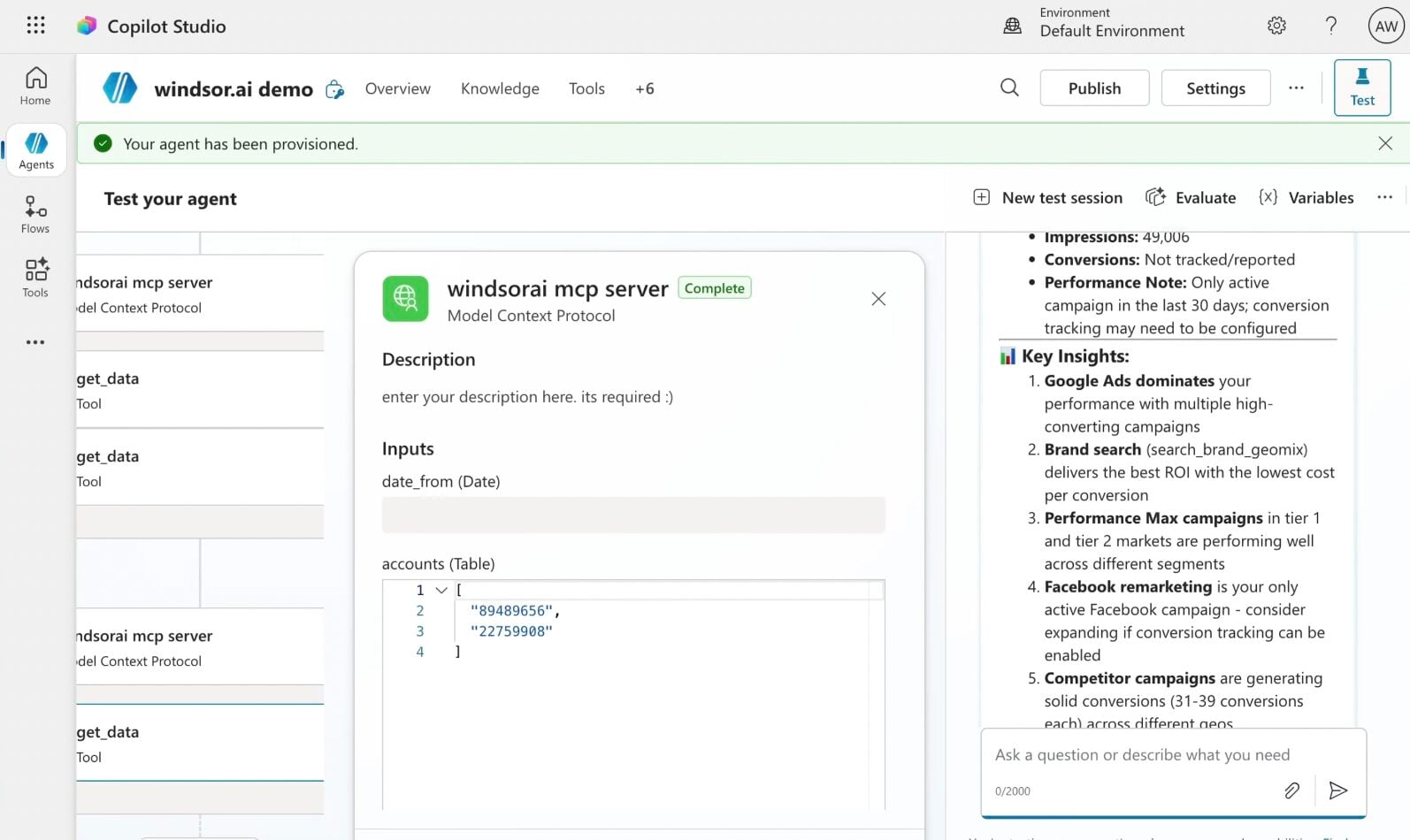














How to connect YouTube to Copilot Agent with Windsor.ai
Explore our step-by-step guide to integrate your YouTube data into Copilot with the Windsor.ai connector.
Connect data source in Windsor.ai dashboard
Connect your YouTube to Windsor.ai. Select the necessary account(s) you want to pull data from and click “Next.”

Create a new agent (Windsor MCP) in Copilot
In Microsoft Copilot Studio, create a new agent.
Click + Add tool and select + New tool -> Model Context Protocol.
- Server Name: Windsor MCP
- Server URL: https://mcp.windsor.ai
- Authentication: API Key
- Header name: Authorization

Create a new connection
On the next screen, click the dropdown under ‘Not connected’ and select Create new connection.
⚠️ Important: Enter your Windsor API key with the Bearer prefix.

Confirm credentials and start querying
Start a new chat. Copilot will prompt you to connect to Windsor MCP via the Connections manager. Click Connect -> Submit.
Return to the chat and click Retry in your agent prompt.
You can now ask questions about your integrated Windsor.ai data.
FAQs
What can I do with YouTube data in Copilot Agent?
Once your YouTube data is in Copilot Agent, you can:
- Identify your best-performing content. Ask Copilot to rank videos by views, watch time, or engagement rate over any time period, and spot which topics, formats, or video lengths consistently drive the strongest results.
- Track audience retention. Use average view duration and average view percentage to understand where viewers drop off, and compare retention across different video types to guide your content strategy.
- Monitor subscriber growth and churn. Break down subscribers gained and lost at the video level to see exactly which content builds your audience and which drives people away.
- Analyze engagement trends. Query likes, comments, shares, and card click-through rates across your catalog to identify what gets your audience to interact, and replicate it.
- Benchmark channel growth over time. Track subscriber count, total views, and published video count week over week or month over month to measure momentum and spot slowdowns early.
- Combine YouTube with other channels. Blend YouTube data with Google Ads, GA4, or any of Windsor’s 350+ supported sources to understand how your video content fits into your broader marketing funnel.
Can I track YouTube Premium (Red) viewership separately in Copilot?
Yes. Windsor.ai includes red_views and estimated_red_minutes_watched as separate fields, so you can ask Copilot to break out YouTube Premium viewership from standard viewership for any video or time period. This is useful for channels with a significant Premium audience, where engagement patterns may differ from free users.
Can Copilot help me identify what type of content performs best on my channel?
Yes. Ask Copilot to group your videos by category, length, or tags and compare average view duration, average view percentage, and engagement metrics like likes and shares across each group. This quickly surfaces whether your audience responds better to long-form or short videos, which topics consistently hold attention longest, and which content types drive the most shares.
What prompts can I use when analyzing YouTube data in Copilot Agent?
Here are examples of more specific prompts you can use to dive deep into your YouTube data:
-
Group all videos published in the last 6 months by video category and compare average view duration, average view percentage, and subscribers gained per category. Identify which category consistently drives the deepest engagement and which underperforms across all three metrics.
-
Compare subscribers gained vs. subscribers lost at the video level for the last 6 months. Identify videos where subscriber loss was disproportionately high relative to views and flag any common pattern in their video length or category.
-
Analyze card click-through rate and card teaser click rate across all videos published in the last 3 months. Which videos have the strongest card performance, and do they share any common traits in terms of video length, category, or view count?
-
Break down estimated minutes watched and average view duration by month for the last 12 months. Identify seasonal trends and flag any month where both metrics declined simultaneously, include the top 3 videos published that month for context.
How much does it cost to integrate YouTube into Copilot using Windsor.ai?
Windsor.ai is free to start, no credit card required. Paid plans start at $19/month and scale by the number of sources and accounts. See the pricing page.
How long does it take to connect YouTube to Copilot?
With Windsor MCP, the integration process takes a few minutes. No technical expertise or coding is required; connecting data to Copilot is simple, straightforward, and accessible to everyone.
Do you have helpful links to get started with integrating YouTube and Copilot Agent using Windsor.ai?
Yes, we have helpful resources to help you get started. You can explore our official documentation and tutorials for seamless YouTube to Copilot Agent integration with Windsor.ai:
Tired of manual YouTube data exports? Try Windsor.ai today to automate your reporting


