 Destinations
 Data sources
 AI insights
 About us
 Careers
 Security
 Customer reviews
 Contact us
 Affiliate program
 Solution partners
 Template gallery
 Looker Studio templates
 Power BI templates
 Excel templates
 Google Sheets templates
 Tableau templates
 Facebook Ads templates
 Google Ads templates
 Data fields & Metrics
 AI prompt library & Guides
 Product documentation
 API documentation
 Case studies
 Blog
Blog Data models
 Windsor vs Supermetrics
 Windsor vs Funnel.io
 Windsor vs Fivetran
 Windsor vs Rivery
 Windsor vs Portermetrics
 Windsor vs Coupler.io
Connect Zendesk to Power BI
Analyze your marketing metrics from Zendesk in Power BI.
Forget CSVs. Stop copy/paste. Connect data in 2 minutes. No code required.
 Sign up with Google
 Free forever plan
No credit card needed
Free forever plan
No credit card needed










Extract Zendesk data to Power BI with Windsor.ai
See the value and return on every marketing touchpoint.

Fresh, accessible marketing data
Providing 350+ marketing data streams, we make sure that all the data we integrate is fresh and accessible by marketers, whenever they want.

Spend less time on manual data loading
Spend less time on manual data loading and spreadsheets. Focus on delighting your customers.
Using Windsor.ai connector to import data from Zendesk into Power BI
Analyze your marketing metrics from Zendesk in Power BI. Windsor.ai extracts your Zendesk data and streams it straight into Power BI Desktop or Power BI Web.
See the value and return on every marketing touchpoint.















How to connect Zendesk to Power BI with Windsor.ai
Register or log in if you already have an account, select Zendesk as your data source, choose Power BI as your destination, and pull the data into Power BI with “Get data” from Web.
For more detail, see our Power BI documentation.
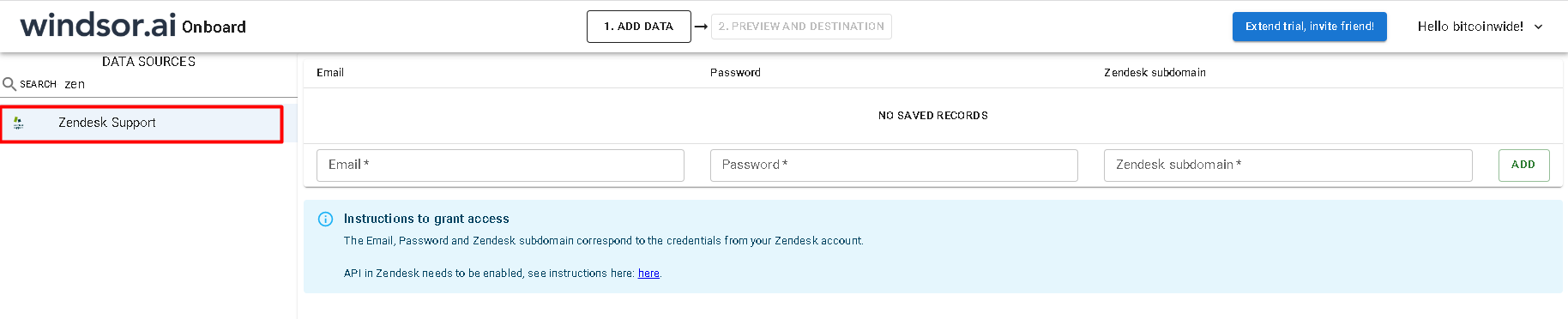
First step
Register or log in if you already have an account.
You need to select Zendesk as a Data Source and Grant Access to Windsor.ai.
Second step
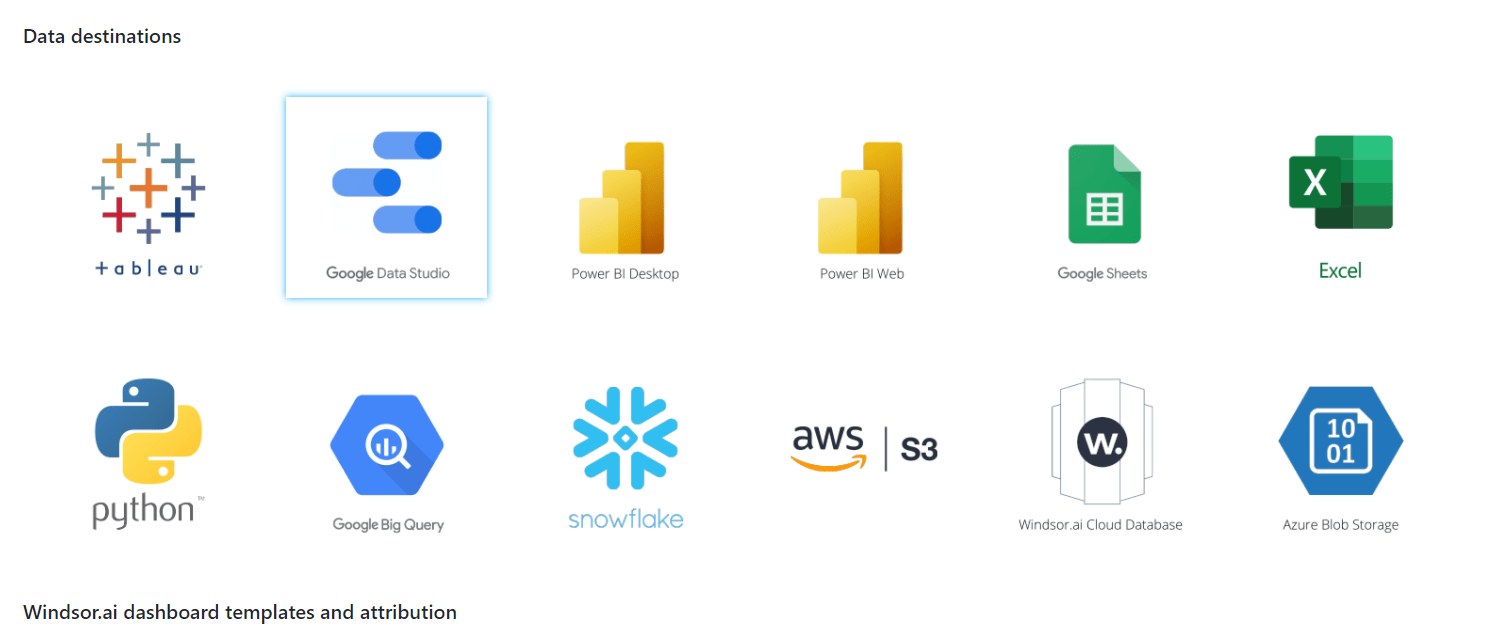
Go to “Select Destination” and choose Power BI Desktop/Web.
Third step
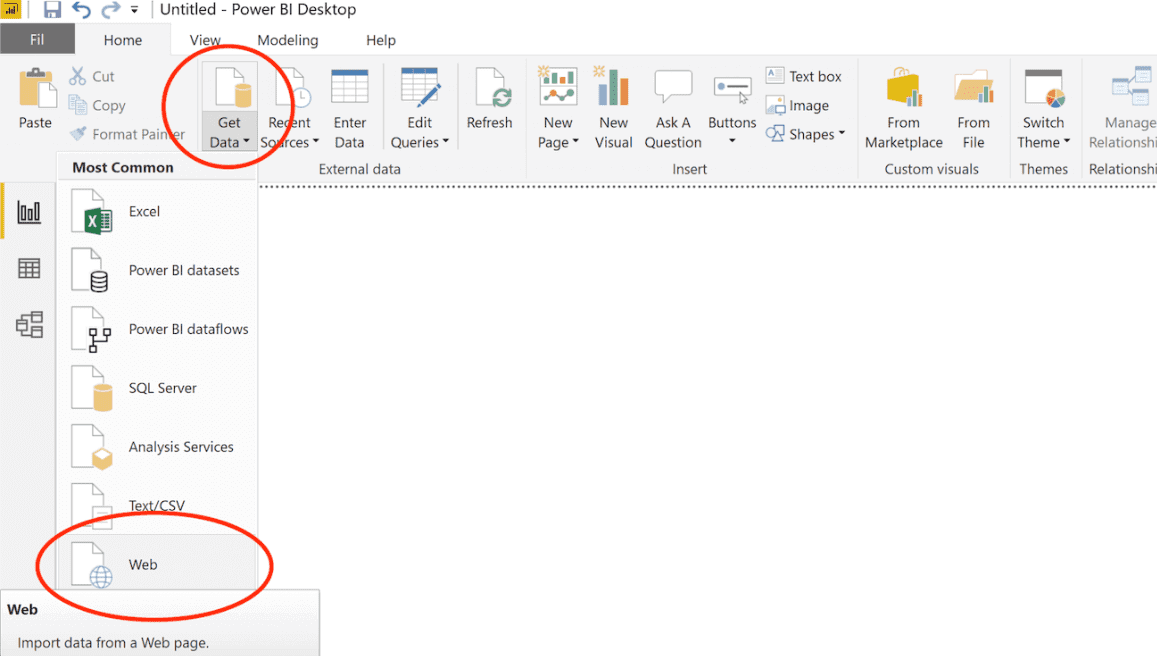
Select the fields on the right, and in Power BI click on “Get data” from WEB.
And copy the URL in the box below.
Tired of manual Zendesk data exports? Get started with Windsor.ai today to automate your reporting


