 Destinations
 Data sources
 AI insights
 About us
 Careers
 Security
 Customer reviews
 Contact us
 Affiliate program
 Solution partners
 Template gallery
 Looker Studio templates
 Power BI templates
 Excel templates
 Google Sheets templates
 Tableau templates
 Facebook Ads templates
 Google Ads templates
 Data fields & Metrics
 AI prompt library & Guides
 Product documentation
 API documentation
 Case studies
 Blog
Blog Data models
 Windsor vs Supermetrics
 Windsor vs Funnel.io
 Windsor vs Fivetran
 Windsor vs Rivery
 Windsor vs Portermetrics
 Windsor vs Coupler.io
Connect Zoho CRM to ChatGPT
Automatically sync your Zoho CRM data to ChatGPT using the Windsor.ai connector.
Analyze your pipeline, deals, and leads through natural language queries in ChatGPT. Get instant AI insights to increase win rates, forecast revenue, and spot at-risk opportunities before they slip.
Forget CSVs. Stop copy/paste. Connect data in minutes. No code required.
 Sign up with Google
 Free forever plan
No credit card needed
Free forever plan
No credit card needed









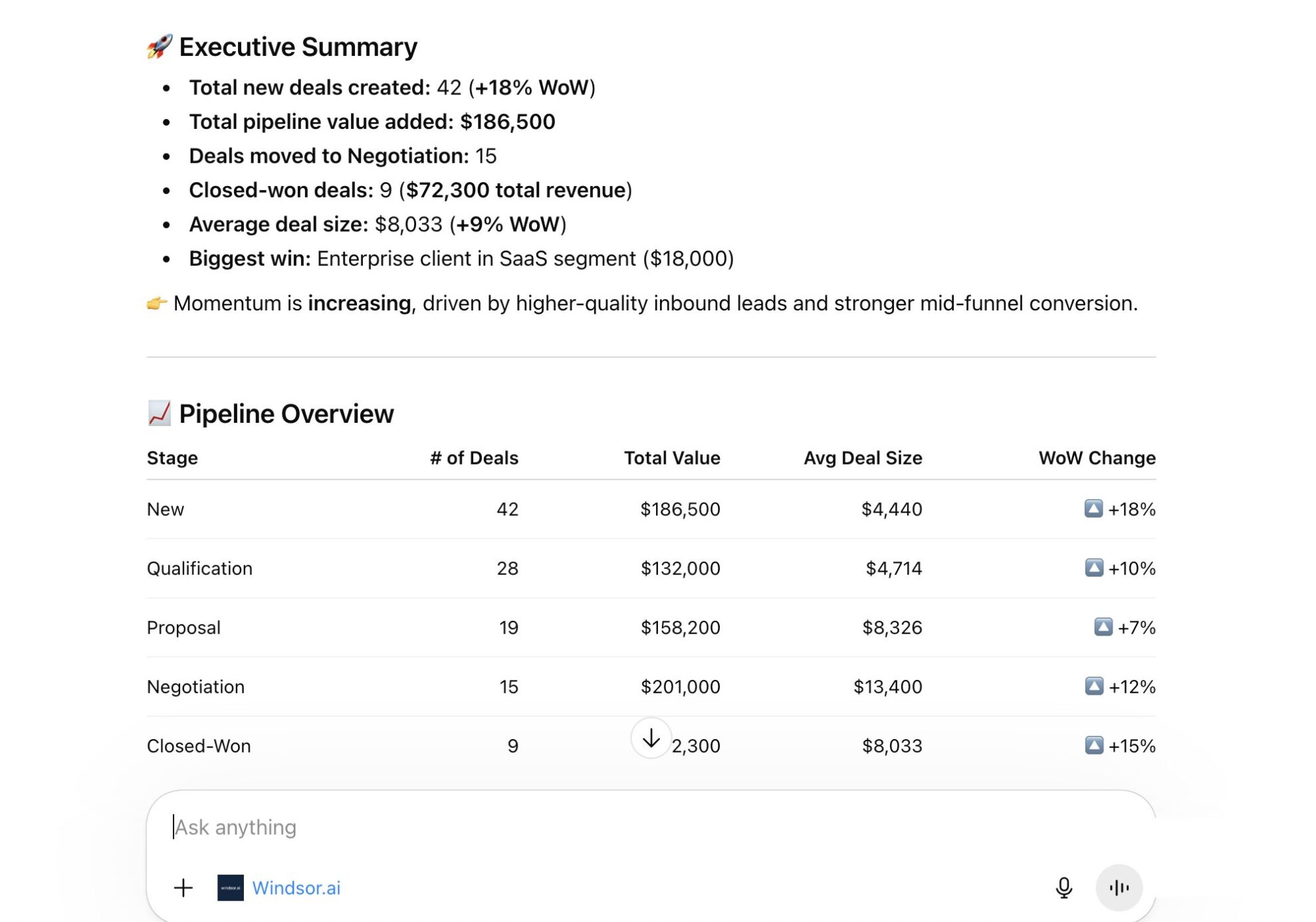
Win more deals with Zoho CRM to ChatGPT integration
Connect Zoho CRM to ChatGPT to skip manual analysis and get instant answers and recommendations. Explore key use cases below:

Audit rep activity
See who closes more deals and who’s falling behind. ChatGPT compares win rate, average deal size, and activity volume per Deal Owner to reveal your top performers and outliers.

Identify cold accounts
Spot accounts with active opportunities but no recent activity, ranked by deal size. Use these insights to push these deals forward and close high-value opportunities before they slip away.

Find expansion opportunities
Surface your best upsell and cross-sell targets in seconds. Identify accounts that previously bought from you but have no active deals, and rank them by past purchase value so your team knows who to prioritize.

Calculate true marketing ROI
Blend ad spend from Meta Ads or TikTok Ads with Zoho CRM sales data to calculate true return on ad spend. ChatGPT highlights which campaigns drive real revenue, so you can reallocate budget to the most profitable marketing channels.
Using Windsor.ai to connect data from Zoho CRM to ChatGPT
Most ways to bring Zoho CRM data into ChatGPT rely on manual exports, custom scripts, or costly third-party tools. Windsor MCP removes this complexity by automatically streaming your CRM data directly into ChatGPT.
Connect once and start asking questions about deal risk, lead conversion, and rep performance across your entire pipeline.














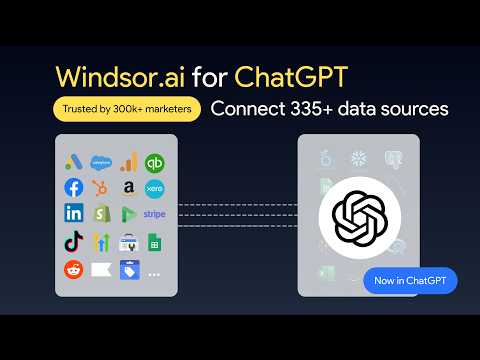
How to connect Zoho CRM to ChatGPT data with Windsor.ai
Explore our video tutorial and a step-by-step guide to seamlessly integrate your data from any source into ChatGPT with the Windsor.ai connector.
Select your data source
Choose Zoho CRM as your data source and grant access to Windsor.ai.

Install the Windsor.ai connector
Log in to your ChatGPT account and open this Windsor.ai connector page.
Click Connect, then authorize access.

Query your Zoho CRM data in ChatGPT
Open a new chat and start asking questions about your connected Zoho CRM data using natural language.
Make sure that the Windsor.ai connector is enabled (click the + sign → More → Windsor.ai.)
FAQs
What Zoho CRM data can I access in ChatGPT through Windsor.ai?
Windsor.ai’s Zoho CRM connector supports 164 metrics and 709 dimensions, giving ChatGPT comprehensive access to your sales data, including:
- Leads module: Lead Source, Lead Status, Rating, Industry, Annual Revenue, Company, Designation, No. of Employees, Created Time, Lead Owner.
- Deals module: Deal Name, Stage, Amount, Probability, Expected Revenue, Closing Date, Deal Owner, Lead Source, Type, Next Step.
- Activities (tasks, calls, meetings): Subject, Status, Priority, Due Date, Call Duration, Call Type, Call Result, Meeting Start/End Time, Related To, Activity Owner.
- Campaigns module: Campaign Name, Type, Status, Start Date, End Date, Expected Revenue, Budgeted Cost, Actual Cost, Expected Response, Num Sent.
- Products and invoices: Product Name, Product Code, Unit Price, Quantity in Stock, Invoice Number, Subtotal, Tax, Grand Total, Status, Due Date.
Can I combine Zoho CRM data with other business sources in ChatGPT?
Yes. Windsor.ai supports 350+ data sources, so you can analyze Zoho CRM alongside Google Ads, Meta Ads, LinkedIn Ads, Shopify, Stripe, GA4, and HubSpot in ChatGPT. This lets you tie ad spend to actual Closed Won revenue and calculate true ROAS per campaign.
Can ChatGPT identify stalled deals in my Zoho CRM pipeline?
Absolutely. ChatGPT scans your open pipeline and flags deals with no activity in a set period of time, based on the Last Activity Time field. It then ranks stalled deals by value and helps you prioritize actions for each.
Does Windsor.ai's Zoho CRM connector work with Zoho CRM Plus and Zoho One?
Yes. The connector works with all paid editions of Zoho CRM: Standard, Professional, Enterprise, Ultimate, Zoho CRM Plus, and Zoho One.
What prompts can I use to analyze Zoho CRM data in ChatGPT?
Beyond simple questions about pipeline value or open deals, you can use advanced prompts to uncover deeper insights. For example:
-
Analyze all open Deals in the 'Negotiation' and 'Proposal' Stage that haven't had a Stage change in 14+ days. Using the historical 'Average Days to Close' for closed-won deals, flag those most likely to slip and suggest a specific re-engagement action for each.
-
Rank my leads by source and status over the last 90 days. Identify which sources achieve the highest contact-to-deal conversion rate and which generate high lead volume but low qualification rates.
-
Cross-reference closed-won deals with industry, account size, and annual revenue fields to build an ideal customer profile. Then list the 10 current new leads in my Zoho CRM that most closely match this profile.
-
Using 'Amount' and 'Probability' across my open pipeline, forecast revenue for the current quarter and compare it against last quarter's closed-won total. Highlight the 5 deals with the largest impact on the forecast.
How much does it cost to integrate Zoho CRM into ChatGPT using Windsor.ai?
Windsor.ai’s pricing for ChatGPT data integration varies depending on the number of connected accounts and data sources. We offer absolutely transparent pricing plans for diversified business needs and budgets.
How long does it take to connect Zoho CRM to ChatGPT?
With Windsor.ai’s intuitive connector, the integration process takes just a few minutes. No technical expertise is required; connecting Zoho CRM to ChatGPT is simple, straightforward, and completely code-free.
Do you have helpful links to get started with integrating Zoho CRM and ChatGPT using Windsor.ai?
Yes, we have helpful resources to help you get started. You can explore our official documentation and tutorials for seamless Zoho CRM to ChatGPT integration with Windsor.ai:
Tired of manual Zoho CRM data exports? Try Windsor.ai today to automate your reporting


