 Destinations
 Data sources
 AI insights
 About us
 Careers
 Security
 Customer reviews
 Contact us
 Affiliate program
 Solution partners
 Template gallery
 Looker Studio templates
 Power BI templates
 Excel templates
 Google Sheets templates
 Tableau templates
 Facebook Ads templates
 Google Ads templates
 Data fields & Metrics
 AI prompt library & Guides
 Product documentation
 API documentation
 Case studies
 Blog
Blog Data models
 Windsor vs Supermetrics
 Windsor vs Funnel.io
 Windsor vs Fivetran
 Windsor vs Rivery
 Windsor vs Portermetrics
 Windsor vs Coupler.io
 Last updated: 8 September 2026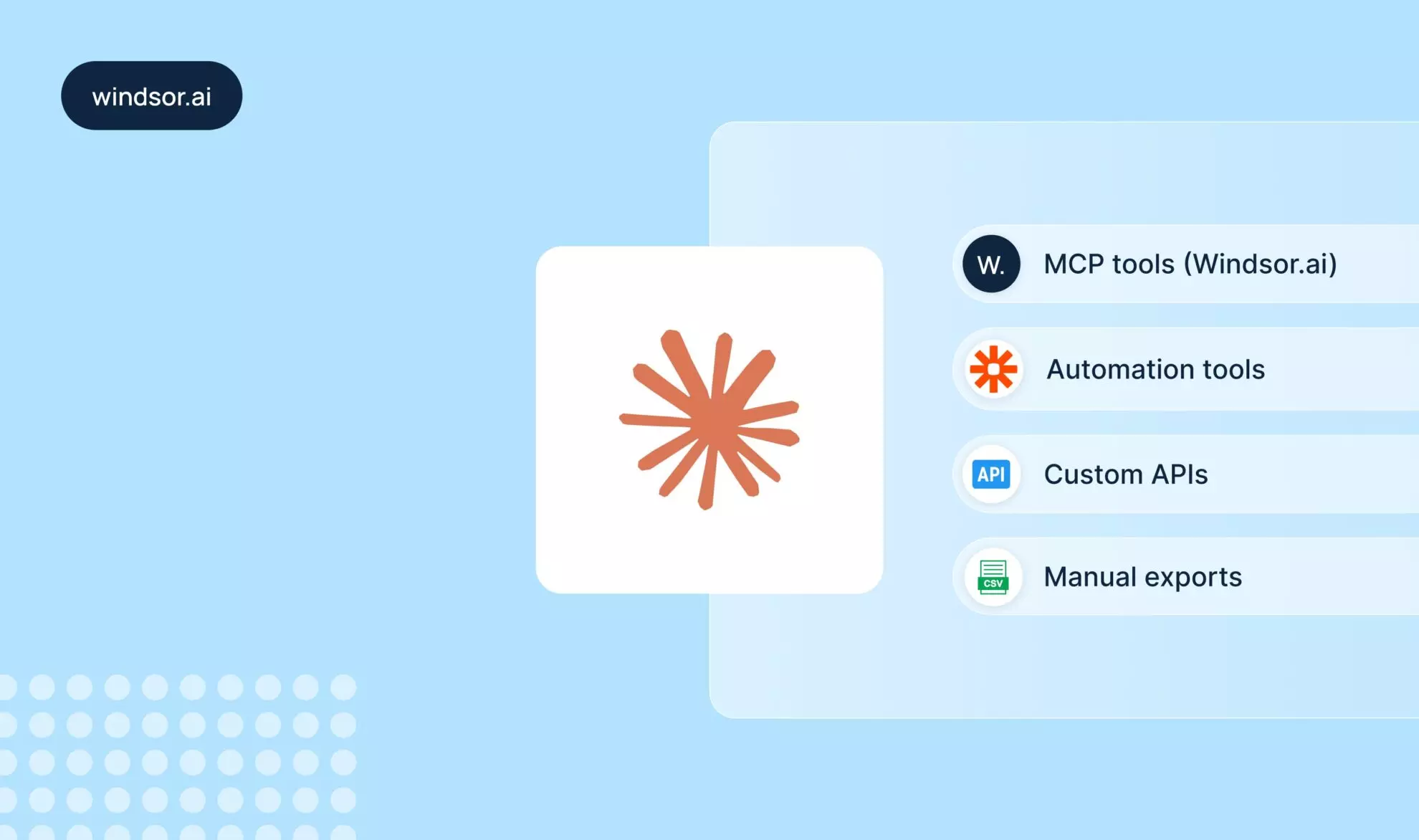




As AI assistants like Claude become part of daily reporting and analytics workflows, one challenge keeps coming up:
How do you connect your live business data to Claude?
Whether you’re working with:
- Marketing platforms (Google Ads, Meta, TikTok)
- Sales tools (CRM, HubSpot, Salesforce)
- Business apps (databases, spreadsheets, analytics tools)
You might be seeking a reliable way to bring that data into Claude, ideally without manual exports or complex engineering.
This guide breaks down the main ways to connect data to Claude, compares them, and helps you choose the best approach for your needs.
The main ways to connect data to Claude: Automated, semi-automated, and manual
There are several ways to bring external data into Claude, but they differ significantly in terms of automation, scalability, and setup complexity.
📖 The four most common approaches include direct integrations with Claude (MCP tools), general automation platforms, custom APIs, and manual exports, each suited to different use cases and technical requirements.
1. Direct integrations for complete automation (via MCP tools)
Direct integrations with Claude are now a practical and increasingly popular option, driven by the rise of MCPs (Model Context Protocol tools) that connect data sources directly to Claude without intermediaries or workarounds.
Instead of moving data through multiple steps, these tools establish a clean, structured data flow directly into Claude, making them the most reliable and scalable option for ongoing analytics and reporting use cases.
Key benefits of direct connectors for Claude:
- Fully automated data sync
- No manual exports
- No middleware complexity
- Real-time or scheduled updates
- No code required
- Setup in minutes
Leading connectors for Claude:
- Windsor (Windsor MCP)
- Coupler.io
- CData
- Adzviser
While several tools exist, Windsor.ai stands out as the most powerful solution thanks to its automation depth, broad connector coverage, and native Claude compatibility.
Why Windsor MCP is the top choice
Windsor.ai is designed specifically for automated data integration across marketing, sales, and business platforms, with a strong focus on analytics workflows.
Unlike lighter connectors or semi-automated solutions, Windsor handles the entire data pipeline end-to-end, from data extraction to normalization to delivery, without requiring manual intervention.
What makes Windsor different:
- Direct connection to 350+ marketing and business data sources
- Fully automated data pipelines to Claude (no workflow building required)
- Native compatibility with Claude workflows via the official Claude connector
- No-code setup, accessible to non-technical teams
- Built for large-scale data handling and reporting
- Support for multi-account setups and data blending
These features make Windsor.ai particularly well-suited for:
- Marketing performance analysis across multiple channels
- Centralized reporting and analytics in Claude (combine Google Ads, Meta, TikTok, etc.)
- Feeding structured, up-to-date data into Claude for deeper insights
- Eliminating manual reporting and spreadsheet workflows
Quick setup: Connect your data to Claude via Windsor MCP in 3 steps
Getting started with Windsor MCP and Claude usually takes less than a minute; no coding or complex configuration required.
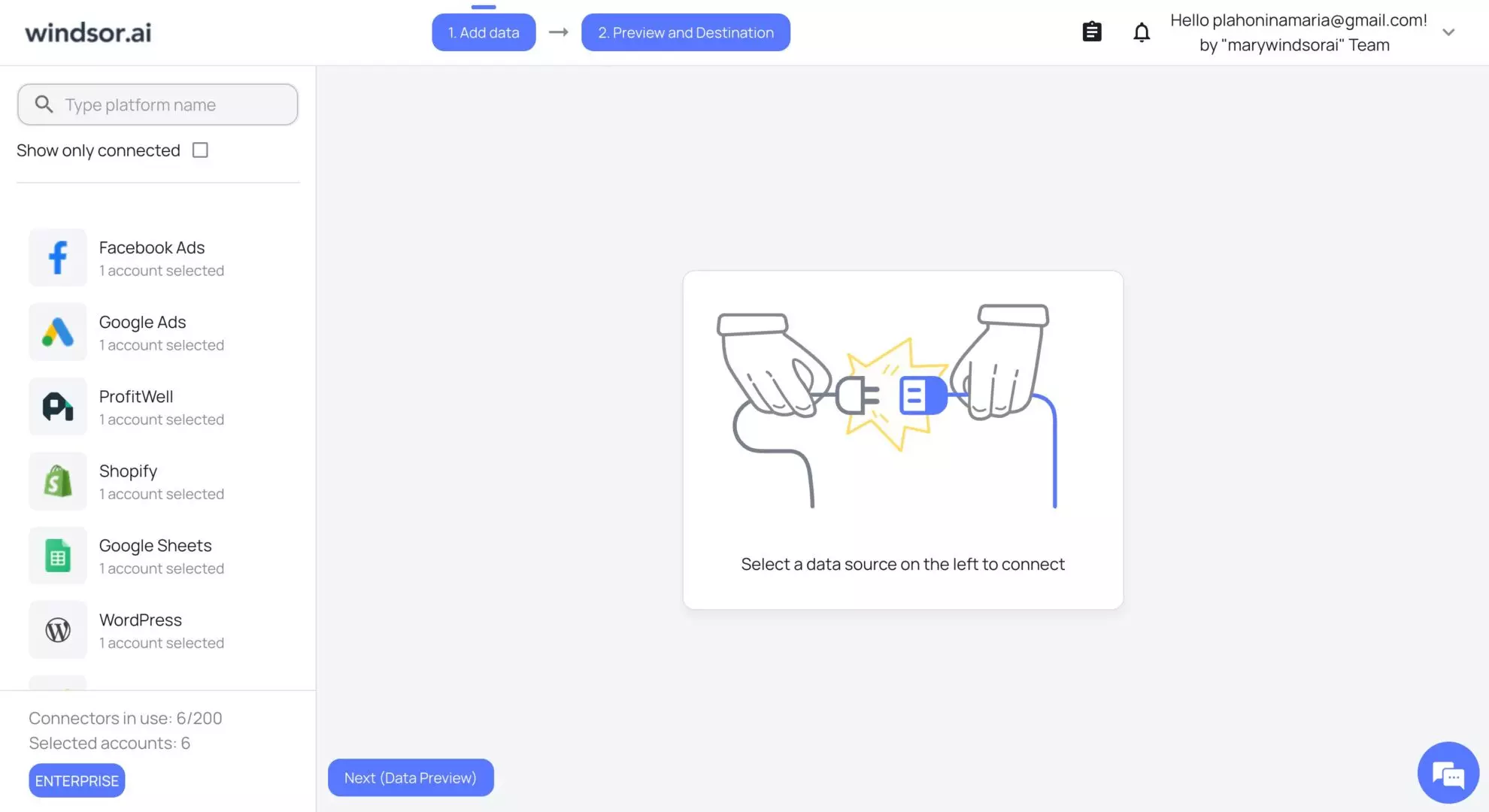
1. Connect your data sources to Windsor.ai
Log in to Windsor.ai and connect all the platforms you need to access in Claude. Authenticate your accounts.
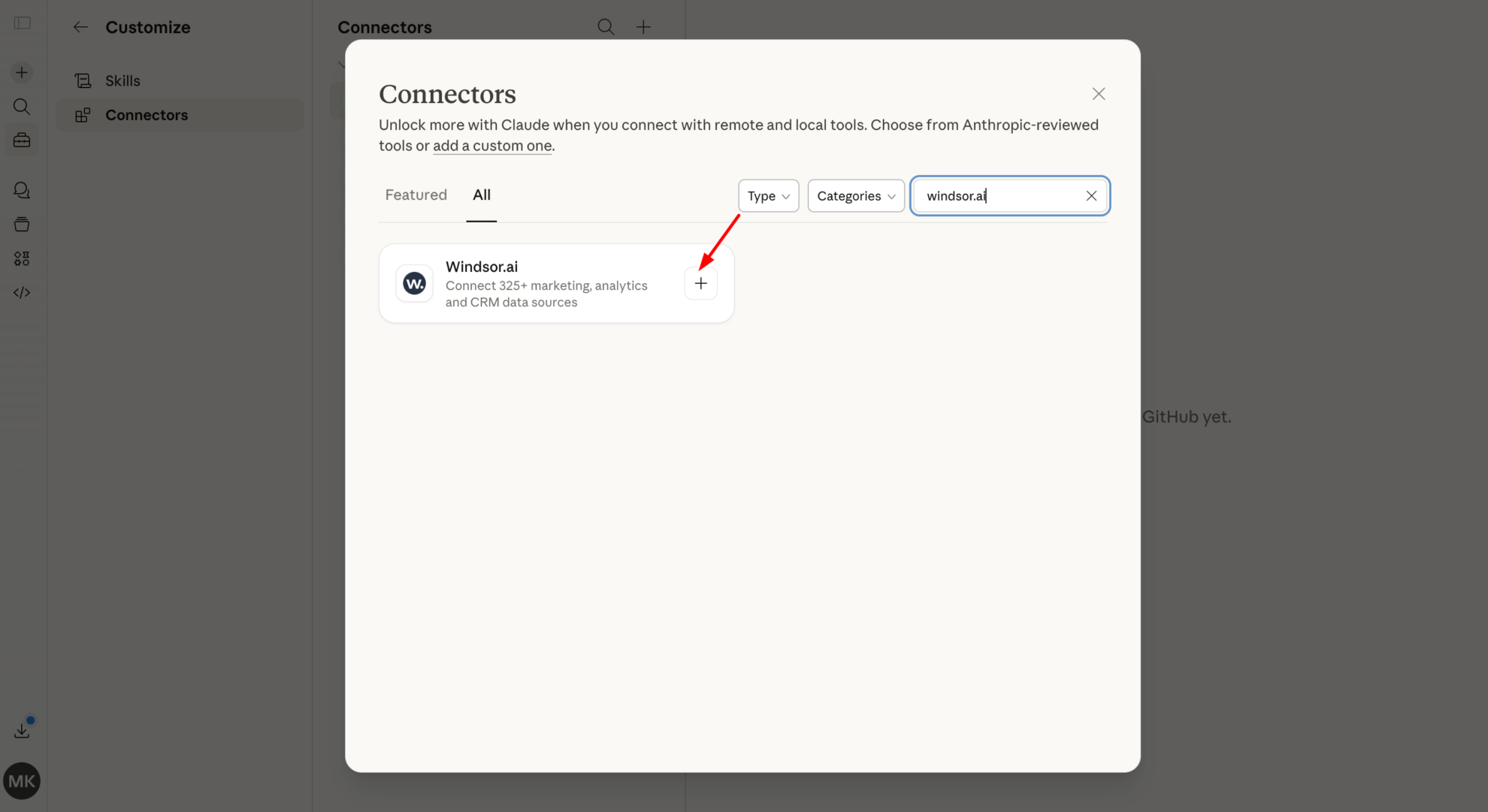
2. Install the Windsor.ai connector in Claude
In Claude, open Customize, then Connectors, search for Windsor, and click Add. Sign in to your Windsor.ai account when prompted. You can also open the Windsor.ai listing in the Claude directory and click Connect.
3. Start querying your data
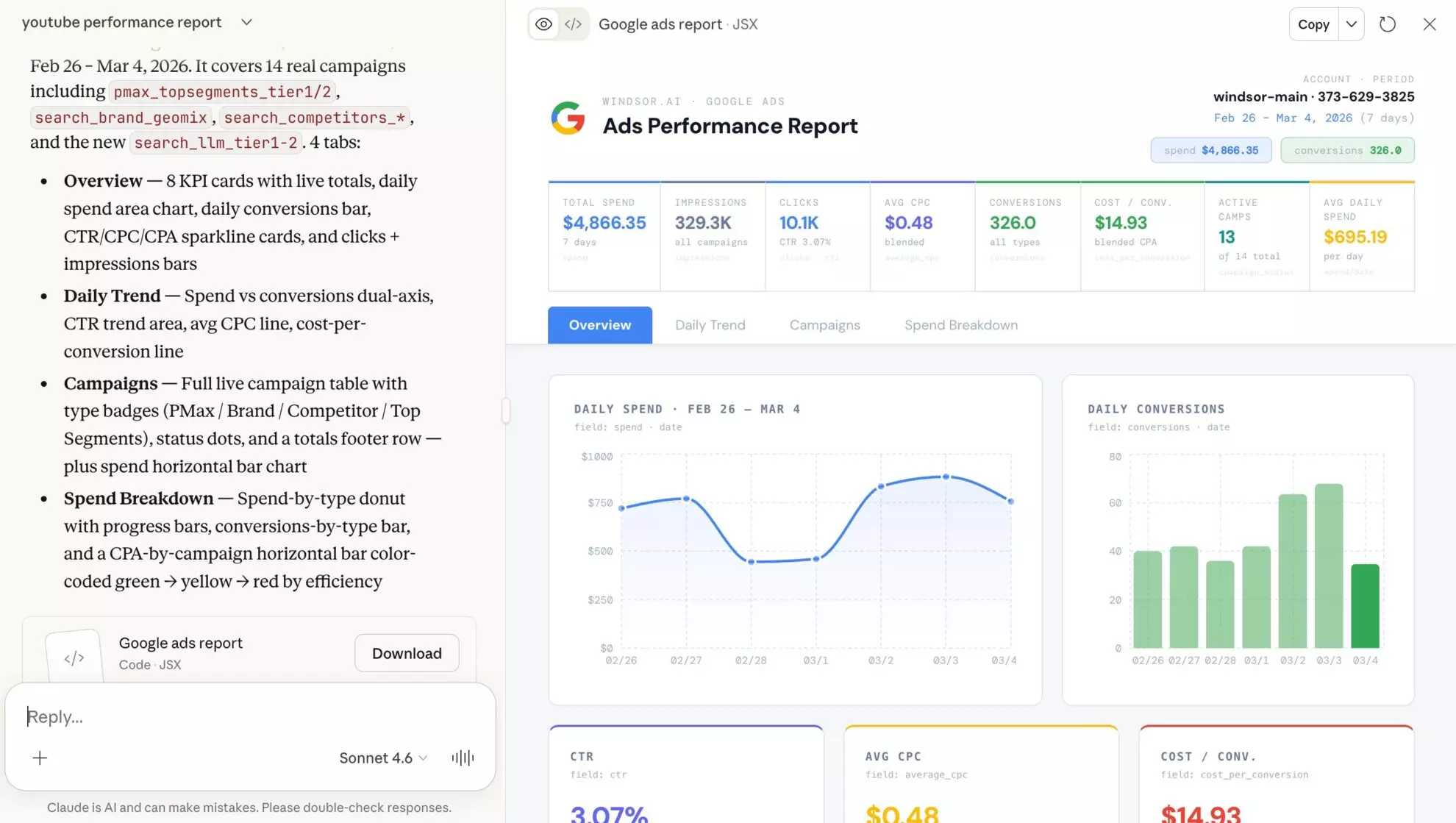
Now all your Windsor-integrated data is available in your Claude environment.
Open a new chat and feel free to ask any questions about your connected data sources using prompts of any depth or complexity. Enjoy the benefit of generating insightful visual summaries and dashboards on top of your data with just a single prompt.
👉 For detailed setup instructions, see the documentation: https://windsor.ai/documentation/windsor-mcp/how-to-integrate-data-into-claude/.
🤖 Explore all the possibilities and use cases of Windsor MCP for Claude: https://windsor.ai/how-to-use-windsor-mcp-examples-use-cases/.
📚 Get started immediately with advanced analytics prompts from the Windsor.ai Prompt Library: https://windsor.ai/prompt-library/.
2. Automation platforms
Automation platforms like Zapier and Make act as intermediaries between applications, allowing you to pass data from one tool to another using predefined workflows.
Instead of a direct connection to Claude, these platforms rely on trigger-based logic, meaning actions only happen when a specific event occurs.
How it works
A typical workflow looks like this:
- A trigger occurs (e.g., a new lead in HubSpot)
- Zapier/Make processes the event
- Data is sent to another tool (or formatted)
- The result is passed into Claude or another destination
This approach works well for simple automations, but becomes increasingly complex when dealing with large datasets, multiple accounts, or continuous data syncing.
When automation platforms work well
Automation tools are a good fit if you:
- Need to connect multiple apps quickly without engineering
- Are automating simple, event-based workflows
- Work with small to moderate amounts of data
- Don’t require real-time analytics or full data pipelines
Limitations for data integration
While powerful, these tools are not designed for data-heavy use cases in Claude due to these limitations:
- Data is processed step-by-step, not as a full pipeline
- Workflows must be manually created and maintained
- Handling large datasets can become slow and expensive
- No native concept of “data modeling” or structured analytics
- No native connector for Claude (not purpose-built for it)
- Might require low code
Comparison: Windsor.ai vs Zapier or Make
| Feature | Windsor.ai | Zapier/Make |
|---|---|---|
| Core purpose | Automation of data integration and analytics pipelines | Workflow automation |
| Data handling | Designed for large, structured datasets (marketing, sales, BI) | Designed for event-based, small payload transfers |
| Setup | Centralized pipeline configuration with a few clicks and no code | Individual workflows (“Zaps”) per use case |
| Maintenance | Minimal (automated pipelines) | Ongoing (workflow monitoring and fixes) |
| Claude integration | Direct (via official MCP connector) | Indirect (via chained workflows) |
| Scalability | High, built for continuous data sync | Limited, complexity grows with usage |
| Typical pricing model | Based on the number of data sources and accounts | Based on tasks (operations per month) |
| Cost at scale | Predictable for large data flows | Can increase quickly with usage |
Automation platforms and direct integrations solve different problems:
- Use Windsor.ai when you need reliable, automated data pipelines into Claude
- Use Zapier/Make when you need simple app-to-app task automation
3. Custom APIs (developer approach)
Another way to connect data to Claude is by building your own integration using APIs.
This approach gives you full control over how data is extracted, transformed, and delivered, but requires significant technical effort.
How it works
- Connect to data sources via APIs (e.g. Google Ads, CRM systems)
- Build scripts or services to fetch and process the data
- Structure the data manually
- Send it to Claude through prompts or structured inputs
When custom APIs work well
Custom API integrations are best suited for:
- Engineering teams with backend capabilities
- Companies with highly specific or proprietary workflows
- Scenarios where off-the-shelf tools don’t meet requirements
Limitations for data integration
While flexible, this approach comes with clear downsides:
- Requires development time and expertise
- Data and AI infrastructure must be built and maintained
- Monitoring, error handling, and scaling are your responsibility
- Slower time-to-value compared to no-code solutions
In most business cases, APIs are only justified when no existing tool can solve the problem.
4. Manual exports (CSV, spreadsheets)
One of the simplest but still the most time-consuming and messy ways to connect your data to Claude is through manual exports.
You export CSVs from the source platforms, clean this raw data in spreadsheets, and then upload or paste it into Claude.
How it works
- Export reports from your tools (use CSV, Excel, or Google Sheets formats)
- Clean or format the data manually
- Upload or paste it into Claude for analysis
When the manual way works well
Manual exports can work if:
- You’re doing a one-off analysis
- Data volume is small
- You don’t need automation or frequent updates
Why this method doesn’t scale
This method quickly breaks down in real workflows because of these drawbacks:
- Time-consuming and repetitive
- High risk of human error
- Data becomes outdated immediately after export
- No automation or reproducibility
Eventually, the manual data integration into Claude is best seen as a temporary or fallback solution, not a long-term strategy.
Summary comparison: Which is the best way to connect data to Claude?
| Method | How it works | Automation level | Scalability | Technical effort | Pricing model | Best for |
|---|---|---|---|---|---|---|
| Direct integrations (Windsor MCP) | Native connector for Claude | Fully automated | High (handles large datasets) | Minimum (no-code setup in 1 minute) | Subscription | Marketers and agencies that require full automation in Claude |
| Automation tools (Zapier/Make) | Trigger-based workflows between apps | Partial (event-driven) | Medium-low | Low-medium | Task-based (per operation) | Simple automations and workflows |
| Custom APIs | Build pipelines manually via APIs | Fully customizable | High | High (engineering required) | Dev + infrastructure cost | Tech teams with custom needs |
| Manual exports | Export and upload data manually | None | Very low | None | Free (time cost) | One-off analysis |
When should you use each method?
Choosing the right approach depends on your use case, team, and scale:
- Use Windsor.ai (MCP) if you want automated, reliable, and scalable data pipelines into Claude
- Use Zapier or Make if you need lightweight automation between tools (not full data integration)
- Use custom APIs if you require full customization and have engineering resources
- Use manual exports if you need a quick, one-time analysis
Browse connector guides by category
Windsor.ai connects 350+ data sources to Claude. Below are step-by-step guides for the most common ones, grouped by category.
Advertising platforms
- Google Ads
- Meta Ads (Facebook)
- Facebook Lead Ads
- TikTok Ads
- LinkedIn Ads
- Microsoft Ads
- Amazon Ads
- Pinterest Ads
- Reddit Ads
- Snapchat Ads
- Apple Search Ads
- Google Ad Manager
Social organic and content
- Instagram Insights
- Instagram Public Data
- Facebook Page Insights
- LinkedIn Pages (Organic)
- TikTok Organic
- Pinterest Organic
- Threads
- YouTube Analytics
- Google Business Profile
Analytics and SEO
CRM and sales
E-commerce
Finance and operations
Email and marketing automation
Databases and warehouses
Conclusion
Connecting your business data to Claude unlocks far more powerful use cases, from automated reporting to AI-driven decision-making.
While multiple approaches exist, the direction is clear: direct, automated integrations are replacing manual and workflow-based methods.
Direct integration solutions for Claude, like Windsor.ai, are leading this shift by making real-time, structured data access in your AI environment quick, simple, and scalable.
🚀 Ready to connect your data to Claude without manual work or fragile workflows? Get started with Windsor.ai’s free forever plan, no credit card required: https://onboard.windsor.ai/.
FAQs
What tools can connect data to Claude?
The most popular integration tools for Claude are:
- Windsor.ai (Windsor MCP)
- Coupler.io
- CData
- Adzviser
- Zapier
- Make
Does Claude support native integrations?
Claude supports integrations through structured workflows and MCP tools (native connectors for Claude), which enable direct access to external data sources.
Is Zapier a good option for connecting data to Claude?
Zapier is useful for automation, but it’s not designed for large-scale data integration or analytics workflows, where direct integrations perform better.
Why choose Windsor.ai over Zapier?
Windsor.ai is built for data integration, while Zapier is designed for task automation.
Key advantages of Windsor:
- Handles large datasets efficiently
- Fully automated pipelines into Claude
- Direct integration with Claude via a native connector
- No workflow maintenance required
Do I need coding skills to connect data to Claude?
No, the official connectors for Claude, like Windsor.ai, allow you to set up integrations without coding. Just install the connector in your Claude account.
Can I connect marketing data to Claude?
Yes, platforms like Google Ads, Meta Ads, TikTok, and many others can be connected to Claude using direct integration tools like Windsor.ai.
What is an MCP tool?
MCP (Model Context Protocol) tools connect external data sources directly to AI systems like Claude, enabling structured and automated data access.
Is manual data upload into Claude still useful?
Only for small, one-time tasks, but not for ongoing workflows or large datasets.


