Destinations
 Data sources
 AI insights
 About us
 Careers
 Security
 Customer reviews
 Contact us
 Affiliate program
 Solution partners
 Template gallery
 Looker Studio templates
 Power BI templates
 Excel templates
 Google Sheets templates
 Tableau templates
 Facebook Ads templates
 Google Ads templates
 Data fields & Metrics
 AI prompt library & Guides
 Product documentation
 API documentation
 Case studies
 Blog
 Data models
 Windsor vs Supermetrics
 Windsor vs Funnel.io
 Windsor vs Fivetran
 Windsor vs Rivery
 Windsor vs Portermetrics
 Windsor vs Coupler.io
 Last updated: 23 November 2026




To connect Metricool to Claude, add your Metricool User Token, Blog ID and User ID to Windsor.ai, then connect Windsor.ai in Claude. Claude can then read your posts, Reels and Stories on Facebook, Instagram, LinkedIn and X, with impressions, reach, reactions and engagement rate, when you ask in plain English.
The connection is read-only. Claude reports on your social data but can’t schedule or change posts through Windsor.ai (Metricool has no write actions in Windsor.ai, checked on 23 November 2026).
Windsor.ai or the Metricool MCP server
Metricool runs its own MCP server. You add it in Claude as a custom connector and sign in with your Metricool account. It can schedule posts, read analytics, suggest posting times and look at competitors. Use it when you want to manage your Metricool calendar from Claude.
Use Windsor.ai when you want Metricool in the same Claude chat as your other data, such as GA4 traffic or Meta Ads spend, through one connector.
Before you start
- Your Metricool User Token, Blog ID and User ID. In Metricool, the User Token is under Account Settings, then API. The Blog ID and User ID are in the address bar when you open your Metricool dashboard, for example blogId=1111111&userId=2222222.
- A Windsor.ai account. Windsor.ai has a free forever plan with 1 data source and the last 30 days of data. Paid plans start at $19/month for 3 sources, billed annually (pricing).
- A Claude account that can add connectors. In a Claude Team or Enterprise workspace, your admin may limit which connectors you can add.
Step 1. Add Metricool to Windsor.ai
- Go to onboard.windsor.ai/app/metricool and sign in or create a Windsor.ai account.
- Enter your User Token, Blog ID and User ID.
- Click Add Account. The account then appears in the table under the form. Repeat for each Metricool brand.
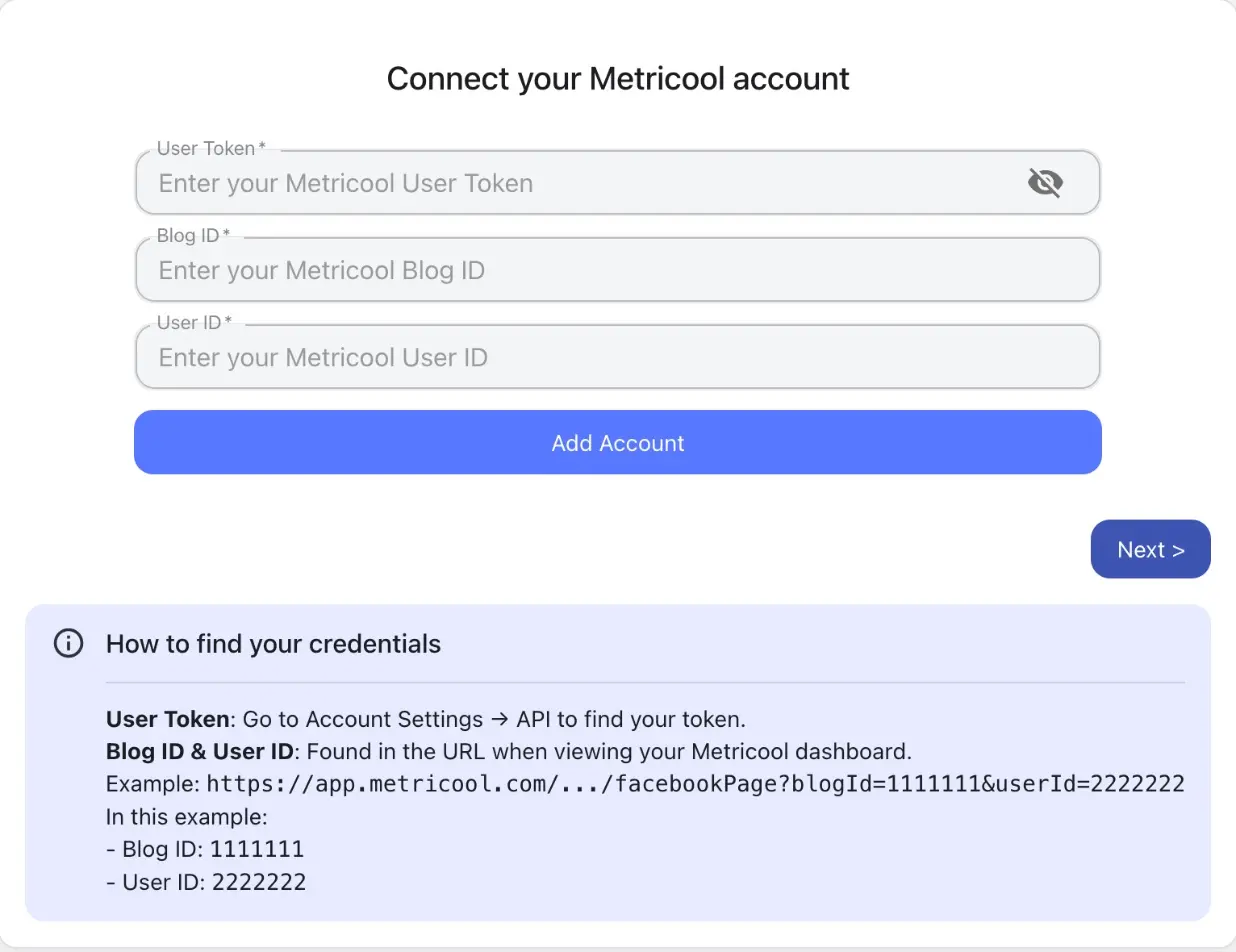
Enter the User Token in the Windsor.ai form only. Never paste it into a Claude chat.
Step 2. Connect Windsor.ai in Claude
- In Claude, open Customize in the sidebar, then Connectors, or open the Windsor.ai listing in the Claude directory.
- Search for Windsor.ai and click Connect.
- Sign in to Windsor.ai with the account you added Metricool to.
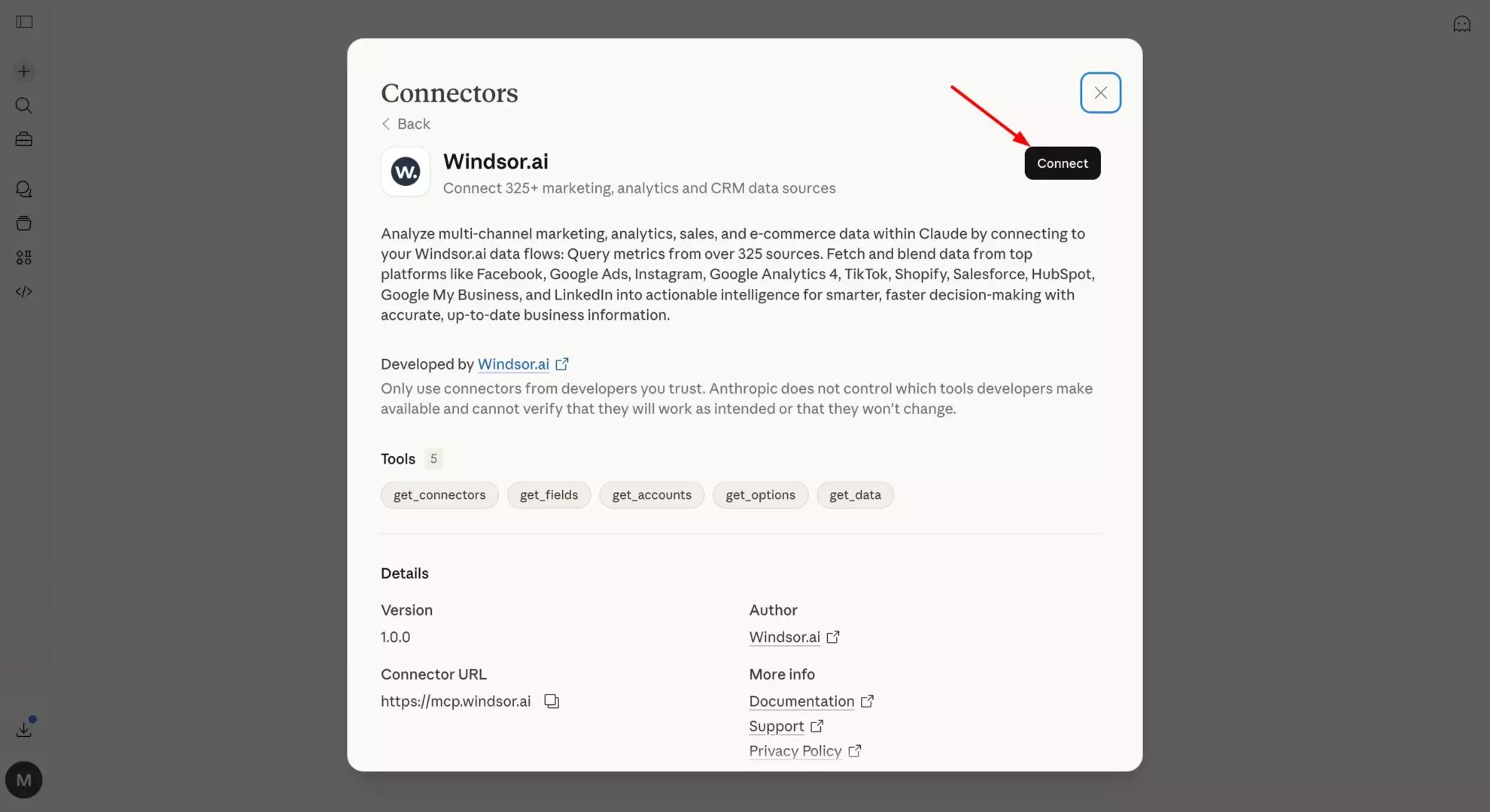
The Windsor.ai Claude setup guide shows each setup screen.
Test it: compare your networks in Claude
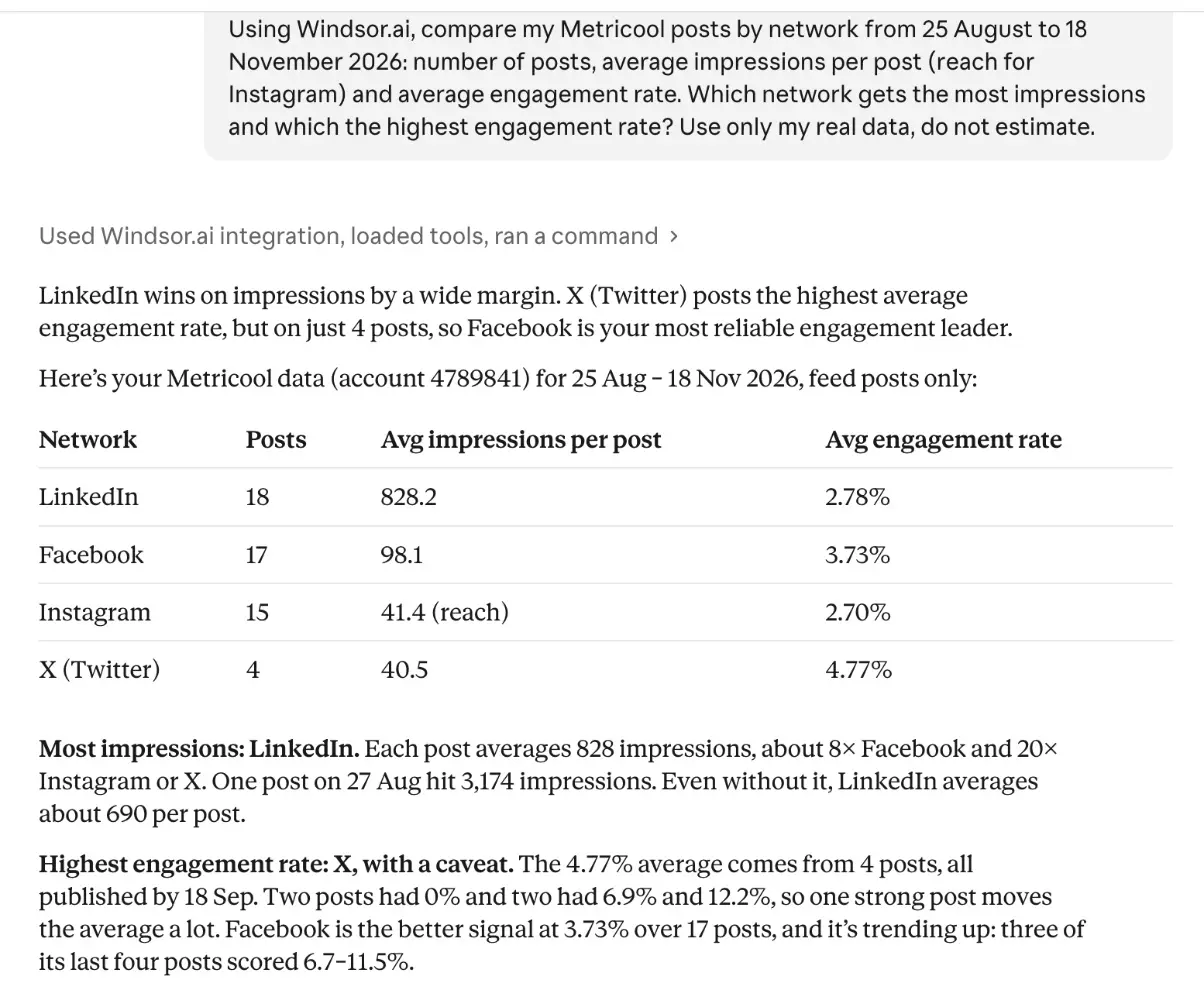
On 23 November 2026 we asked Claude, in a new chat, to compare the Windsor.ai posts in our own Metricool account by network:
Using Windsor.ai, compare my Metricool posts by network from 25 August to 18 November 2026: number of posts, average impressions per post (reach for Instagram) and average engagement rate. Which network gets the most impressions and which the highest engagement rate? Use only my real data, do not estimate.
Claude pulled the data through Windsor.ai and answered with this table:
- LinkedIn: 18 posts, 828 impressions per post, 2.78% engagement rate.
- Facebook: 17 posts, 98 impressions per post, 3.73%.
- Instagram: 15 posts, 41 reach per post, 2.70%.
- X: 4 posts, 41 impressions per post, 4.77%.
Claude named LinkedIn for impressions and noted that the X rate comes from only 4 posts. Facebook was the steadier result for engagement, over 17 posts. We pulled the same fields from Windsor.ai ourselves and every number matched.
If Claude says it can’t find Metricool, the form was not saved or a value was wrong. Open the Metricool form again and make sure your account is listed in the table under it.
Metricool data Claude can read through Windsor.ai
Through the Windsor.ai connector, Claude can read 145 Metricool fields (83 metrics, 62 dimensions). The full list is in the Metricool field reference.
- Facebook: posts with impressions (organic, paid and unique), clicks, link clicks, shares, comments, engagement rate, video views and reactions by type. Reels with plays, reactions and average watch time.
- Instagram: posts with reach, impressions, likes, comments, saves, shares and engagement rate. Reels with views, reach, likes, saves and shares. Stories with exits, replies and taps forward and back.
- LinkedIn: posts with impressions, clicks, comments, shares, engagement rate and reactions by type.
- X: posts with organic and promoted impressions, likes, replies, reposts, link clicks and profile clicks. The fields keep their Metricool names, such as Twitter Engagement Rate.
Each network is a separate set of records. The engagement rate is Metricool’s own per-post figure. Claude does the sums and averages when you ask.
Metricool prompts to try in Claude
-
Compare posts, average impressions and engagement rate by network for the last 30 days.
-
List my 5 LinkedIn posts with the most impressions in the last 30 days, with their engagement rate.
-
Compare Instagram Reels and feed posts by reach for the last 30 days.
-
Show Instagram Story exits and taps forward per story for the last 14 days.
-
Compare Facebook reactions by type (Love, Haha, Wow, Sad, Angry) for the last 30 days.
-
Compare organic and paid Facebook impressions for the last 30 days.
The free forever plan reaches back 30 days. A prompt about a quarter or a year needs a paid plan.
Combine Metricool with other sources in Claude
With Metricool and your other tools in the same Windsor.ai account, Claude can put them side by side in one answer. For example, ask for LinkedIn impressions per week next to sessions from GA4, or Facebook post results next to spend from Meta Ads. Claude matches the sources by date. More than one source kept long term needs a paid plan.
Next steps
- The Metricool to Claude connector page lists more use cases and prompt ideas.
- To use the same Metricool data in ChatGPT, see the Metricool to ChatGPT connector page.
To start, add your Metricool User Token, Blog ID and User ID to Windsor.ai on the free forever plan, then connect Windsor.ai in Claude.
FAQs
Where do I find my Metricool User Token, Blog ID and User ID?
The User Token is in Metricool under Account Settings, then API. The Blog ID and User ID are in the address bar of your Metricool dashboard, after blogId= and userId=.
Can Claude schedule posts in Metricool through Windsor.ai?
No. The Windsor.ai connection is read-only (write actions list, checked on 23 November 2026). Metricool’s own MCP server can schedule posts.
Should I use Windsor.ai or the Metricool MCP server?
Use the Metricool MCP server to manage your Metricool calendar and analytics from Claude. Use Windsor.ai to analyze Metricool next to other sources, such as GA4 or Meta Ads, in the same chat through one connector.
How much does it cost?
Windsor.ai has a free forever plan with 1 data source and the last 30 days of data. Paid plans start at $19/month for 3 sources, billed annually (pricing).