 Destinations
 Data sources
 AI insights
 About us
 Careers
 Security
 Customer reviews
 Contact us
 Affiliate program
 Solution partners
 Template gallery
 Looker Studio templates
 Power BI templates
 Excel templates
 Google Sheets templates
 Tableau templates
 Facebook Ads templates
 Google Ads templates
 Data fields & Metrics
 AI prompt library & Guides
 Product documentation
 API documentation
 Case studies
 Blog
Blog Data models
 Windsor vs Supermetrics
 Windsor vs Funnel.io
 Windsor vs Fivetran
 Windsor vs Rivery
 Windsor vs Portermetrics
 Windsor vs Coupler.io
Connect Google Analytics 4 to Claude
Automatically sync your Google Analytics data to Claude using the Windsor.ai connector.
Connect GA4 to Claude in minutes and ask questions about your traffic, conversions, and campaign performance in plain language, no dashboards, SQL, or waiting for a report.
Forget CSVs. Stop copy/paste. Connect data in minutes. No code required.
 Sign up with Google
 Free forever plan
No credit card needed
Free forever plan
No credit card needed










Make the most out of your organic marketing data with Google Analytics 4 to Claude integration
With Windsor.ai, GA4 data is automatically delivered to Claude, letting you explore patterns, trends, and user behavior across your websites and apps, and offering the following benefits:

Get instant answers
Claude streamlines analysis of your GA4 data, making it fast and easy. Generate reports, SQL queries, or visual summaries to explore trends, track performance, and make data-driven decisions.

Ask questions in natural language
Ask Claude questions in plain language, such as “Where do users drop off in our signup or checkout funnel?” or “Which pages have slow load times affecting user retention?” Get AI-driven recommendations to improve user experience.

Merge data across channels
Combine GA4 with 350+ other sources in Claude for a complete, cross-platform view of your digital performance. Understand how paid, organic, and social channels work together to drive engagement and conversions.

Identify drop-off points
Claude analyzes your user journey events (e.g., from view_item to purchase) to find the exact step where potential customers drop off the conversion funnel. This helps you improve conversions by identifying technical issues or friction points across devices or browsers.
Using Windsor.ai to connect data from GA4 to Claude
Sending Google Analytics 4 data to Claude often requires manual exports, complex configurations, or costly third-party tools. Windsor MCP overcomes these barriers by automatically pulling, normalizing, and streaming your GA4 metrics directly into Claude.
Sync your data in minutes and gain AI-powered insights to better understand and optimize your organic marketing performance.
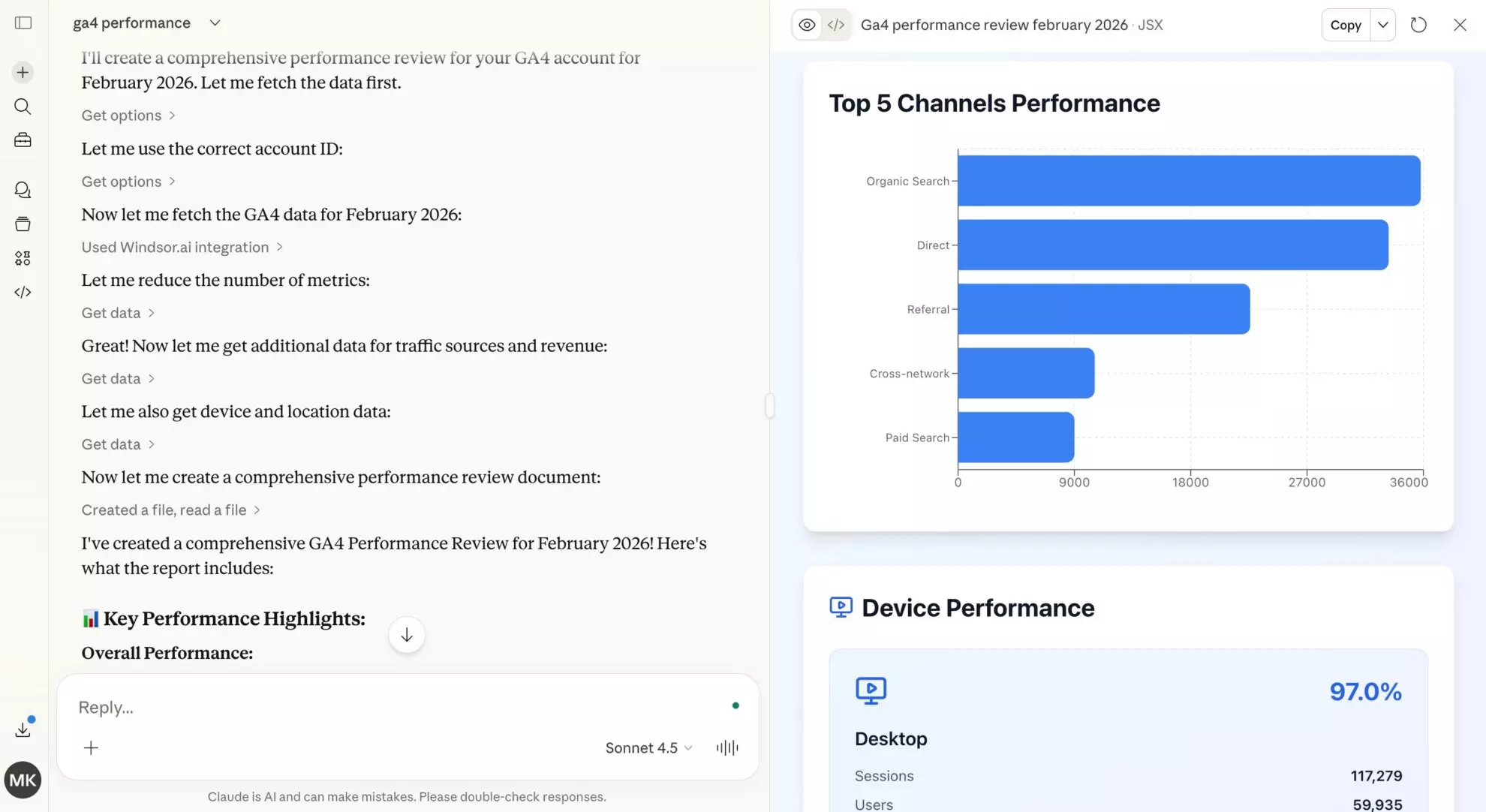














How to connect Google Analytics 4 to Claude with Windsor.ai
Explore our video tutorial and a step-by-step guide to integrate your data from any source into Claude with the Windsor.ai connector.
Select your data source
Choose GA4 as your data source and grant access to Windsor.ai.

Install the Windsor.ai connector in Claude
In Claude, open this Windsor.ai Connector page and click Connect. Once installed, it will appear in your Connectors list.

Query your data in Claude
Start a new chat and ask Claude questions about your connected data: summarize KPIs, create client reporting dashboards, or run advanced analyses.

What GA4 customers say about Windsor.ai
“We love this connector to get our data for Power BI. With Google Analytics changing to GA4, Windsor.ai helped us connect our analytics without losing any of our reports.”
“The ability to get GA4 readings directly into Power BI and have the data refreshed automatically is a time-saver.”
“I use Windsor mainly to bring data into Google Sheets from Meta, Google Ads, TikTok, and Google Analytics, with multiple accounts per platform.”
FAQs
Who is the Windsor.ai's GA4 to Claude integration for?
Windsor.ai’s GA4 to Claude integration is for anyone who works with Google Analytics 4 data and wants faster answers and smarter decisions, without building dashboards or exporting data manually.
- CMOs and marketing managers who need instant performance snapshots without waiting for a report.
- Marketing analysts who want to automate performance summaries, spot anomalies, and free up time for deeper analysis.
- Agencies that need client-ready reports across multiple GA4 properties without manual data pulls.
- E-commerce teams who want to understand where customers drop off and what drives revenue, without digging through GA4 manually.
What can I do with GA4 data in Claude?
Once your GA4 data is in Claude, you can perform complex behavioral sequencing, path exploration, and anomaly detection. Claude can analyze high-volume datasets to identify Performance Decay in specific landing pages, segment users by custom dimensions, and create executive summaries that transform raw data into actionable marketing strategies.
Which GA4 metrics and dimensions are available for analysis?
The Windsor.ai connector supports 400+ fields, including:
-
User behavior. Tracks how many people visit
active_usersand how often they returnactive_7_day_users,dau_per_mau. -
Acquisition and traffic. Identify the origin of your users through
first_user_source_mediumand the success of specific marketing pushes viacampaign_name. -
Engagement and retention. Measure user engagement and retention with
engagement_rate,average_session_duration, andbounce_rate. -
Conversion and revenue: Monitors the bottom line with
conversions(Key Events),ecommerce_purchases, andaverage_purchase_revenue.
What prompts can I use to analyze my Google Analytics 4 data in Claude?
Beyond basic performance summaries, you can use more advanced, specific prompts to uncover deeper insights. For example:
-
Claude, explore my conversion funnel from item view to purchase. Calculate the percentage of users we lose at each step. Where is the biggest leak, and what does the data suggest is causing it?
-
Analyze the landing pages where I am getting both high-paid traffic and high organic traffic. Am I paying for clicks that I would have gotten for free anyway? Suggest a way to optimize this.
-
Look at the users who have spent the most money or converted multiple times. What do they have in common in terms of how they first found us and what content they consumed? Build a Gold-Standard user profile.
-
Review my campaigns over the last few weeks and flag any where engagement is declining while cost per click is rising. Suggest which campaigns may need creative updates.
How much does it cost to integrate Google Analytics 4 into Claude using Windsor.ai?
Windsor.ai’s pricing for Claude data integration can vary depending on the number of connected accounts and data sources. We offer absolutely transparent pricing plans for diversified business needs and budgets.
How long does it take to connect Google Analytics 4 to Claude?
With Windsor.ai’s intuitive connector, the integration process takes just a few minutes. No technical expertise is required; connecting Google Analytics 4 to Claude is simple, straightforward, and completely code-free.
Do you have helpful links to get started with integrating Google Analytics 4 and Claude using Windsor.ai?
Yes, we have helpful resources to help you get started. You can explore our official documentation and tutorials for seamless Google Analytics 4 to Claude integration with Windsor.ai:
Can Claude compare my GA4 data against Meta or Google Ads spend?
Yes. By combining GA4 session, source, and campaign data with ad spend from platforms like Meta Ads or Google Ads, Claude can calculate true ROAS, uncover attribution gaps, and highlight where reported conversions differ from your analytics source of truth. Windsor.ai supports 350+ data sources, enabling comprehensive cross-channel analysis.
Does the connector provide real-time access to GA4 data?
The connector utilizes the GA4 API to fetch the most recent data available. While Google’s API itself has a standard processing lag (usually 24-48 hours), the connector ensures that as soon as the data is in your GA4 property, it is available for Claude to analyze.
Can Claude help identify why my conversions are dropping?
Claude excels at anomaly detection. By analyzing metrics such as sessions, engagement rate, and key events across devices and dimensions, Claude can identify whether a drop in conversions is caused by technical UX issues on mobile or seasonal changes in traffic quality.
Tired of manual Google Analytics 4 data exports? Try Windsor.ai today to automate your reporting


