 Destinations
 Data sources
 AI insights
 About us
 Careers
 Security
 Customer reviews
 Contact us
 Affiliate program
 Solution partners
 Template gallery
 Looker Studio templates
 Power BI templates
 Excel templates
 Google Sheets templates
 Tableau templates
 Facebook Ads templates
 Google Ads templates
 Data fields & Metrics
 AI prompt library & Guides
 Product documentation
 API documentation
 Case studies
 Blog
 Data models
 Windsor vs Supermetrics
 Windsor vs Funnel.io
 Windsor vs Fivetran
 Windsor vs Rivery
 Windsor vs Portermetrics
 Windsor vs Coupler.io
 Last updated: 26 November 2026





To connect Teads to ChatGPT, add a Teads Ad Manager API key to Windsor.ai and install the Windsor.ai plugin in ChatGPT. You don’t need to write code.
ChatGPT can then show how far viewers got through each video creative, what each line item cost per result and how much of the budget went to fees.
2 steps to connect Teads to ChatGPT
Windsor.ai’s guide to integrating data into ChatGPT has screenshots of each ChatGPT screen in the setup.
Prerequisites
- Windsor.ai: the free forever plan (no credit card) is enough to start. Paid plans start at $19 a month, billed annually.
- Teads: an Ad Manager login with access to each seat you want to report on.
- ChatGPT: a ChatGPT account. In Business, Enterprise and Edu workspaces, an admin controls which plugins members can install (OpenAI’s admin guide to plugins).
Step 1. Connect Teads to Windsor.ai
The Teads connector in Windsor.ai connects with an API key from Teads Ad Manager.
- In Teads Ad Manager, select the gear icon in the header to open Settings.
- Under API Keys, select Generate API Key and copy the key. The Teads help article on API keys shows the same screen.
- Go to the Teads page in Windsor.ai, paste the key into API Key, type an optional Account name and select Add Account.

A Teads API key gets the same access as its Teads user, and that access can include more than one seat. Windsor.ai returns the seats chosen for the connection in Windsor.ai, not every seat the key can reach.
Windsor.ai counts accounts by chosen seat. Five seats on one key are five accounts, and a seat added through two keys is one. The free forever plan includes one account. Extra accounts are free to test for your first 30 days and need a paid plan after that.
Step 2. Install the Windsor.ai plugin in ChatGPT
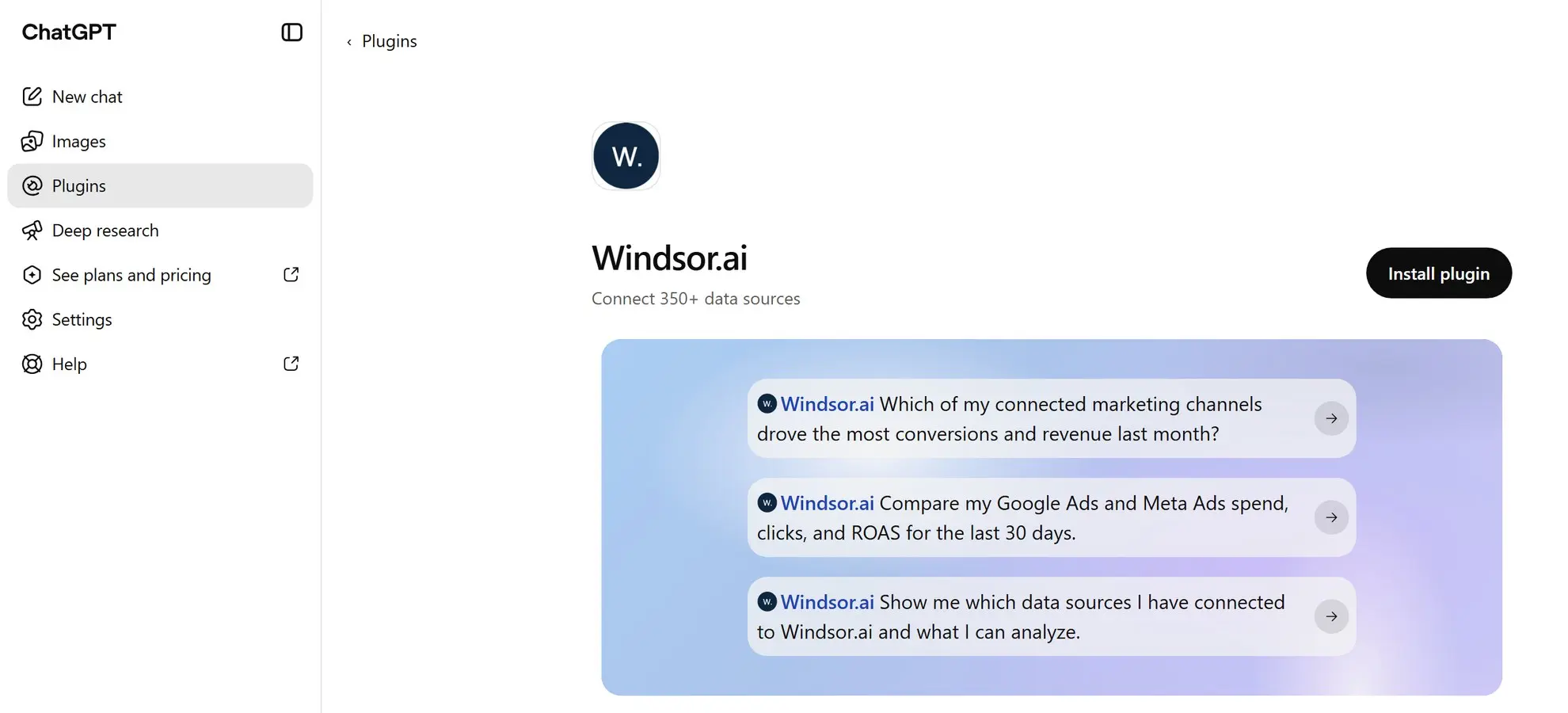
In the ChatGPT sidebar, select Plugins, search for Windsor.ai and select Install plugin. A direct link also works: the Windsor.ai plugin page.
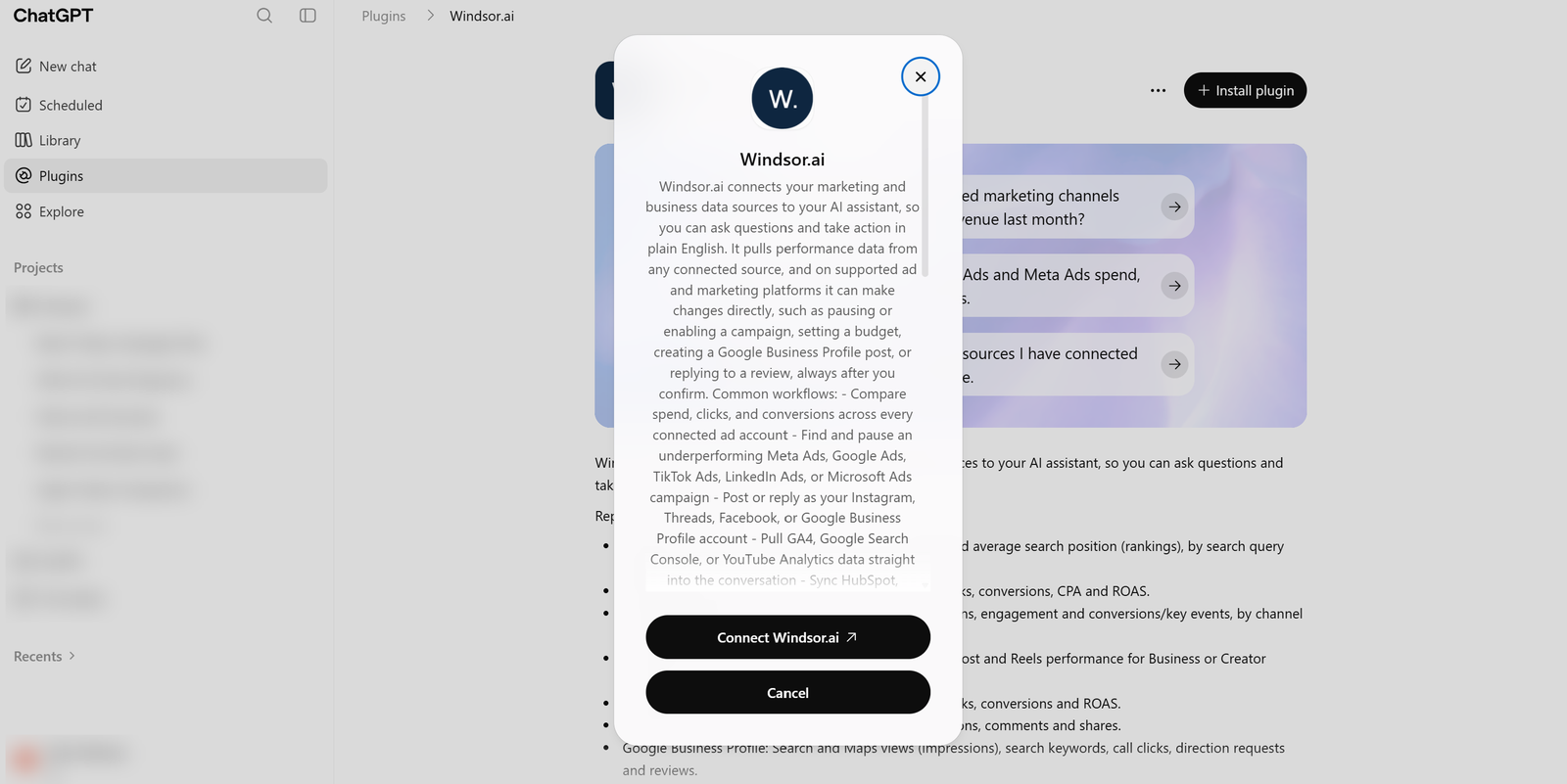
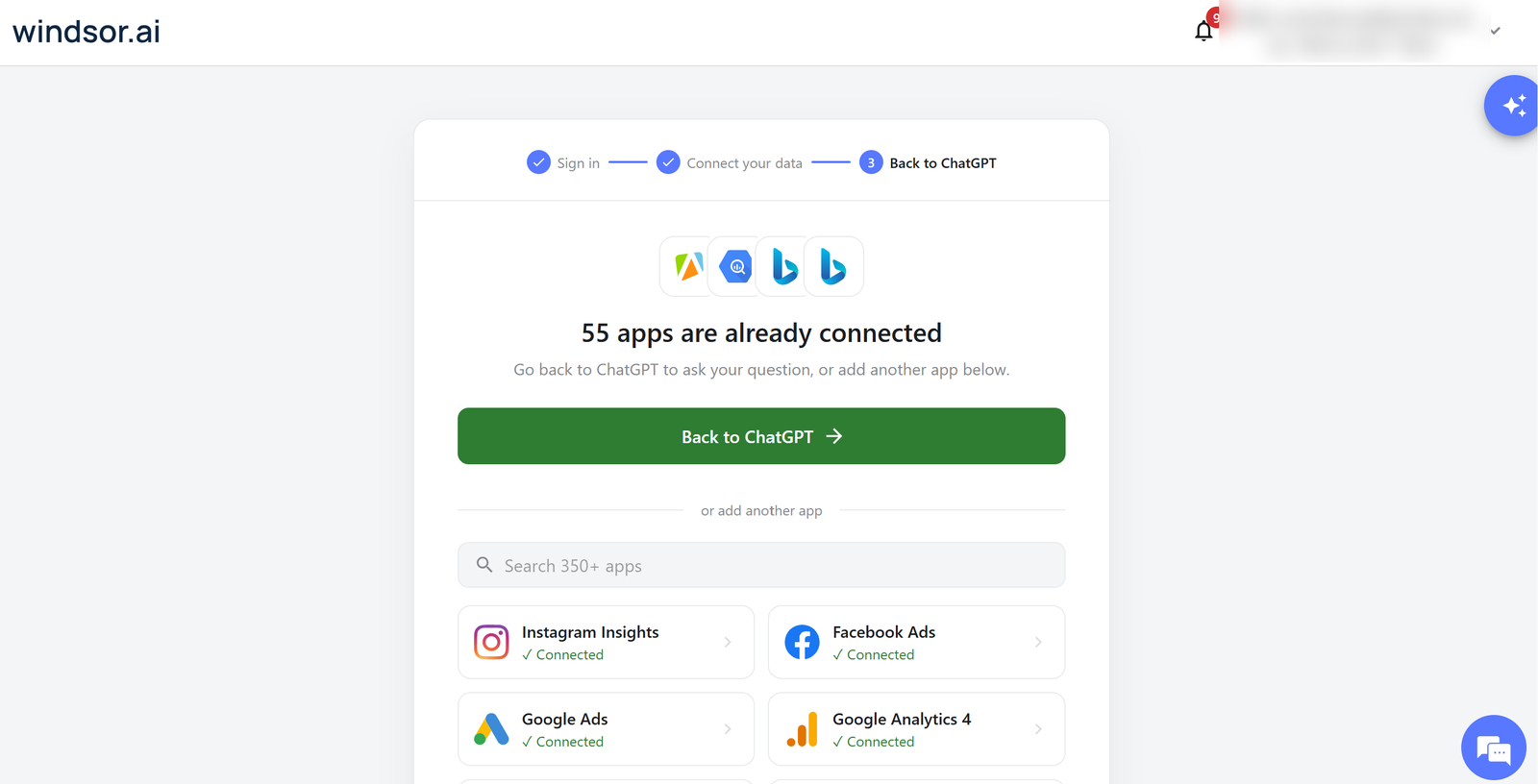
After the install, select Connect Windsor.ai and sign in with your Windsor.ai login. The Back to ChatGPT button then returns you to ChatGPT.
To check the connection, start a new chat, pick Windsor.ai from the + menu or type @Windsor.ai, and send this question.
List the data sources in my Windsor.ai account and tell me whether Teads is there.
When Teads is in the answer, the setup is done.
The Teads data ChatGPT can read
ChatGPT can query 163 Teads metrics and 49 dimensions through Windsor.ai, and the Teads field reference describes each one.
- Delivery: impressions, billable impressions (the billable events delivered), clicks, clickthrough rate, and post-click and post-view conversions.
- Video: starts, first quartile, midpoint, third quartile, completes and complete rate.
- Views that reached each second: counts for each second from 1 to 30, for all formats together and for video and display separately.
- Cost: the advertiser budget consumed, both fees included (budget delivered), the value Teads delivered without the agency fee (budget delivered by Teads), what Teads invoiced (budget spent), the advertising cost without fees (total ad cost, delivered and spent), and the Ad Manager and agency fees. Budget delivered, budget delivered by Teads, budget spent and delivered total ad cost each have their own CPM, CPC and cost per result.
- Unique viewers: Teads’ estimate of how many unique people (counted by Teads ID) saw an ad.
- Dimensions: the seat and advertiser, each campaign and line item, creative details such as size, type and family, the device and browser, the country and website domain, and dates down to the hour.
Keep these five Teads details in mind when you ask about your data.
- Seats. Add seat ID and seat name to a question to see which seat each number comes from.
- Unique viewers. Unique viewers work only with some Teads fields. The ones known to work are impressions, video starts, video completes, completion rate and billable impressions, by advertiser, campaign, line item, creative, country, website domain or date. Put cost, clicks or device in a second question.
- Moat fields. The fields that start with “MOAT -” hold Moat data up to the late-September 2024 cutoff. For later dates, treat them as empty unless Data Preview in Windsor.ai shows values, and use the video fields and the views that reached each second instead.
- CPM. Budget delivered CPM is the price per thousand impressions for display and per thousand starts for video.
- Repeated questions. If you repeat the same question within 6 hours, Windsor.ai can return the cached result.
What to ask ChatGPT: prompt ideas
Name a period in each question. The free forever plan covers the last 30 days of Teads data. A longer period needs a paid plan.
Video drop-off
Which of my Teads video creatives lost the most viewers between the midpoint and completion in the last 30 days? Show starts, each quartile and completes, with each as a share of starts.
Views that reached each second
Compare my Teads creatives on how many views reached 10 seconds and 30 seconds in the last 30 days. Put video and display creatives in separate lists.
Cost per result by line item
For this month, group my Teads line items by billable event and, within each group, rank them by budget delivered cost per result. Show budget delivered and post-click conversions.
Fees
For each Teads campaign this month, show the Ad Manager fee and the agency fee, each as a share of budget delivered, with the delivered total ad cost beside them.
Unique viewers
In the last 30 days, which Teads creatives reached the most unique viewers in each country? Add impressions and video completes.
Windsor.ai has no write actions for Teads (write actions list), so pausing a line item or changing a budget happens in Teads Ad Manager.
Analyze Teads next to your other ad platforms
Windsor.ai connects 375+ sources, so one ChatGPT chat can answer questions about Teads and any of them you add to the same Windsor.ai account.
- Google Ads: ask ChatGPT to divide Teads budget spent (what Teads invoices, with the Ad Manager fee and without the agency fee) by post-click conversions and compare the result with your Google Ads cost per conversion.
- The Trade Desk or DV360: compare CPM for display only. For video, compare completion rate, and ask ChatGPT to divide Teads budget spent by completes for a cost per completed view.
Testing Teads with a second source is free for your first 30 days. After that, Basic ($19 a month, 3 sources) or Standard ($99 a month, 7 sources), both billed annually, keeps them connected. The pricing page lists every plan.
Other ways to connect Teads to ChatGPT
On 26 November 2026 we found no Teads plugin in ChatGPT. According to PPC Land (29 October 2026), Teads is testing an MCP server with a small group of users. It brings reach forecasts, audience insights and inventory data into Claude, Gemini Enterprise and Copilot, and the report doesn’t mention ChatGPT.
Two other routes work without the plugin.
Report download
Download a report from Teads Ad Manager and upload it to a chat. The answer covers only that file, and newer numbers need a fresh download.
Your own MCP server on the Teads Reporting API
Developers can build their own MCP server on the Teads Reporting API. It returns reports as CSV files and allows one report run every 30 seconds per seat. Your team maintains the code and the API key.
Conclusion
Start with the video drop-off prompt on your last 30 days, then compare fees by campaign.
The Teads to ChatGPT integration page has more prompt ideas and the field groups, and the Google Ads to ChatGPT guide covers the Google Ads setup for the cross-channel comparison.
🚀 Connect Teads to ChatGPT. Free forever plan, no credit card
FAQs
Do I need coding skills to connect Teads to ChatGPT?
No. The setup is a key copied from Teads Ad Manager, a two-field form in Windsor.ai and a plugin install in ChatGPT.
Can I connect several Teads seats?
Yes. If your Teads user can open several seats, its API key can report on all of them. Windsor.ai returns only the seats chosen for the connection in Windsor.ai, and your plan counts each chosen seat as an account.
Can ChatGPT show viewability for my Teads campaigns?
No, not for campaigns after September 2024. Windsor.ai’s “MOAT -” fields hold Moat data only, up to the late-September 2024 cutoff, and are empty for later dates unless Data Preview in Windsor.ai shows values. Teads has measured viewability with its own technology since 23 September 2024. For those campaigns, ask about video quartiles, completes and views that reached each second.
Can ChatGPT change my Teads campaigns?
No. Windsor.ai has no write actions for Teads. Pauses, budget changes and other edits stay in Teads Ad Manager.
Does Teads have its own ChatGPT plugin?
No. When we searched ChatGPT Plugins on 26 November 2026, no Teads plugin was listed. A PPC Land article of 29 October 2026 says Teads is testing an MCP server for Claude, Gemini Enterprise and Copilot.
How much does it cost to connect Teads to ChatGPT with Windsor.ai?
The free forever plan needs no credit card. It covers 1 user, 1 data source, 1 account and 30 days of history. Paid plans start at $19 a month for 3 sources, billed annually. See the pricing page.
Can I use Teads data in Claude too?
Yes. The same Windsor.ai account works in Claude. See the Teads to Claude integration page.


