 Destinations
 Data sources
 AI insights
 About us
 Careers
 Security
 Customer reviews
 Contact us
 Affiliate program
 Solution partners
 Template gallery
 Looker Studio templates
 Power BI templates
 Excel templates
 Google Sheets templates
 Tableau templates
 Facebook Ads templates
 Google Ads templates
 Data fields & Metrics
 AI prompt library & Guides
 Product documentation
 API documentation
 Case studies
 Blog
Blog Data models
 Windsor vs Supermetrics
 Windsor vs Funnel.io
 Windsor vs Fivetran
 Windsor vs Rivery
 Windsor vs Portermetrics
 Windsor vs Coupler.io
 Last updated: 1 September 2026




BigQuery handles massive datasets efficiently and quickly. But speed isn’t everything. You still need an ELT tool that moves, shapes, and loads data without slowing things down.
In 2026, the stakes are higher. Businesses deal with an increasing number of data sources, lower latency, and stricter compliance requirements. The right ELT tool, meaning Extract, Load, Transform, helps keep pipelines running smoothly and fast. It lets your team focus on analysis instead of fixing failed jobs.
However, the choice of the best ELT tool might be a real challenge. Not all products are built the same. Some tools are designed for ease and reliability and offer the perfect value for money. Others support hundreds of data sources, but can break the bank.
This blog will cut through the noise. We’ll explore the top ELT tools for BigQuery in 2026, which boast robust data integration capabilities, reliable performance, and great customer reviews.
Read on to find out a platform that best suits your data requirements and budget. Whether you’re scaling a startup or running an enterprise pipeline, the right tool can make a big difference.
What makes a great ELT tool for BigQuery in 2026: features to look for
Picking the best ELT tool is not about just checking its feature list. It has to fit into your data stack without a fight, keep up when your data load jumps, and not wreck the budget.
When comparing available products, pay special attention to these aspects:
Connector availability
Ensure that the selected ELT tool supports all the data sources you use. Pre-built connectors save a significant amount of time, but if you rely on niche systems, a good ELT company should offer custom connector development.
Scalability & performance
You want to handle large-scale data loads without slowing down the pipeline. For this, look for the incremental loading feature and ensure that the tool can manage parallel processing and real-time data sync.
Ease of use
Best-fit ELT software should operate with minimal intervention. An intuitive interface makes the tool simple to navigate. A quick, streamlined setup in just a few steps saves time and keeps workflows efficient. Clear, well-organized documentation speeds up onboarding and troubleshooting.
Data transformation
The majority of ELT tools only handle extraction and loading. If you need to handle transformations in the pipeline, look for tools that support basic in-app transformations, custom SQL (Structured Query Language), or integration with dbt.
Cost & pricing model
Find out how the product pricing is structured. It may be a flat fee or a dynamic pricing based on the number of events, connectors, or rows. Knowing this upfront helps prevent unexpected costs.
Security & compliance
The best ELT tools for BigQuery must follow the globally accepted security standards. Some of them are SOC 2, GDPR, and HIPAA. Strong encryption and well-managed access controls must be in place.
Monitoring & alerting
ELT pipelines are often fragile and fail unexpectedly. A good tool must provide automated real-time alerts, logs, and dashboards to help you identify and resolve issues immediately.
Customer support & community
Even the top BigQuery ELT tools might have their issues. So, a responsive, active, and supportive team, along with extensive documentation, is vital for smooth product use.
A good ELT tool should connect to all your data sources, maintain steady performance under heavy loads, be easy to use, meet security requirements, and provide solid monitoring with dependable customer support.
Top 10 ELT tools for BigQuery in 2026
1. Windsor.ai

Windsor.ai is a powerful no-code ELT tool for BigQuery built for marketing and data engineering teams that want to centralize data without wrestling with complex scripts.
It connects to over 350+ sources, including marketing and sales platforms, CRMs, SaaS apps, and many more, supporting real-time sync to BigQuery, so you can keep in-warehouse analytics fresh and decision-ready.
Building a complex ELT pipeline in BigQuery takes less than 5 minutes and is accessible even by non-technical users.
Key features of Windsor.ai
- Fully automated data integration: send data from any data source right to your BigQuery project in just 3 simple steps with no code, eliminating the need for manual CSV uploads or API calls. The setup is much faster and easier compared to traditional ETL and the majority of modern ELT tools.
- 350+ native BigQuery connectors: integrate data from hundreds of platforms using pre-built connectors in a matter of minutes.
- Automated schema mapping and evolution: the tool detects schema changes in source systems and adjusts your BigQuery tables automatically.
- Incremental data loading: Windsor supports CDC (Change Data Capture) for efficient updates without reloading entire datasets.
- Data normalization: get harmonized fields (e.g., campaign names, UTM tags) across multiple sources for unified analysis.
- Scalability and performance: pipelines built with Windsor are designed for high data volumes, with query-optimized output tables in BigQuery.
- Flexible transformations: benefit from both in-database transformations (SQL, dbt, Python) and Windsor’s built-in logic using custom formulas and filters.
- Partitioning and clustering support: Windsor supports BigQuery’s native partitioning and clustering, helping you organize large datasets efficiently, improve query performance, and reduce storage costs.
- Monitoring and error handling: get real-time alerts and logs to ensure pipeline reliability.
Use cases
For marketing teams, Windsor’s BigQuery connectors make it simple to centralize campaign data without extra plugins or custom scripts. Automated ELT pipelines handle schema matching, so reports and dashboards are always up-to-date.
For data engineers, Windsor offers end-to-end automation, partitioning and clustering support, and scalable performance without heavy setup. It minimizes manual build and maintenance, freeing teams to focus on analysis rather than integration.
Overall, Windsor.ai delivers the most universal ELT solution for BigQuery and the best value for money by combining ease of use for marketers with technical robustness for engineers at a fraction of the cost of more complex ETL tools.
Pricing
Windsor.ai has a transparent, tiered pricing model. The free plan covers daily syncs with a few data sources. Paid plans expand with more data sources, jobs, and a greater sync frequency starting at just $19/month.
You can start for free to see if Windsor.ai is the right fit for your data and reporting needs.
2. Hevo Data

Hevo Data is one of the best ELT tools for BigQuery in 2026, offering a fully managed pipeline. It automatically replicates data from multiple sources (databases, SaaS apps, event streams) to BigQuery, adjusts to schema changes, and scales easily, so you’re not wasting time fixing pipelines.
Key features of Hevo Data
The platform offers over 150 pre-built connectors (SQL, NoSQL, SaaS applications, etc.) and gives complete pipeline visibility, allowing you to track every operation in a clear interface. Whether you’re doing real-time ELT to BigQuery or batch loads, Hevo ensures data integrity with built-in quality checks.
These features make it a strong pick in any BigQuery ELT tools comparison. For teams evaluating ETL vs ELT for BigQuery, Hevo leans into modern ELT with dbt-based transformations.
Use cases
Hevo Data simplifies and automates getting clean, up-to-date, and analytics-ready data into BigQuery from multiple sources through advanced no-code and low-code ELT tools, helping teams create a single source of truth with reduced operational overhead.
Pricing
You can get started free with 1M events each month. Move to Starter ($239/month) or Professional ($679/month) when your needs grow. Need more? Business Critical plan offers custom options with advanced security.
3. Integrate.io
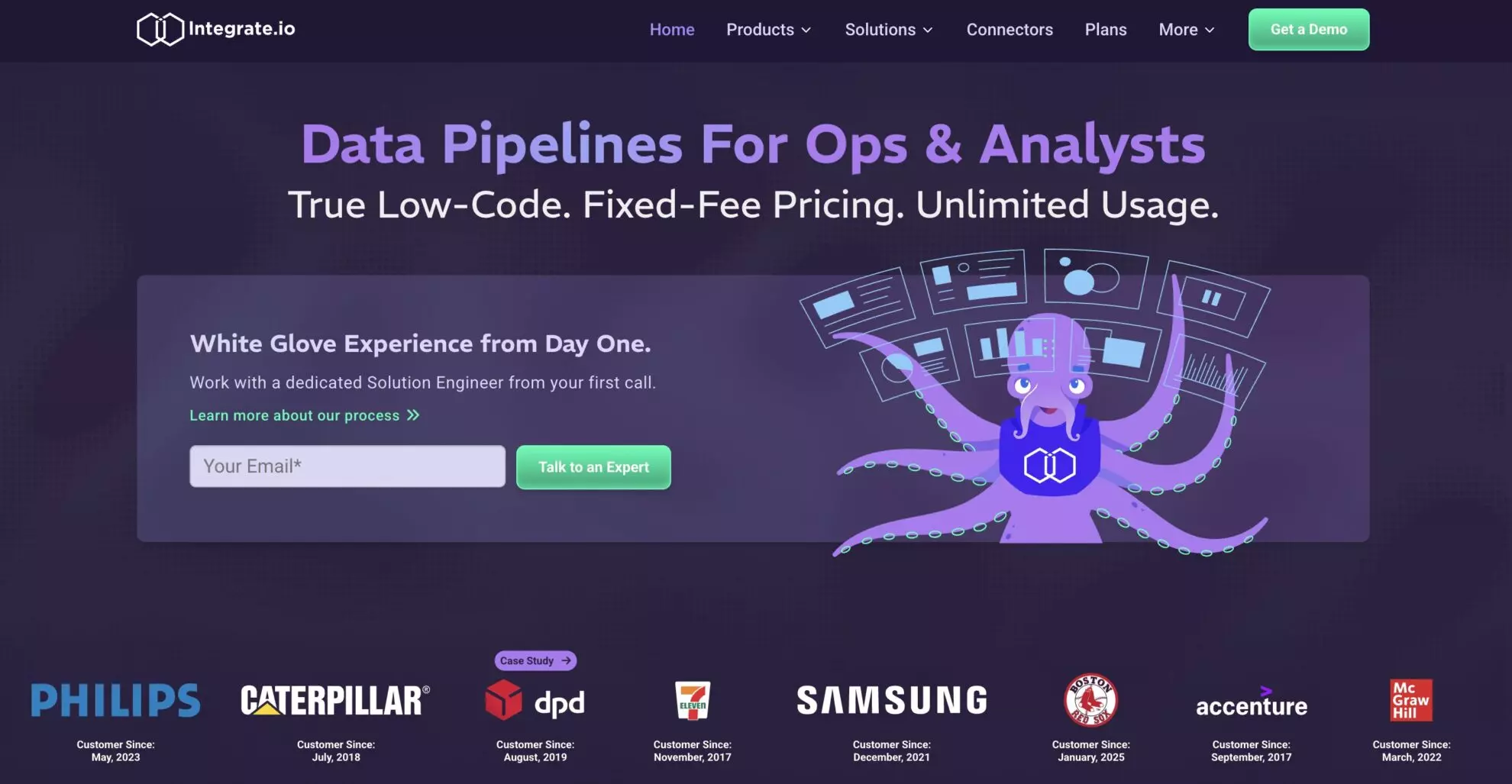
Integrate.io should be on your list of the top ELT tools for BigQuery in 2026 if you prioritize speed and simplicity. It’s a no-code to low-code solution that doesn’t require involving a data engineer to get pipelines running.
Key features of Integrate.io
Integrate.io connects to over 150 sources and pushes real-time ELT to BigQuery with latency under a minute.
You’re not locked into one approach either. It handles both ETL and ELT for BigQuery, allowing you to transform data before or after loading, depending on your analytical and reporting needs. For teams managing different workflows, that flexibility is gold.
Use cases
Integrate.io is a great pick for live dashboards or AI applications due to its ultimate automation.. You can schedule and run ELT workflows without managing them, which is key for scalable ELT for BigQuery.
If you deal with marketing data, Integrate.io’s BigQuery connectors come in handy. Similarly to Windsor, they simplify ingestion from multiple platforms and keep data consistent in various destinations.
Pricing
Integrate.io offers unlimited pipelines, connectors, and data volumes for a fixed monthly fee of $1,999. You can request some advanced features at a custom Enterprise plan, which will cost $2,000+.
4. Talend

Talend is a decent player in this BigQuery ELT tools comparison, as it combines robust integration, governance, and quality into a single platform. The low-code setup enables fast connection and makes even large pipelines easy to handle.
Key features of Talend
The platform stands out for its flexibility in deployment. It works on-premise, in the cloud, or in a hybrid setup, making scalable ELT for BigQuery possible in any environment. Its built-in connectors also integrate smoothly into other cloud platforms like AWS and Azure.
Talend works well for teams weighing ETL vs ELT for BigQuery. It delivers ELT automation for BigQuery and offers low-code ETL features, speeding up delivery while reducing coding overhead.
Use cases
Talend provides BigQuery connectors mainly for marketing data, making it a good ELT solution for marketing and analytics teams.
Pricing
Qlik Talend Cloud® does not publicly disclose pricing, but it’s evident that the costs scale with usage. Starter and Standard plans are primarily influenced by data volume, while Premium and Enterprise plans factor in job executions and runtime duration. Overall, pricing increases with complexity, providing flexibility for teams ranging from simple data pipelines to enterprise-level AI workloads.
5. Airbyte

Airbyte is present in literally every comparison of BigQuery ELT tools. It stands out in this space because it’s open-source and features over 600 connectors. With Airbyte, teams seeking the best tools to move data into BigQuery gain flexibility for cloud, hybrid, or on-premises setups.
Key features of Airbyte
Airbyte makes ELT automation for BigQuery easy with a low-code setup and strong API support. It also offers scheduling, monitoring, and version control in one place.
Complex ingestion jobs run smoothly. Whether you’re on a cloud ELT platform for BigQuery or running it yourself, Airbyte adapts.
Use cases
Among open-source ELT tools for BigQuery, Airbyte’s low-code connector builder is ideal for developers looking for custom data sources. Its data ingestion tools are quick, dependable, and ready to scale. Thus, Airbyte is a proven choice for BigQuery ELT when speed, customization, and flexibility are key.
Pricing
Airbyte offers predictable and flexible pricing for every team.
The Open Source plan is forever free and self-hosted. Cloud plans use a volume-based structure. Teams and Enterprise plans use a capacity-based structure with governance, security, and scalability included.
6. Supermetrics

Supermetrics is a data automation tool that helps marketers, agencies, and businesses streamline reporting. It pulls data from over 100 platforms into Google Sheets, Excel, Looker Studio, and data warehouses, including BigQuery. With it, you can save time, reduce errors, and focus on analyzing marketing insights.
Key features of Supermetrics
Supermetrics helps you collect and organize data without the hassle of manual work. It connects with the most popular marketing platforms such as Google Analytics 4, Facebook Ads, HubSpot, Shopify, etc.
You can bring all your data directly into BigQuery and automate updates, so your tables stay fresh without constant effort. With filters, custom metrics, and access to historical data, you gain more control over your analysis.
Use cases
You can use Supermetrics in many ways. If you’re a marketer, it helps you track campaigns across multiple channels in one place. If you run an agency, you can automate client reports and save hours every week.
Businesses also rely on this tool to monitor KPIs, spot performance trends, and make smarter decisions. It’s especially helpful when you manage several ad accounts.
Pricing
Supermetrics offers flexible pricing. Individual plans start around $37 per month, while team plans scale to $189+ per month, with custom Enterprise pricing for larger needs. Prices depend on your selected data sources, destinations, and usage.
7. IBM InfoSphere DataStage

IBM InfoSphere DataStage is one of those tools you turn to when dealing with complex data at scale. It supports both ETL and ELT for BigQuery, so you can choose what works best for your pipeline.
Key features of IBM InfoSphere DataStage
If you’ve been comparing top BigQuery ELT tools, it’s hard to ignore how well IBM’s platform handles hybrid and multicloud setups. It’s fast and built for high-volume jobs and works great with structured and unstructured data. This makes it more flexible than most data pipeline tools for Google BigQuery.
The built-in governance and observability ensure that you’re not just moving data, but also making sure it’s trusted.
Use cases
DataStage aligns well with modern ELT tools for BigQuery, offering low-code and no-code pipeline design options. You can push pipelines into production quickly, whether it’s batch jobs or real-time ELT to BigQuery.
Whether you’re doing ELT automation for BigQuery or working with marketing data, DataStage scales without breaking your flow.
Pricing
IBM DataStage as a Service starts at $1.75 per Capacity Unit-Hour (CUH) on IBM Cloud. The Enterprise and Enterprise Plus editions on Cloud Pak for Data include unlimited users, with custom pricing available on request. For the on-premises edition, IBM provides custom quotes for hybrid and multicloud setups.
8. Stitch

Stitch is a simple, cloud-first ELT tool. It doesn’t try to be everything, and that’s its strength. You connect a source, point it at BigQuery, and it starts moving data. No heavy setup. Just a straightforward pipeline.
Key features of Stitch
Stitch comes with more than a hundred ready-made connectors. Popular apps like Salesforce, HubSpot, and Shopify are included. Common databases such as MySQL and PostgreSQL are available out of the box, too.
If something changes in the source schema, Stitch adjusts on its own. You don’t have to jump in and fix pipelines every time.
Stitch works well with dbt, which means you can load raw data into BigQuery and then transform it there. You keep control over transformations, but don’t waste time on the plumbing.
Use cases
Teams like Stitch because it’s quick to get running. The dashboard is clean. You don’t need a big data engineering team to manage it.
Small companies can start cheaply, and the pricing stays fair as they grow. Larger teams still use it because it scales without getting complicated.
Pricing
Stitch pricing is transparent and usage-based. Costs scale with data volume, from $100 monthly for 5M MARs at the Standard plan to $1,250 and $2,500 at the Advanced and Premium tiers.
9. Matillion

Matillion is a cloud-native platform, mainly providing ETL for BigQuery but it can also act as an ELT, which helps you integrate and transform data at scale. It connects to various data sources and loads data into modern warehouses like Google BigQuery, Snowflake, Redshift, or Databricks.
Key features of Matillion
Matillion gives you universal connectivity with hundreds of platforms via pre-built connectors. You can also create custom connectors within the app. Thanks to its ELT approach, you work with the power and speed of the cloud.
Using the tool, you can automate data ingestion, apply transformations, and orchestrate workflows easily. The platform also supports semi-structured data like arrays and nested fields. In addition, it offers built-in alerts, notifications, and seamless integration with cloud billing and security.
Use cases
You can use Matillion to bring data from multiple systems into a centralized warehouse. If you are a data engineer, you can build pipelines quickly without writing heavy code. If you are a data architect, you can modernize your stack and manage large workflows at scale. As an analyst, you get clean, business-ready data faster. Enterprises also use Matillion to optimize costs, handle massive data volumes, and deliver insights in less time.
Pricing
Matillion offers flexible pricing models. You can choose pay-as-you-go or subscription plans. Pricing depends on usage, connectors, and data volume. But the rates aren’t publicly available. You have to contact sales to get a quote.
10. Fivetran

Fivetran is the world’s leading, fully managed data integration platform. It’s widely used as a reliable ELT tool for BigQuery, allowing enterprises to automate complex data pipelines.
Key features of Fivetran
Fivetran supports 600+ data sources, including databases, SaaS apps, and marketing platforms. It offers pre-built connectors that sync data continuously and without the need to write code or manage infrastructure.
The tool also provides automatic schema updates, ensuring your warehouse stays aligned with source changes. Security and compliance features, such as encryption and SOC 2 certification, give big companies peace of mind.
Use cases
You can use Fivetran to centralize business data for reporting and analytics. Data teams rely on it to reduce the burden of building and maintaining custom pipelines. Marketing and sales teams use it to merge data from CRMs, ads, and web tools into one location. Enterprises use Fivetran to accelerate decision-making by giving stakeholders access to real-time, trustworthy data.
Pricing
Fivetran uses a consumption-based pricing model starting from $500/month. You pay based on Monthly Active Rows (MARs), which means you’re charged only for the data you move. This makes it flexible for enterprises but quite expensive for small and medium teams. As a top Fivetran alternative, Windsor offers comparable features for a fraction of the price, almost 20× less.
Comparison table of the best ELT tools for BigQuery
| ELT tool | Connectors | Ease of use | Transformations | Pricing | Strengths |
|---|---|---|---|---|---|
| Windsor.ai | 350+ pre-built connectors | No-code setup <5 min | Basic built-in logic (custom metrics and filters) | From $19/mo, free plan available | Designed for marketing & data engineering, cost-effective |
| Hevo Data | 150+ | No-code/low-code | dbt-based | Free 1M events, Starter $239/mo | Fully managed ELT, automated pipelines |
| Integrate.io | 150+ | No-code/low-code | Before/after loading | $1,999/mo fixed, Enterprise custom | Live dashboards, AI apps, marketing data |
| Talend | Cloud/on-prem | Low-code | Low-code ETL | Scales with usage | Serves marketing & analytics teams |
| Airbyte | 600+, open-source | Low-code | Custom connectors | Open-source free, Cloud & Enterprise paid | Flexible, focus on developers, extensive customization |
| Supermetrics | 100+ | Spreadsheet-friendly | Basic (filters/metrics) | $37–$189+/mo, custom Enterprise | Designed for marketing reporting, agencies |
| IBM DataStage | Structured & unstructured | Low-code/no-code | ELT & ETL | CUH-based or custom | Complex data at scale, enterprise |
| Stitch | 100+ | Simple setup | Works with dbt | $100–$2,500/mo usage-based | Quick start, good for small–medium teams |
| Matillion | Hundreds | Low-code | In-platform | Pay-as-you-go or subscription | Large workflows, enterprises |
| Fivetran | 600+ | No-code | Extensive transformations | Consumption-based, from $500/mo | Designed for enterprises and large-scale data |
Conclusion
In 2026, businesses working with large datasets, fast refresh cycles, and strict compliance requirements need an ELT tool for BigQuery that keeps pipelines running smoothly, scales effortlessly, and minimizes time spent troubleshooting. That means more time for analysis and less time chasing errors.
From Windsor.ai to Matillion, every tool on this list has its strengths. The right choice depends on your data, budget, and specific needs. Some tools excel at automation and customization. Others offer flexibility, open-source freedom, or the power to handle heavy data workloads. The best ELT tool for BigQuery is the one that aligns with your unique workflow, goals, and compliance requirements.
Whether you run batch jobs, real-time analytics, or scheduled syncs, Windsor.ai delivers reliable, efficient BigQuery pipelines for any project.
Try Windsor.ai for free and experience how simple, fast, and error-free your data workflows can be.
FAQs
What makes Windsor.ai a good ELT tool for BigQuery?
Windsor.ai connects to more than 350+ data sources, automates all ELT stages, and sends data into BigQuery in under 5 minutes. You don’t need to write a single line of code or involve developers to build complex BigQuery pipelines. Our platform keeps the data clean and up-to-date with automatic schema matching and scheduled syncs.
Can Windsor.ai handle real-time data loads into BigQuery?
Windsor.ai supports near real-time ELT. Your BigQuery tables are updated instantly after you run a destination task. It’s ideal for analytics, live dashboards, and campaign tracking. For scheduled data syncs, you can select 15-minute/hourly or daily refreshes.
How does Windsor.ai compare to other ELT tools?
Windsor.ai has an extremely simple no-code interface, which makes BigQuery integrations accessible even to non-technical users in 3 quick steps. It provides all essential automation features, a great pool of built-in data connectors, extensive documentation, and responsive customer support. What’s more, all data sources and destinations are available at every plan with no premium connectors. You can benefit from all these features just at $19/month, while other tools charge from hundreds to thousands of bucks even for basic BigQuery integrations.
Does Windsor.ai support marketing data connectors?
Absolutely. We provide 350+ native connectors for ads, analytics, CRM, and e-commerce platforms. That means marketing teams can run reports in minutes without extra plugins or manual imports.
Is Windsor.ai suitable for both startups and enterprises?
Yes. Windsor.ai easily scales with your data needs. Whether you’re processing thousands or billions of rows, performance stays consistent without a huge jump in costs.
Is Windsor.ai secure and compliant for regulated data?
Yes. It’s completely secure and adheres to standards such as SOC 2 and GDPR. It also provides strong encryption and controlled access.


