 Destinations
 Data sources
 AI insights
 About us
 Careers
 Security
 Customer reviews
 Contact us
 Affiliate program
 Solution partners
 Template gallery
 Looker Studio templates
 Power BI templates
 Excel templates
 Google Sheets templates
 Tableau templates
 Facebook Ads templates
 Google Ads templates
 Data fields & Metrics
 AI prompt library & Guides
 Product documentation
 API documentation
 Case studies
 Blog
Blog Data models
 Windsor vs Supermetrics
 Windsor vs Funnel.io
 Windsor vs Fivetran
 Windsor vs Rivery
 Windsor vs Portermetrics
 Windsor vs Coupler.io
Connect Adalyser to Claude
Automatically sync your Adalyser TV attribution data to Claude using the Windsor.ai connector.
Query your Adalyser data in Claude using natural language to see which TV spots, channels, and dayparts are actually driving digital response, with AI-driven insights on leads, sales, and ROI across every campaign.
Forget CSVs. Stop copy/paste. Connect in minutes. No code required.
 Sign up with Google
 Free forever plan
No credit card needed
Free forever plan
No credit card needed









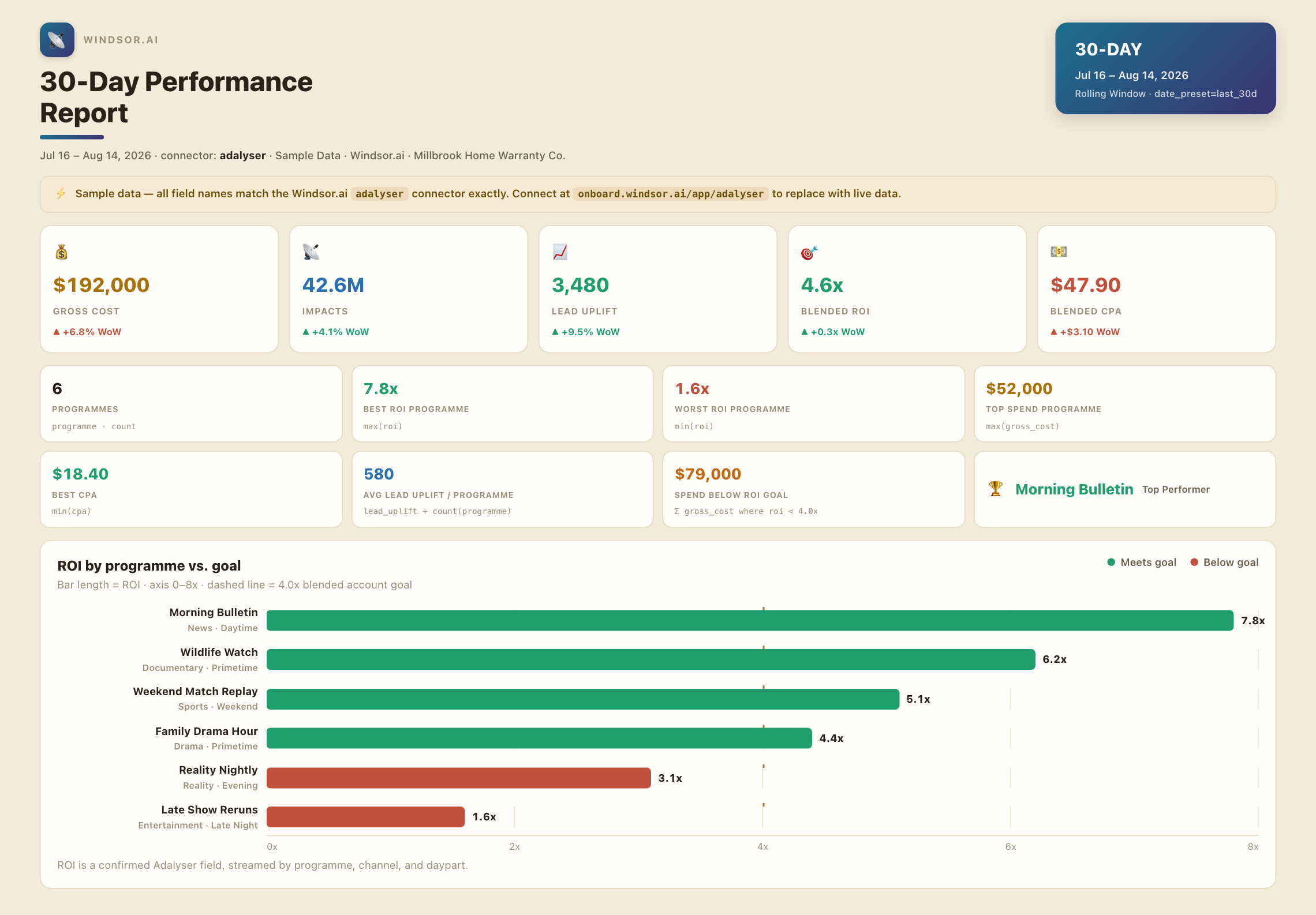
Get instant AI insights from your Adalyser TV campaigns in Claude
Windsor MCP streams your live Adalyser attribution data into Claude, so you skip the manual cross-referencing and go straight to the analysis. Explore key use cases:

Catch TV-driven spikes early
Ask Claude to flag which channel, daypart, or programme triggered the biggest jump in Lead Uplift this week, so you can double down on what’s actually working.

Compare cost efficiency across airings
Get CPT, CPL, and CPA broken down by campaign in one prompt, instead of cross-referencing airtime logs against a separate cost sheet.

Attribute sales to specific TV spots
Ask Claude which TV spots generated the most Sale Value and Sale Count relative to Gross Cost, so budget shifts toward what’s actually converting.

Track response trends by week
Break down leads, sales, and impacts by week or month to see whether TV-driven response is building or fading.

Optimize channel and daypart mix
Ask Claude to rank channels and dayparts by ROI, so media planning shifts toward the slots that actually move digital response.
Using Windsor.ai to connect data from Adalyser to Claude
Bringing Adalyser TV attribution data into Claude usually means manual exports, data cleanup, or costly reporting platforms, especially when cross-referencing airtime logs against web and app analytics by hand to catch which TV spot actually moved the needle. Windsor.ai removes that friction with an MCP connector that automatically collects, structures, and streams your Adalyser data directly into Claude.
Connect in minutes and start asking natural-language questions about leads, sales, and ROI by channel and daypart.














How to connect Adalyser to Claude with Windsor.ai
Explore a step-by-step guide to integrate your Adalyser data into Claude with the Windsor.ai connector.
Connect Adalyser in the Windsor.ai dashboard
Choose Adalyser as your data source and grant access to Windsor.ai.

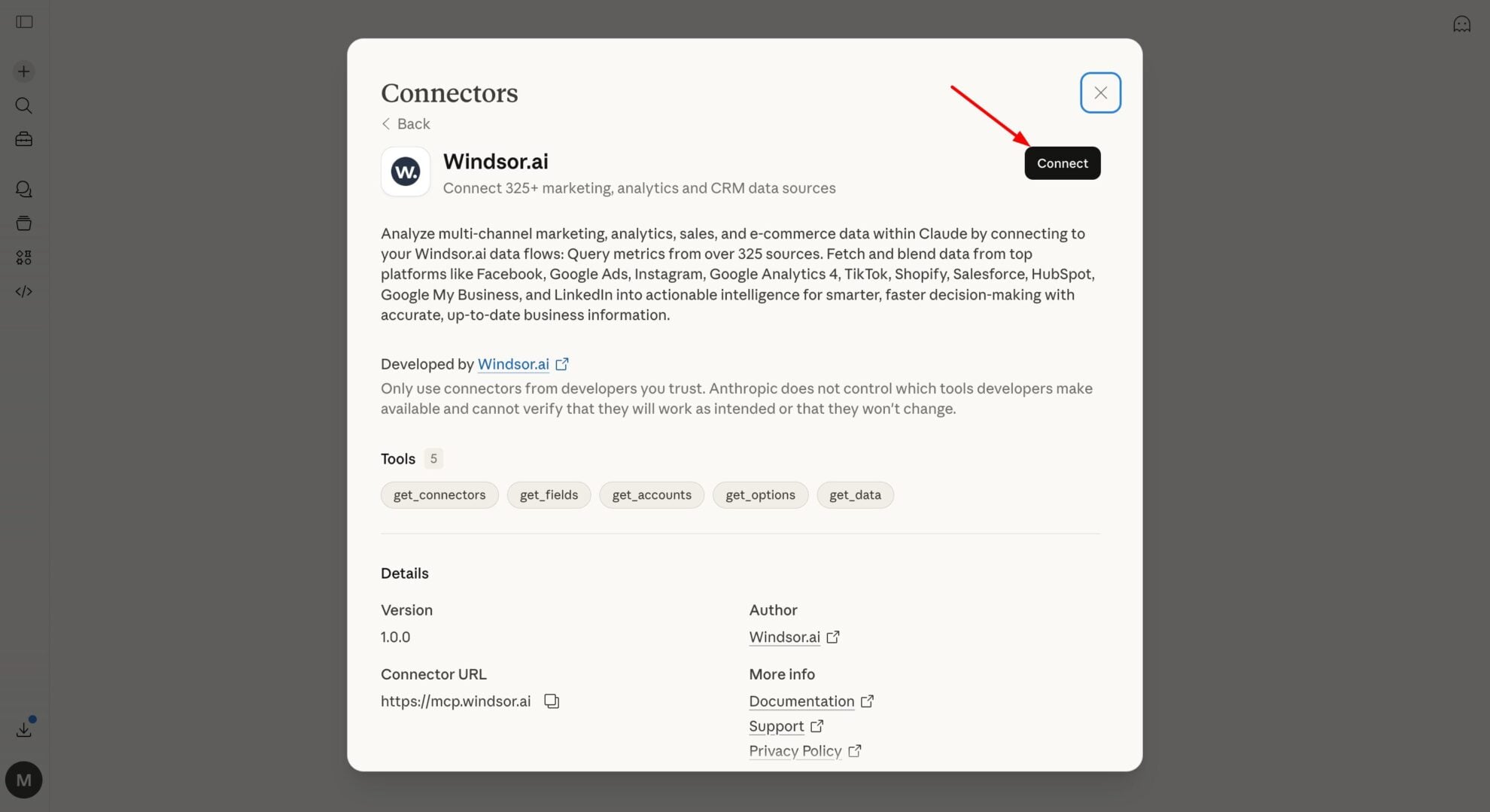
Install the Windsor.ai connector
In Claude, open Customize, then Connectors, search for Windsor and click Add. Sign in to your Windsor.ai account when prompted, and the connector appears in your Connectors list. You can also open the Windsor.ai listing in the Claude directory and click Connect.
Query your Adalyser data in Claude
Start a new chat and ask Claude about your Adalyser TV attribution data: summarize performance, compare channels, or run advanced analyses.
FAQs
What Adalyser data can I analyze in Claude?
Windsor.ai gives Claude access to all 93 Adalyser fields (23 metrics, 70 dimensions), organized into groups such as:
- TV campaign performance (6 fields): Impacts, TVRS, Gross Cost, Client Cost, CPT, CPA.
- Lead & sale attribution (7 fields): Conversions, Lead Baseline, Lead Uplift, Sales Value, Sale Count, CVR, ROI.
- Airtime & scheduling (6 fields): Channel, Daypart, Programme, Date, Day, Time.
- Digital response sources (5 fields): Lead Origins Direct, Lead Origins Organic Search, Lead Origins Paid Search, Sale Origins, Sources Desktop/Mobile.
Can Claude tell me which TV spots are driving the most digital response?
Yes. Windsor.ai streams Impacts, Lead Uplift, and Sale Count for every channel, daypart, and programme, so Claude can flag the airings generating the strongest lift in leads and sales.
Can Claude track my Adalyser performance trends over time?
Yes. Windsor.ai streams date, week, month, and year breakdowns alongside every metric, so Claude can show whether leads, sales, and ROI are trending up or down over any period you ask about.
What prompts can I use to analyze Adalyser data in Claude?
-
Rank my TV channels by ROI over the last quarter and flag any channel more than 15% below the account average.
-
Compare Lead Baseline to Lead Uplift month over month for the last 6 months, and tell me which months show the strongest incremental lift.
-
Which programme generated the most Sale Value relative to Gross Cost, and which generated the least?
-
Break down CPL by desktop vs mobile response sources for the last quarter, and flag any channel where mobile CPL is more than double desktop.
How much does it cost to integrate Adalyser into Claude using Windsor.ai?
Windsor.ai is free to start, no credit card required. Paid plans start at $19/month and scale by the number of sources and accounts. See the pricing page.
Can I combine Adalyser data with other channels in Claude?
Yes. Windsor.ai supports 350+ data sources, so you can connect Adalyser alongside Google Ads or Meta Ads to see blended TV and digital spend and conversions across every channel in one place.
Do you have helpful links to get started with integrating Adalyser and Claude using Windsor.ai?
Yes, we have helpful resources to help you get started. You can explore our official documentation for seamless Adalyser to Claude integration with Windsor.ai:
Tired of manual Adalyser data exports? Try Windsor.ai today to automate your reporting


