 Destinations
 Data sources
 AI insights
 About us
 Careers
 Security
 Customer reviews
 Contact us
 Affiliate program
 Solution partners
 Template gallery
 Looker Studio templates
 Power BI templates
 Excel templates
 Google Sheets templates
 Tableau templates
 Facebook Ads templates
 Google Ads templates
 Data fields & Metrics
 AI prompt library & Guides
 Product documentation
 API documentation
 Case studies
 Blog
 Data models
 Windsor vs Supermetrics
 Windsor vs Funnel.io
 Windsor vs Fivetran
 Windsor vs Rivery
 Windsor vs Portermetrics
 Windsor vs Coupler.io
Connect Amazon Ads to ChatGPT
Connect your Amazon Ads data to ChatGPT using the Windsor.ai plugin.
Find wasted spend, scale top performers, and optimize ACoS, then pause a Sponsored Products campaign or move its budget without opening the ads console.
Connect data in about a minute. No code required.
 Sign up with Google
 Free forever plan







Drive higher returns from your Amazon Ads with ChatGPT integration
Bring your Amazon Ads data into ChatGPT using Windsor.ai, saving time on manual analysis and getting AI insights across campaigns, keywords, and products. Key use cases include:

Identify wasted ad spend
Ask ChatGPT to filter your data for campaigns with high spend and impressions but zero sales over the last 14 days. It can then flag underperforming ads that are draining your daily budget without providing any return.

Evaluate New-to-Brand (NTB) efficiency
Analyze the share of orders that are new-to-brand, specifically within Sponsored Brands campaigns. Determine which campaigns bring in first-time customers.

Compare cross-channel ROAS
Combine Amazon Ads with Google or Facebook Ads data through Windsor.ai to compare ROAS across channels by campaign. Understand where your budget generates the highest return and shift spend to maximize total revenue. Combining sources needs a paid plan. The free forever plan includes 1 data source.

Optimize bids for high-volume keywords
Prompt ChatGPT to search for keywords that have driven the highest ‘Units Sold’ and check if their current CPC is below your account average. With these insights, you can raise bids on your winning keywords in Amazon Ads to capture more market share.

Compare ad type performance
Compare the ROAS of Sponsored Products against Sponsored Display and Sponsored Brands. By breaking down performance by ‘Ad Type,’ ChatGPT can show which ad format deserves a larger share of your monthly investment.
Try this prompt: Sponsored Products spend and ACOS by placement in ChatGPT
In a chat with the Windsor.ai plugin, ask:
For my Amazon Ads account, compare my Sponsored Products campaigns by placement for the last 30 days: spend, clicks, 14-day sales and ACOS for each placement. Which placement has the lowest ACOS, and which has the highest spend?
- Placements: ChatGPT answers from sponsored_products_placement__placement, which is Top of Search, Product Pages or Other.
- Metrics: sponsored_products_placement__cost, __clicks, __attributedsales14d and __acos (cost divided by 14-day sales).
Amazon builds the report in the background. If ChatGPT says the report is still being prepared, ask again later. The setup steps, a second prompt and fixes for common problems are in how to connect Amazon Ads to ChatGPT.
Available actions
Enable Campaign
Enable a paused Amazon Sponsored Products campaign. Reversible via pause_campaign.
Pause Campaign
Pause an active Amazon Sponsored Products campaign. Reversible via enable_campaign.
Set Campaign Budget
Set the daily budget of an Amazon Sponsored Products campaign. The amount is in the account currency major unit (e.g. 50 means 50.00, not cents). Sponsored Products campaigns only support daily budgets.


How to connect Amazon Ads to ChatGPT data with Windsor.ai
Explore our video tutorial and a step-by-step guide to integrate your data from any source into ChatGPT with the Windsor.ai plugin. For Amazon Ads, the full steps, prompt ideas and fixes for common problems are in how to connect Amazon Ads to ChatGPT, and prompts that change campaigns are in how to manage Amazon Ads, DSP and listings with an AI assistant.
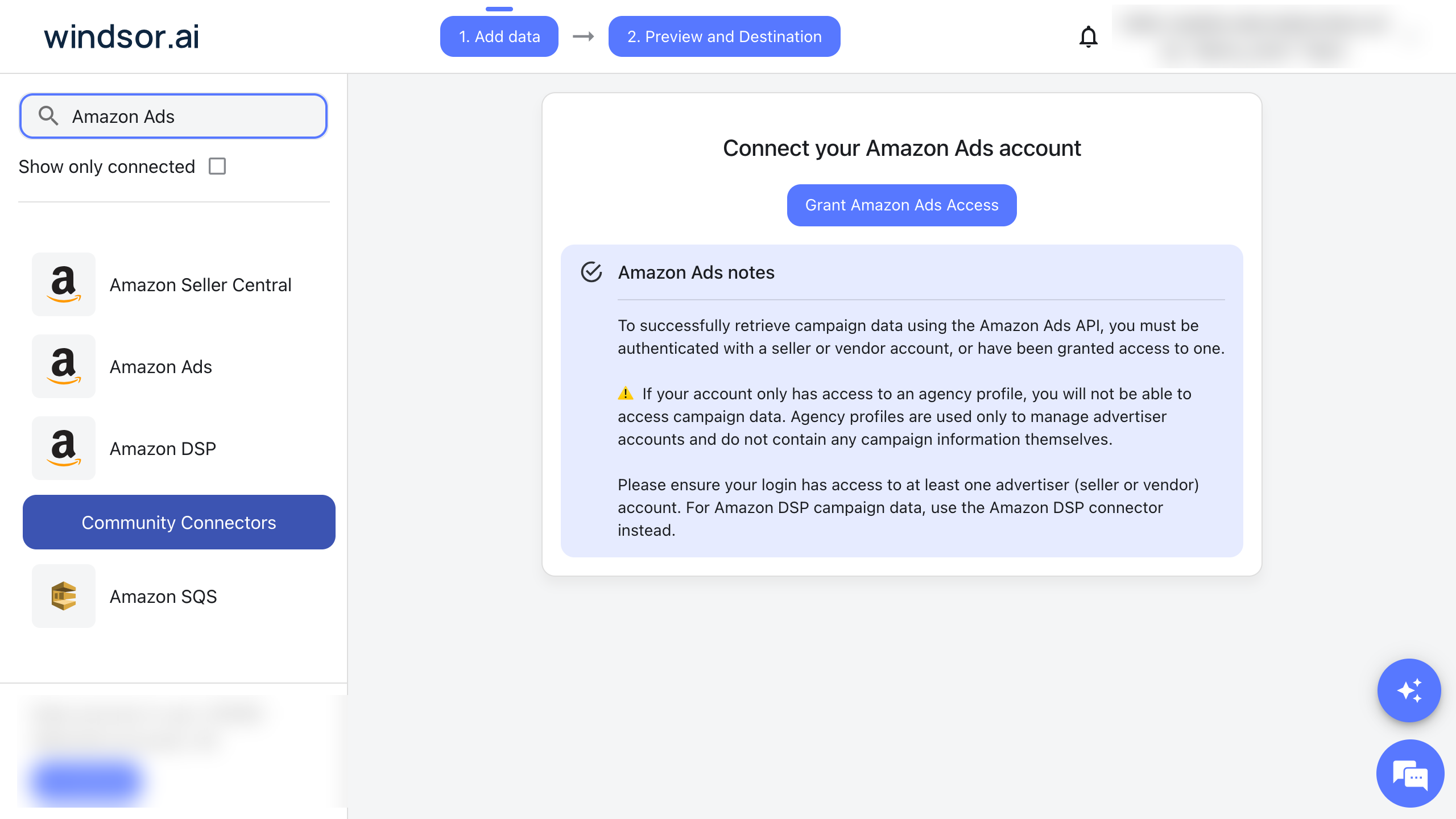
Select your data source
Choose Amazon Ads as your data source, sign in with an Amazon login that has access to a seller or vendor advertiser account, and grant access to Windsor.ai.
Install the Windsor.ai plugin
In ChatGPT, select Plugins in the sidebar and search for Windsor.ai, or open the Windsor.ai plugin page.
Select Install plugin, then sign in to Windsor.ai and authorize access. We set this up on ChatGPT’s Free plan.
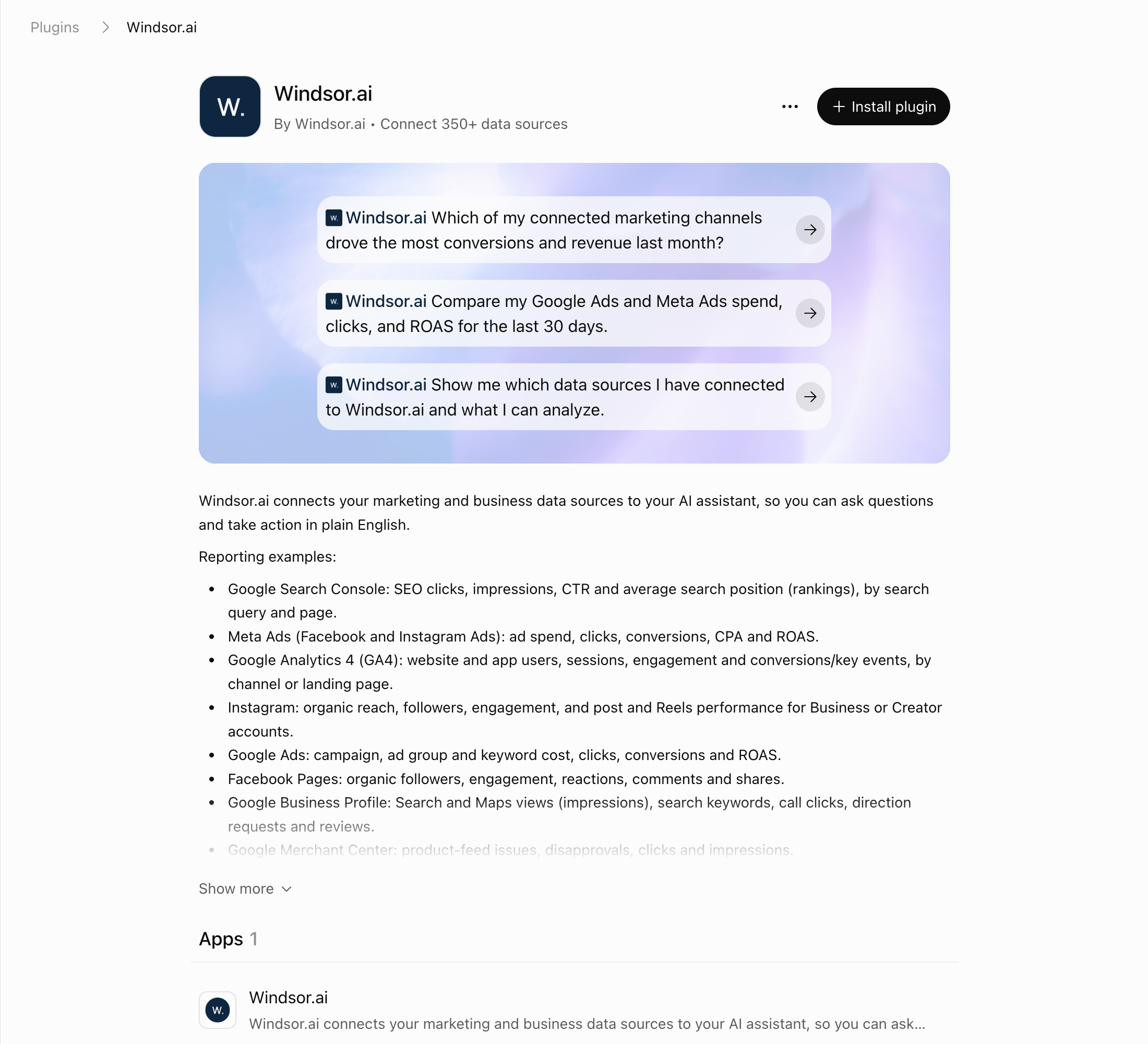
Query your Amazon Ads data in ChatGPT
Open a new chat and start asking questions about your connected Amazon Ads data using natural language.
Make sure that the Windsor.ai plugin is enabled: click + and choose Windsor.ai, or type @Windsor. To check the connection, ask: “Which Amazon Ads accounts are connected to my Windsor account? List each account name and its ID.”
FAQs
Is there an official Amazon Ads app for ChatGPT?
No. ChatGPT’s Plugins directory has no Amazon Ads plugin from Amazon (checked 4 November 2026). Amazon Ads announced its own Amazon Ads MCP Server in open beta on 2 February 2026, for Amazon Ads partners with active API credentials. In ChatGPT, a custom MCP server gets full support only in Business, Enterprise and Edu workspaces; Pro gets read and fetch tools only. You can also use a third-party plugin, upload a report downloaded from the Amazon Ads console, or send the data to Google Sheets. Through the Windsor.ai plugin, ChatGPT can pause, enable and set the daily budget of Sponsored Products campaigns; Sponsored Brands and Sponsored Display are read-only (write actions list). The routes are compared in how to connect Amazon Ads to ChatGPT.
What can I do with Amazon Ads data in ChatGPT?
Once your Amazon Ads data is in ChatGPT, you can:
- Find wasted ad spend by identifying high-cost keywords, search terms, or campaigns that drive clicks but fail to convert, and reallocate that budget.
- Identify top-performing campaigns and products by analyzing revenue, conversion rate, and engagement metrics to understand what drives the strongest sales and scale winning strategies.
- Act on the finding by pausing or re-enabling a Sponsored Products campaign, or changing its daily budget, straight from the chat.
- Understand profitability by evaluating ACoS, revenue trends, and cost efficiency to see which campaigns bring sales at the cost you target.
- Analyze keyword and search term performance to find which queries bring high-intent buyers versus low-quality traffic, helping you refine targeting and bidding decisions.
- Detect trends and performance anomalies by spotting sudden drops in conversions, spikes in CPC, or shifts in campaign performance before they impact your overall results.
- Run cross-channel analysis by combining Amazon Ads data with sources like Shopify, GA4, or CRM systems to compare ad spend with the revenue each source reports. Combining sources needs a paid plan. The free forever plan includes 1 data source.
Can ChatGPT change my Amazon Ads campaigns, or only report on them?
Both. Three write actions are available on your Sponsored Products campaigns: pause a campaign, enable a paused campaign, and set its daily budget. Pause and enable reverse each other, and ChatGPT names the exact campaign and value before it runs anything. The Available actions list on this page comes from the Windsor.ai API; the full list is in the write actions documentation. For prompts that change campaigns, see how to manage Amazon Ads, DSP and listings with an AI assistant.
Does this integration support Amazon DSP data?
No. Amazon DSP is a separate data source in Windsor.ai. The Amazon Ads data source covers Amazon PPC (Sponsored Products, Brands, and Display); connect Amazon DSP (Demand-Side Platform) on its own to analyze both kinds of campaigns in one place. Combining sources needs a paid plan. The free forever plan includes 1 data source. See Amazon DSP to ChatGPT.
Can I compare Amazon Ads with Google or Facebook Ads in ChatGPT?
Yes. Because Windsor.ai supports 350+ data sources, you can ask ChatGPT to compare your Amazon ROAS against your Facebook or Google Ads performance for a unified view of your marketing efficiency. Combining sources needs a paid plan. The free forever plan includes 1 data source.
What prompts can I use to analyze Amazon Ads data in ChatGPT?
Beyond simple questions about daily performance, you can use more advanced prompts in ChatGPT for deeper analysis of your Amazon Ads data. For example:
-
Compare my Amazon Ads ROAS with my [Google/Facebook] Ads ROAS by campaign over the last 30 days. Where should I reallocate the budget for maximum total revenue?
-
Identify any Sponsored Products campaigns that have spent over $[Amount] in the last 14 days with an ACoS 20% higher than my account average, then pause the worst three.
-
Look at my Sponsored Display video campaigns and calculate the drop-off rate between '25% completion' and '100% completion.' Which campaigns are losing the audience most quickly? Suggest which campaigns' videos may need to be refreshed or replaced.
-
Perform a New-to-Brand (NTB) audit on my Sponsored Brands campaigns. Which campaigns are driving the highest percentage of NTB Sales, and what is the 'Cost per NTB Sale' for each?
Combining sources needs a paid plan. The free forever plan includes 1 data source.
How fresh is the data in ChatGPT?
ChatGPT requests the data from Windsor.ai when you ask. Amazon builds each report in the background, and the data is ready only when Amazon has finished. If ChatGPT says a report is still being prepared, ask again later in the same chat; the troubleshooting guide has the details.
Can I analyze Amazon Video Ads performance?
Yes, for Sponsored Display. You can track video-specific metrics like views to 25%, midpoint views (50%), views to 75%, video completions (100%) and unmutes per Sponsored Display campaign, to see which campaigns hold viewers to the end.
How much does it cost to integrate Amazon Ads into ChatGPT using Windsor.ai?
You can start on Windsor.ai’s free forever plan, no credit card. It covers 1 user, 1 data source and 1 account with the last 30 days of data. Paid plans start at $19/month for 3 sources (Basic) and $99/month for 7 sources (Standard), billed annually. See the pricing page for every plan.
How long does it take to connect Amazon Ads to ChatGPT?
The setup takes about a minute and needs no code.
Do you have helpful links to get started with integrating Amazon Ads and ChatGPT using Windsor.ai?
Yes. These pages cover Amazon Ads in ChatGPT with Windsor.ai:
- How to connect Amazon Ads to ChatGPT: setup steps, prompt ideas and fixes for common problems
- How to manage Amazon Ads, DSP and listings with an AI assistant: the write actions for Sponsored Products, Amazon DSP and Seller Central, with prompts
- How to use Windsor.ai for paid media: Amazon Ads next to Google Ads, Meta Ads and other ad platforms
- Amazon Ads “Report Is Still Being Prepared” Error: what the message means and what to do
- Amazon Ads Field Reference: every field and its description
- Windsor.ai Write Actions: every supported action and its parameters
- ChatGPT Integration Documentation: the Windsor.ai plugin for any source
Can I analyze performance by specific Amazon marketplaces?
Yes. You can filter and query your data by marketplace (e.g., US, DE, JP) to see which regions drive the most revenue, where ACoS is highest, and how performance varies across markets.
Tired of manual Amazon Ads data exports? Try Windsor.ai today to automate your reporting


