 Destinations
 Data sources
 AI insights
 About us
 Careers
 Security
 Customer reviews
 Contact us
 Affiliate program
 Solution partners
 Template gallery
 Looker Studio templates
 Power BI templates
 Excel templates
 Google Sheets templates
 Tableau templates
 Facebook Ads templates
 Google Ads templates
 Data fields & Metrics
 AI prompt library & Guides
 Product documentation
 API documentation
 Case studies
 Blog
Blog Data models
 Windsor vs Supermetrics
 Windsor vs Funnel.io
 Windsor vs Fivetran
 Windsor vs Rivery
 Windsor vs Portermetrics
 Windsor vs Coupler.io
Connect Facebook Page Insights to Lovable
Automatically sync your Facebook Organic data to Lovable using the Windsor.ai connector.
Analyze your Facebook Page Insights data in Lovable to understand what drives followers, reach, and engagement, and grow your page faster with a winning content strategy.
Forget CSVs. Stop copy/paste. Connect data in minutes. No code required.
 Sign up with Google
 Free forever plan
No credit card needed
Free forever plan
No credit card needed










Stream your Facebook Page Insights into Lovable via Windsor MCP and go straight from data to content decisions. Key use cases:

Spot your best-performing content
Lovable identifies the formats and topics your audience responds to most across posts, videos, and reels. Get content ideas and recommendations based on your top patterns, no guesswork.

Improve video retention
Know where viewers stop watching at 10s, 30s, and 95% completion. Rework your hooks and pacing before your next video goes live.

Find peak posting hours
Use Lovable to understand when your audience is most active on Facebook by the hour of the day. Schedule your best content for the moments they’re actually scrolling to boost reach and engagement

Deliver weekly performance reports
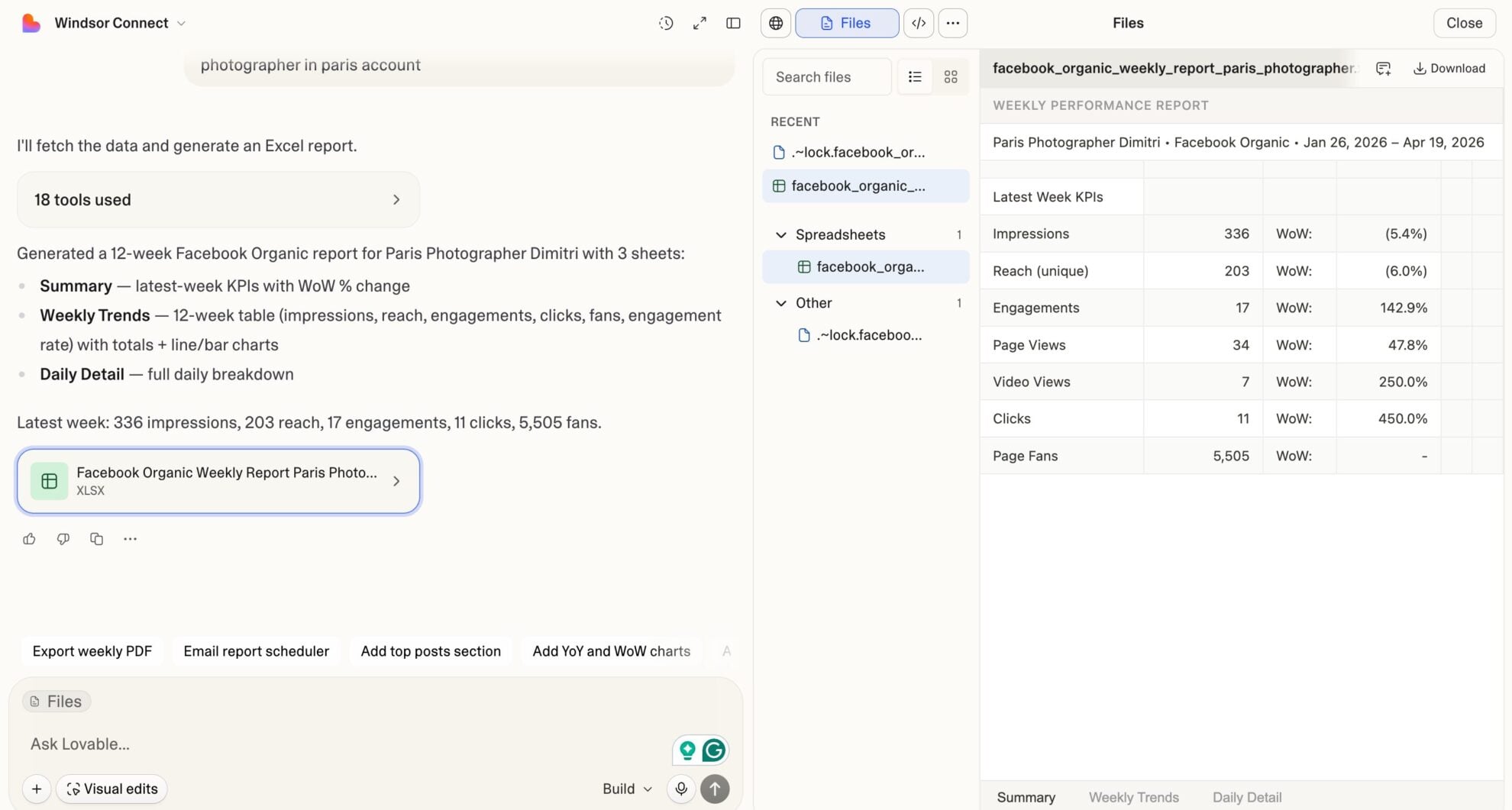
Present a weekly organic performance summary through branded dashboards in Lovable. Create reports that live at a URL and share them with clients or teams without logging into Meta Business Suite or BI tools.
Using Windsor.ai to connect data from Facebook Page Insights to Lovable
Most methods for getting Facebook Page Insights into Lovable require manual exports, data cleanup, or API work. Windsor MCP eliminates that by pulling, normalizing, and delivering your page data into Lovable for instant analysis.
Analyze your Facebook organic data using natural language prompts and generate performance dashboards in seconds.














How to connect Facebook Page Insights to Lovable with Windsor.ai
Explore our video tutorial and a step-by-step guide to integrate your Facebook Page Insights data into Lovable with the Windsor.ai connector.
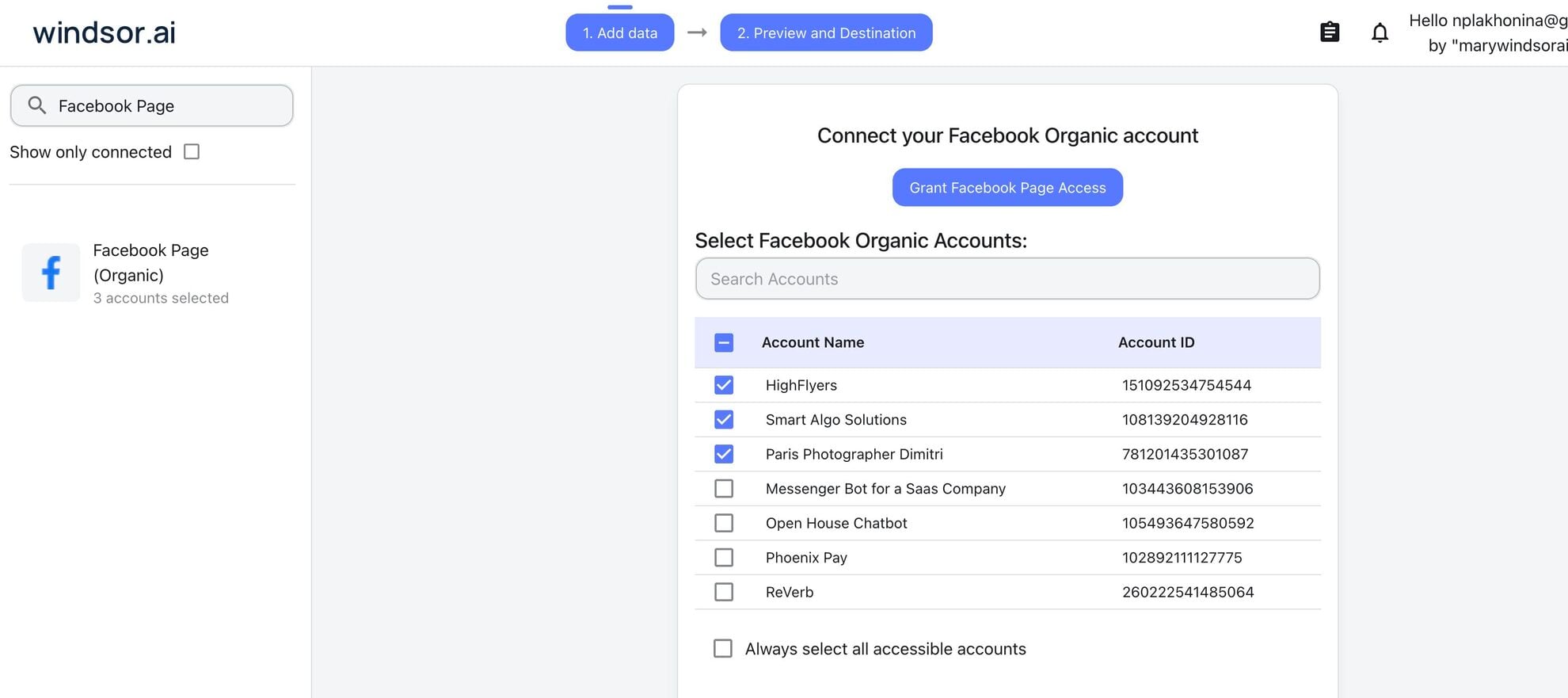
Select your data source
Choose Facebook Page Insights as your data source and grant access to Windsor.ai.
Select custom connector in Lovable
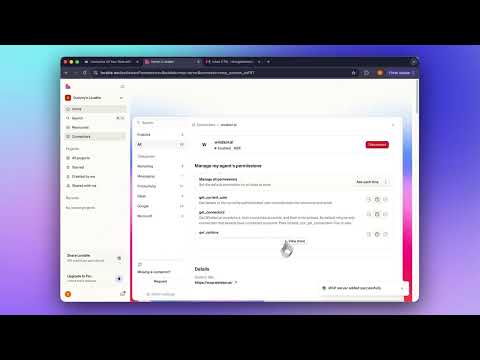
In Lovable, open Connectors and select Custom MCP.

Add MCP server
Enter the following details:
- Name: Windsor.ai
- URL: https://mcp.windsor.ai/
Click Add & Authorize to save the connector and authorize access to Windsor.ai.

Authorize and start querying your data
Once added, Windsor will appear in your list of connectors. Enable Always allow permissions for faster access.
Open a new chat and start querying your connected data.

FAQs
What Facebook Page Insights metrics are available in Lovable through Windsor.ai?
Windsor streams Facebook Page Insights fields into Lovable across five key areas:
- Page growth: total page fans, daily follows and unfollows, lifetime followers, net audience change over time.
- Reach and impressions: organic, paid, viral, and fan-specific impressions at both page and post levels, unique reach per post, paid vs unpaid distribution breakdown.
- Engagement: post clicks by type (link clicks, photo views, video plays, other clicks), reactions, comment count, reply count, shares, post saves, and total page engagement.
- Video and Reels: 3s, 10s, 15s, 30s, and 95% completion views, total and unique watch time, autoplay vs click-to-play breakdown, organic vs paid video views, reels plays, replays, average watch time, reactions by type, and followers gained within 24 hours of a reel.
- Audience: fan breakdown by city and country, page views by logged-in and logged-out users, total unique media viewers.
Can Lovable show me why my page reach dropped this week?
Yes. Cross-reference organic impressions, post frequency, engagement rate, and follower growth day by day to pinpoint when the drop started and which content type stopped performing.
How is this different from Facebook's native Page Insights?
Facebook’s native dashboard shows isolated metrics with limited date flexibility and no cross-channel context. With Windsor MCP, you combine your Facebook Page data with 350+ other sources, like Instagram, Google Analytics 4, paid campaigns, and more. Inside Lovable, you query all of it in natural language, build custom views, and get answers in seconds without touching a single export.
Can Lovable tell me which post format drives the most engagement on my page?
Yes. It compares post clicks, reactions, shares, and comments across link posts, photo posts, video posts, and reels. Understand which format your audience responds to most and double down on what works.
Can I track how many followers I gain from Reels specifically in Lovable?
Yes. The post_video_followers field captures people who followed your page within 24 hours of watching a reel. Ask Lovable to measure which reels actually grow your audience versus which just get views.
What prompts can I use to analyze my Facebook Page Insights data in Lovable?
Beyond basic performance summaries, you can use more advanced, specific prompts to uncover deeper insights. For example:
-
Compare organic vs paid impressions per post for the last 30 days. Calculate what percentage of total reach each post generated without paid support. Rank posts by organic reach efficiency and identify which content formats travel furthest without boosting.
-
Break down my video performance by completion threshold (10s, 30s, and 95% views) for the last 60 days. Rank videos by retention rate and correlate completion rates with follower growth within 24 hours. Surface the content patterns like length, format, and topic that hold attention longest.
-
Analyze my last 30 days of Facebook Page data. Compare organic reach, engagement rate, and follower growth week over week across all content types. Flag the weeks where reach spiked or dropped more than 20% and connect those shifts to specific content published that week.
How fresh is the Facebook Page Insights data inside Lovable?
Windsor pulls data directly from the Facebook Graph API each time you query it. You’re always working from the latest available data, no scheduled refreshes or stale snapshots.
Do you have helpful links to get started with integrating Facebook Page Insights and Lovable using Windsor.ai?
Yes, we have helpful resources to help you get started. You can explore our official documentation and tutorials for seamless Facebook Page Insights to Lovable integration with Windsor.ai:
Can I build a custom Facebook Page Insights dashboard in Lovable?
Yes. Once your Page Insights data flows through Windsor MCP, tell Lovable what metrics you want to track (reach trends, follower growth, post engagement, video completion rates), and it builds an interactive app with charts and filters. No exports or BI setup; just a live URL you can bookmark or share.
Tired of manual Facebook Page Insights data exports? Try Windsor.ai today to automate your reporting


