 Destinations
 Data sources
 AI insights
 About us
 Careers
 Security
 Customer reviews
 Contact us
 Affiliate program
 Solution partners
 Template gallery
 Looker Studio templates
 Power BI templates
 Excel templates
 Google Sheets templates
 Tableau templates
 Facebook Ads templates
 Google Ads templates
 Data fields & Metrics
 AI prompt library & Guides
 Product documentation
 API documentation
 Case studies
 Blog
Blog Data models
 Windsor vs Supermetrics
 Windsor vs Funnel.io
 Windsor vs Fivetran
 Windsor vs Rivery
 Windsor vs Portermetrics
 Windsor vs Coupler.io
Connect Google Ads to Amazon Redshift
Easily integrate your Google Ads data into Amazon Redshift with Windsor.ai’s ETL connectors.
Our platform automatically streams Google Ads data into Amazon Redshift, transforming raw campaign metrics into standardized, query-ready tables. Centralize your data to enable fast reporting, cross-channel attribution, and data-driven decision-making.
Forget CSVs. Stop copy/paste. Connect data in 2 minutes. No code required.
 Sign up with Google
 Free forever plan
No credit card needed
Free forever plan
No credit card needed










Streamline your data management with Google Ads to Redshift integration
Syncing Google Ads with Amazon Redshift via Windsor.ai centralizes your campaign data in a secure, scalable warehouse, making it easy to manage, query, and prepare for in-depth analytics and dashboard reporting. Simplify data management with these powerful features:

Automated data transfer
Skip manual exports and complex APIs. Windsor.ai automatically extracts and loads your Google Ads data directly into Redshift. Get access to always-fresh data, ready for immediate analysis, so your team can jump straight into insights.

Unified view across channels
Blend Google Ads data with CRM, e-commerce, and other channels to track customer journeys and pinpoint attribution. This centralized view enables smarter budget allocation and enhances your overall business strategy.

Advanced data security
Your Google Ads data is securely transferred and stored in Redshift with encryption, strict access controls, and detailed auditing. Sensitive metrics stay protected yet fully accessible for authorized analysis and reporting.
Using Windsor.ai connector to import data from Google Ads into Amazon Redshift
Syncing Google Ads data into Amazon Redshift can be complex, time-consuming, and require ongoing engineering support. Windsor.ai eliminates these challenges with a fast, no-code solution built for scale.
Our ETL connector streams Google Ads data into Redshift in minutes, enabling secure storage and in-depth analysis.















How to connect Google Ads to Redshift in Windsor.ai
To set up the connector, make sure you have the following things in place:
- Google Ads account with the required permissions
- Configured Redshift environment
- Active Windsor.ai account
Register and log in to Windsor.ai
Create a new Windsor.ai account or log in if you already have one.

Connect a data source
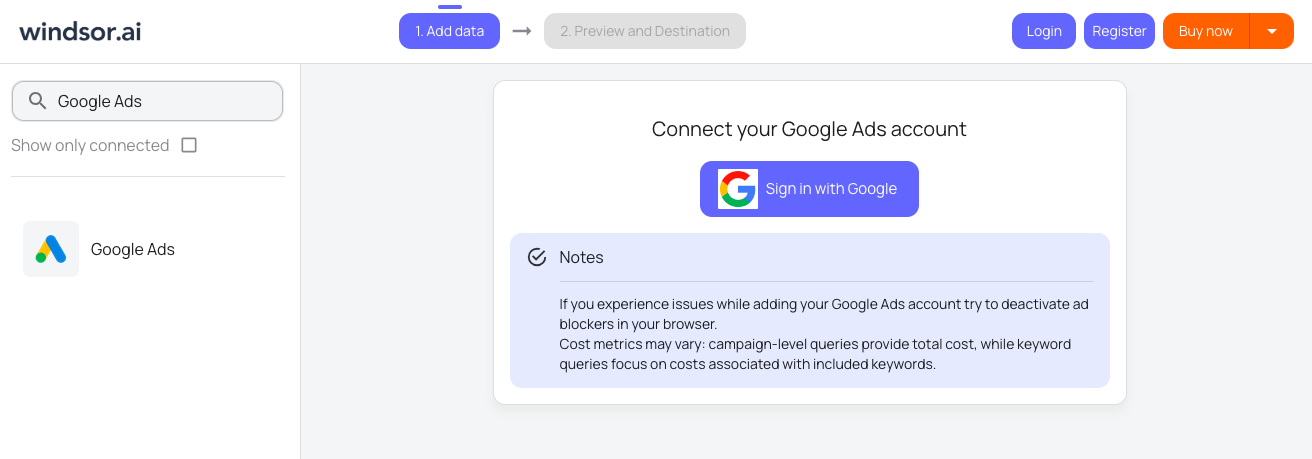
In your Windsor.ai dashboard, connect Google Ads to Windsor.ai. Select the necessary account(s) you want to pull data from and click “Next.”
Select Redshift as your data destination
Scroll down and choose Amazon Redshift from the data destination list.

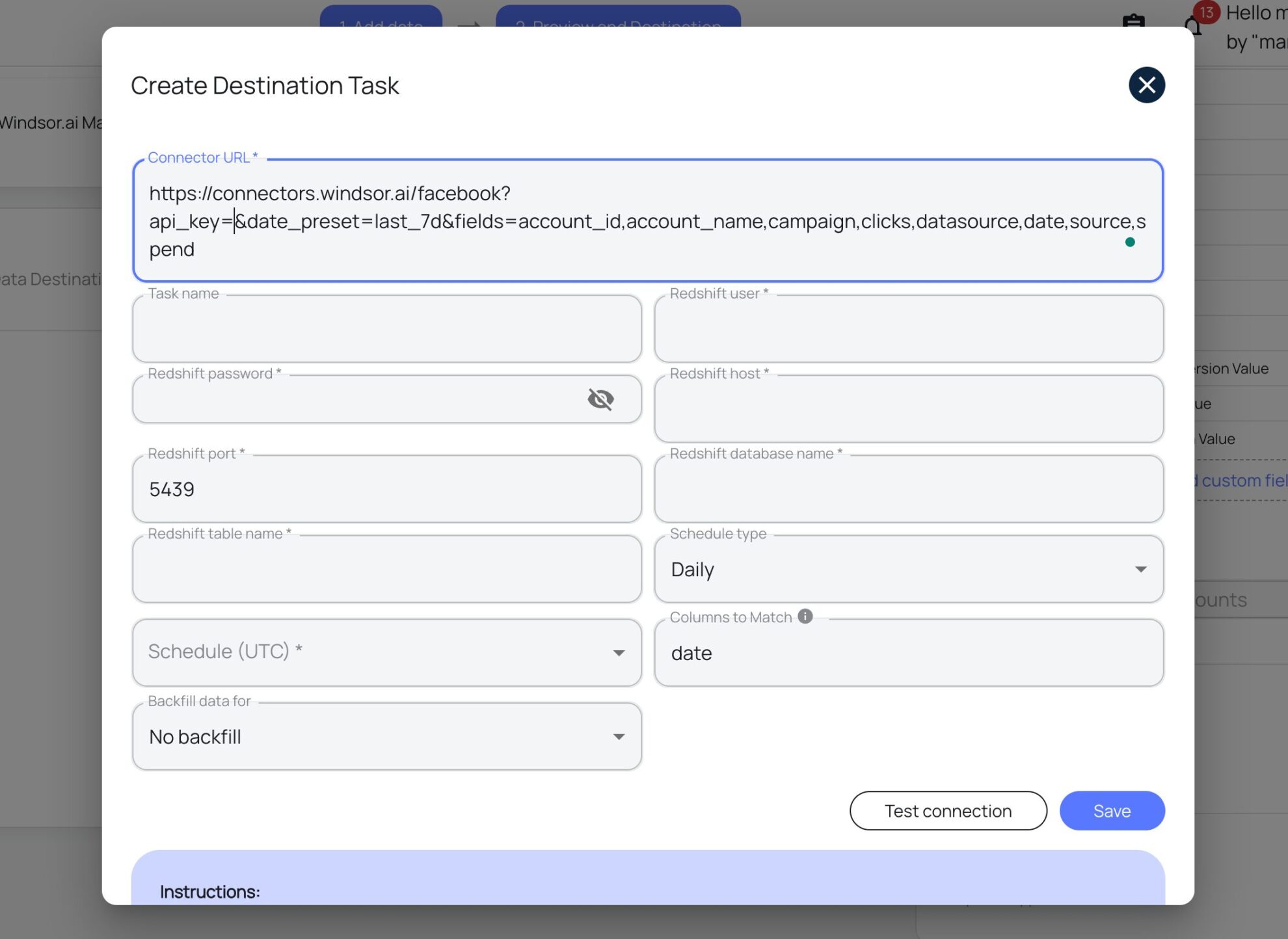
Create a destination task
Enter all the required credentials in the destination task and click “Save.”
FAQs
What is Amazon Redshift?
Redshift is a fast, fully managed cloud data warehouse developed by AWS, designed for large-scale data storage and analytics. Using Redshift, you can quickly run complex analytical queries across vast datasets, making it an ideal tool for business intelligence, reporting, and machine learning workloads.
Do you have helpful links to get started with integrating Google Ads and Amazon Redshift using Windsor.ai?
Yes, we have helpful resources to help you get started. You can explore our official documentation and tutorials for seamless Google Ads to Amazon Redshift integration with Windsor.ai:
How much time do I need to create the Google Ads and Amazon Redshift integration?
Windsor.ai provides a user-friendly interface and a powerful data connector that enables you to integrate Google Ads with Amazon Redshift in under 5 minutes, making the process quick and hassle-free.
How much does it cost to integrate Google Ads into Amazon Redshift with Windsor.ai?
Windsor.ai’s pricing for Google Ads into Amazon Redshift integration can vary depending on your use case. We offer absolutely transparent, fixed pricing plans for diversified business needs and budgets, starting at just $19/month, with a free forever plan available and no credit card required.
Tired of manual Google Ads data exports? Get started with Windsor.ai today to automate your reporting


