 Destinations
 Data sources
 AI insights
 About us
 Careers
 Security
 Customer reviews
 Contact us
 Affiliate program
 Solution partners
 Template gallery
 Looker Studio templates
 Power BI templates
 Excel templates
 Google Sheets templates
 Tableau templates
 Facebook Ads templates
 Google Ads templates
 Data fields & Metrics
 AI prompt library & Guides
 Product documentation
 API documentation
 Case studies
 Blog
Blog Data models
 Windsor vs Supermetrics
 Windsor vs Funnel.io
 Windsor vs Fivetran
 Windsor vs Rivery
 Windsor vs Portermetrics
 Windsor vs Coupler.io
Connect Google Ads to Lovable
Automatically sync your Google Ads data to Lovable using the Windsor.ai connector.
Talk to your Google Ads data in Lovable, build a custom PPC analytics app, and get AI-driven insights to optimize campaigns, cut wasted spend, and improve ROAS.
Forget CSVs. Stop copy/paste. Connect data in minutes. No code required.
 Sign up with Google
 Free forever plan
No credit card needed
Free forever plan
No credit card needed










Optimize your Google Ads performance with AI-Powered analysis in Lovable
Windsor MCP syncs your Google Ads data into Lovable automatically, so you spend less time pulling reports and more time making decisions that improve performance. Discover key use cases:

Cut wasted spend
Some keywords consume budget without ever converting. Lovable surfaces them ranked by spend, filtered by zero conversions, and grouped by campaign, so you can pause or add negatives before another week of budget disappears.

Find winning search terms
Lovable scans your search terms report and surfaces high-converting queries you haven’t added as keywords yet. This helps you expand reach, lower CPA, and capture that traffic before your competitors do.

Compare campaign type ROAS
Compare ROAS across Search, Shopping, Performance Max, and Demand Gen. Lovable breaks down spend, conversion value, and ROAS per campaign type in a single view, making it easy to see where your budget is working hardest and where reallocation would move the needle.

Uncover true conversion attribution
Connect Google Ads with GA4 through Windsor MCP to map the full journey, from ad click to on-site behavior. Lovable highlights which campaigns drive real engagement and which inflate conversion numbers without delivering actual value.

Build live Google Ads client reports
Use Lovable to generate a live paid search report your client can open anytime: spend by campaign, ROAS, CPA, or wasted budget. Just share a URL your team can open in any browser, no login needed from their end.
Using Windsor.ai to connect data from Google Ads to Lovable
Getting Google Ads data into Lovable usually requires manual exports, tedious data prep, or costly tools. Windsor MCP removes these barriers by automatically pulling, normalizing, and syncing your campaigns, keywords, ad groups, and conversion metrics into Lovable.
Analyze your Google Ads data using natural language prompts and build performance dashboards in seconds.
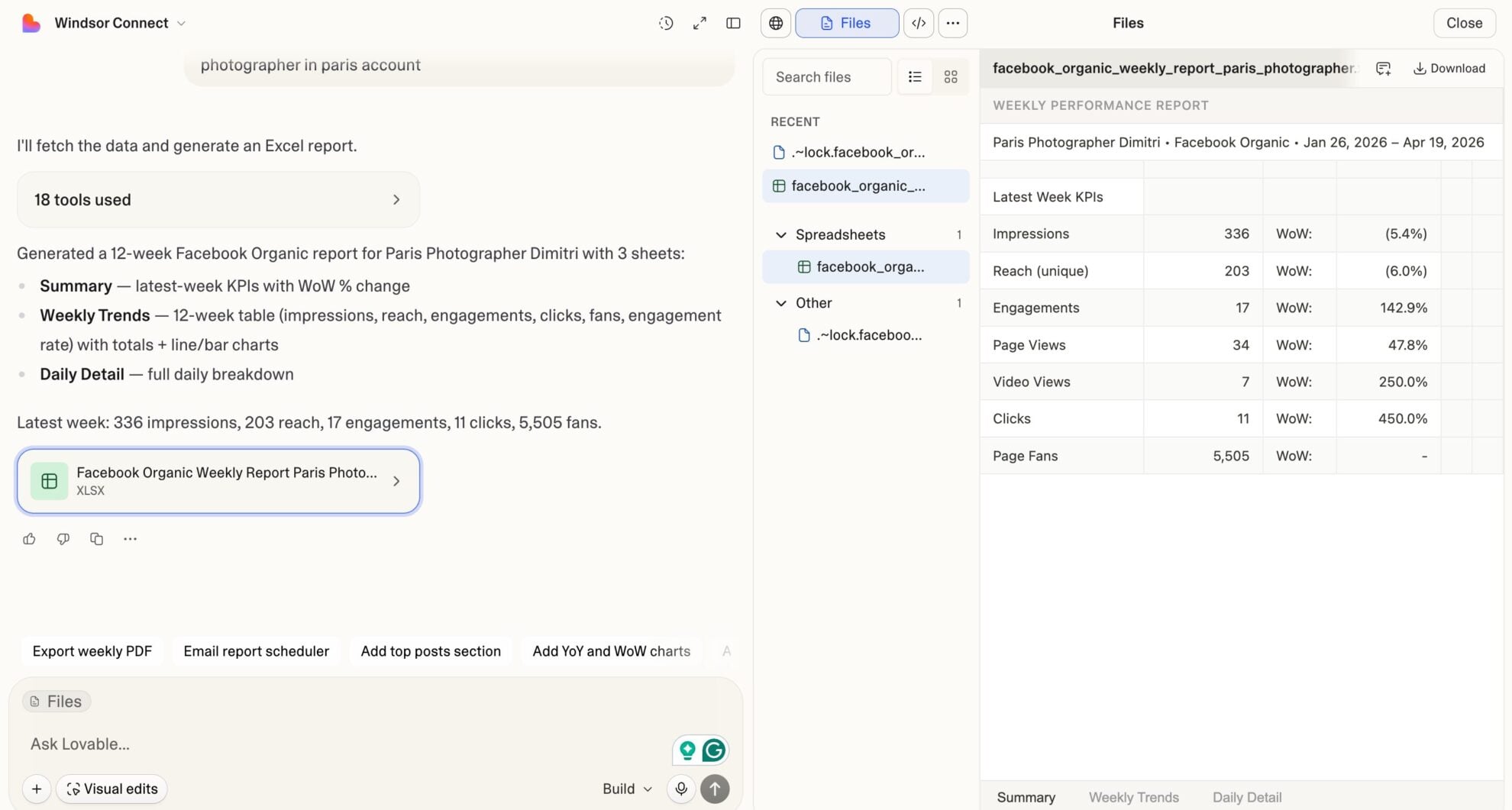














How to connect Google Ads to Lovable with Windsor.ai
Explore our video tutorial and a step-by-step guide to integrate your Google Ads data into Lovable with the Windsor.ai connector.
Select your data source
Choose Google Ads as your data source and grant access to Windsor.ai.

Select custom connector in Lovable
In Lovable, open Connectors and select Custom MCP.

Add MCP server
Enter the following details:
- Name: Windsor.ai
- URL: https://mcp.windsor.ai/
Click Add & Authorize to save the connector and authorize access to Windsor.ai.

Authorize and start querying your data
Once added, Windsor will appear in your list of connectors. Enable Always allow permissions for faster access.
Open a new chat and start querying your connected data.

FAQs
What can I do with Google Ads data in Lovable?
Once your Google Ads data is in Lovable, you can:
- Track revenue and ROAS by campaign: Analyze conversion value, ROAS, and cost-per-conversion across all active campaigns, broken down by day, week, or custom date range.
- Monitor CPA and budget efficiency: Identify campaigns and ad groups where cost-per-conversion is above target before it drains your budget.
- Analyze keyword performance: See which keywords drive the most conversions and which are consuming budget without results.
- Diagnose Quality Score issues: Surface low Quality Score keywords alongside their landing page score, expected CTR, and ad relevance to prioritize fixes.
- Track Search Impression Share: See where you’re losing share to budget or rank, and quantify the revenue opportunity.
- Review search terms: Identify high-converting search terms not yet added as keywords, and flag irrelevant queries for negative keyword lists.
- Analyze device performance: Compare CPA, ROAS, and conversion rate across desktop, mobile, and tablet to adjust bid modifiers.
- Build live campaign dashboards: Turn your Google Ads data into shareable Lovable dashboards for clients, leadership, or your media team, updated automatically.
Can I analyze Google Shopping campaign performance in Lovable?
Yes. Windsor.ai pulls Shopping campaign data, including revenue, orders, units sold, gross profit, cost of goods sold, gross profit margin, and product-level breakdowns by title, brand, category, and condition. Ask Lovable to rank products by ROAS, flag items with high spend and low margin, or identify your top revenue-driving SKUs.
Can Lovable detect underperforming campaigns before they drain my budget?
Yes. Ask Lovable to scan campaigns where CPA exceeds your target, ROAS falls below threshold, or spend is above a set amount with zero conversions in a given window. It will surface those campaigns ranked by budget impact so you can pause or adjust bids before the damage compounds.
How much does it cost to connect Google Ads to Lovable using Windsor.ai?
Windsor.ai has a free forever plan with 1 data source and 1 account; no credit card required. Paid plans start at $19/month for more sources. Lovable requires a paid plan to use Custom MCP connectors.
Can Lovable help me calculate my true ROAS?
Yes. Windsor.ai supports integration with 350+ data sources. Blend Google Ads with Shopify, GA4, or your CRM to calculate blended ROAS and understand which campaigns truly deliver returns. For example, use prompts like:
Calculate blended ROAS for the last 30 days, combining Google Ads spend with Shopify revenue. Compare it against Google-attributed ROAS per campaign.

Show total Google Ads spend vs GA4 revenue for the last 30 days, broken down by campaign.
What prompts can I use to analyze my Google Ads data in Lovable?
Beyond basic performance summaries, you can use more advanced, specific prompts to uncover deeper insights. For example:
-
Identify my worst-performing ad groups for the last 30 days. Define worst as: CPA more than 2x the campaign average, more than $[X] spend, and fewer than [X] conversions. For each, show spend wasted above the target CPA threshold and recommend whether to pause, restructure, or reduce bids.
-
Analyze my search terms report for the last 30 days. Find search terms that triggered my ads, spent more than $[X], and generated zero conversions. Group them by theme and suggest negative keyword additions at the campaign and ad group level.
-
Break down my Quality Score distribution for the last 30 days. Group keywords into buckets: QS 1-3, 4-6, 7-10. For each bucket, show total spend, average CPA, and average CPC. Calculate how much I could save in CPC if all keywords below QS 5 were improved to QS 7+, using the QS-to-CPC relationship.
-
Calculate true blended ROAS for the last 30 days by combining Google Ads spend with actual conversion value. Then compare it to Target ROAS set in each campaign's bidding strategy. Flag campaigns where actual ROAS is more than 25% below target ROAS and show the revenue gap.
-
Analyze video ad performance for the last 30 days. For each video creative, show impressions, TrueView view rate, 25/50/75/100% completion rates, average CPV, and CPA. Identify which videos have strong view rates but weak conversion rates, these likely have strong hooks but weak CTAs.
Do you have helpful links to get started with integrating Google Ads and Lovable using Windsor.ai?
Yes, we have helpful resources to help you get started. You can explore our official documentation and tutorials for seamless Google Ads to Lovable integration with Windsor.ai:
Can I build a custom Google Ads dashboard in Lovable?
Yes. Tell Lovable what you want to track: campaign performance, keyword analysis, ROAS trends, wasted spend, or a monthly performance summary for all essential metrics and KPIs, and it builds a fully interactive app combining all those views in one place. Add filters, date pickers, and charts without writing a single line of code, then share it as a live URL.
Tired of manual Google Ads data exports? Try Windsor.ai today to automate your reporting


