 Destinations
 Data sources
 AI insights
 About us
 Careers
 Security
 Customer reviews
 Contact us
 Affiliate program
 Solution partners
 Template gallery
 Looker Studio templates
 Power BI templates
 Excel templates
 Google Sheets templates
 Tableau templates
 Facebook Ads templates
 Google Ads templates
 Data fields & Metrics
 AI prompt library & Guides
 Product documentation
 API documentation
 Case studies
 Blog
Blog Data models
 Windsor vs Supermetrics
 Windsor vs Funnel.io
 Windsor vs Fivetran
 Windsor vs Rivery
 Windsor vs Portermetrics
 Windsor vs Coupler.io
Connect Google Search Console to Copilot Agent
Automatically sync your Google Search Console data to Microsoft Copilot using the Windsor.ai connector.
Use Copilot AI as your SEO assistant to monitor ranking shifts, uncover growth opportunities, and turn search data into a clear action plan.
Forget CSVs. Stop copy/paste. Connect in minutes. No code required.
 Sign up with Google
 Free forever plan
No credit card needed
Free forever plan
No credit card needed










Turn Google Search Console data into actionable SEO insights with Copilot
With Windsor MCP, your GSC data flows directly into Copilot Agent so you can query rankings, diagnose drops, and spot opportunities through simple conversation. Explore the key use cases and benefits:

Recover lost rankings
Highlight queries where average position has been declining week over week, but clicks haven’t dropped yet. Catch ranking erosion early, identify the affected pages, and act before the traffic loss becomes visible in your reports.

Fix high-impression, low-CTR pages
Identify pages that appear thousands of times in search results but fail to generate clicks. Copilot surfaces the exact queries and pages where your titles and meta descriptions are underperforming, so you know precisely where to focus your optimization efforts.

Merge marketing data
Cross-reference your organic rankings with your paid campaigns (Google Ads or Meta Ads) to find keywords where you already rank in the top 3 organically but are still paying for ads. Reallocate that budget to queries where paid support actually makes a difference.

Generate SEO reports in Microsoft Excel
Because Copilot is embedded across Microsoft 365, you can ask the agent to summarize your GSC performance and instantly export it as a formatted table in Excel, no manual data pulls, file exports, or dashboard logins required.
Using Windsor.ai to connect data from Google Search Console to Copilot
With Windsor.ai, your Google Search Console data reaches Microsoft Copilot in minutes, with no manual exports or complex setups. The connector automatically pulls, normalizes, and streams your GSC metrics to Copilot, so they are instantly ready for analysis.
Connect your GSC account and start querying your data using natural language.
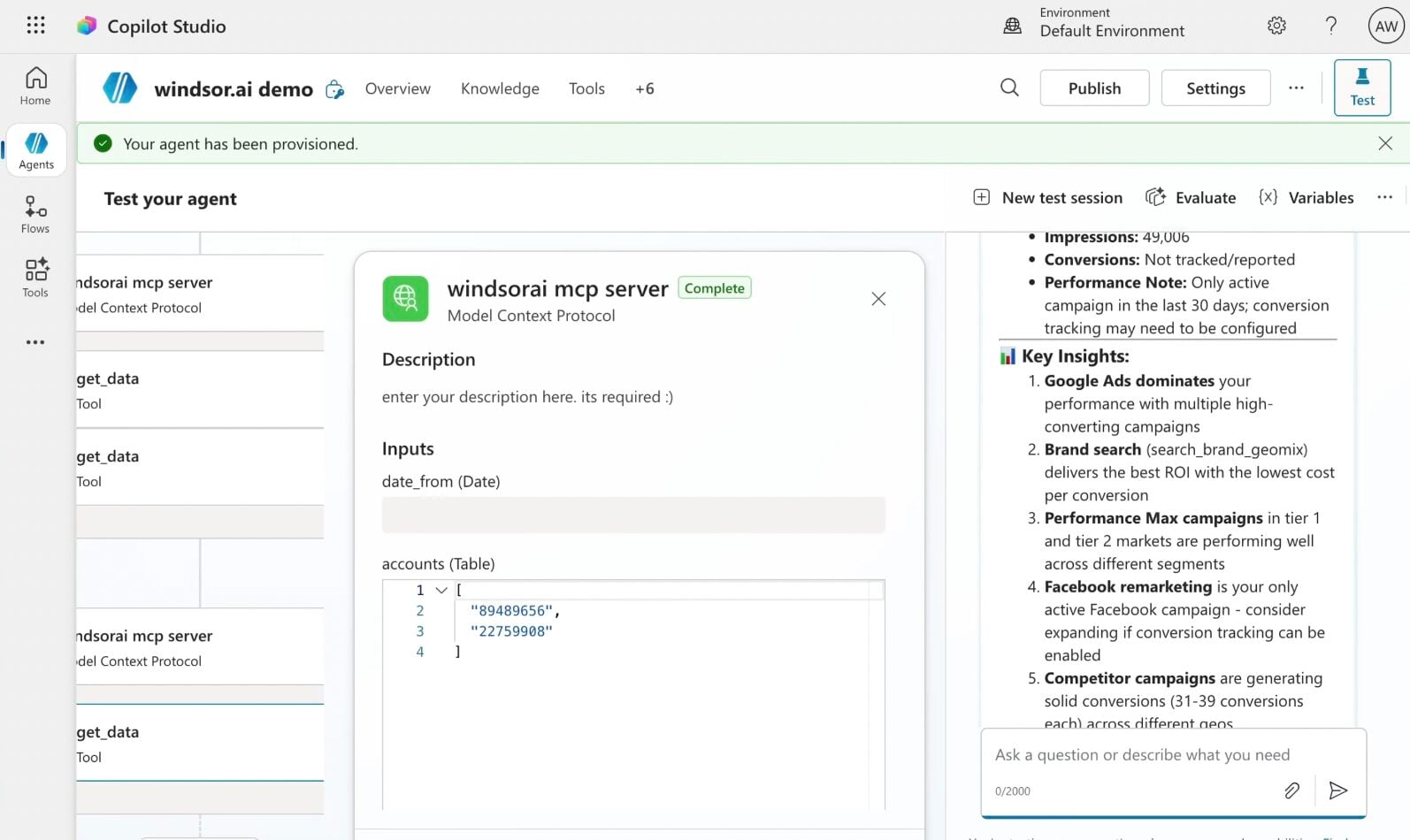














How to connect Google Search Console to Copilot Agent with Windsor.ai
Explore our step-by-step guide to integrate your Google Search Console data into Copilot with the Windsor.ai connector.
Connect data source in Windsor.ai dashboard
Connect your Google Search Console to Windsor.ai. Select the necessary account(s) you want to pull data from and click “Next.”

Create a new agent (Windsor MCP) in Copilot
In Microsoft Copilot Studio, create a new agent.
Click + Add tool and select + New tool -> Model Context Protocol.
- Server Name: Windsor MCP
- Server URL: https://mcp.windsor.ai
- Authentication: API Key
- Header name: Authorization

Create a new connection
On the next screen, click the dropdown under ‘Not connected’ and select Create new connection.
⚠️ Important: Enter your Windsor API key with the Bearer prefix.

Confirm credentials and start querying
Start a new chat. Copilot will prompt you to connect to Windsor MCP via the Connections manager. Click Connect -> Submit.
Return to the chat and click Retry in your agent prompt.
You can now ask questions about your integrated Windsor.ai data.
FAQs
Can Copilot Agent help me identify which keywords are losing rankings?
Yes. You can ask Copilot to compare average position for your top queries across two time periods and flag any keyword where ranking has dropped by more than a defined threshold (for example, keywords that have fallen more than 5 positions in the last 30 days while maintaining steady impressions). This helps you quickly separate algorithm-driven drops from seasonal shifts, and prioritize which pages need content updates or link building attention.
Can I combine Google Search Console data with Google Ads or GA4 in the same Copilot chat?
Absolutely. Windsor.ai supports integration with 350+ data sources. Connect GSC alongside Google Ads to identify keywords where you rank organically in the top 3 but are still running paid ads, revealing opportunities to cut spend. Add GA4 to the mix so you can cross-reference rankings with engagement metrics like bounce rate and session duration, and see which pages attract traffic and which ones actually convert it.
Can I use Copilot to detect traffic drops and diagnose their cause?
Yes. You can ask Copilot to compare total clicks and impressions week-over-week or month-over-month and automatically flag the specific queries, pages, countries, or devices driving the decline.
Can Copilot help me find quick-win keywords?
Yes. Ask Copilot to pull all queries where your average position is between 8 and 15, filtered by a minimum impression threshold to ensure real search volume. The agent can then show current CTR, the associated landing page, and suggest on-page optimizations to push those pages into the top 5.
What prompts can I use when analyzing GSC data in Copilot Agent?
Here are examples of more specific prompts you can use to dive deep into your Google Search Console data:
-
Identify keyword cannibalization: find queries where more than one page appears in the search results, both competing for the same keyword. Show which page ranks higher and which one gets more clicks, and flag cases where the wrong page is winning.
-
Split all queries from the last 90 days into branded vs. non-branded. For each group show total clicks, average CTR, and average position. Then identify which non-branded queries have the highest impressions but lowest CTR.
-
Find all pages that had strong impression volume 60–90 days ago but have dropped by more than 40% in the last 30 days. Cross-reference by device and country to determine whether the drop is global or isolated to a specific segment.
-
Group all queries by words_in_query for the last 60 days. Show average position, CTR, and total clicks for each query length. Identify whether my site performs better on short-tail or long-tail searches and where the biggest CTR gap exists relative to position.
How much does it cost to integrate Google Search Console into Copilot using Windsor.ai?
Windsor.ai’s pricing for Microsoft Copilot data integration varies depending on the number of connected accounts and data sources. We offer absolutely transparent pricing plans for diversified business needs and budgets, including a forever-free plan.
How long does it take to connect Google Search Console to Copilot?
With Windsor MCP, the integration process takes a few minutes. No technical expertise or coding is required; connecting data to Copilot is simple, straightforward, and accessible to everyone.
Do you have helpful links to get started with integrating Google Search Console and Copilot Agent using Windsor.ai?
Yes, we have helpful resources to help you get started. You can explore our official documentation and tutorials for seamless Google Search Console to Copilot Agent integration with Windsor.ai:
Tired of manual Google Search Console data exports? Try Windsor.ai today to automate your reporting


