 Destinations
 Data sources
 AI insights
 About us
 Careers
 Security
 Customer reviews
 Contact us
 Affiliate program
 Solution partners
 Template gallery
 Looker Studio templates
 Power BI templates
 Excel templates
 Google Sheets templates
 Tableau templates
 Facebook Ads templates
 Google Ads templates
 Data fields & Metrics
 AI prompt library & Guides
 Product documentation
 API documentation
 Case studies
 Blog
Blog Data models
 Windsor vs Supermetrics
 Windsor vs Funnel.io
 Windsor vs Fivetran
 Windsor vs Rivery
 Windsor vs Portermetrics
 Windsor vs Coupler.io
Connect LinkedIn Ads to Lovable
Automatically sync your LinkedIn Ads data to Lovable using the Windsor.ai connector.
Use Lovable to analyze your LinkedIn Ads campaign performance, explore audience insights, and ship real-time dashboards, with no manual exports or BI tools.
Forget CSVs. Stop copy/paste. Connect data in minutes. No code required.
 Sign up with Google
 Free forever plan









Turn raw data into actionable insights with LinkedIn Ads to Lovable integration
Windsor MCP keeps your LinkedIn Ads data live in Lovable, helping you get quick insights with zero manual effort. Explore key use cases:

Rank campaigns by CPC and CTR
Ask Lovable to sort all campaigns by cost-per-click and click-through rate and surface the top and bottom performers. See exactly where your budget works hardest, and where to pause spending or reallocate to higher-performing campaigns.

Analyze lead form performance
Lovable breaks down every lead form by opens, submissions, and cost per lead, helping you identify which forms convert best and which need a headline, CTA, or targeting fix before you spend more.

Unify business data
Connect LinkedIn Ads alongside HubSpot, Salesforce, or Google Ads through Windsor MCP and ask Lovable to compare cost per lead across channels. Measure your true B2B acquisition cost in one conversation.

Build custom B2B dashboards
Generate a custom LinkedIn Ads app showing spend, CTR, CPL, lead form performance, and audience breakdowns in one place. Share it with your team or clients via a link, bookmark it, and analyze performance anytime without BI setup or login.
Using Windsor.ai to connect data from LinkedIn Ads to Lovable
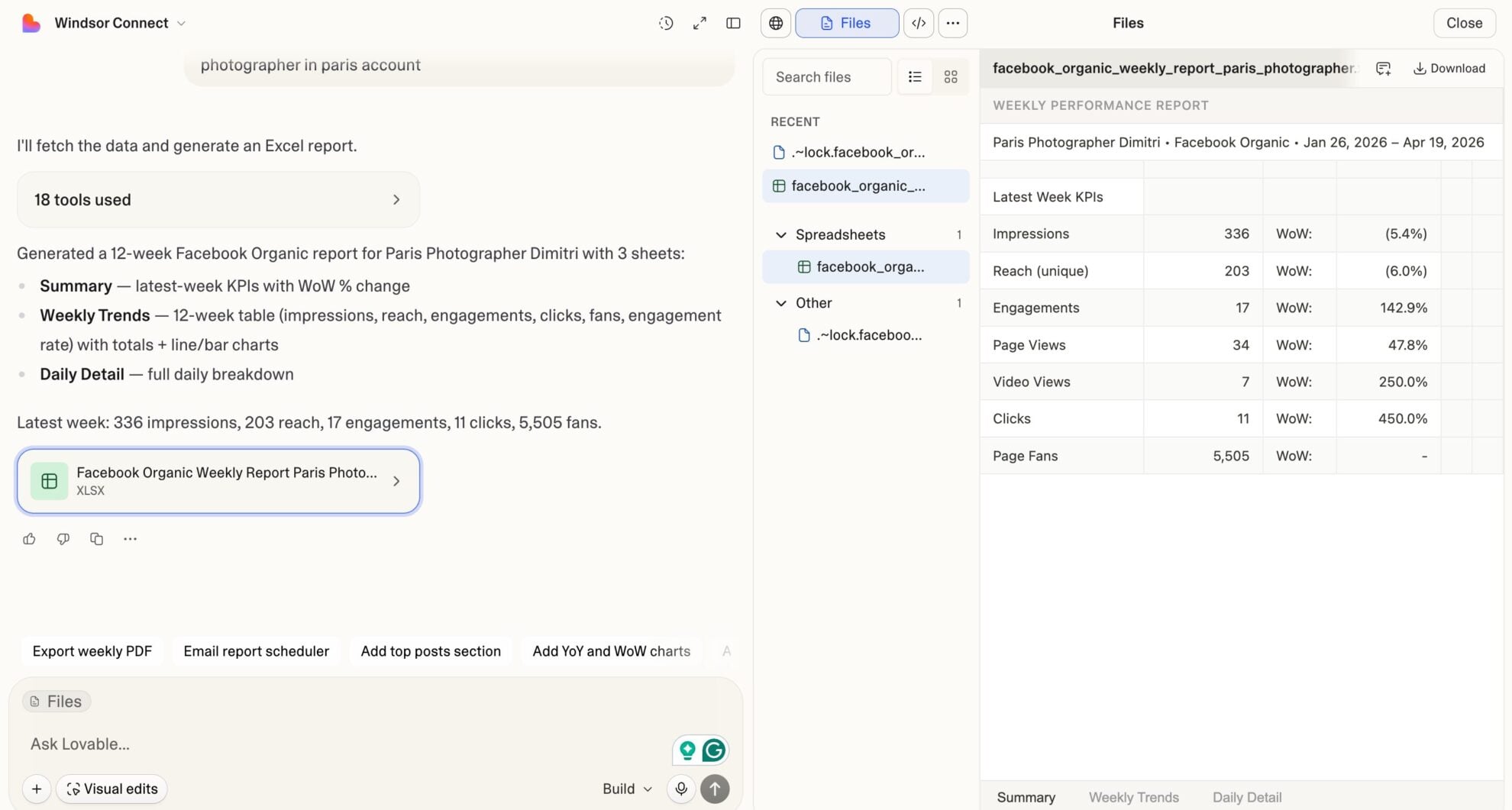
Most methods for syncing LinkedIn Ads data into Lovable require manual exports, data cleanup, and API work. Windsor MCP removes this complexity by automatically streaming your LinkedIn Ads data to Lovable in minutes.
Ask questions in plain language and build real-time dashboards to track campaign performance, lead generation, and audience behavior.
Available actions
Enable Campaign Group Enable a paused LinkedIn Ads campaign group. Reversible via pause_campaign_group.
Enable a paused LinkedIn Ads campaign group. Reversible via pause_campaign_group.
Pause Campaign Group Pause an active LinkedIn Ads campaign group. Reversible via enable_campaign_group.
Pause an active LinkedIn Ads campaign group. Reversible via enable_campaign_group.
Enable Campaign Enable a paused LinkedIn Ads campaign. Reversible via pause_campaign.
Enable a paused LinkedIn Ads campaign. Reversible via pause_campaign.
Pause Campaign Pause an active LinkedIn Ads campaign. Reversible via enable_campaign.
Pause an active LinkedIn Ads campaign. Reversible via enable_campaign.
Enable Creative Enable a paused LinkedIn Ads creative. Reversible via pause_creative.
Enable a paused LinkedIn Ads creative. Reversible via pause_creative.
Pause Creative Pause an active LinkedIn Ads creative. Reversible via enable_creative.
Pause an active LinkedIn Ads creative. Reversible via enable_creative.
Set Campaign Group Budget Set the total budget of a LinkedIn Ads campaign group. The amount is in the account currency major unit (e.g. 100.00 means one hundred); the currency is resolved automatically from the account. The campaign group must have a schedule end date for a total budget to apply.
Set the total budget of a LinkedIn Ads campaign group. The amount is in the account currency major unit (e.g. 100.00 means one hundred); the currency is resolved automatically from the account. The campaign group must have a schedule end date for a total budget to apply.
Set Campaign Budget Set the daily or total budget of a LinkedIn Ads campaign. The amount is in the account currency major unit (e.g. 100.00 means one hundred); the currency is resolved automatically from the account. A total budget requires the campaign to have a schedule end date.
Set the daily or total budget of a LinkedIn Ads campaign. The amount is in the account currency major unit (e.g. 100.00 means one hundred); the currency is resolved automatically from the account. A total budget requires the campaign to have a schedule end date.
Rename Campaign Change the name of a LinkedIn Ads campaign. Only the name changes; budget, schedule, targeting and status are left untouched, and reporting stays attached because it keys on the campaign id.
Change the name of a LinkedIn Ads campaign. Only the name changes; budget, schedule, targeting and status are left untouched, and reporting stays attached because it keys on the campaign id.
Set Campaign Schedule Change the run schedule of a LinkedIn Ads campaign. Provide start_date and/or end_date as YYYY-MM-DD; at least one is required. The unspecified bound keeps its current value. The end date is exclusive: the campaign stops at the start of that day. The start date cannot be changed once the campaign has started.
Change the run schedule of a LinkedIn Ads campaign. Provide start_date and/or end_date as YYYY-MM-DD; at least one is required. The unspecified bound keeps its current value. The end date is exclusive: the campaign stops at the start of that day. The start date cannot be changed once the campaign has started.
Create Creative Create a new ad (creative) in a LinkedIn Ads campaign from an existing post. post_urn must reference a published post or InMail content (urn:li:ugcPost:..., urn:li:share:... or urn:li:adInMailContent:...); the connector does not build post content from scratch. Created as DRAFT by default so it does not serve until enabled with enable_creative.
Create a new ad (creative) in a LinkedIn Ads campaign from an existing post. post_urn must reference a published post or InMail content (urn:li:ugcPost:..., urn:li:share:... or urn:li:adInMailContent:...); the connector does not build post content from scratch. Created as DRAFT by default so it does not serve until enabled with enable_creative.
Set Campaign Targeting Replace the target audience (targetingCriteria) of a LinkedIn Ads campaign. include and exclude map a facet name to a list of full entity URNs, for example {"locations": ["urn:li:geo:103644278"], "interfaceLocales": ["urn:li:locale:en_US"], "industries": ["urn:li:industry:9"]}. Included facets are AND-ed together and the values within a facet are OR-ed. interfaceLocales is required. locations and profileLocations cannot be used together. The resulting audience must have at least 300 members. This replaces the campaign's entire audience.
Replace the target audience (targetingCriteria) of a LinkedIn Ads campaign. include and exclude map a facet name to a list of full entity URNs, for example {"locations": ["urn:li:geo:103644278"], "interfaceLocales": ["urn:li:locale:en_US"], "industries": ["urn:li:industry:9"]}. Included facets are AND-ed together and the values within a facet are OR-ed. interfaceLocales is required. locations and profileLocations cannot be used together. The resulting audience must have at least 300 members. This replaces the campaign's entire audience.














How to connect LinkedIn Ads to Lovable with Windsor.ai
Explore our video tutorial and a step-by-step guide to integrate your LinkedIn Ads data into Lovable with the Windsor.ai connector.
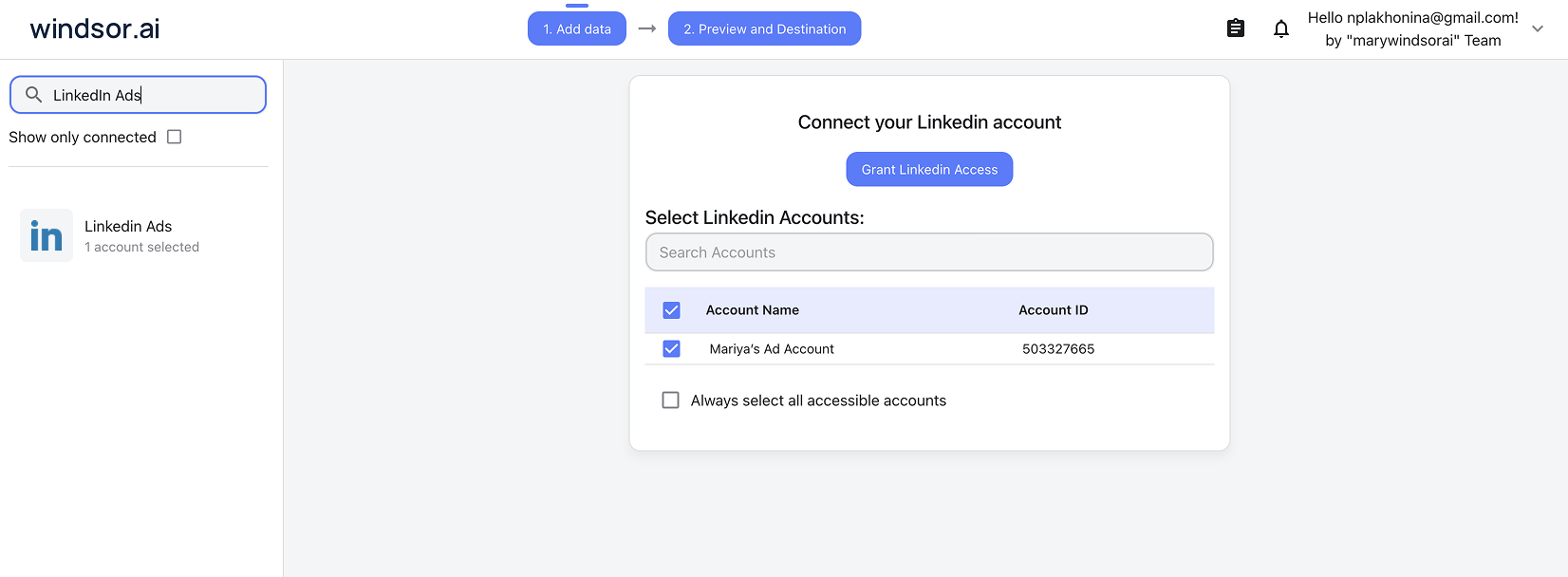
Select your data source
Choose LinkedIn Ads as your data source and grant access to Windsor.ai.
Select custom connector in Lovable
In Lovable, open Connectors and select Custom MCP.

Add MCP server
Enter the following details:
- Name: Windsor.ai
- URL: https://mcp.windsor.ai/
Click Add & Authorize to save the connector and authorize access to Windsor.ai.

Authorize and start querying your data
Once added, Windsor will appear in your list of connectors. Enable Always allow permissions for faster access.
Open a new chat and start querying your connected data.

FAQs
What LinkedIn Ads metrics can I analyze in Lovable via Windsor.ai?
Windsor.ai gives you access to a wide range of LinkedIn Ads metrics and dimensions, including:
- Campaign performance: Impressions, clicks, CTR, CPC, CPM, spend, engagement rate, conversions, conversion value.
- Lead generation: One-click lead form opens, one-click leads, cost per lead, lead form responses, form submission date, campaign, and creative attribution.
- Video performance: Video starts, completions, views at 25%, 50%, 75%, and 100% quartiles.
- Audience demographics: Member job title, seniority, industry, company name, company size, job function, region, country.
- Viral performance: Viral impressions, viral clicks, viral engagements, viral likes, viral shares, viral video completions.
- Creative data: Creative title, description, commentary, thumbnail, status, landing page, share text.
Can I segment LinkedIn Ads performance by audience in Lovable?
Yes. Windsor.ai captures member-level demographic dimensions: job title, seniority, industry, company size, company name, job function, and region. Ask Lovable to break down CTR, CPC, or conversion rate by any of these dimensions to see which audience segments respond best to your ads.
Can I track video ad performance in Lovable?
Yes. With video completion data at every quartile (25%, 50%, 75%, and 100%) alongside video starts and total views, Lovable can rank creatives by completion rate and identify exactly where viewers drop off so you can improve the weakest section.
How long does it take to connect LinkedIn Ads to Lovable via Windsor.ai?
About 60 seconds. Connect your LinkedIn Ads account to Windsor via OAuth, add Windsor MCP to Lovable’s connector settings, authorize, and start analyzing.
What prompts can I use to analyze my LinkedIn Ads data in Lovable?
Beyond basic performance summaries, you can use more advanced, specific prompts to uncover deeper insights. For example:
-
For the last 90 days, compare CTR, CPC, and conversion rate across Sponsored Content, Sponsored Messaging, and Lead Gen campaign types. For each type, calculate cost per conversion and rank them. Where should budget shift?
-
Break down spend, CTR, and conversions by member industry and company size for the last 60 days. Identify the industry and company size combination that delivers the lowest cost per conversion, and flag any segment spending over $500 with zero conversions.
-
For all lead gen campaigns in the last 90 days, calculate the ratio of form opens to submissions. Identify forms where open rate is high but submission rate is below 20%; these have a targeting or form content problem. List them with campaign name and cost per lead.
-
Analyze viral performance for the last 60 days. For each campaign, calculate viral impressions as a percentage of total impressions. Find the top 5 campaigns by viral amplification rate and list their creative titles and engagement rates.
-
Connect LinkedIn Ads with HubSpot or Salesforce through Windsor MCP. For the last 90 days, map LinkedIn campaign spend to CRM pipeline value created. Calculate cost per pipeline opportunity by campaign and identify which campaigns generate the highest-value leads.
Can I combine LinkedIn Ads with other sources in Lovable?
Yes. Windsor MCP supports 350+ connectors. Connect LinkedIn Ads alongside HubSpot, Salesforce, Google Ads, or GA4 in the same Lovable conversation. Compare cost per lead across paid channels or map LinkedIn-attributed leads to the CRM pipeline value.
Do you have helpful links to get started with integrating LinkedIn Ads and Lovable using Windsor.ai?
Yes, we have helpful resources to help you get started. You can explore our official documentation and tutorials for seamless LinkedIn Ads to Lovable integration with Windsor.ai:
Tired of manual LinkedIn Ads data exports? Try Windsor.ai today to automate your reporting


