 Destinations
 Data sources
 AI insights
 About us
 Careers
 Security
 Customer reviews
 Contact us
 Affiliate program
 Solution partners
 Template gallery
 Looker Studio templates
 Power BI templates
 Excel templates
 Google Sheets templates
 Tableau templates
 Facebook Ads templates
 Google Ads templates
 Data fields & Metrics
 AI prompt library & Guides
 Product documentation
 API documentation
 Case studies
 Blog
Blog Data models
 Windsor vs Supermetrics
 Windsor vs Funnel.io
 Windsor vs Fivetran
 Windsor vs Rivery
 Windsor vs Portermetrics
 Windsor vs Coupler.io
Connect LinkedIn Pages to Copilot Agent
Automatically sync your LinkedIn Pages data to Microsoft Copilot using the Windsor.ai connector.
Use Copilot Agent to find out if your content reaches decision-makers, attracts the right audience, and drives business results beyond vanity metrics, all through plain language conversations. You can also publish new posts to your Page directly from the chat.
Forget CSVs. Stop copy/paste. Connect in minutes. No code required.
 Sign up with Google
 Free forever plan









Grow your organic presence with LinkedIn Pages data in Copilot Agent
Ask Copilot Agent questions about your content, followers, or page performance and get clear, structured answers in seconds. Here’s how marketers can use it to build a stronger LinkedIn strategy:

Find your best-performing content
Ask Copilot to analyse your last 90 days of posts and identify which content themes, formats, and lengths consistently drive the highest engagement rate and CTR.

Audit your follower quality
Break down your audience by seniority, industry, job function, and company size, and compare that profile against your ideal customer. Identify the gaps and adjust your content to attract the professionals that matter.

Compare organic vs paid performance
Connect LinkedIn Pages with LinkedIn Ads through Windsor.ai and ask Copilot to compare which audience segments your organic content reaches versus your paid campaigns. Find out whether both are working in the same direction or competing for the same eyes.

Share insights within Microsoft 365
Microsoft Copilot can summarise your monthly LinkedIn Pages performance and help you build a presentation or draft a results email directly in Outlook (follower growth, top posts, and audience insights), ready to share with leadership or clients, without switching between tools.
Using Windsor.ai to connect data from LinkedIn Pages to Copilot
Forget manual exports and complex technical setups. With Windsor MCP, your LinkedIn Pages data reaches Copilot Agent in minutes. Our connector automatically pulls, organizes, and delivers your organic data directly to the Copilot workspace.
Set up once and generate AI-powered insights into post performance, audience engagement, and follower growth.
Available actions
Create Post Publish a post to a connected LinkedIn company page. Provide commentary (post text), a link (shared URL), or both - at least one is required. A link is shared as an article card, so link_title is required with a link (LinkedIn does not fetch the page title) and link_description is optional. For an image post use create_image_post instead.
Publish a post to a connected LinkedIn company page. Provide commentary (post text), a link (shared URL), or both - at least one is required. A link is shared as an article card, so link_title is required with a link (LinkedIn does not fetch the page title) and link_description is optional. For an image post use create_image_post instead.
Create Image Post Publish a single image post to a connected LinkedIn company page. Provide a publicly accessible image URL and optional commentary (post text). The image is downloaded and uploaded to LinkedIn. For a text/link-only post use create_post instead.
Publish a single image post to a connected LinkedIn company page. Provide a publicly accessible image URL and optional commentary (post text). The image is downloaded and uploaded to LinkedIn. For a text/link-only post use create_post instead.














How to connect LinkedIn Pages to Copilot Agent with Windsor.ai
Explore our step-by-step guide to integrate your LinkedIn Pages data into Copilot with the Windsor.ai connector.
Connect data source in Windsor.ai dashboard
Connect your LinkedIn Pages to Windsor.ai. Select the necessary account(s) you want to pull data from and click “Next.”

Create a new agent (Windsor MCP) in Copilot
In Microsoft Copilot Studio, create a new agent.
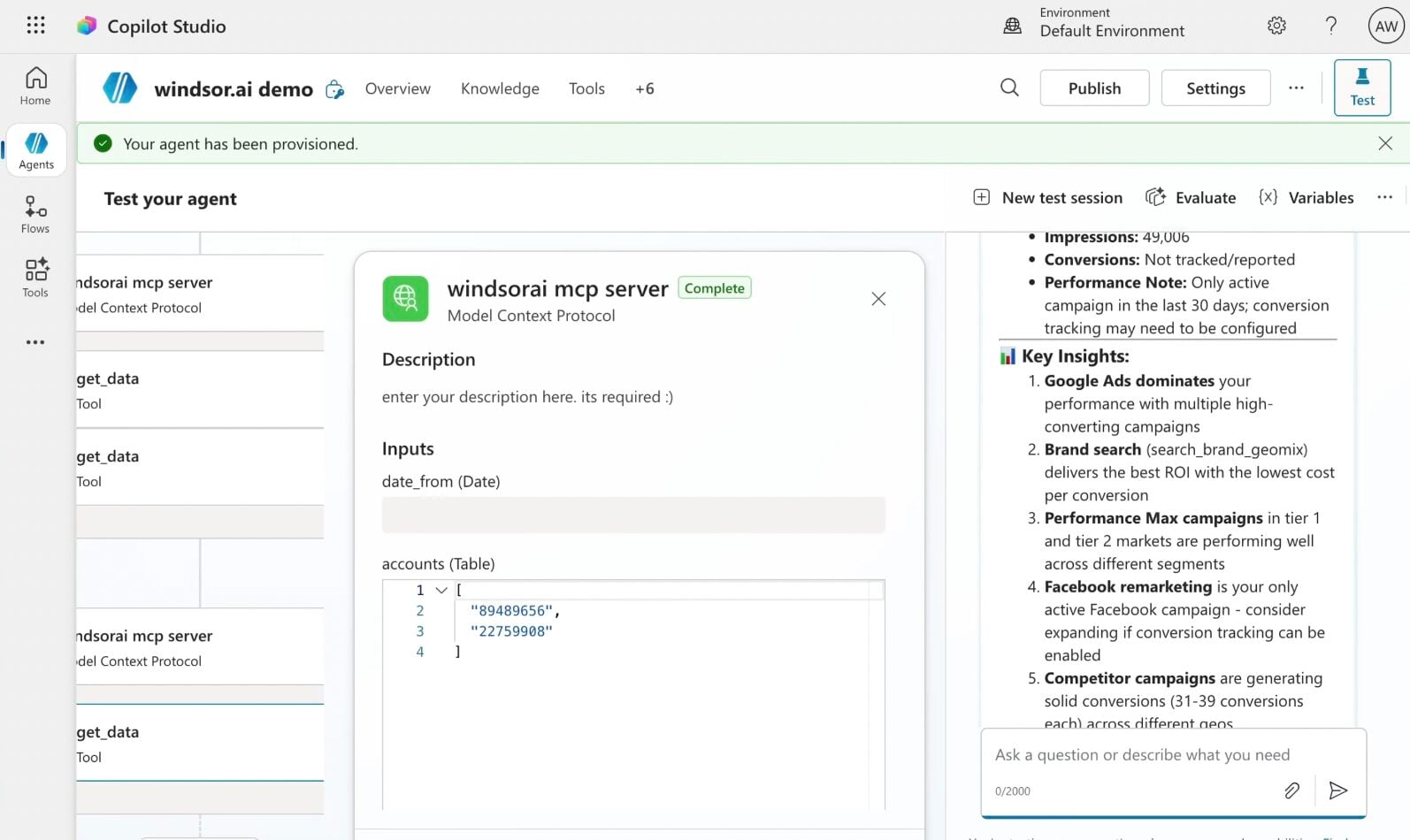
Click + Add tool and select + New tool -> Model Context Protocol.
- Server Name: Windsor MCP
- Server URL: https://mcp.windsor.ai
- Authentication: API Key
- Header name: Authorization

Create a new connection
On the next screen, click the dropdown under ‘Not connected’ and select Create new connection.
⚠️ Important: Enter your Windsor API key with the Bearer prefix.

Confirm credentials and start querying
Start a new chat. Copilot will prompt you to connect to Windsor MCP via the Connections manager. Click Connect -> Submit.
Return to the chat and click Retry in your agent prompt.
You can now ask questions about your integrated Windsor.ai data.
FAQs
Can I manage and analyze multiple LinkedIn Pages in Copilot?
Yes. Windsor.ai supports multiple LinkedIn Pages accounts, making it particularly useful for agencies, enterprises with regional pages, or businesses running separate brand and careers pages.
How fresh is my LinkedIn Pages data in Copilot Agent?
Every time you query your data in Copilot Agent, Windsor.ai pulls it directly from the LinkedIn Pages API. This means you are always working with up-to-date post performance, follower counts, and page analytics.
What LinkedIn Pages data is available for analysis with Windsor.ai?
Windsor.ai makes 110 metrics and 52 dimensions from LinkedIn Pages available in Copilot Agent, covering every major area of your organic presence, including:
- Post performance: impressions, unique impressions, clicks, CTR, likes, comments, shares, engagement rate, and reach per individual post.
- Page analytics: total page views, unique visitors, and section-level breakdowns across Overview, About, People, Jobs, Careers, Products, and Insights pages, on both desktop and mobile.
- Follower data: total follower count, organic versus paid follower growth, and demographic breakdowns by seniority, industry, job function, company size, and region.
- Organisation data: page status, follower count trends, and daily organic and paid follower gains over time.
Can Copilot help me build a stronger LinkedIn content strategy?
Yes. With access to post-level performance data across impressions, clicks, engagement rate, and reach, Copilot can highlight which content themes, formats, and posting frequencies consistently outperform your average. Analyze your last 90 days of content and surface the patterns behind your top 10 posts to replicate what works rather than guessing.
Can I track organic versus paid follower growth in Copilot?
Yes. The integration separates organic and paid follower gains, so you can ask Copilot to show the daily, weekly, or monthly split between followers acquired through content and those driven by LinkedIn Ads.
Can I connect LinkedIn Pages data with LinkedIn Ads in Copilot?
Yes. Through Windsor.ai, you can combine both data sources in a single Copilot conversation. Ask Copilot whether your organic content is reaching the same professional audience segments as your paid campaigns, or identify content themes that perform well organically and test them as paid sponsored posts.
What prompts can I use when analyzing LinkedIn Pages data in Copilot Agent?
Here are examples of more specific prompts you can use to dive deep into your LinkedIn Pages data:
-
Analyse our follower demographics by seniority, industry, and job function. Do the profiles following our page match our target customer? Where are the biggest gaps between our ideal audience and our actual followers?
-
Look at our last 60 days of posts. Do posts published on specific days of the week consistently outperform others in impressions and engagement rate? Is there a pattern worth building a posting schedule around?
-
Compare engagement rate and CTR across different post formats (text only, image, video, and article). Does the format with the highest impressions also deliver the highest CTR, or are high-reach posts failing to drive clicks?
-
Analyse organic follower growth month over month for the last 6 months. Do spikes in follower growth correlate with specific posts or content themes? What does that tell us about which topics attract new followers versus just engaging existing ones?
-
Look at our Careers page traffic over the last 90 days: views, unique visitors, job clicks, and employee clicks. Is there a correlation between content activity on the main page and spikes in Careers page visits?
How much does it cost to integrate LinkedIn Pages into Copilot using Windsor.ai?
Windsor.ai is free to start, no credit card required. Paid plans start at $19/month and scale by the number of sources and accounts. See the pricing page.
How long does it take to connect LinkedIn Pages to Copilot?
With Windsor MCP, the integration process takes a few minutes. No technical expertise or coding is required; connecting data to Copilot is simple, straightforward, and accessible to everyone.
Do you have helpful links to get started with integrating LinkedIn Pages and Copilot Agent using Windsor.ai?
Yes, we have helpful resources to help you get started. You can explore our official documentation and tutorials for seamless LinkedIn Pages to Copilot Agent integration with Windsor.ai:
Can Copilot publish content to my LinkedIn Page?
Yes. Copilot can publish new posts directly to your connected LinkedIn Page, a text or link update, or a single image post, right from the chat. This is the first write action available for LinkedIn Pages, with more (like scheduling) planned.
Tired of manual LinkedIn Pages data exports? Try Windsor.ai today to automate your reporting


