 Destinations
 Data sources
 AI insights
 About us
 Careers
 Security
 Customer reviews
 Contact us
 Affiliate program
 Solution partners
 Template gallery
 Looker Studio templates
 Power BI templates
 Excel templates
 Google Sheets templates
 Tableau templates
 Facebook Ads templates
 Google Ads templates
 Data fields & Metrics
 AI prompt library & Guides
 Product documentation
 API documentation
 Case studies
 Blog
Blog Data models
 Windsor vs Supermetrics
 Windsor vs Funnel.io
 Windsor vs Fivetran
 Windsor vs Rivery
 Windsor vs Portermetrics
 Windsor vs Coupler.io
Connect Pipedrive to Claude
Automatically sync your Pipedrive data to Claude using the Windsor.ai connector.
Ask Claude about your pipeline performance, deal stages, and revenue forecast in plain English and get instant answers with no BI tool or SQL required.
Forget CSVs. Stop copy/paste. Connect data in minutes. No code required.
 Sign up with Google
 Free forever plan
No credit card needed
Free forever plan
No credit card needed










Boost sales and revenue with Pipedrive to Claude integration
Bring your Pipedrive data into Claude and let AI analyze your CRM metrics in seconds and deliver actionable insights. Optimize your sales performance with these use cases:

Calculate sales velocity
By correlating your number of opportunities, average deal value, and win rate against your sales cycle length, Claude calculates your sales velocity. This tells you exactly how much revenue your current pipeline is expected to generate per day.

Perform lost deal audits
Claude aggregates the ‘Lost Reason’ field across all failed deals to identify recurring patterns. It can highlight if you are consistently losing to a specific competitor or if your pricing is the primary friction point in the ‘Negotiation’ stage.

Measure marketing ROI
By merging your CRM data with other marketing channels like LinkedIn Ads, Meta, or Google Ads, you can audit lead source profitability. By matching your ‘source’ field in Pipedrive with deal value, Claude can reveal your true ROI by channel.

Identify stage-to-stage bottlenecks
Let Claude analyze the average ‘Time in Stage ‘ for every step of your funnel. It identifies exactly where deals get stuck (e.g., the ‘Proposal’ stage) and suggests ways to streamline the handoff between sales and operations.
Using Windsor.ai to connect data from Pipedrive to Claude
Streaming Pipedrive data to Claude usually requires manual exports, technical setup, or expensive tools. Windsor.ai simplifies this with a connector that automatically collects, cleans, and delivers Pipedrive metrics directly into Claude.
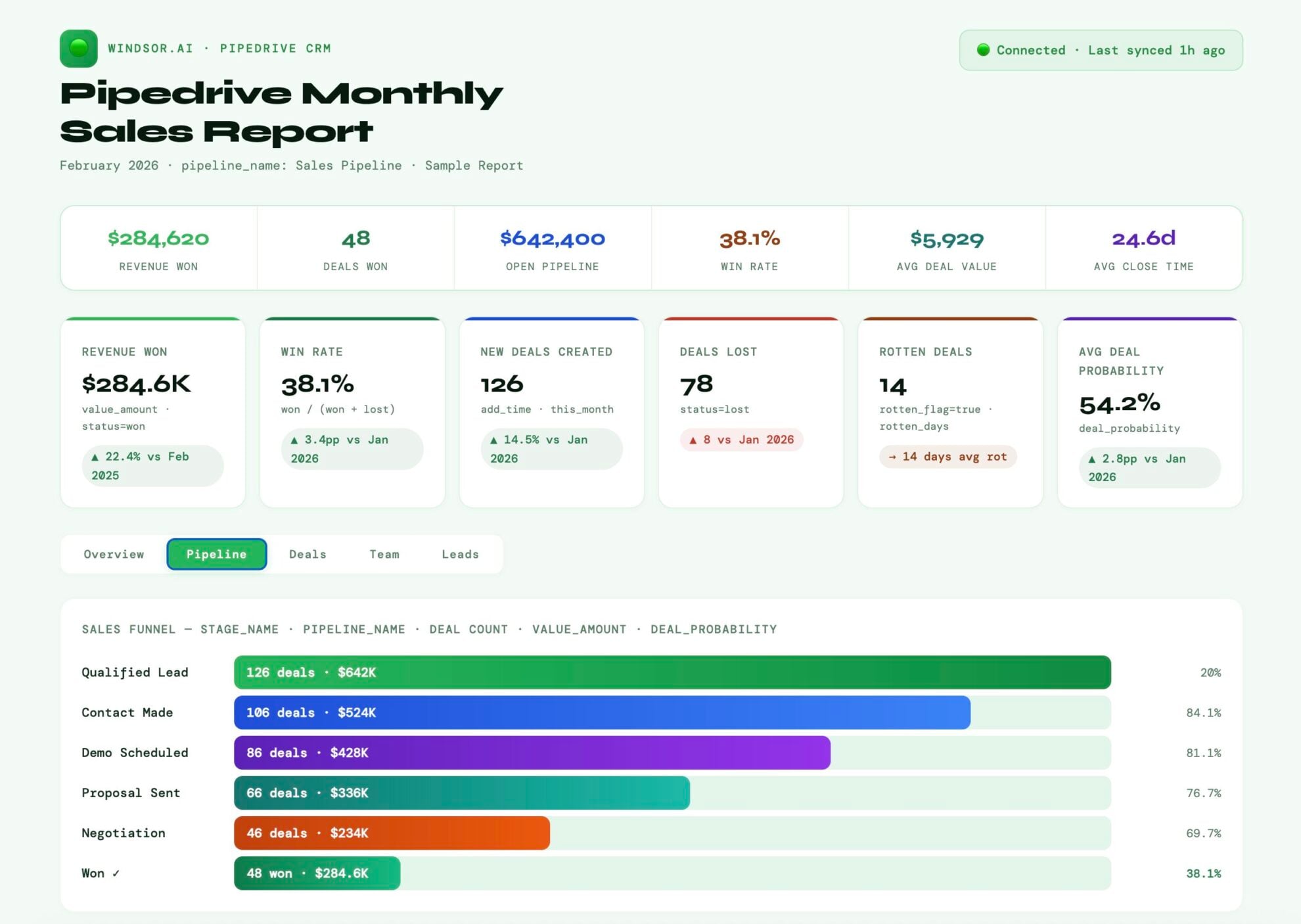
Connect in minutes and get instant AI insights across leads, deals, sales rep performance, and pipeline health.














How to connect Pipedrive to Claude with Windsor.ai
Explore our video tutorial and a step-by-step guide to integrate your data from any source into Claude with the Windsor.ai connector.
Select your data source
Choose Pipedrive as your data source and grant access to Windsor.ai.

Install the Windsor.ai connector in Claude
In Claude, open Customize, then Connectors, search for Windsor and click Add. Sign in to your Windsor.ai account when prompted, and the connector appears in your Connectors list. You can also open the Windsor.ai listing in the Claude directory and click Connect.

Query your data in Claude
Start a new chat and ask Claude questions about your connected data: summarize KPIs, create client reporting dashboards, or run advanced analyses.

FAQs
Who is the Pipedrive to Claude integration for?
Built for CMOs and sales leaders who want instant pipeline visibility without waiting on a dashboard, and for data engineers who want Pipedrive blended into broader analyses (ad platforms, GA4, or warehouse destinations like BigQuery and Snowflake) without building a custom pipeline.
What can I do with Pipedrive data in Claude using Windsor.ai?
Once connected, your Pipedrive data becomes instantly available for advanced analysis in Claude. You can generate summaries and sales reports (daily, weekly, or monthly performance), identify bottlenecks in your pipeline, analyze win/loss patterns, and get actionable recommendations to increase sales and revenue.
How do I connect Pipedrive to Claude?
With Windsor.ai, connecting Pipedrive to Claude takes just a minute and needs no code:
- Connect Pipedrive as your data source in Windsor.ai.
- Open the Windsor.ai connector page in Claude and click ‘Connect’; a native one-click install.
- Authorize access, start a new chat, and ask questions about your Pipedrive data.
Can Claude identify rotting deals in my pipeline?
Yes. You can ask Claude to list all deals in the ‘Negotiation’ stage that haven’t had an activity in over 10 days. It will identify these stagnant leads so you can take immediate action.
How can Claude help me with sales forecasting?
Sales leaders can now predict revenue in seconds using historical data instead of building a forecast model by hand. By analyzing your deal_value and historical weighted_value across different stages, Claude provides a realistic revenue forecast for the month or quarter.
What prompts can I use when analyzing Pipedrive data in Claude?
Use more specific, advanced prompts to extract deeper insights from your Pipedrive data. For example:
-
Analyze Lead Is Archived data alongside Lead Source Name. Is there a specific lead source producing a high volume of archived leads that never convert to deals? Estimate the SDR labor cost wasted on these low-quality leads.
-
Review all deals expected to close this month. Which ones are likely to slip based on low activity, outdated interactions, or weak engagement, and explain the risk factors.
-
For all Won Deals, compare Deal ARR and Deal MRR across customers. Identify those with high monthly revenue but low activity in the last 90 days, and flag them as at risk of churn.
-
Claude, analyze deals with multiple products and compare them to single-product deals. Identify which product combinations close faster and generate higher revenue.
How often is the Pipedrive data refreshed in Claude?
The data is fetched live via Windsor MCP. Every time you ask a question, Claude queries the latest state of your Pipedrive API, ensuring you’re working with the most up-to-date performance data.
Can I analyze my CRM data alongside marketing sources in Claude?
Absolutely. With Windsor.ai, you can stream both your CRM and marketing data (such as Google Ads or Meta) into Claude to see exactly how ad spend translates into closed-won revenue, all in a single session.
How much does it cost to integrate Pipedrive into Claude using Windsor.ai?
Windsor.ai’s pricing for Claude data integration varies depending on the number of connected accounts and data sources. We offer absolutely transparent pricing plans for diversified business needs and budgets.
How long does it take to connect Pipedrive to Claude?
With Windsor.ai’s easy-to-use connector, the integration process takes just a few minutes. No technical expertise is needed; syncing Pipedrive to Claude is simple, straightforward, and completely code-free.
Do you have helpful links to get started with integrating Pipedrive and Claude using Windsor.ai?
Yes, we have helpful resources to help you get started. You can explore our official documentation and tutorials for seamless Pipedrive to Claude integration with Windsor.ai:
Can I track sales rep performance in Claude?
Yes. Ask Claude to ‘Compare the win rate and average deal cycle time for all sales users over the last 90 days’ to identify your top performers and coaching opportunities.
Tired of manual Pipedrive data exports? Try Windsor.ai today to automate your reporting


