 Destinations
 Data sources
 AI insights
 About us
 Careers
 Security
 Customer reviews
 Contact us
 Affiliate program
 Solution partners
 Template gallery
 Looker Studio templates
 Power BI templates
 Excel templates
 Google Sheets templates
 Tableau templates
 Facebook Ads templates
 Google Ads templates
 Data fields & Metrics
 AI prompt library & Guides
 Product documentation
 API documentation
 Case studies
 Blog
 Data models
 Windsor vs Supermetrics
 Windsor vs Funnel.io
 Windsor vs Fivetran
 Windsor vs Rivery
 Windsor vs Portermetrics
 Windsor vs Coupler.io
Connect Similarweb to Google Sheets
Bring your Similarweb data into Google Sheets with Windsor.ai, so your sheets read live website traffic and keyword data.
Pick the Similarweb fields you need, and Windsor.ai keeps them flowing without a CSV export in between.
Forget CSVs. Stop copy/paste. Connect in minutes. No code required.
 Sign up with Google
 Free forever plan
No credit card needed










Get your Similarweb data into Google Sheets
Similarweb is connected once in Windsor.ai, and these are the use cases the fields support:

Track traffic trends
Traffic and Engagement Visits, Unique Visitors and Average Visit Duration by Month show how traffic to the domain changes.

Compare marketing channels
Marketing Channel Visits and Marketing Channel Bounce Rate per Marketing Channel show which channels bring visits and how those visitors engage.

Review search keywords
Keyword Clicks, Keyword Position and Top URL per keyword show which searches send traffic and which page ranks for each.
Using Windsor.ai to connect data from Similarweb to Google Sheets
Windsor.ai moves your Similarweb fields into Google Sheets on a connection you set up once, so the sheets stay on live records rather than a CSV someone exported last week.
Pick the fields you need and Windsor.ai handles the rest.


How to connect Similarweb to Google Sheets with Windsor.ai
Explore a step-by-step guide to integrate your Similarweb data into Google Sheets with the Windsor.ai connector.
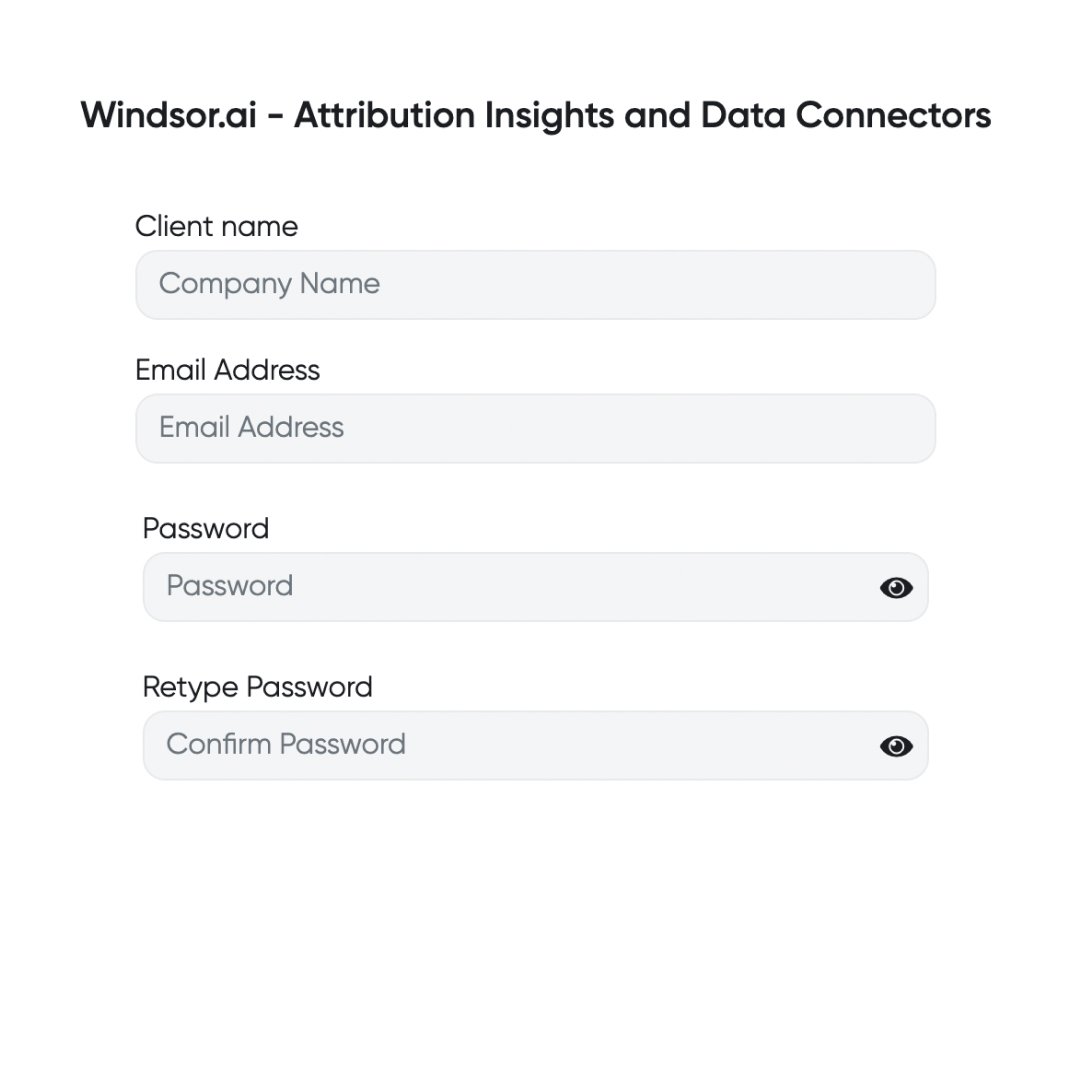
Register and log in to Windsor.ai
Create a new Windsor.ai account or log in if you already have one.
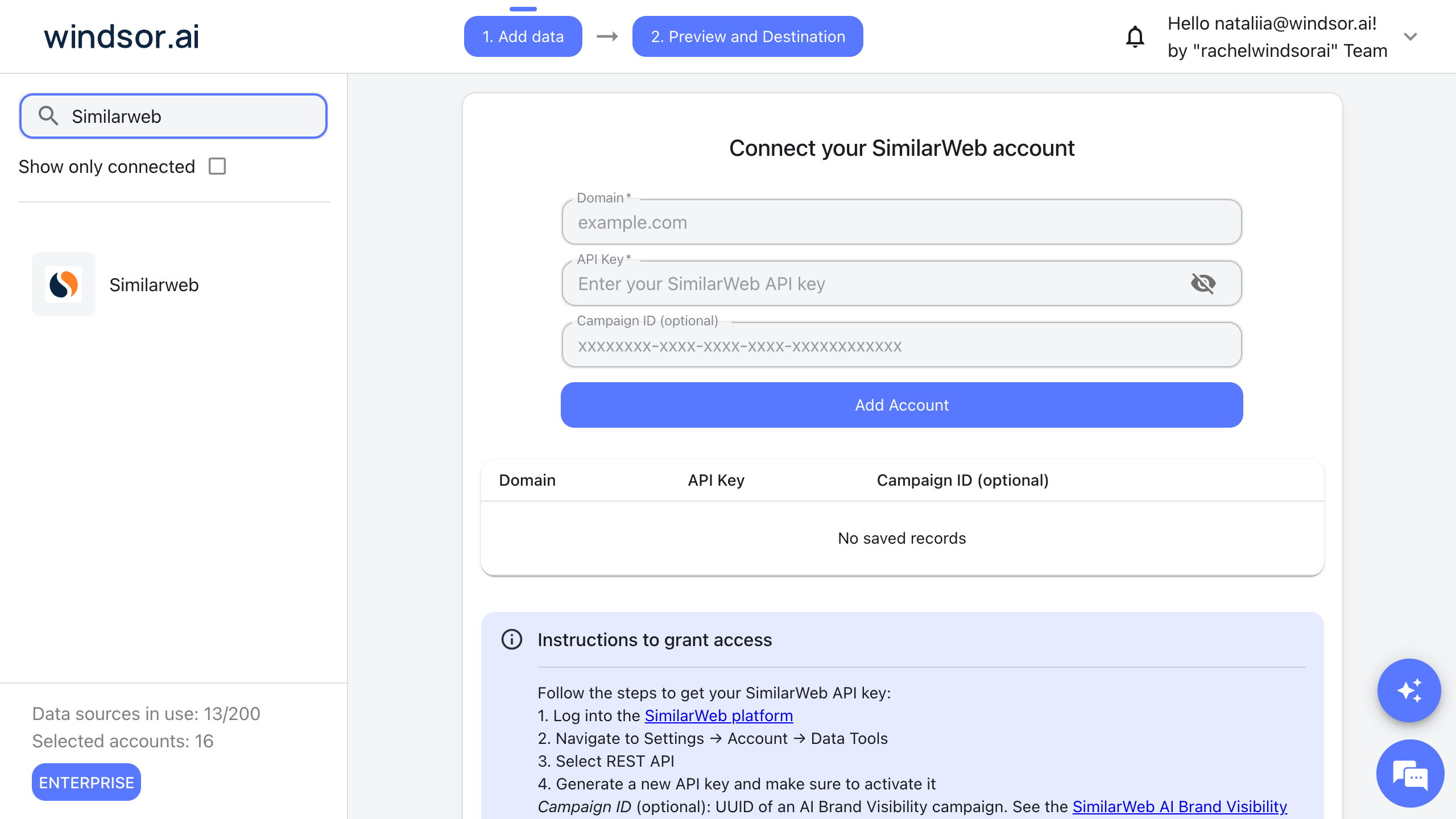
Select your data source
Choose Similarweb as your data source and enter the domain to analyze (for example example.com) and your Similarweb API key. To create the key, go to Settings > Account > Data Tools in Similarweb, select REST API and generate a new key. For prompt tracking, also enter the ID of an AI Brand Visibility campaign. Then click Add Account.
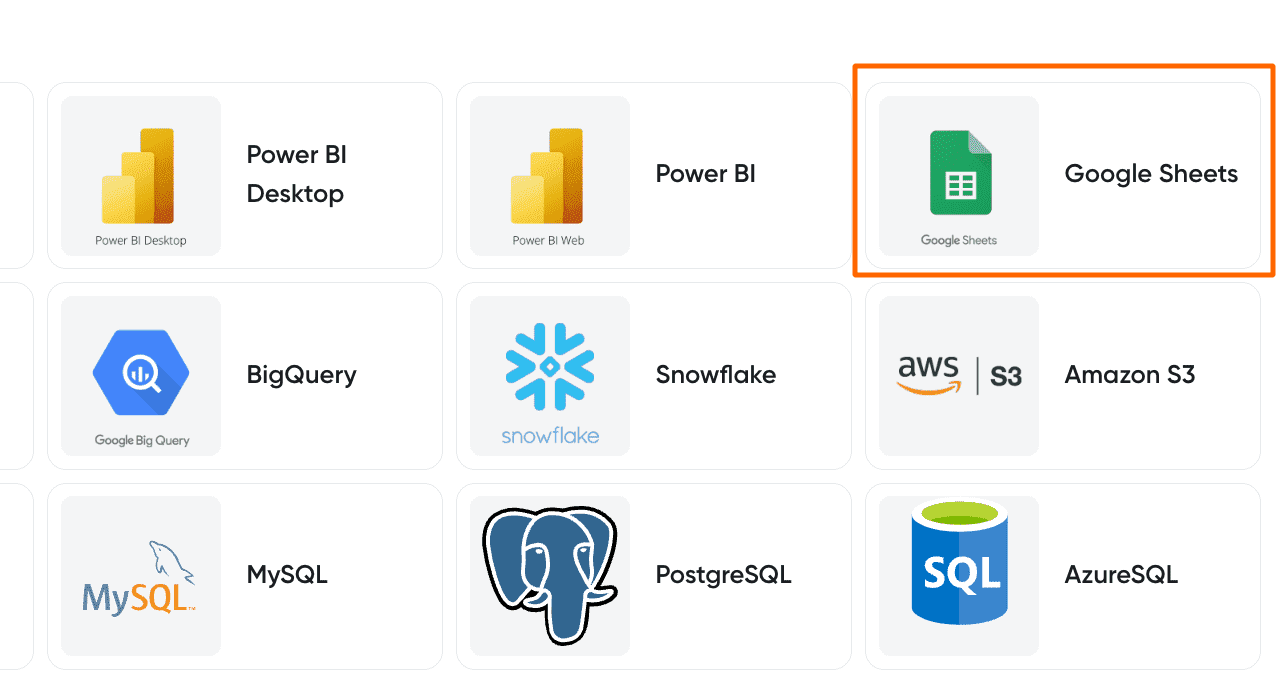
Select your destination
Set Google Sheets as the destination for your data.
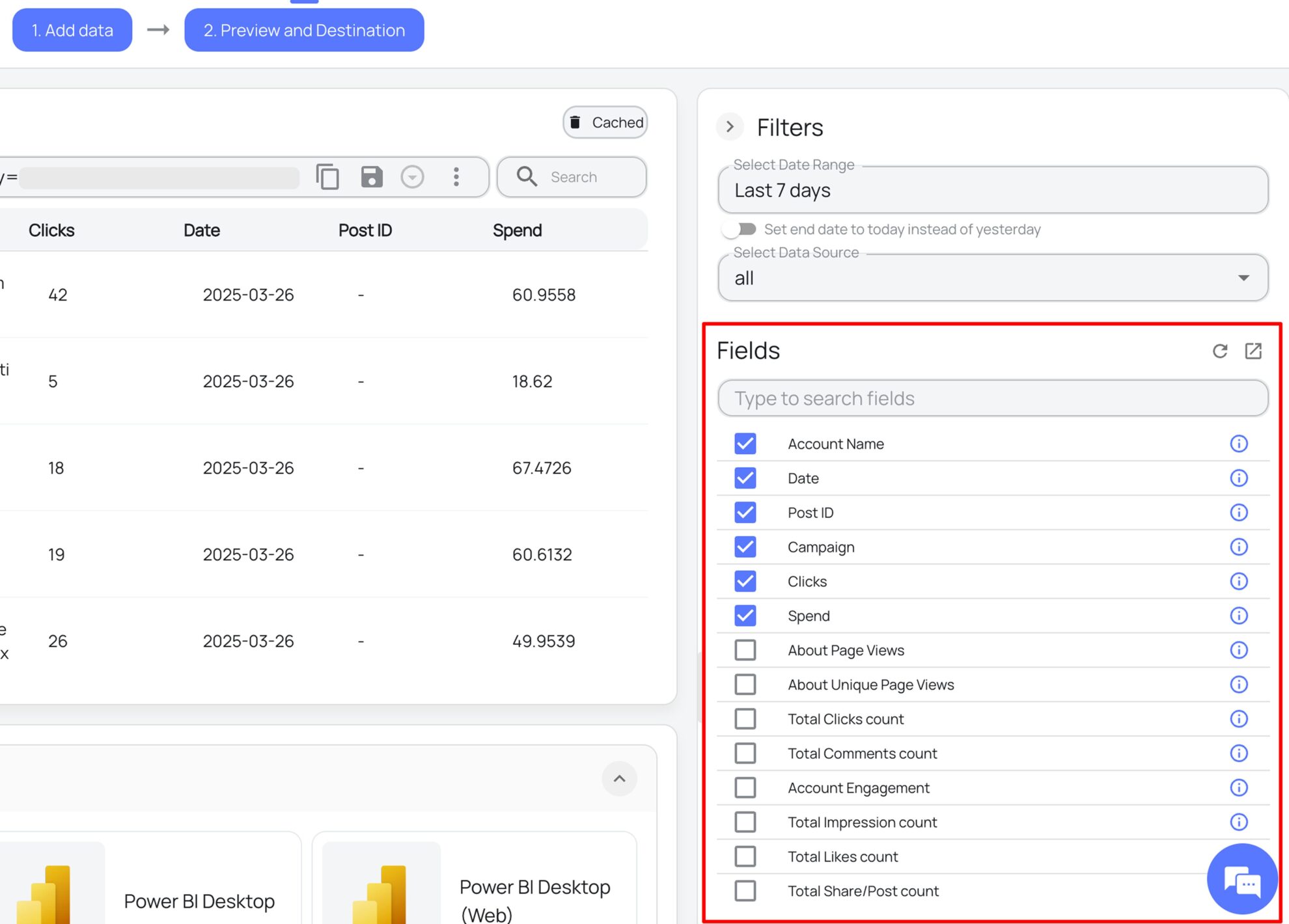
Select the reporting fields
Choose the Similarweb fields you want to show in your spreadsheet.
Follow the setup instructions to complete the integration
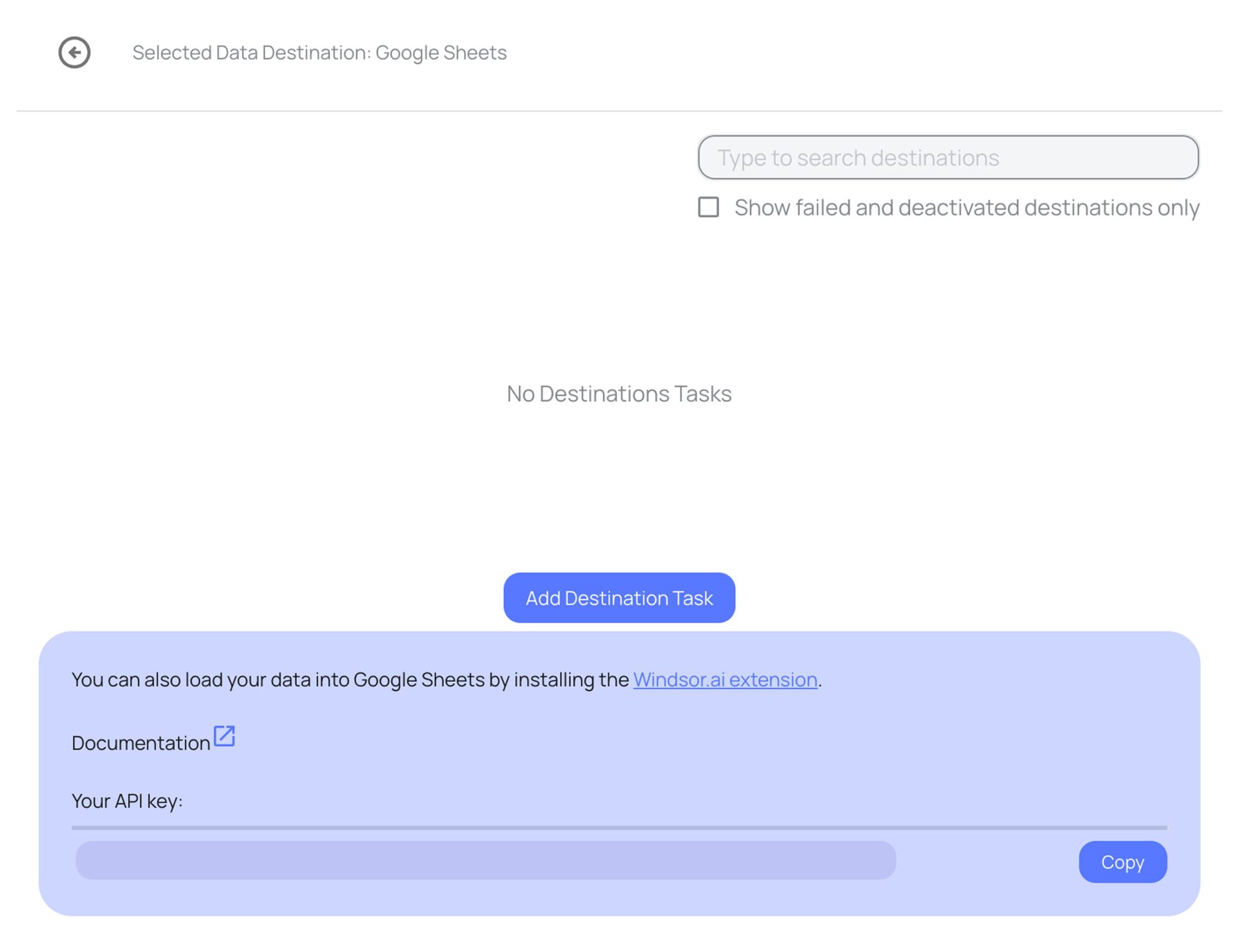
Depending on the integration method you choose, set up the connection by following the prescribed steps, whether through an extension or directly via an in-app destination task.
FAQs
What Similarweb data can I load into Google Sheets?
Windsor.ai gives access to 122 Similarweb fields. These are the groups; the Similarweb field reference lists all of them:
- Traffic and engagement: Traffic and Engagement Visits, Unique Visitors, Traffic and Engagement Page Views, Average Visit Duration, Pages Per Visit, Website Bounce Rate, New Website Users, Returning Users.
- Marketing channels and referrals: Marketing Channel, Marketing Channel Visits, Marketing Channel Bounce Rate, Referral Domain, Referral Visits, Referral Share, Ad Network Name, Ad Network Share, PPC Spend.
- Keywords and landing pages: Keyword or Keyword Group, Keyword Clicks, Keyword Position, Traffic Share, Top URL, Primary Intent, Landing Page URL (search traffic), Landing Page Search Clicks, Landing Page Top Keyword.
- Competitors and rankings: Similar Sites Domain, Similar Sites Affinity, Competitor Domain URL, Keyword Competitor Shared Keywords, Country Rank, Category Rank.
- Audience: Geography Country Name, Geography Visits, Geography Share, Demographics Female Share, Demographics Male Share, Demographics Age 25-34 Share, Audience Interest Domain, Total Deduplicated Audience.
- AI prompt tracking: Prompt, LLM, Prompt Response, Brands Mentioned, Citations, Sentiment, Topics.
- Date and account: Date, Week, Month, Year, Domain, Device Type, Account Name.
How does Windsor.ai load Similarweb data into Google Sheets?
Windsor.ai sends your chosen Similarweb fields straight into a sheet, either through the Google Sheets add-on or through an in-app destination task. You can set it to refresh on a schedule.
Can I combine Similarweb data with other sources in my sheets?
Yes. Windsor.ai supports 350+ data sources, so Similarweb data can sit next to other connected sources in the same sheets. For example, put Similarweb Traffic and Engagement Visits by Month next to GA4 Sessions for the same domain and months, to compare the Similarweb estimate with the traffic you measure yourself.
Do I need to code to connect Similarweb to Google Sheets?
No. You connect Similarweb in the Windsor.ai dashboard, pick the fields you want, and Windsor.ai handles the transfer.
How much does it cost to integrate Similarweb with Google Sheets using Windsor.ai?
The free forever plan covers 1 data source, so connecting Similarweb on its own costs nothing and needs no credit card. Combining Similarweb with other sources needs a paid plan: $19/month for 3 sources or $99/month for 7. See the pricing page.
Do you have helpful links to get started with Similarweb and Google Sheets?
Yes. These are the resources to start with for the Similarweb to Google Sheets integration:
Tired of manual Similarweb data exports? Try Windsor.ai today to work on live data


