 Destinations
 Data sources
 AI insights
 About us
 Careers
 Security
 Customer reviews
 Contact us
 Affiliate program
 Solution partners
 Template gallery
 Looker Studio templates
 Power BI templates
 Excel templates
 Google Sheets templates
 Tableau templates
 Facebook Ads templates
 Google Ads templates
 Data fields & Metrics
 AI prompt library & Guides
 Product documentation
 API documentation
 Case studies
 Blog
 Data models
 Windsor vs Supermetrics
 Windsor vs Funnel.io
 Windsor vs Fivetran
 Windsor vs Rivery
 Windsor vs Portermetrics
 Windsor vs Coupler.io
Connect TikTok Organic to ChatGPT
The Windsor.ai plugin gives ChatGPT your TikTok account’s organic analytics: views, reach, watch time, new followers and where views came from, per video and per day, plus your followers’ age, gender, country and online hours.
Ask which videos bring followers, how much of your views come from Search and For You, and where viewers stop watching.
Connect data in about a minute. No code required.
 Sign up with Google
 Free forever plan










What you can do with TikTok Organic data in ChatGPT
Through the plugin, ChatGPT reads your account, video, audience and comment data when you ask, and answers across all your videos at once.

Rank videos by followers gained
Ask ChatGPT to rank your videos from the last 30 days by video_new_followers per 1,000 views, with video_average_time_watched and video_full_watched_rate next to each, and to compare the top 5 with your account average.

Generate new content ideas
Ask ChatGPT to group the comment_text on your last 10 videos by topic and to list the questions that come up more than once. Those questions are ideas for your next videos.

See where viewers stop watching
video_view_retention_percentage gives the share of viewers still watching at each second. Ask ChatGPT for the second at which each of your top videos loses half its viewers. The data does not show what is on screen at that second. To see it, open the video in TikTok Studio at the same point.

Split views by Search and For You
video_impression_sources_impression_source and video_impression_sources_percentage give each video’s share of views from For You, Search, Follow, your profile and sounds. In our test on 12 November 2026, our most viewed ChatGPT video got 70.8% of its views from TikTok Search.
Example: our ChatGPT setup videos on TikTok
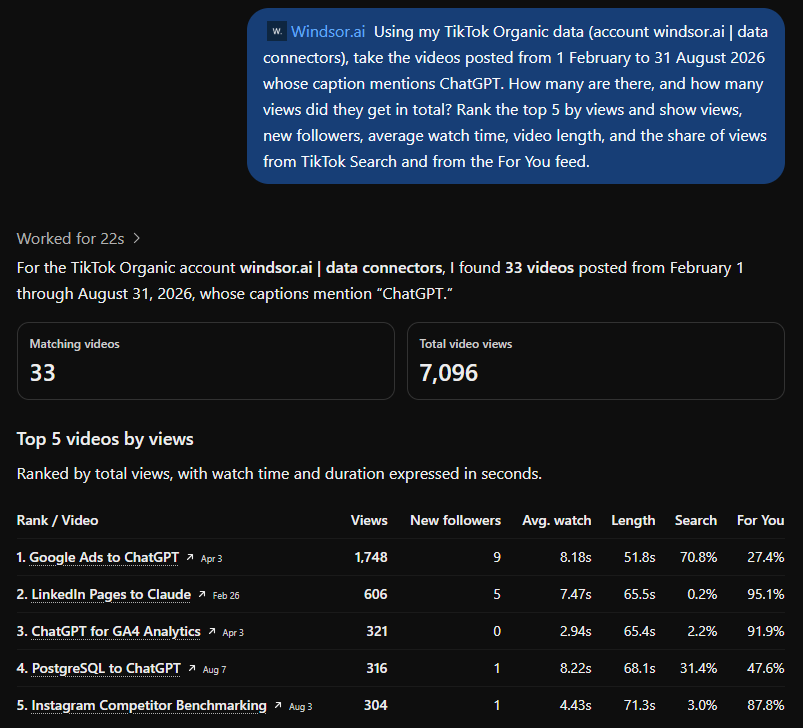
On 12 November 2026 we asked ChatGPT, through the Windsor.ai plugin, about our own TikTok account, windsor.ai | data connectors: “Take the videos posted from 1 February to 31 August 2026 whose caption mentions ChatGPT. How many are there, and how many views did they get in total? Rank the top 5 by views and show views, new followers, average watch time, video length, and the share of views from TikTok Search and from the For You feed.”
- Volume: 33 videos mention ChatGPT in the caption, with 7,096 views in total.
- Top video: “Connect Google Ads to ChatGPT in 1 Minute”, posted on 3 April, had 1,748 views and brought 9 new followers. 70.8% of its views came from TikTok Search.
- Watch time: the top 5 videos run 52 to 71 seconds, and the average view lasted 2.9 to 8.2 seconds.
We pulled the same videos through the Windsor.ai API, and the counts, views and percentages matched. A period this long needs a paid plan; the free forever plan returns the last 30 days. More prompts and the limits of the data are in how to connect TikTok Organic to ChatGPT.
TikTok Organic is read-only through Windsor.ai. ChatGPT can draft captions and comment replies, and you post them in TikTok yourself (write actions list, checked 18 November 2026).
Available actions
Delete Comment
Delete a comment or reply that the connected TikTok account wrote on one of its videos. comment_id is the comment_id read field. TikTok does not let the account delete other users' comments; use hide_comment for those. This is permanent.
Hide Comment
Hide a comment on a video of the connected TikTok account, including other users' comments. comment_id and video_id are the comment_id and comment_video_id read fields. Reversible with unhide_comment.
Reply to Comment
Reply to a comment on a video of the connected TikTok account. comment_id and video_id are the comment_id and comment_video_id read fields. The reply is public and posted as the account. Use delete_comment to remove it.
Unhide Comment
Make a hidden comment on a video of the connected TikTok account visible again. comment_id and video_id are the comment_id and comment_video_id read fields. TikTok can keep the comment hidden, for example after moderation; the comment_visibility read field shows the result.






How to connect TikTok Organic to ChatGPT data with Windsor.ai
Watch the video or follow the steps below. The full setup, with an example and the limits of the data, is in our guide to connecting TikTok Organic to ChatGPT.
Install the Windsor.ai plugin
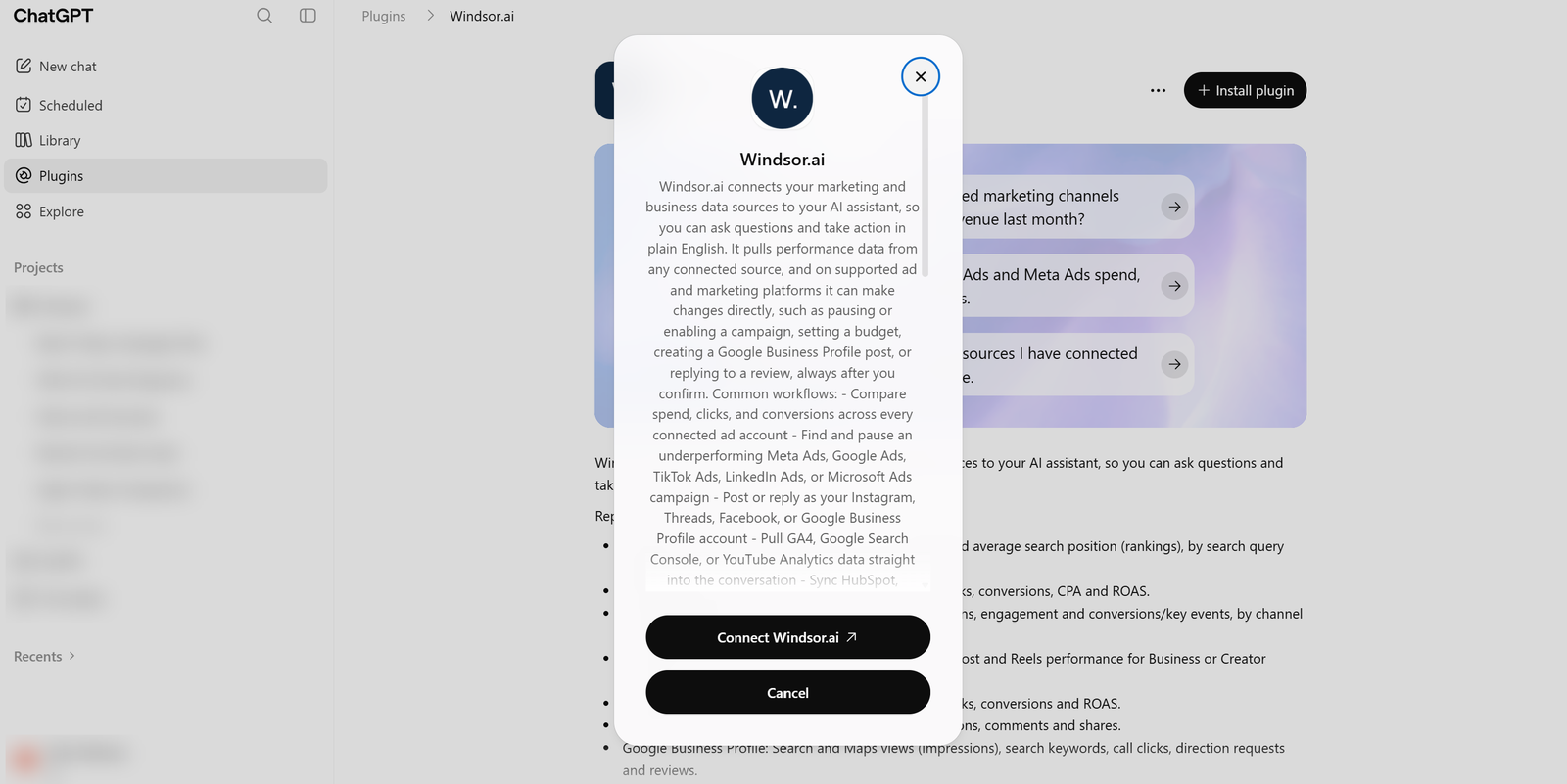
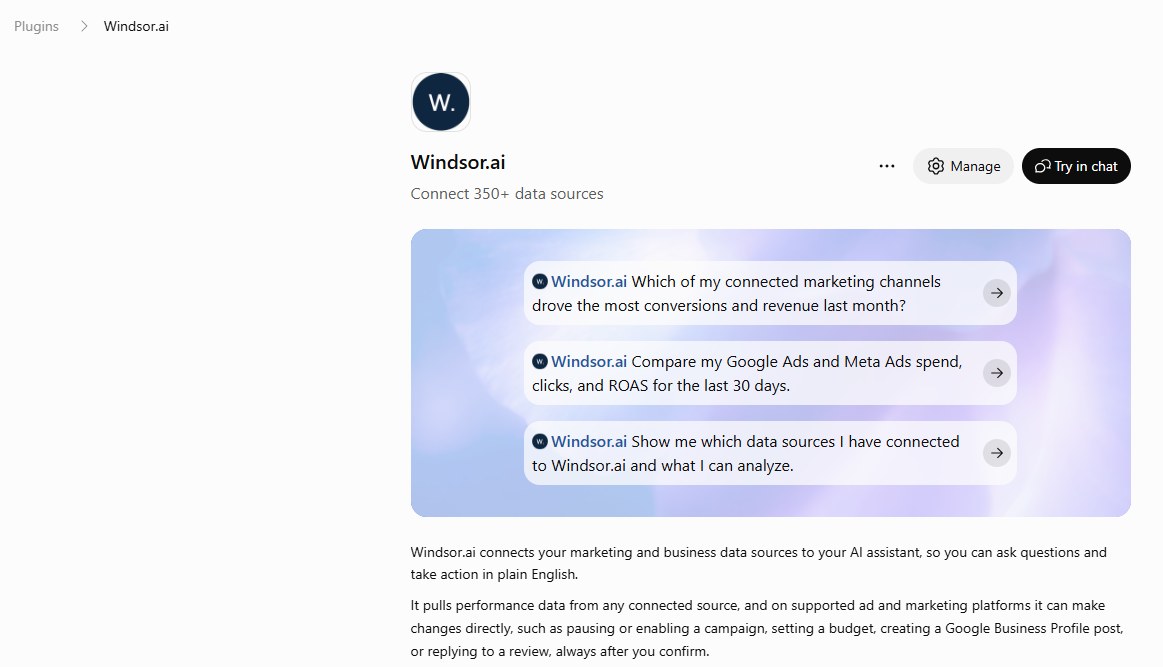
In ChatGPT, select Plugins in the sidebar and search for Windsor.ai, or open the Windsor.ai plugin page.
Select Install plugin, then Connect Windsor.ai. Sign in to Windsor.ai and select Back to ChatGPT.
Query your TikTok Organic data in ChatGPT
In a new chat, click the + sign and pick Windsor.ai, or type @Windsor.ai. To check the connection, ask: “Which TikTok accounts are connected to my Windsor.ai TikTok Organic connector? Show daily video views and net new followers for the last 7 days.”

FAQs
Does this integration require a TikTok Ads account?
No. The TikTok Organic connector reads your organic videos, followers, audience and comments, not ad campaigns. TikTok Ads has its own connector; see how to connect TikTok Ads to ChatGPT.
How fresh is the TikTok data in ChatGPT?
ChatGPT requests the data from Windsor.ai when you ask. Windsor.ai caches the result of an identical query for up to 6 hours, and you can clear the cache in Data Preview once every 2 hours. TikTok reports reach 24 to 48 hours after the views, so the last two days of reach are incomplete.
Can ChatGPT watch my TikTok videos?
No. The plugin sends views, reach, watch time, the share of viewers left at each second, view sources, the caption and the comments, not the video file. When we pasted a TikTok link into ChatGPT, it said TikTok blocked playback and asked us to upload the video file.
Can ChatGPT post videos or reply to comments on TikTok?
No. TikTok Organic is read-only through Windsor.ai: ChatGPT can draft captions and replies, and you post them in TikTok yourself. The write actions list shows which sources ChatGPT can change.
How much does it cost to integrate TikTok Organic into ChatGPT using Windsor.ai?
The free forever plan covers 1 user, 1 data source and 1 account with the last 30 days of data. No credit card is needed. Paid plans start at $19/month for 3 sources (Basic) and $99/month for 7 (Standard), billed annually. See the pricing page.
How long does it take to connect TikTok Organic to ChatGPT?
The setup takes about a minute and needs no code.
Do you have helpful links to get started with integrating TikTok Organic and ChatGPT using Windsor.ai?
Can I analyze TikTok Organic data alongside other channels?
Yes, on a paid plan. One chat can hold TikTok Organic next to TikTok Ads, GA4, Instagram or Threads. Each extra source counts toward your plan’s source limit; the free forever plan includes 1 data source.
Tired of manual TikTok Organic data exports? Try Windsor.ai today to automate your reporting


