 Destinations
 Data sources
 AI insights
 About us
 Careers
 Security
 Customer reviews
 Contact us
 Affiliate program
 Solution partners
 Template gallery
 Looker Studio templates
 Power BI templates
 Excel templates
 Google Sheets templates
 Tableau templates
 Facebook Ads templates
 Google Ads templates
 Data fields & Metrics
 AI prompt library & Guides
 Product documentation
 API documentation
 Case studies
 Blog
Blog Data models
 Windsor vs Supermetrics
 Windsor vs Funnel.io
 Windsor vs Fivetran
 Windsor vs Rivery
 Windsor vs Portermetrics
 Windsor vs Coupler.io
AppFollow Connector
Automatically sync your AppFollow data with your warehouse, database, or visualization platform using Windsor.ai’s ELT connectors.
Track app ratings, monitor review trends, and manage your entire app portfolio with accurate, always-fresh data, without manual exports or technical setup.
Forget CSVs. Stop copy/paste. Connect data in 2 minutes. No code required.
 Free forever plan
No credit card needed
Free forever plan
No credit card needed



Make the most out of your AppFollow data with Windsor.ai
Focus on the data that matters by choosing from our extensive documentation or easily creating custom fields.

Leverage our pre-built, customizable dashboard templates for a comprehensive performance overview tailored to your data needs.
Send your AppFollow data to any destination
Import your AppFollow data into any destination using Windsor.ai.

























Extract and load AppFollow data effortlessly with Windsor.ai’s connector
Many AppFollow integration methods are complex, requiring technical expertise, manual data handling, or expensive third-party solutions.
Windsor.ai simplifies this process with its no-code AppFollow connector, enabling fully automated data syncing with just a few clicks.
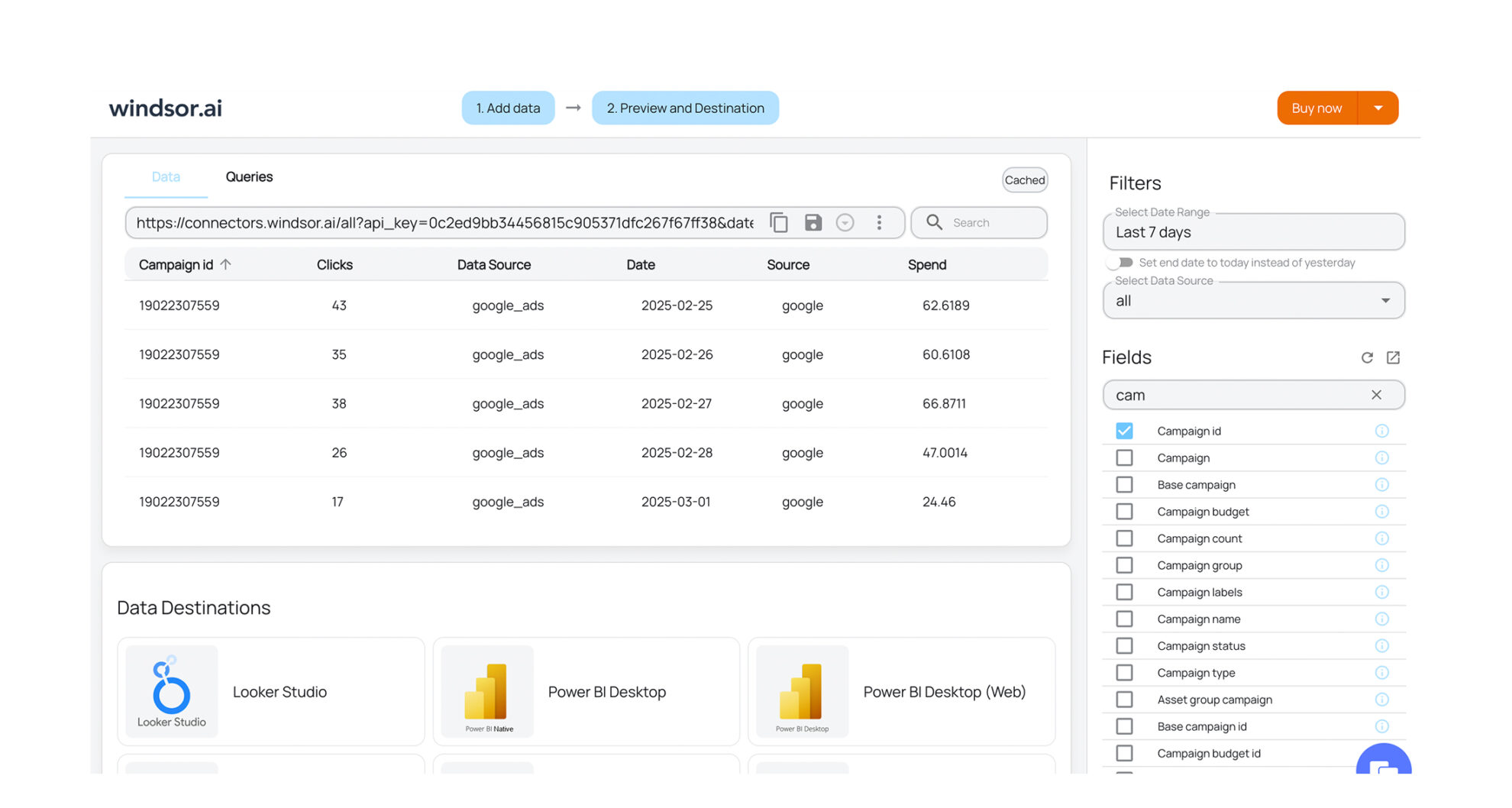














How to export AppFollow data with the Windsor.ai connector
Sign up and start for free
Create your Windsor.ai account and log in.
Select AppFollow as a data source
In your dashboard, connect the AppFollow data source, select the necessary account(s), and grant access to Windsor.ai.

Choose report fields and metrics
Select the fields that you’d like to add to your report. For example, you can include metrics such as Review Count, Reply Integration Status, Store, App Ratings, App Collection Size, and more.

Select a data destination
Choose a destination where you want to stream your AppFollow data.

FAQs
Why use Windsor.ai's AppFollow connector?
Using Windsor.ai’s AppFollow connector, mobile and product teams can automatically sync and visualize their app portfolio performance in any format, whether in BI dashboards, spreadsheets, or a data warehouse.
Windsor.ai’s ELT connectors streamline data integration by automating the entire workflow, eliminating manual exports and data prep. Our platform keeps your AppFollow data continuously updated across all connected destinations, cutting reporting preparation time by over 50%.
This gives your team a clearer picture of how your apps are performing across stores, helping you act faster on rating shifts, review volume changes, and portfolio-wide trends.
What data can I extract from AppFollow?
Through Windsor.ai’s connector, you can access:
- App collections: portfolio groupings with country and language targeting, tags, and app counts.
- App lists: store-level entries per app, including the store (App Store or Google Play), review counts, what’s-new update counts, and reply integration status.
- Ratings: aggregated rating data per app.
- Review stats: statistical summaries of review activity by app and store.
- User data: team member names, roles, emails, and account statuses.
Can I monitor multiple apps across both the App Store and Google Play in one report?
Absolutely. The connector’s app_lists report includes a store field that distinguishes between Apple App Store and Google Play entries, and app_collections lets you group apps by region, language, or custom tags. This makes it straightforward to build cross-store dashboards that compare performance side by side, without maintaining separate reports for each platform.
How much does it cost to integrate AppFollow with Windsor.ai?
Windsor.ai’s pricing for AppFollow data integration can vary depending on your use case and data volume. We offer absolutely transparent, volume-based event pricing plans for diversified business needs and budgets.
How long does it take to sync AppFollow to a destination using Windsor.ai?
With Windsor.ai’s intuitive interface, the integration process takes a few minutes. No technical expertise is required; connecting AppFollow data is simple, straightforward, and completely code-free.
Do you have helpful links to get started with integrating AppFollow and Windsor.ai?
Yes, we have helpful resources to help you get started. You can explore our official documentation for AppFollow data integration into a chosen destination, available AppFollow data fields, and ready-to-use templates:
Other popular Windsor.ai connectors

LinkedIn Pages

Google Search Console

Amazon Ads

Instagram Public Data

Salesforce
Tired of manual AppFollow data exports? Get started with Windsor.ai today to automate your reporting


