 Destinations
 Data sources
 AI insights
 About us
 Careers
 Security
 Customer reviews
 Contact us
 Affiliate program
 Solution partners
 Template gallery
 Looker Studio templates
 Power BI templates
 Excel templates
 Google Sheets templates
 Tableau templates
 Facebook Ads templates
 Google Ads templates
 Data fields & Metrics
 AI prompt library & Guides
 Product documentation
 API documentation
 Case studies
 Blog
 Data models
 Windsor vs Supermetrics
 Windsor vs Funnel.io
 Windsor vs Fivetran
 Windsor vs Rivery
 Windsor vs Portermetrics
 Windsor vs Coupler.io
 Last updated: 20 November 2026





To connect AdRoll to ChatGPT, sign in to AdRoll from Windsor.ai with the Grant AdRoll Access button, select your AdRoll account, then install the Windsor.ai plugin in ChatGPT. ChatGPT can then read your AdRoll campaign data, such as impressions, clicks, spend, conversions and revenue by campaign, when you ask in plain English.
The connection is read-only. ChatGPT reports on your AdRoll data but can’t change campaigns, budgets or bids in AdRoll (AdRoll has no write actions in Windsor.ai, checked on 20 November 2026).
Before you start
- An AdRoll account you can sign in to. Windsor.ai connects through an AdRoll sign-in (OAuth). There is no API key to copy.
- A Windsor.ai account: the free forever plan covers AdRoll as one source with 30 days of data history. For your first 30 days you can test more sources. To keep AdRoll connected next to two other sources, such as GA4 and Meta Ads, paid plans start at $19/month billed annually for 3 sources (pricing).
- A ChatGPT account that can install plugins. In a ChatGPT workspace, your admin may limit which plugins you can install.
Step 1. Add AdRoll to Windsor.ai
- Go to onboard.windsor.ai/app/adroll and sign in or create a Windsor.ai account.
- Click Grant AdRoll Access and sign in to AdRoll.
- Back in Windsor.ai, select the AdRoll account you want ChatGPT to read. The sign-in alone does not finish the setup.

Step 2. Install the Windsor.ai plugin in ChatGPT
- In ChatGPT, click Plugins in the sidebar and search for Windsor.ai, or open the Windsor.ai plugin page.
- Click Install plugin and sign in to Windsor.ai with the account you added AdRoll to.
- In a new chat, click the + sign and pick Windsor.ai, or type @Windsor.ai before your question.
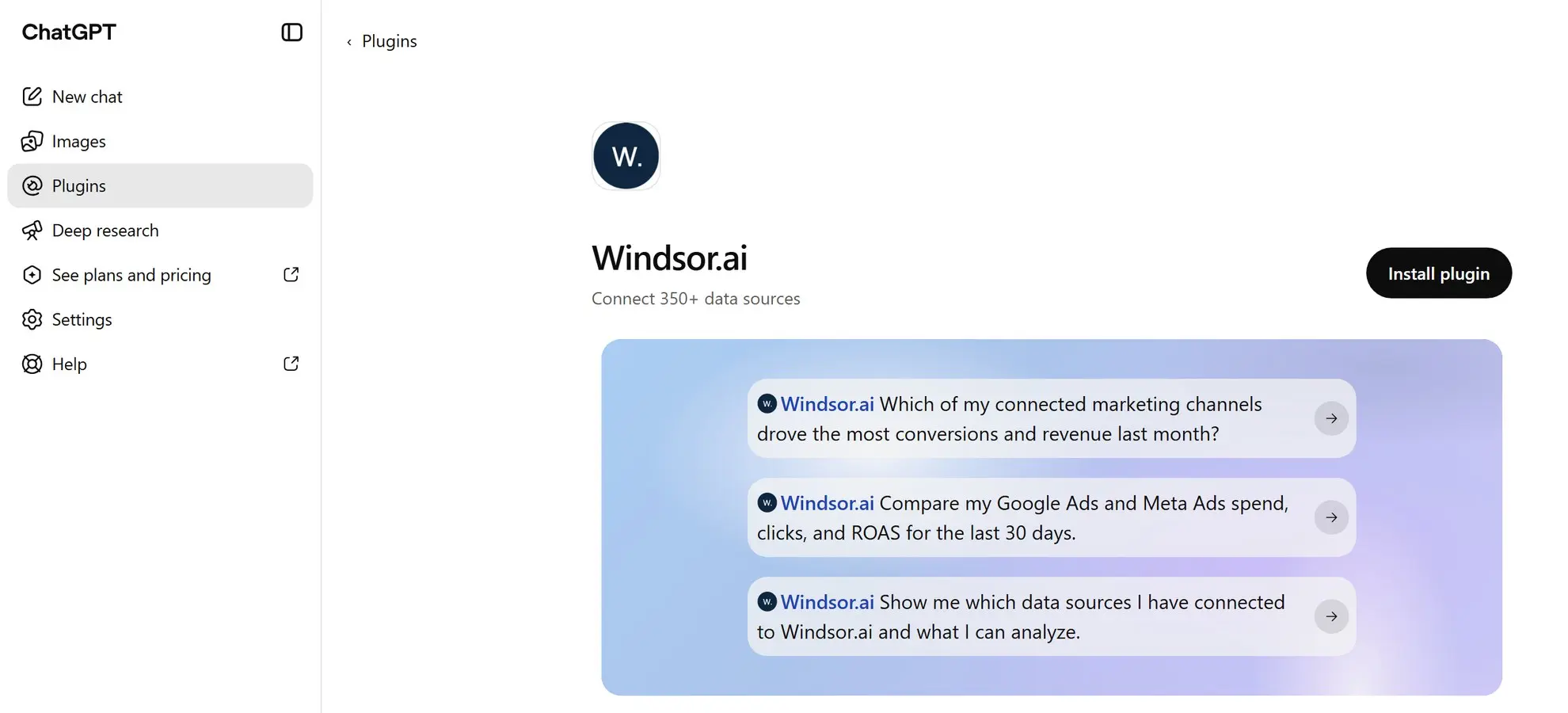
The Windsor.ai ChatGPT setup guide shows each setup screen.
Step 3. Check the AdRoll connection in ChatGPT
To check the AdRoll connection, ask ChatGPT whether AdRoll is connected before you ask about campaigns:
@Windsor.ai Is AdRoll connected in my Windsor.ai account? If it is not, what do I need to do to connect it?
On 20 November 2026 we asked this in our own Windsor.ai account, which has no AdRoll account added. ChatGPT answered that AdRoll is not connected and gave a Windsor.ai link to sign in to AdRoll and authorize access.

One thing did not work without an account: when we asked what data it can read, ChatGPT said it could not retrieve the AdRoll field list because no AdRoll account was selected. Field lists come back only once an AdRoll account is selected. The fields below come from the AdRoll field reference.
AdRoll data ChatGPT can read through Windsor.ai
Through the Windsor.ai connector, ChatGPT can read 34 AdRoll fields: 11 metrics and 23 dimensions. The full list is in the AdRoll field reference. The fields fall into these groups:
- Delivery and cost: Impressions, Clicks, CTR, Spend, CPC (spend per click), CPA (spend per conversion).
- Conversions and revenue: Conversions and Revenue, counted for trackable AdRoll visitors.
- Account and campaign: Account ID, Account Name, Campaign, Currency.
- Dates: Date, Week, Month, Year, Day of month, Day of week, Year month name and their ISO versions.
The connector reports by account and campaign. It has no ad group or ad level. Three fields repeat others: Ad Network Conversions is an alias of Conversions, Ad Network Revenue is an alias of Revenue, and Total Cost repeats Spend. Ask for one of each pair. The Currency field shows the currency of the money metrics.
AdRoll prompts to try in ChatGPT
Start each prompt with @Windsor.ai, or pick Windsor.ai from the + menu first.
-
Show Spend, Conversions and CPA by campaign for the last 7 days, sorted from the highest CPA.
-
Compare Revenue with Spend for each campaign in the last 30 days and list the campaigns where Revenue is below Spend.
-
Break down Impressions, Clicks and CTR by week for the last 4 weeks, per campaign.
-
Which day of the week had the most Conversions in the last 30 days?
-
Show CPC by campaign for the last 30 days and flag any campaign above the account average.
The free forever plan reaches back 30 days. A prompt for a quarter or year over year needs a paid plan.
Combine AdRoll with other sources in ChatGPT
With AdRoll and your other ad platforms in the same Windsor.ai account, ChatGPT can put them side by side in one answer. For example, ask for AdRoll Spend and Conversions by week next to Meta Ads and Google Ads spend and conversions for the same weeks. Each platform counts conversions with its own rules. AdRoll counts them for trackable AdRoll visitors only. Compare them as separate numbers. More than one source kept long term needs a paid plan.
Next steps
- The AdRoll to ChatGPT connector page lists more use cases and prompt ideas.
- To use the same AdRoll data in Claude, see the AdRoll to Claude connector page.
- To build dashboards instead of chat answers, see AdRoll to Data Studio.
To start, add your AdRoll account to Windsor.ai on the free forever plan, then install the Windsor.ai plugin in ChatGPT.
FAQs
Can ChatGPT change my AdRoll campaigns?
No. AdRoll has no write actions in Windsor.ai (write actions list, checked on 20 November 2026). ChatGPT can read and analyze your AdRoll data but cannot create or pause campaigns or change budgets and bids.
Does the AdRoll connection need an API key?
No. Windsor.ai connects to AdRoll through an AdRoll sign-in (OAuth). After the sign-in, select your AdRoll account in Windsor.ai to finish the setup.
Can ChatGPT report on AdRoll ad groups or ads?
No. The Windsor.ai AdRoll connector reports by account and campaign. For ad-level numbers, use the AdRoll dashboard.
How much does it cost to connect AdRoll to ChatGPT?
Windsor.ai has a free forever plan with 1 data source and the last 30 days of data. That covers AdRoll as your only source. Paid plans start at $19/month for 3 sources, billed annually. See the pricing page.


