Destinations
 Data sources
 AI insights
 About us
 Careers
 Security
 Customer reviews
 Contact us
 Affiliate program
 Solution partners
 Template gallery
 Looker Studio templates
 Power BI templates
 Excel templates
 Google Sheets templates
 Tableau templates
 Facebook Ads templates
 Google Ads templates
 Data fields & Metrics
 AI prompt library & Guides
 Product documentation
 API documentation
 Case studies
 Blog
 Data models
 Windsor vs Supermetrics
 Windsor vs Funnel.io
 Windsor vs Fivetran
 Windsor vs Rivery
 Windsor vs Portermetrics
 Windsor vs Coupler.io
 Last updated: 20 November 2026




To connect eBay to ChatGPT, authorize your eBay seller account in Windsor.ai, then install the Windsor.ai plugin in ChatGPT. ChatGPT can then answer questions about your eBay orders, fees, payouts, listing traffic and Promoted Listings campaigns in a normal chat, with no code and no CSV exports.
eBay has no official plugin in ChatGPT for seller data. Seller Hub shows orders, traffic and ads on separate pages. Through Windsor.ai, ChatGPT reads them together and can compare them with your other sales channels.
Before you start
- A Windsor.ai account. The free forever plan, no credit card, covers 1 data source and the last 30 days of data.
- An eBay seller account that you can sign in to. Windsor.ai reads seller data only, not buyer purchases.
- A ChatGPT account. We set this up on ChatGPT’s Free plan.
Step 1: Connect your eBay account in Windsor.ai
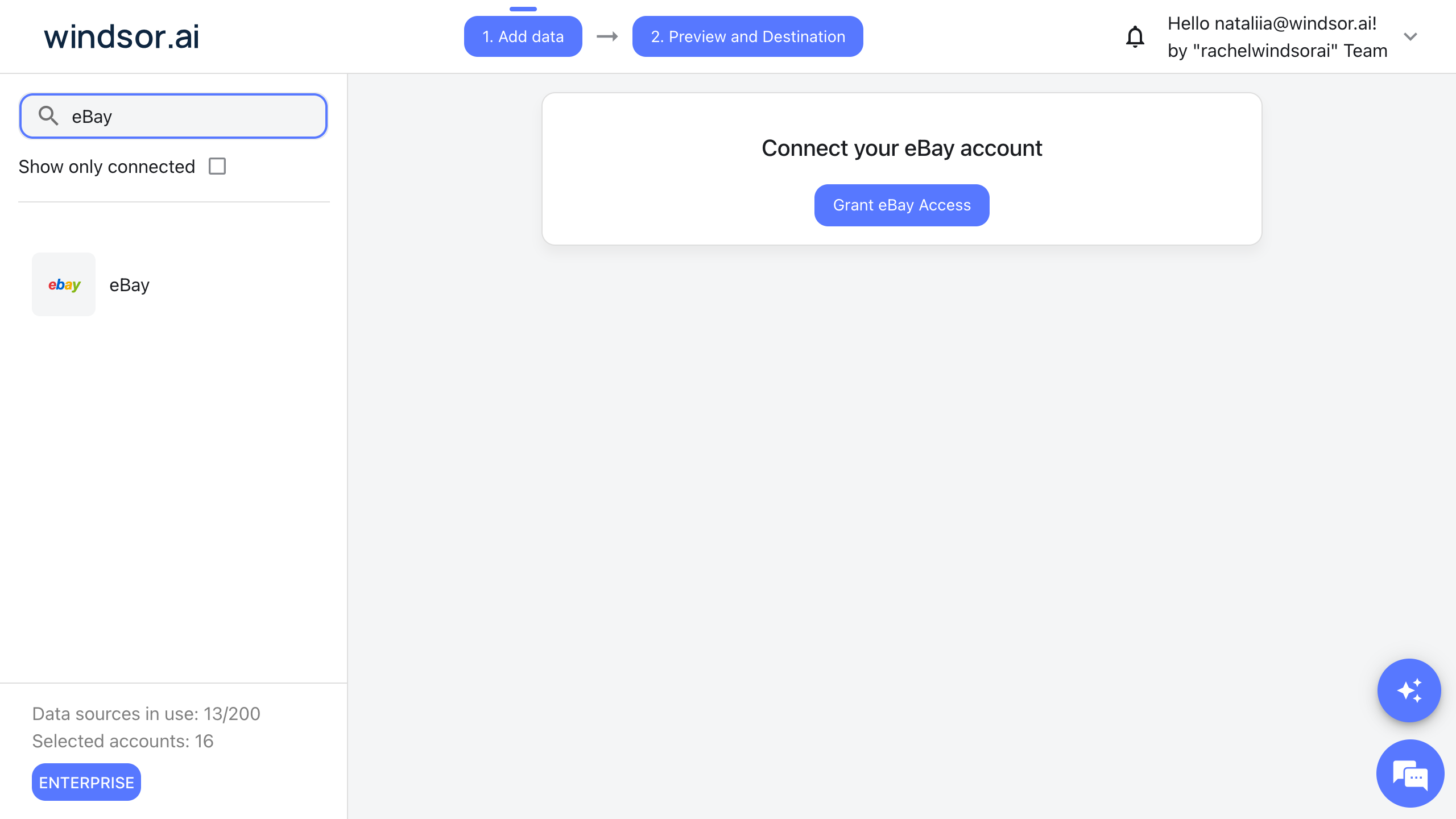
- Open onboard.windsor.ai/app/ebay and sign in to Windsor.ai, or create a free account.
- Click Grant eBay Access, sign in with your eBay seller account and approve the access.
- Select the eBay account you want ChatGPT to read.
Step 2: Add the Windsor.ai plugin in ChatGPT
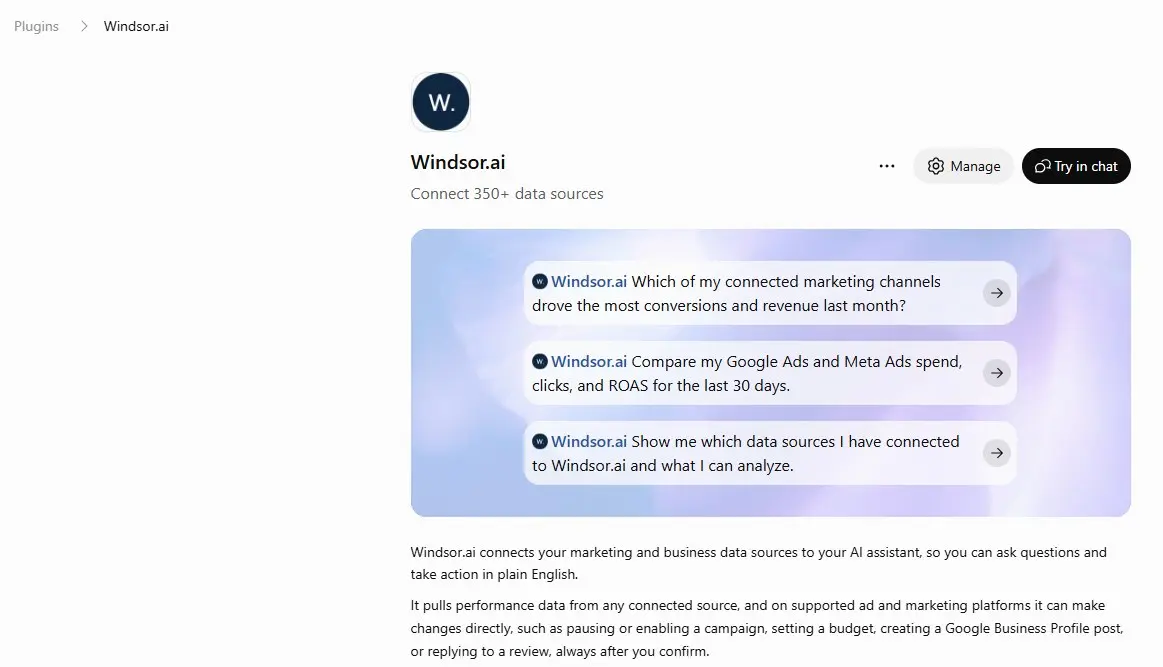
Open the Windsor.ai plugin page in ChatGPT and click Install plugin. Sign in to Windsor.ai and approve the access when ChatGPT asks. Once it is connected, the page shows Manage and Try in chat.
Step 3: Check the connection
In a new chat, click + and choose Windsor.ai, or type @Windsor.ai. Then ask:
Which eBay accounts are connected to my Windsor.ai account? List each account name and ID, and show my orders and order_total for the last 7 days.
If ChatGPT lists your account and returns orders, the setup is done. If it returns no rows or an error, the next section covers what we found.
Our test: an account with no rows and a marketplace error
On 18 November 2026 we asked ChatGPT, through the Windsor.ai plugin, for the orders, order total and listing views of the last 30 days on a connected eBay seller account. Two things came back:
- Orders: 0 rows. Windsor.ai answered with an empty result for the period.
- Listing views: an error. Windsor.ai returned: “eBay has no traffic report for marketplace EBAY_CH. Set the Marketplace ID option to one of EBAY_US, EBAY_MOTORS_US, EBAY_GB, EBAY_DE, EBAY_FR, EBAY_IT, EBAY_ES, EBAY_AU.”
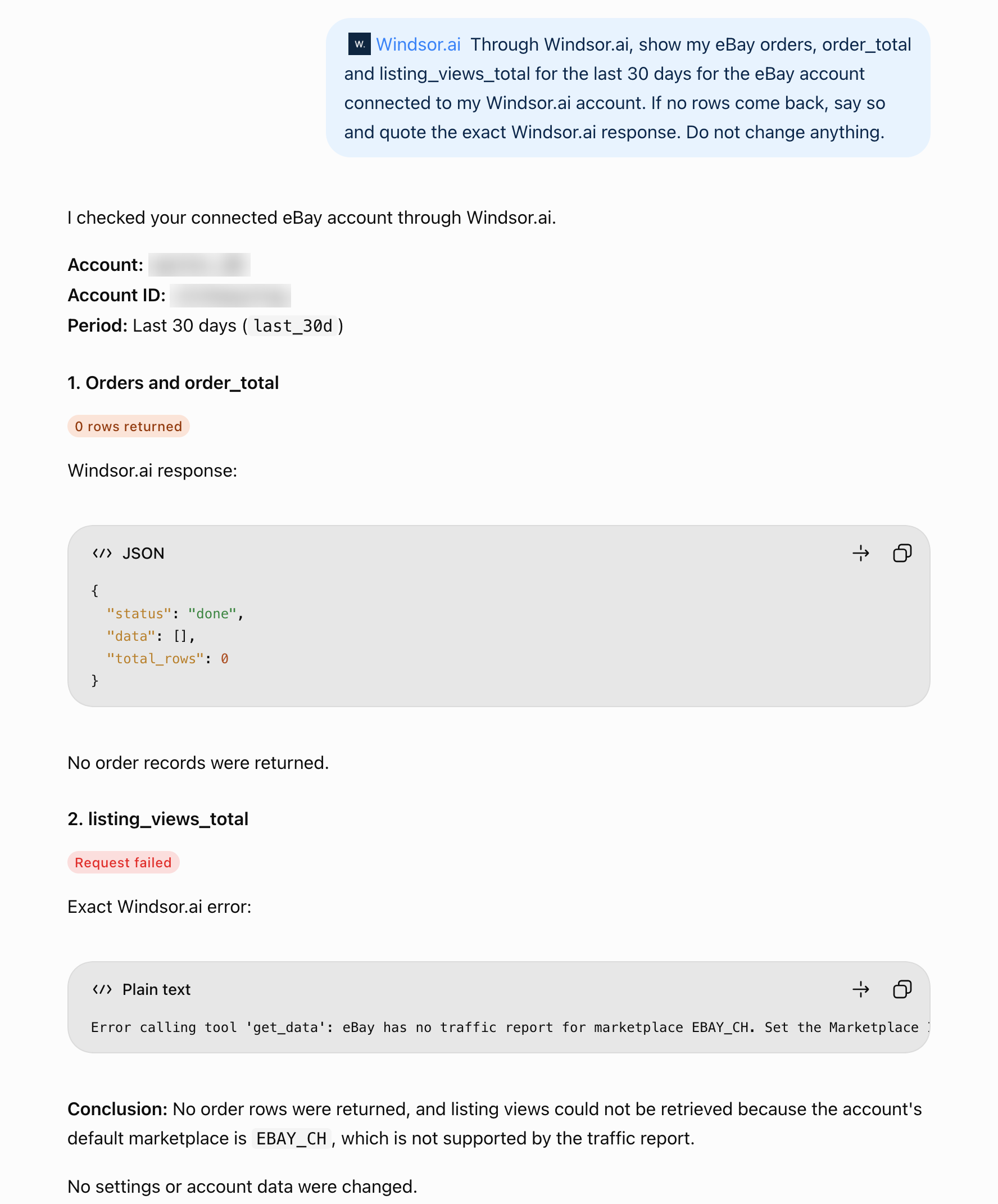
The account’s default marketplace was eBay Switzerland, and eBay’s traffic report does not cover it. The order data and the traffic data come from different eBay reports, and one can work while the other fails. If you sell on one of the eight marketplaces in the error message, set the Marketplace ID option in Windsor.ai to that marketplace, then ask again.
What ChatGPT can read from eBay
The eBay connector returns 103 fields from orders, listing traffic and Promoted Listings. These are the ones most questions use. The full list is on the eBay fields page.
- Orders: order_total, price_subtotal, delivery_cost, order_tax, order_financial_status and order_fulfillment_status.
- Fees and payout: total_marketplace_fee and total_due_seller, which is what you receive after eBay’s fees.
- Line items: item_title, sku, line_item_quantity, line_item_total and line_item_refund_amount.
- Listing traffic: listing_impression_total, listing_views_total, click_through_rate, sales_conversion_rate and transactions, with listing views split by source (search results, store, other eBay pages, outside eBay).
- Promoted Listings: promoted_listings_ad_fees, promoted_listings_sales, promoted_listings_sale_amount, promoted_listings_roas, campaign_name, funding_model (cost per sale or cost per click) and campaign_budget_status.
- Buyers and markets: buyer_country, listing_marketplace_id and purchase_marketplace_id.
What ChatGPT can change in eBay
The eBay connector has six write actions (checked on 20 November 2026). ChatGPT asks you to confirm each change unless you chose to remember your approval for the chat.
- Listings: set the price or available quantity of a fixed-price listing or one of its variations, and revise the title, description, item specifics or pictures. eBay keeps the title of a listing that has sales. A quantity of 0 ends the listing unless the out-of-stock option is on in your eBay site preferences.
- Promoted Listings: pause or resume a campaign, change the daily budget of a cost-per-click campaign (eBay allows 15 budget changes per campaign per day), and set the ad rate of up to 500 listings per request in a cost-per-sale campaign.
Orders stay read-only in ChatGPT. Each result lists the values it replaced, including a listing’s old title, description, item specifics or pictures. To undo a change, ask ChatGPT to set those values again, or to resume a campaign it paused. The eBay field reference lists the six actions.
What to ask ChatGPT
Sales and fees
For the last 30 days, show my eBay order_total, total_marketplace_fee and total_due_seller by week. What share of order value went to eBay fees each week?
List my 10 best-selling items by line_item_total in the last 30 days, with quantity and refunds for each.
Listing traffic
Compare listing_views_total and sales_conversion_rate for the last 30 days by listing view source. Which source brings views that convert?
Promoted Listings
For each Promoted Listings campaign in the last 30 days, show ad fees, attributed sales, sale amount and ROAS. Which campaigns have a ROAS below 3?
Which of my campaigns had an EXHAUSTED daily budget, and on which days?
The free forever plan returns the last 30 days. A 90-day or year-over-year question needs a paid plan, from $19/month for 3 sources.
Combine eBay with your other channels
With more sources connected, ChatGPT can compare eBay with the rest of your sales and ads in one answer:
- eBay and your own store: compare order value and refunds on eBay with Shopify in ChatGPT.
- eBay ads and Google Ads: set Promoted Listings ROAS next to your Google Ads in ChatGPT ROAS for the same products.
- eBay and Amazon: compare fees and payouts per order with Amazon Seller Central in ChatGPT.
Using more than one source needs a paid plan, from $19/month for 3 sources or $99/month for 7.
If something does not work
- 0 rows: check in Seller Hub that the account had orders in the period you asked for, and that you selected the right eBay account in Windsor.ai.
- “eBay has no traffic report for marketplace …”: eBay’s traffic report covers only the marketplaces named in the message. Set the Marketplace ID option in Windsor.ai to the marketplace you sell on.
- No Promoted Listings data: the account needs a Promoted Listings campaign in the period.
- ChatGPT answers without your data: make sure Windsor.ai is selected in the chat (click + and choose Windsor.ai, or type @Windsor.ai).
Other ways to get eBay data into ChatGPT
- CSV export from Seller Hub: you can download order and traffic reports and upload the file to ChatGPT. The file is a snapshot. Each new question about newer data needs a new export.
- Other MCP servers: several third-party tools connect eBay to ChatGPT as a custom MCP server. In ChatGPT, custom MCP servers with full support, including write tools, are available in Business, Enterprise and Edu workspaces.
The Windsor.ai plugin installs from the ChatGPT plugin directory with no server to set up.
FAQs
Can ChatGPT see my eBay fees and payouts?
Yes. The connector returns total_marketplace_fee and total_due_seller for each order. ChatGPT can show what you receive after eBay’s fees, by day, week or item.
Does it include Promoted Listings?
Yes. ChatGPT can read ad fees, clicks, impressions, attributed sales, sale amount and ROAS for each campaign, for both cost per sale and cost per click campaigns.
Why does ChatGPT say there is no traffic report for my marketplace?
eBay’s traffic report covers eight marketplaces: US, US Motors, UK, Germany, France, Italy, Spain and Australia. If your account’s default marketplace is another one, set the Marketplace ID option in Windsor.ai to one of those eight.
Can ChatGPT change my listings or prices?
Yes, for fixed-price listings and Promoted Listings. ChatGPT can set a listing’s price or quantity, revise its title, description, item specifics or pictures, pause or resume a campaign, set a cost-per-click campaign’s daily budget and set the ad rate of listings in a cost-per-sale campaign. It asks you to confirm first, unless you chose to remember your approval in that chat. Orders cannot be changed. The section What ChatGPT can change in eBay has the limits.
Can I connect more than one eBay account?
Yes. Select each account in Windsor.ai. More than one account needs a paid plan, because the free forever plan includes 1 account.
How much does it cost?
Windsor.ai has a free forever plan, no credit card: 1 user, 1 data source, 1 account and the last 30 days of data. Paid plans start at $19/month for 3 sources (Basic) and $99/month for 7 (Standard), billed annually. See the pricing page.