Destinations
 Data sources
 AI insights
 About us
 Careers
 Security
 Customer reviews
 Contact us
 Affiliate program
 Solution partners
 Template gallery
 Looker Studio templates
 Power BI templates
 Excel templates
 Google Sheets templates
 Tableau templates
 Facebook Ads templates
 Google Ads templates
 Data fields & Metrics
 AI prompt library & Guides
 Product documentation
 API documentation
 Case studies
 Blog
Blog Data models
 Windsor vs Supermetrics
 Windsor vs Funnel.io
 Windsor vs Fivetran
 Windsor vs Rivery
 Windsor vs Portermetrics
 Windsor vs Coupler.io


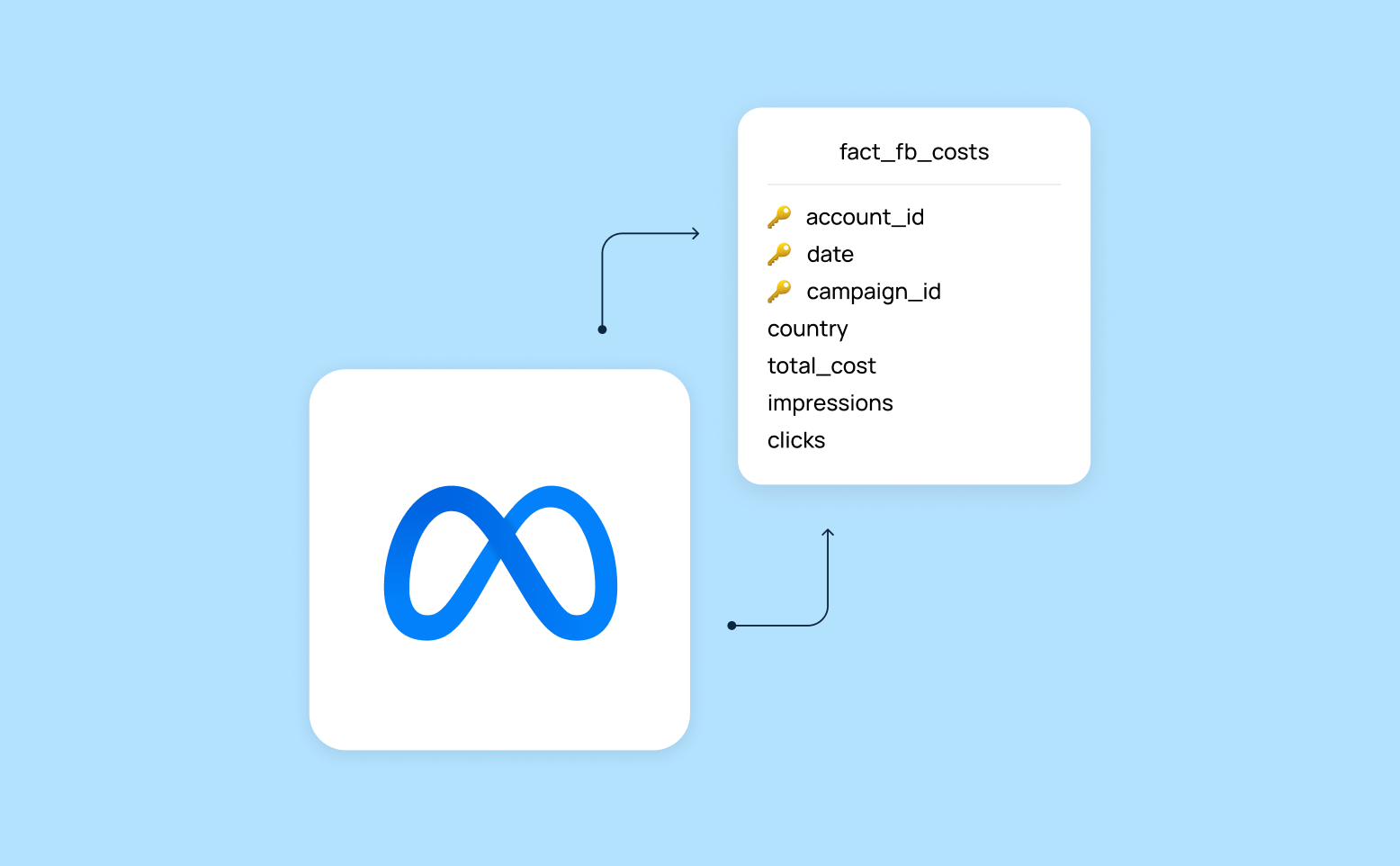



When building a Facebook Ads strategy, the key question isn’t just how much you’re spending. It’s also about how much each customer action actually costs. This is measured by CPA (Cost Per Action), the price you pay for a purchase, signup, or any other target action.
For a true cost and performance overview, combining Facebook Ads with GA4 event data is essential. GA4 tracks the user interactions that matter, while Facebook Ads provides the information about cost, clicks, and impressions. Merging these datasets in a single view in BigQuery gives you complete visibility into CPA, allowing you to accurately evaluate performance and optimize campaigns for maximum returns.
In this guide, we introduce a ready-to-use Windsor.ai data model that automates Facebook Ads CPA tracking in BigQuery. With it, you can effectively calculate CPA and ROAS, and evaluate how different campaigns perform, so you can scale what works and stop spending on what doesn’t. This model reflects GA4’s attribution logic and should be considered a last-click, event-based CPA view.
A pre-built Facebook Ads CPA tracking data model
The idea of this model is that it exports Facebook Ads cost data, including campaign names. Then, it links it to GA4’s campaign_name field, which is populated from UTM parameters. As a result, ad spend is connected to conversions, even if Facebook campaign details never made it into GA4.
This model lets you:
- Calculate CPA and ROAS at the campaign level
- Analyze campaign performance over time
- Restore missing campaign-to-conversion links caused by incorrect tracking setups
- Build a scalable marketing warehouse in BigQuery
And the best part here, Windsor.ai automates the data extraction, cleaning, and loading, delivering structured datasets to your BigQuery project in minutes.
How this data model works
To connect Facebook Ads spend with GA4 user actions, you need a reliable way to link these two datasets:
- GA4 continuously captures your UTM parameters (including utm_campaign).
- Facebook Ads exports always contain campaign_id and campaign_name.
By aligning GA4’s campaign_name with Facebook Ads’ campaign_name, you build the link between user actions and ad spend. This connection allows you to calculate CPA and understand exactly which campaigns drive results.
Our solution uses a standard dimensional modeling approach.
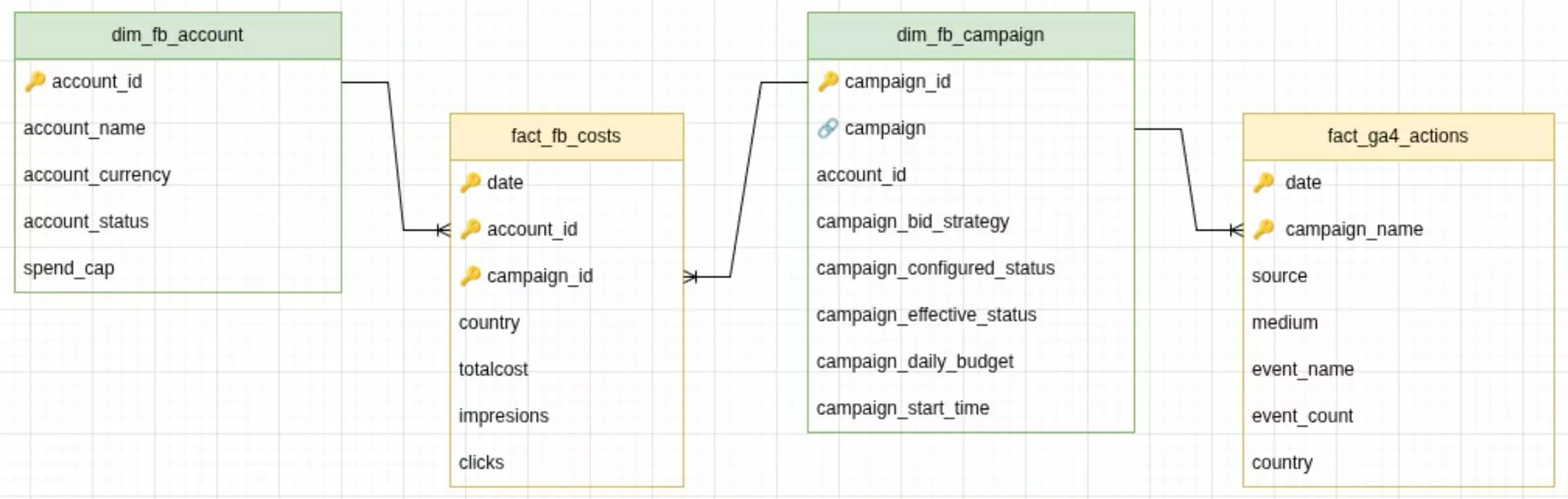
Fact tables:
- fact_fb_costs – impressions, clicks, cost
- fact_ga4_actions – conversions/events from GA4
Dimension tables:
- dim_fb_campaign – connects GA4 campaign_name with Facebook Ads campaign_name
- dim_fb_account – Facebook Ads account attributes
❗ Important: This model assumes that Facebook Ads traffic is tagged with UTMs and that utm_campaign is consistently populated in GA4. If campaign names differ between platforms, CPA attribution will be incomplete.
How to deploy this model using Windsor.ai
To make your setup easier, we’ve prepared ready-to-use configurations for the tables defined in the above schema. These configurations can be copied right into Windsor.ai to create scheduled export tasks for BigQuery.
Quick setup steps:
- Connect your Facebook Ads and GA4 account(s) to Windsor.ai and click ‘Next.’
- Scroll down to Destinations → BigQuery.
- Click “Create destination task” (create separate tasks for each config).
- Paste the Connector URL from the config below.
- Set Schedule type as proposed in the config (or adjust to your needs).
- Set Columns to match from the config below.
- Save the task and see it’s running and streaming data to your BigQuery project.
📚 For detailed setup steps (including connecting your BigQuery project), visit documentation: How to Integrate Data into BigQuery with Windsor.ai.
Once set up, Windsor will automatically populate your BigQuery tables with data from Facebook Ads and GA4, so you can start analyzing your CPA right away. You can start for free on the Forever Free plan to test it out at no cost and see how it works for your campaigns.
Pre-built configurations for Windsor to BigQuery export tasks
Create BigQuery destination tasks in Windsor.ai with the following configurations (just copy-paste the connector URL and select/adjust the proposed settings).
❗ Important: Make sure to insert your actual API key into these connector URLs. For a quick API key insertion, first, paste a copied connector URL into the data preview field; Windsor will automatically add your API key. Preview your data and copy-paste this complete URL into the BigQuery destination task (repeat for each config).
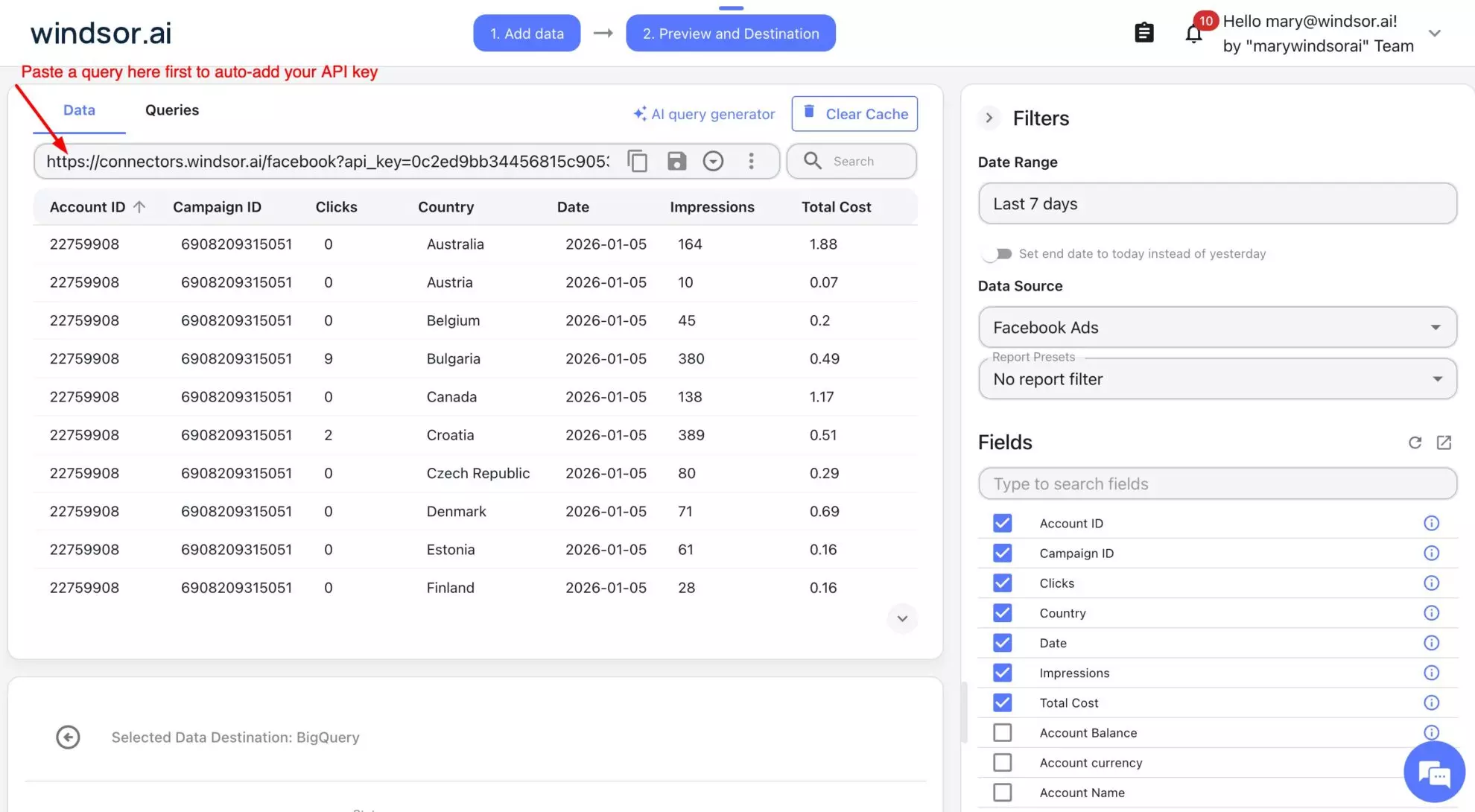
1) Destination task: fact_fb_costs
Connector URL:
https://connectors.windsor.ai/facebook?date_preset=last_7d&fields=account_id,campaign_id,campaign,clicks,totalcost,country,date,impressions

Task settings:
| Task name | Fb Ads CPA -> BigQuery (fact_fb_costs) |
| Schedule type | Daily |
| Columns to match | date, account_id, campaign_id |
2) Destination task: fact_ga4_actions
Connector URL:
https://connectors.windsor.ai/googleanalytics4?date_preset=last_7d&fields=campaign_name,country,date,event_count,event_name,medium,source
Task settings:
| Task name | Fb Ads CPA -> BigQuery (fact_ga4_actions) |
| Schedule type | Daily |
| Columns to match | date, campaign_name |
| Filters (optional) | If needed, apply the following filters in dataset settings. Make sure to adjust them for custom UTM setups:
( medium = cpc OR medium = social OR medium = paid_social ) AND ( source = facebook OR source = fb ) |
3) Destination task: dim_fb_campaign
Connector URL:
https://connectors.windsor.ai/facebook?date_preset=last_7d&fields=account_id,campaign,campaign_bid_strategy,campaign_configured_status,campaign_daily_budget,campaign_effective_status,campaign_id,campaign_start_time
Task settings:
| Task name | Fb Ads CPA -> BigQuery (dim_fb_campaign) |
| Schedule type | Daily |
| Columns to match | campaign_id |
4) Destination task: dim_fb_account
Connector URL:
https://connectors.windsor.ai/facebook?date_preset=last_7d&fields=account_currency,account_id,account_name,account_status,spend_cap
Task settings:
| Task name | Fb Ads CPA -> BigQuery (dim_fb_account) |
| Schedule type | Daily |
| Columns to match | account_id |
Sample query
Below is a sample SQL query you can use to calculate CPA in BigQuery on top of the deployed data model (❗Don’t forget to replace the placeholder table names with your actual BigQuery table names).
WITH ga4_form_submissions AS (
SELECT
date,
campaign_name,
SUM(event_count) AS form_submissions
FROM `project.dataset_id.fact_ga4_actions`
WHERE
source IN ('facebook', 'fb')
AND medium IN ('social', 'paid_social', 'paid', 'cpc')
AND event_name = 'form_submit'
GROUP BY date, campaign_name
),

fb_metrics AS (
SELECT
date,
campaign_id,
SUM(impressions) AS impressions,
SUM(totalcost) AS cost,
SUM(clicks) AS clicks
FROM `project.dataset_id.fact_fb_costs`
GROUP BY date, campaign_id
)

SELECT
ga4.date,
ga4.campaign_name,
ga4.form_submissions,
cmp.campaign_id,
COALESCE(fb.cost, 0) AS cost,
COALESCE(fb.clicks, 0) AS clicks,
SAFE_DIVIDE(COALESCE(fb.cost, 0), NULLIF(ga4.form_submissions, 0)) AS cpa
FROM ga4_form_submissions ga4
LEFT JOIN `project.dataset_id.dim_fb_campaign` cmp
ON LOWER(TRIM(ga4.campaign_name)) = LOWER(TRIM(cmp.campaign))
LEFT JOIN fb_metrics fb
ON cmp.campaign_id = fb.campaign_id
AND fb.date = ga4.date
ORDER BY ga4.campaign_name, ga4.date;
This query:
- Aggregates form submissions from GA4
- Blends them with Facebook Ads cost and click data
- Joins both datasets through the shared campaign name and campaign ID fields
The result is a clean, campaign-level view of impressions, clicks, cost, and form submissions, along with a calculated CPA you can use for reporting or dashboards.
What you get:
Once this pipeline is in place, here’s what you have:
- A flexible Facebook Ads -> BigQuery CPA model you can expand as your tracking evolves
- Clean fact tables for spend, impressions, clicks, and conversions
- A query-ready dataset built for fast analysis
- Fully customizable CPA logic that you can adjust for any campaign structure or measurement framework
- Seamless compatibility with Looker Studio, Tableau, Power BI, Hex, or any other analytics tool you work with
By unifying your Facebook Ads performance data with your GA4 event metrics inside BigQuery, you unlock a single source of truth for CPA. Windsor.ai’s automated connectors eliminate guessing which platform or campaign is “right” and managing separate spreadsheets.
Whether you’re improving your reporting accuracy or tightening budgets, this setup gives you the clarity to make decisions confidently, even when Meta’s reporting gets messy.
🚀 Try the Facebook Ads → BigQuery integration with Windsor.ai and build your own unified CPA dataset right now: https://onboard.windsor.ai.