 Destinations
 Data sources
 AI insights
 About us
 Careers
 Security
 Customer reviews
 Contact us
 Affiliate program
 Solution partners
 Template gallery
 Looker Studio templates
 Power BI templates
 Excel templates
 Google Sheets templates
 Tableau templates
 Facebook Ads templates
 Google Ads templates
 Data fields & Metrics
 AI prompt library & Guides
 Product documentation
 API documentation
 Case studies
 Blog
Blog Data models
 Windsor vs Supermetrics
 Windsor vs Funnel.io
 Windsor vs Fivetran
 Windsor vs Rivery
 Windsor vs Portermetrics
 Windsor vs Coupler.io
 Last updated: 20 August 2026




Your data has the answers.
Windsor.ai helps you uncover them.
Modern businesses collect data across dozens of systems. Ad platforms track paid media performance. Analytics tools map the customer journey. CRMs record revenue. Individually, each system works as designed. The challenge begins when you try to see the full picture.
What should be a single, unified view of business performance becomes fragmented across disconnected reports. Numbers shift depending on the tool. Teams are overwhelmed by new versions of dashboards and spreadsheets with every update. APIs change frequently, leading to breaking pipelines and dashboards. Data teams spend weeks normalizing schemas.
The effort grows, but confidence in the data doesn’t.
The solution isn’t better reporting. It’s solved with an automated data integration layer that extracts and unifies data across all platforms, making it consistent, normalized, and analytics-ready.
Windsor.ai is built to provide that layer.
What is Windsor.ai?
⚙️ Windsor.ai is a no-code data integration platform that automatically normalizes and centralizes data from 350+ apps into a unified, analytics-ready dataset for AI workflows.

Serving as a bridge across your entire data stack, Windsor.ai connects the systems where data is created with the tools where it’s analyzed and reported. It pulls raw data directly from native platform APIs, standardizes it into a common scheme, and delivers it to any analytics or reporting environment; all in less than 5 minutes, with no code or technical skills required.
This consistency is enforced through Windsor.ai’s ELT/ETL layer. You connect your platforms in a few clicks, and Windsor.ai handles data extraction, transformation, and ongoing synchronization automatically, keeping reports up to date without manual intervention.
This matters when business data can’t be trusted across tools and teams. Windsor.ai removes that friction by enforcing consistency at the data layer, so numbers, definitions, and relationships remain stable across reports, dashboards, and AI systems.
All in all, Windsor.ai is used by marketing teams, growth teams, data teams, and executives who need trusted analytics without heavy engineering.
Windsor.ai features & capabilities
🚀 Windsor increases trust in your data and can save teams 40+ hours per week previously spent on manual data ingestion, blending, and cleansing.
What distinguishes Windsor.ai from traditional data movement tools is its role in the modern data stack. It’s not designed to simply extract data and move it from point A to point B. Its primary purpose is to help you create a single source of truth that’s ready to use and understandable by both humans and machines.
This is made possible through the following Windsor.ai features:
Automated data integration and unification
Windsor.ai aggregates data from 350+ sources, including ad platforms, analytics tools, CRMs, e-commerce systems, databases, and business applications in minutes, allowing you to blend data for comprehensive, cross-channel analysis.

Learn more about Windsor.ai’s supported data sources.
Built-in data normalization
Windsor.ai automatically maps and standardizes fields across platforms, ensuring metrics like spend, conversions, clicks, impressions, and thousands of other parameters remain consistent and comparable.
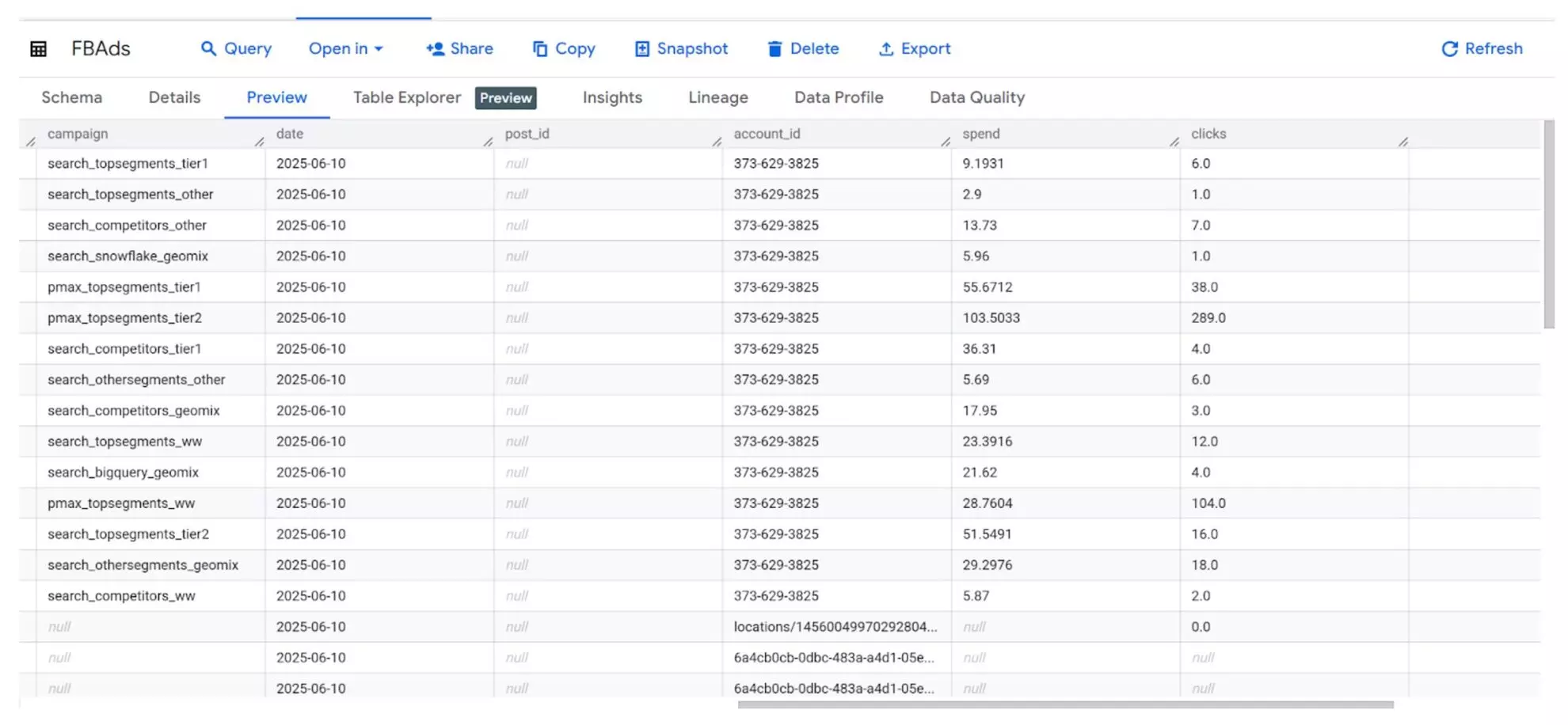
Learn more about Windsor.ai’s data mapping system.
Multi-destination data delivery
Windsor.ai sends your normalized dataset to data warehouses, BI tools, spreadsheets, or directly to AI chats. No code or complex configurations are required, making data integration accessible to both technical and non-technical teams.
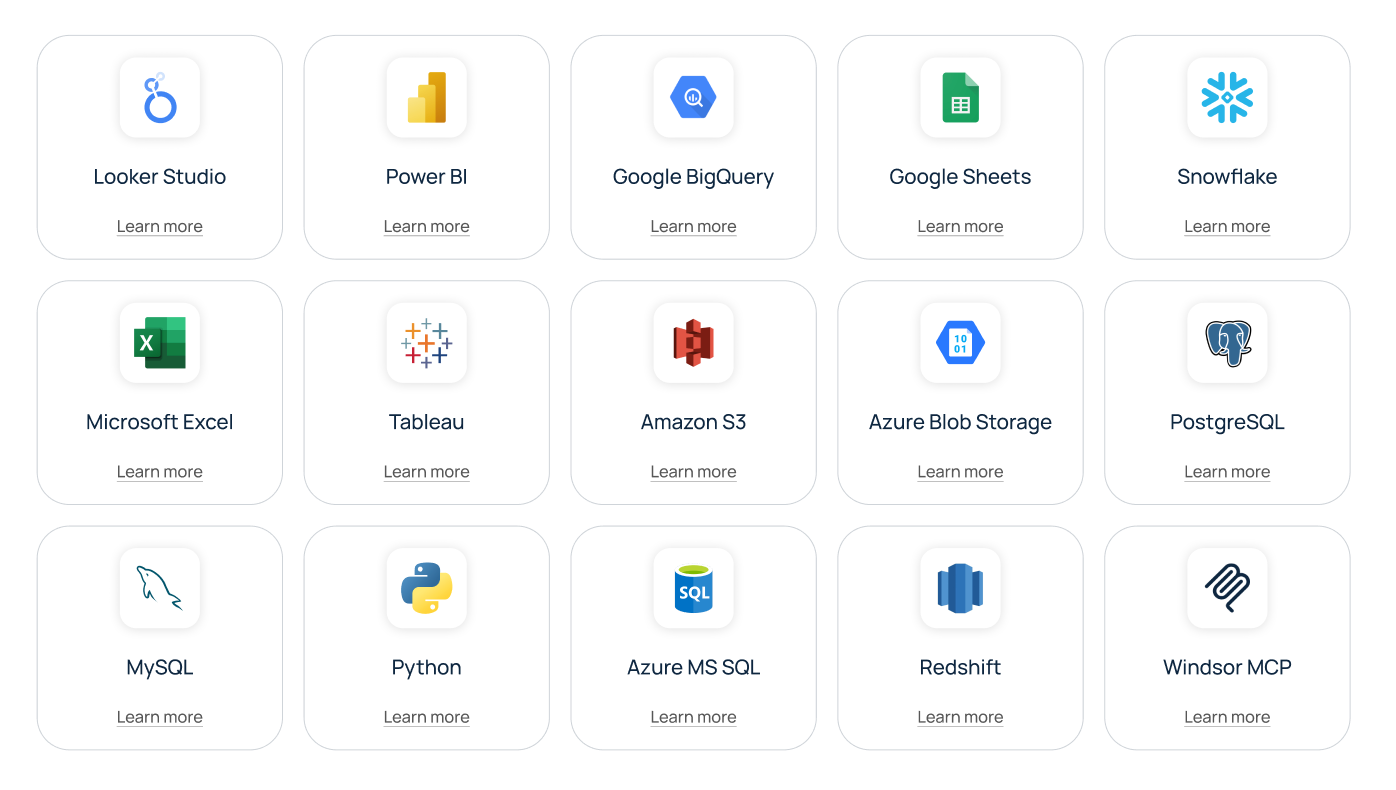
Learn more about Windsor.ai’s supported destinations.
AI tool integrations
Windsor.ai streams structured, contextual data directly to LLMs, enabling deeper summaries, insights, and visual reports in seconds.
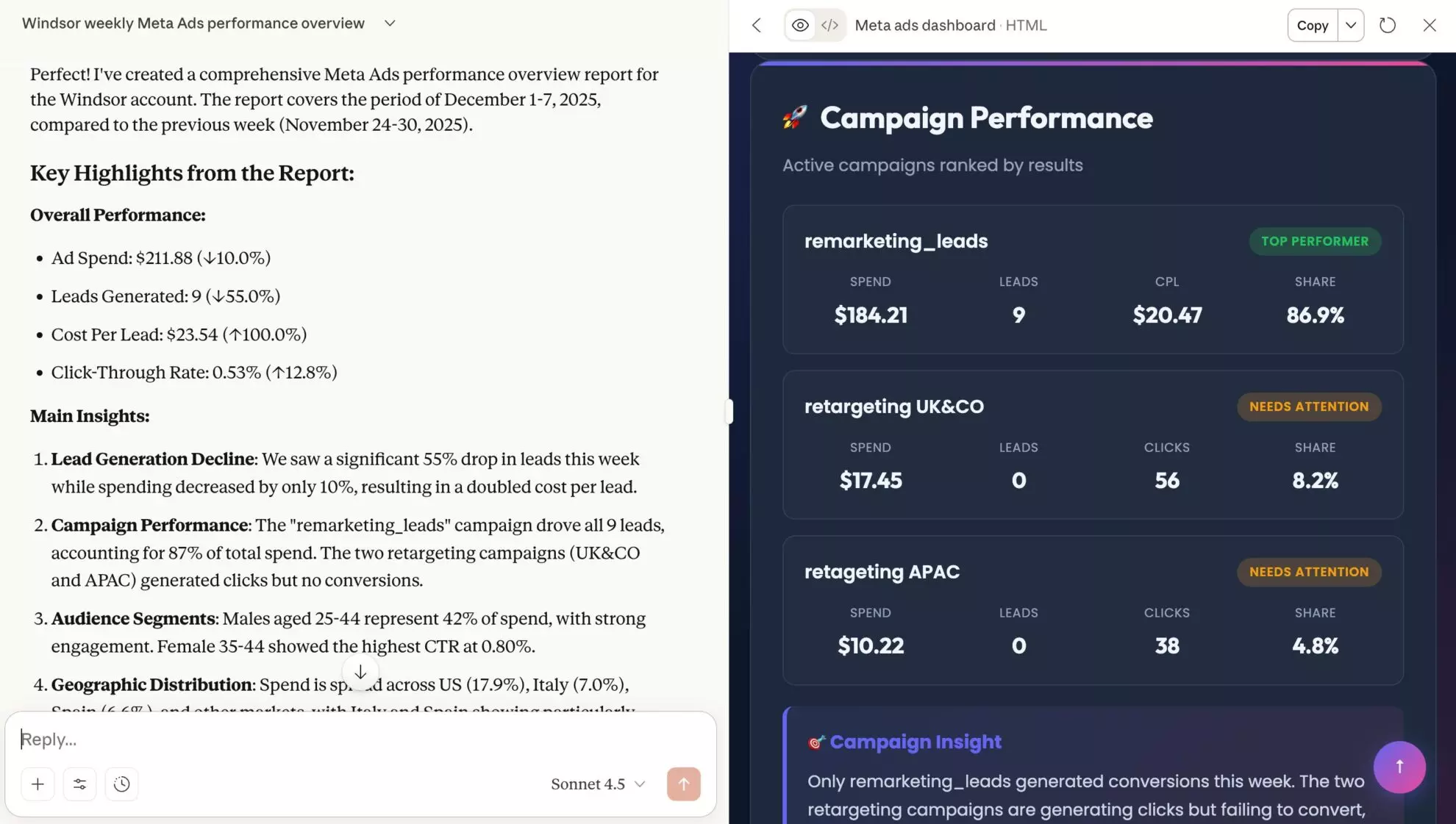
Learn more about the Windsor MCP server for AI insights.
Auto-refreshing and near real-time data synchronization
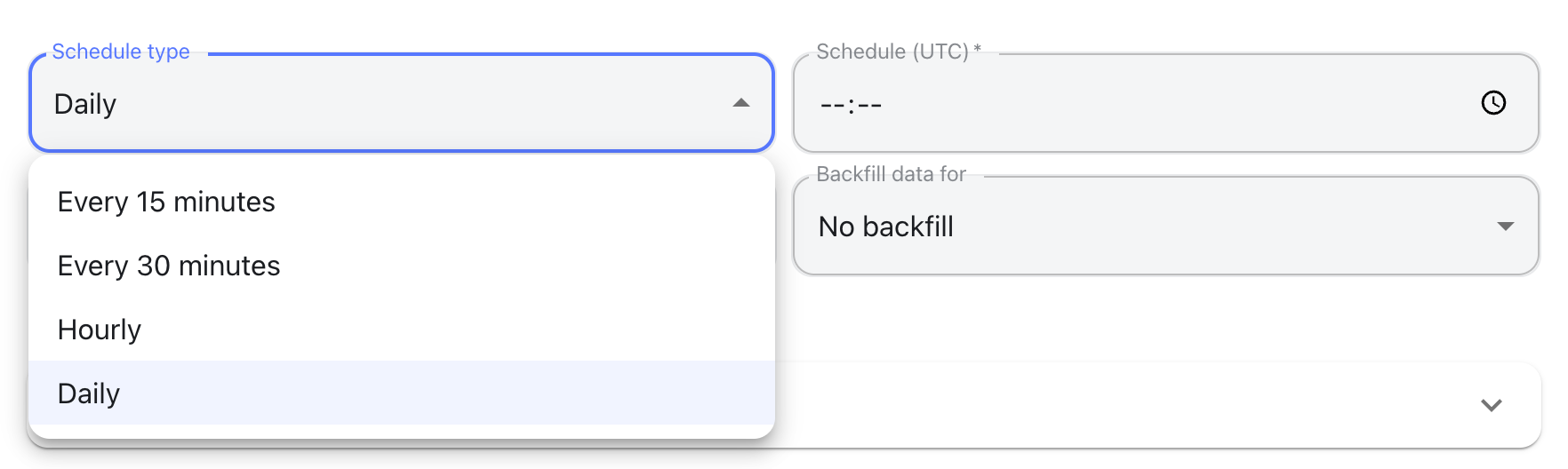
Windsor.ai keeps your data continuously fresh with scheduled refreshes. Choose near real-time updates (every 15 or 30 minutes), hourly, daily, or set a custom schedule, so your reports, dashboards, and sheets always reflect the latest data without manual uploads.
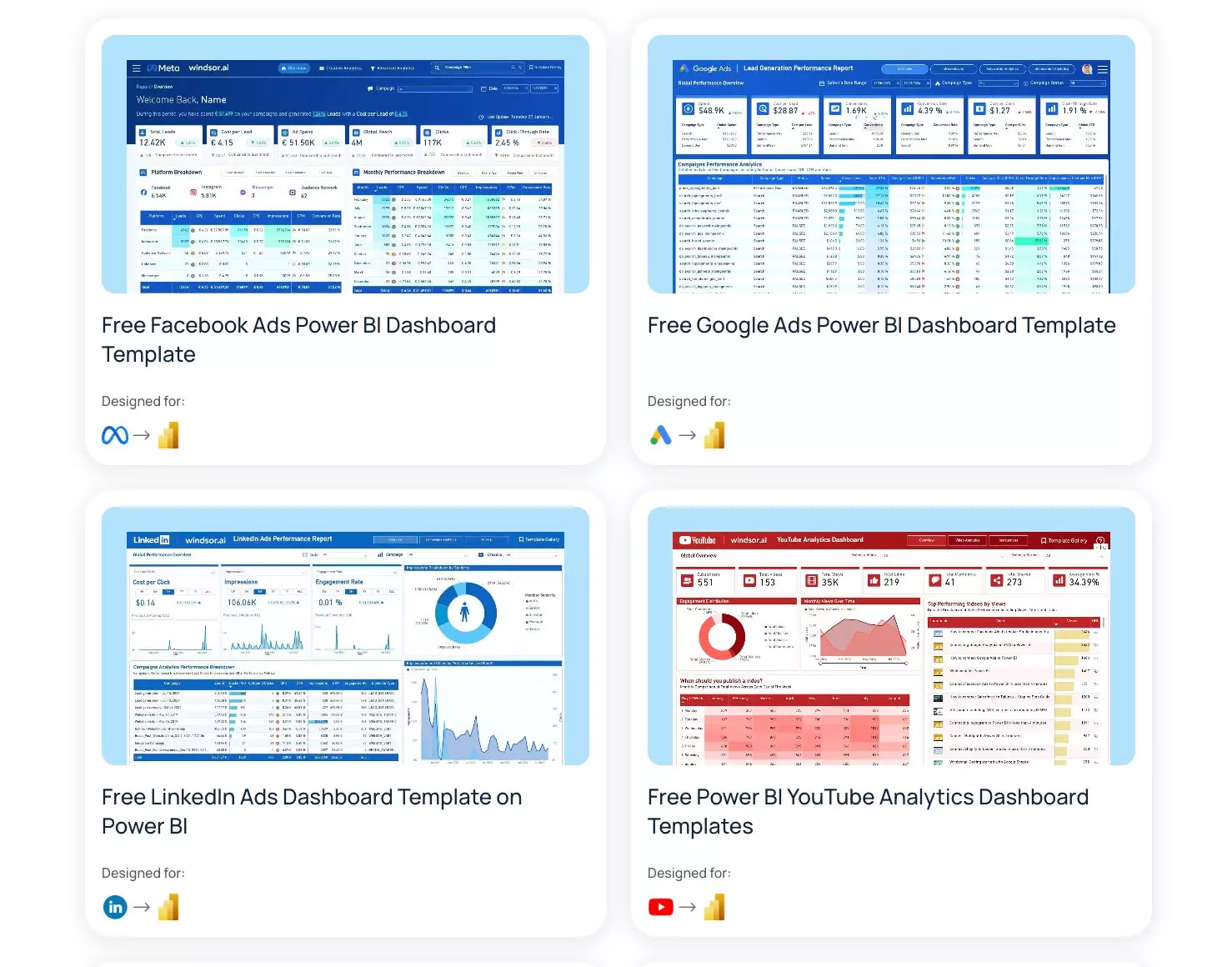
Pre-built templates for BI tools and data models for DWHs
Windsor.ai offers a vast library of ready-made marketing dashboards for Looker Studio, Power BI, Tableau, and Google Sheets, as well as analytics-ready data models for BigQuery. Jump-start reporting and modeling in minutes, without building dashboards or schemas from scratch.
Explore Windsor.ai’s pre-built data models.
In-app transformation layer
Windsor.ai includes an in-built transformation layer that supports custom SQL transformations and advanced filters, allowing you to shape, enrich, and customize datasets before they reach your destination.

Data quality and lineage
Windsor.ai continuously monitors your active data pipelines with health checks, row counts, and detailed run logs. You’re instantly notified of failed syncs that require your input, and when issues occur in the background, Windsor.ai automatically retries to keep your pipelines stable and running.

Security and governance
Windsor.ai is built with enterprise-grade security and governance in mind. It supports SOC 2 compliance, TLS-secured data transfers, and AES-256 encryption at rest, ensuring your data remains protected across every stage of the pipeline.
Learn more about Windsor.ai‘s security and privacy terms.
| Problem | Windsor.ai solution | Value |
| DIY pipelines break | 350+ pre-built connectors | Reliable, up-to-date dashboards |
| Manual schema cleanup | Automated data mapping | Standardized metrics and naming conventions across all your platforms |
| Delayed reporting | Automated data integration | Data is available in your target system in under 5 minutes |
| Manual updates | Scheduled syncs (every 15 minutes, hourly, or daily) | Dashboards automatically refresh at your preferred schedule |
| Siloed platforms | Cross-source blending | Unified marketing KPIs across different tools for effective cross-channel analysis |
Windsor.ai offers a free forever plan to test out all these features and flexible plans for teams of all sizes, starting from $19/month, with all data sources and destinations included.
Integrations supported by Windsor.ai
Available data sources
Windsor.ai supports 350+ data sources (connectors), covering the platforms most teams rely on across marketing, acquisition, analytics, revenue, and reporting.
| Category | Examples |
| Social media & Paid media | Facebook (Meta) Ads, TikTok Ads, Instagram |
| Search & Display | Google Ads, Bing Ads |
| Analytics | Google Analytics 4 |
| CRM | Salesforce, HubSpot |
| E-commerce | Shopify, BigCommerce, WooCommerce |
| Databases & DWH | BigQuery, Snowflake, MongoDB |
| Reporting tools | Looker Studio, Google Sheets |
Available data destinations
Windsor.ai integrates data into 20+ analytical, storage, and dev environments, including data visualization tools, spreadsheets, cloud warehouses, databases, and LLMs.
| Category | Examples |
| BI tools | Microsoft Power BI, Looker Studio, Tableau |
| Spreadsheets | Google Sheets, Microsoft Excel |
| Databases and data warehouses | Google BigQuery, Databricks, Amazon S3, Snowflake, Azure SQL/Blob Storage, PostgreSQL, MySQL, Microsoft Fabric, Redshift |
| AI tools | ChatGPT, Claude, Gemini, Perplexity, Microsoft Copilot, Cursor |
| Programming languages: | Python, R |
How Windsor.ai works: from data ingestion to activation
Turning fragmented data into meaningful insights with Windsor.ai takes just three simple steps and less than five minutes.
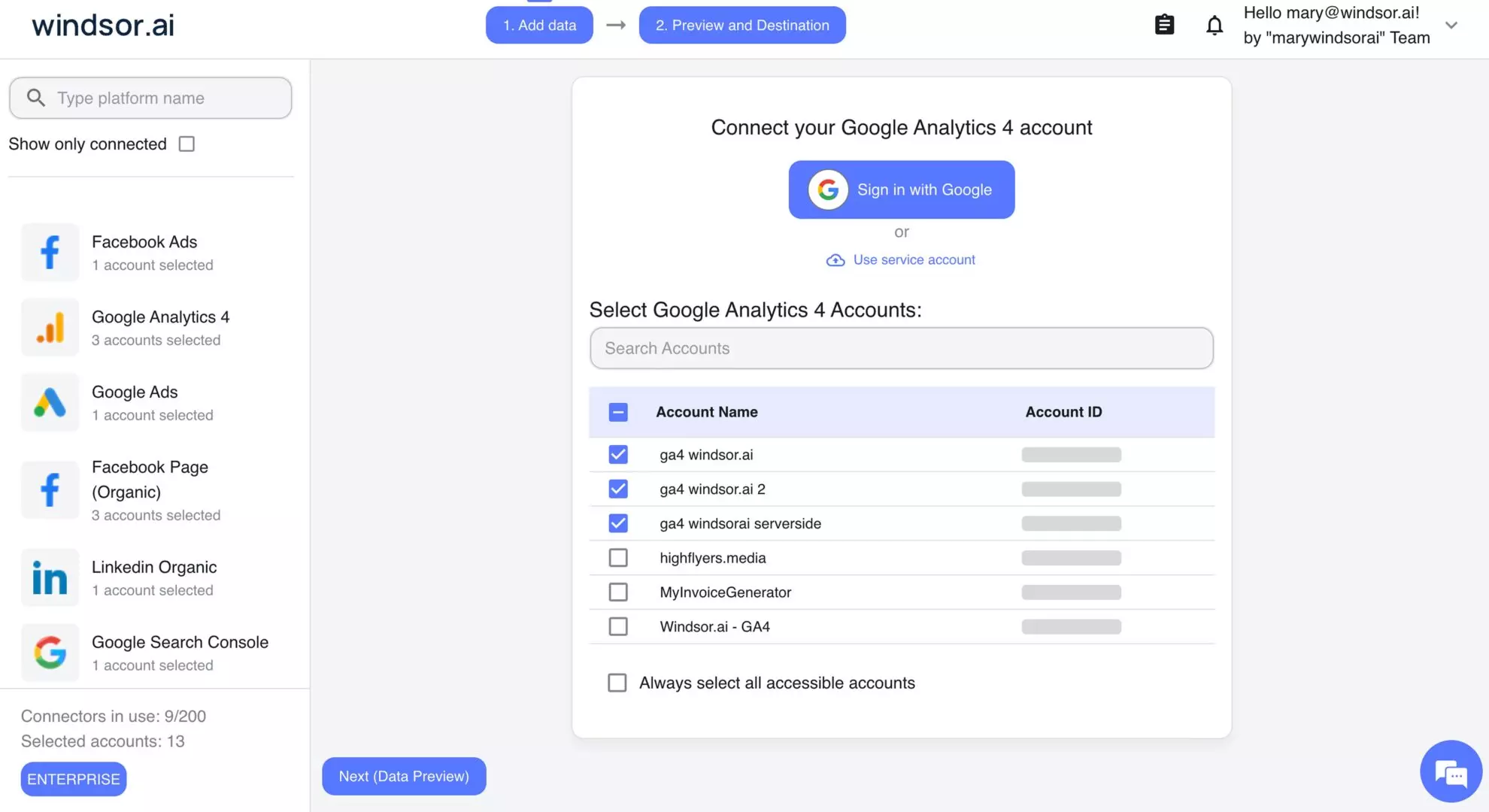
Step 1. Connect your data source(s)
Connect the platform(s) you want to pull data from and grant Windsor.ai secure access. Select the relevant accounts and properties, then click Next. There’s no complex setup involved; connections are established via secure OAuth 2.0 or direct credentials, depending on the platform.
Step 2. Prepare your dataset
Once your data sources are connected, Windsor.ai starts pulling data directly from each platform’s API.
Instead of loading everything, you can build focused datasets by selecting only the fields that matter (from thousands of available metrics and dimensions) and key settings such as date range, data blending across multiple platforms, and advanced filters for deeper segmentation.
Before sending data to a destination, you can preview the dataset right in your Windsor.ai dashboard to verify that all metrics align with your original source reports.
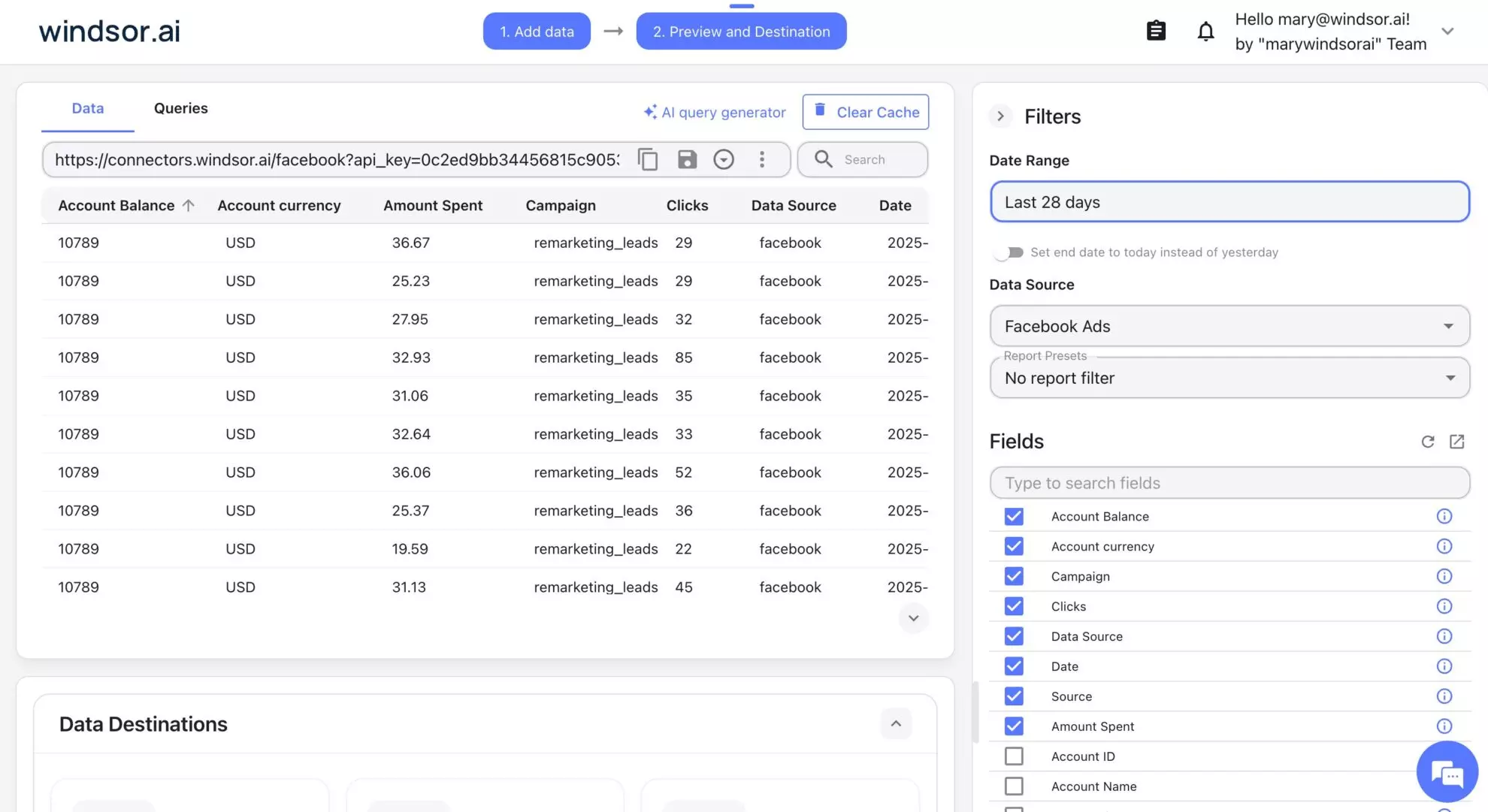
When blending data from multiple platforms, Windsor.ai automatically applies mapping and normalization to standardize naming, formats, currencies, and time zones, ensuring a consistent, analytics-ready dataset.
Step 3. Sync data to your preferred destination + schedule refresh
Now it’s time to send your prepared dataset to the reporting, analytics, or storage tools your team already uses.
Windsor.ai lets you sync data to data warehouses, BI tools, spreadsheets, or databases.
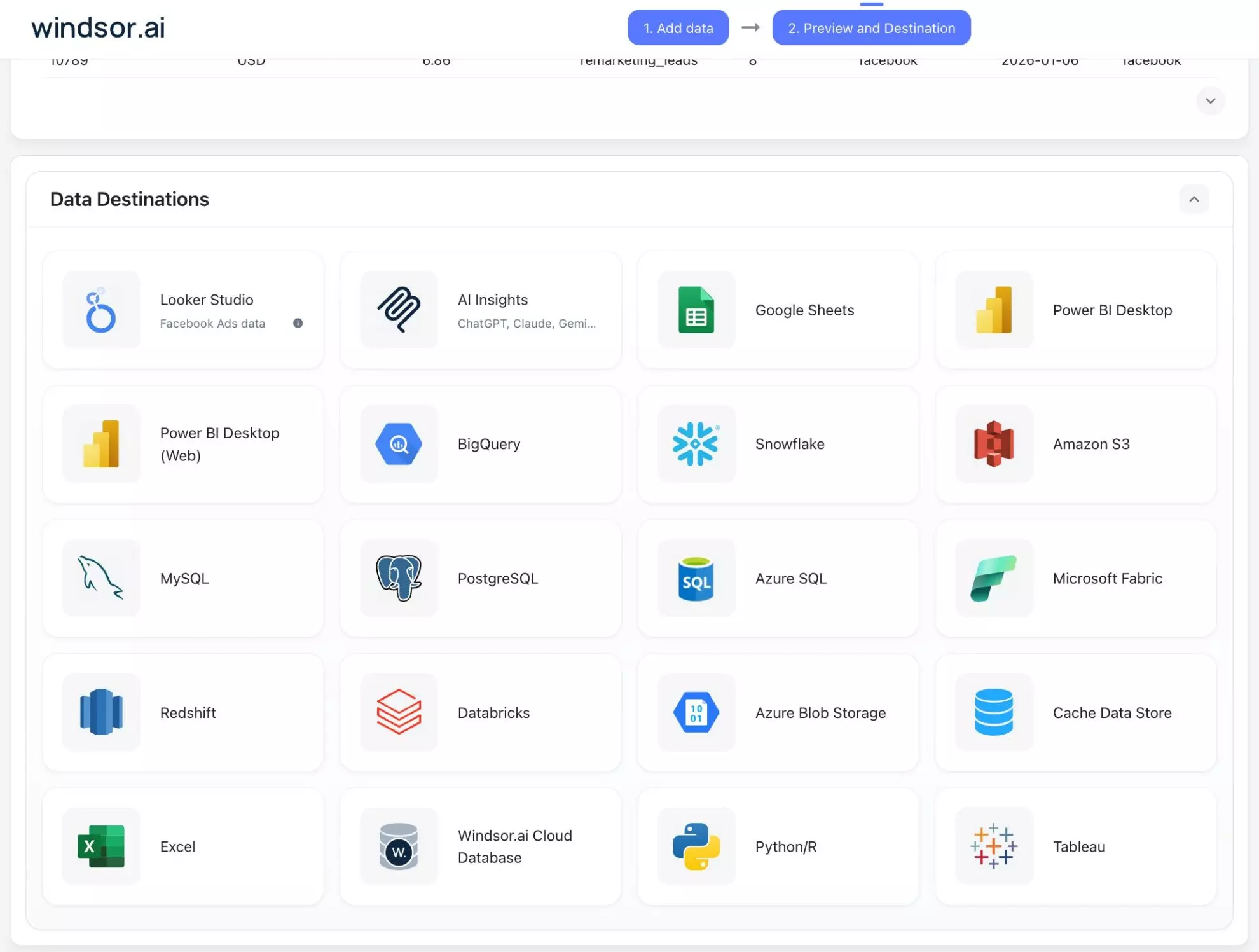
Setup depends on the destination, but it’s always straightforward: connect BI tools using a visual system interface or API key, or create simple export tasks for databases and warehouses.
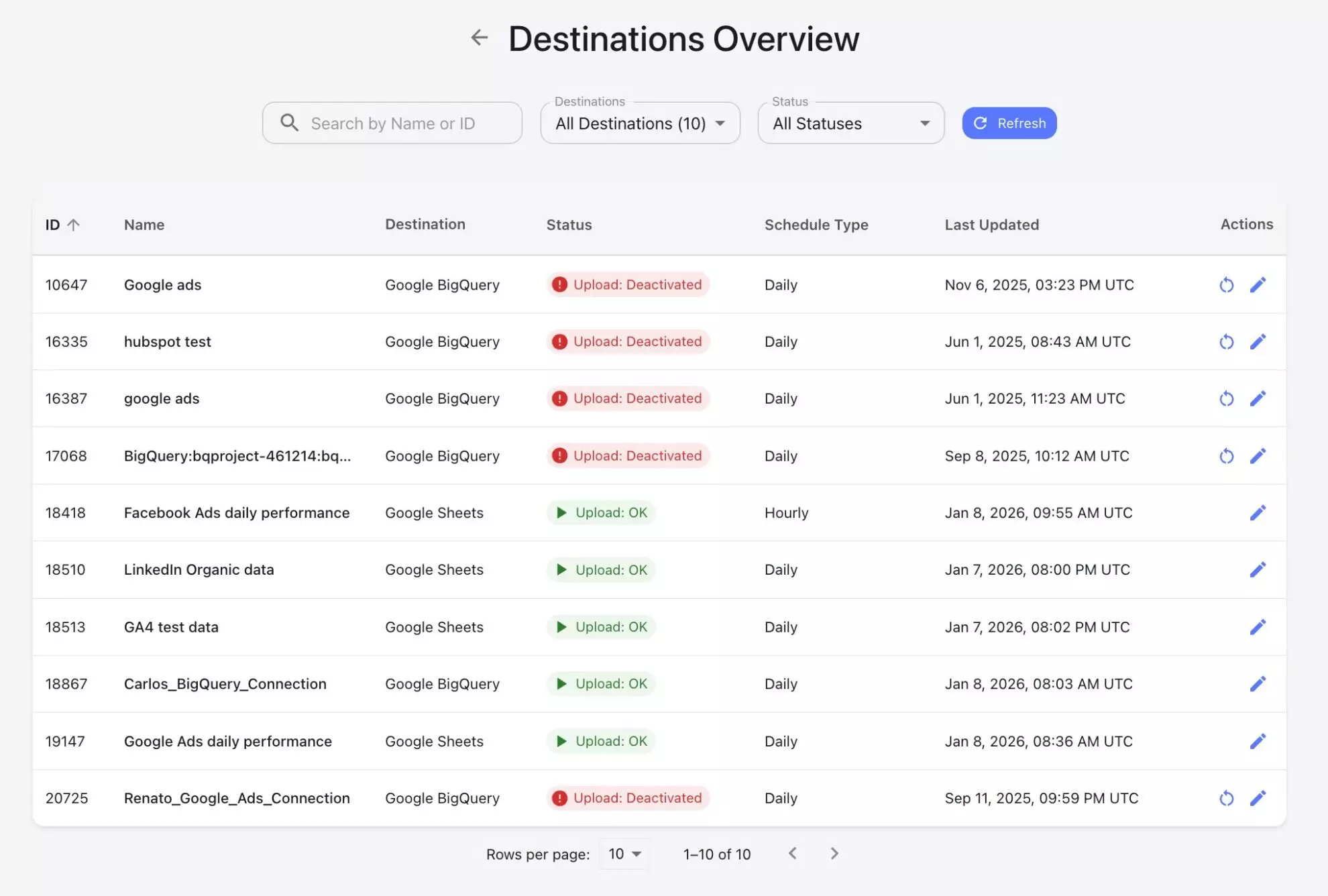
Define how often data should refresh and optionally enable backfilling to load historical data for long-term analysis.

All integrations are no-code. Windsor.ai handles synchronization, scheduling, and data updates automatically, so your data stays current without scripts or manual maintenance. Then, you can effectively manage all your syncs from a single place.
✨ Bonus step: Extract AI-powered insights in your favorite AI chat
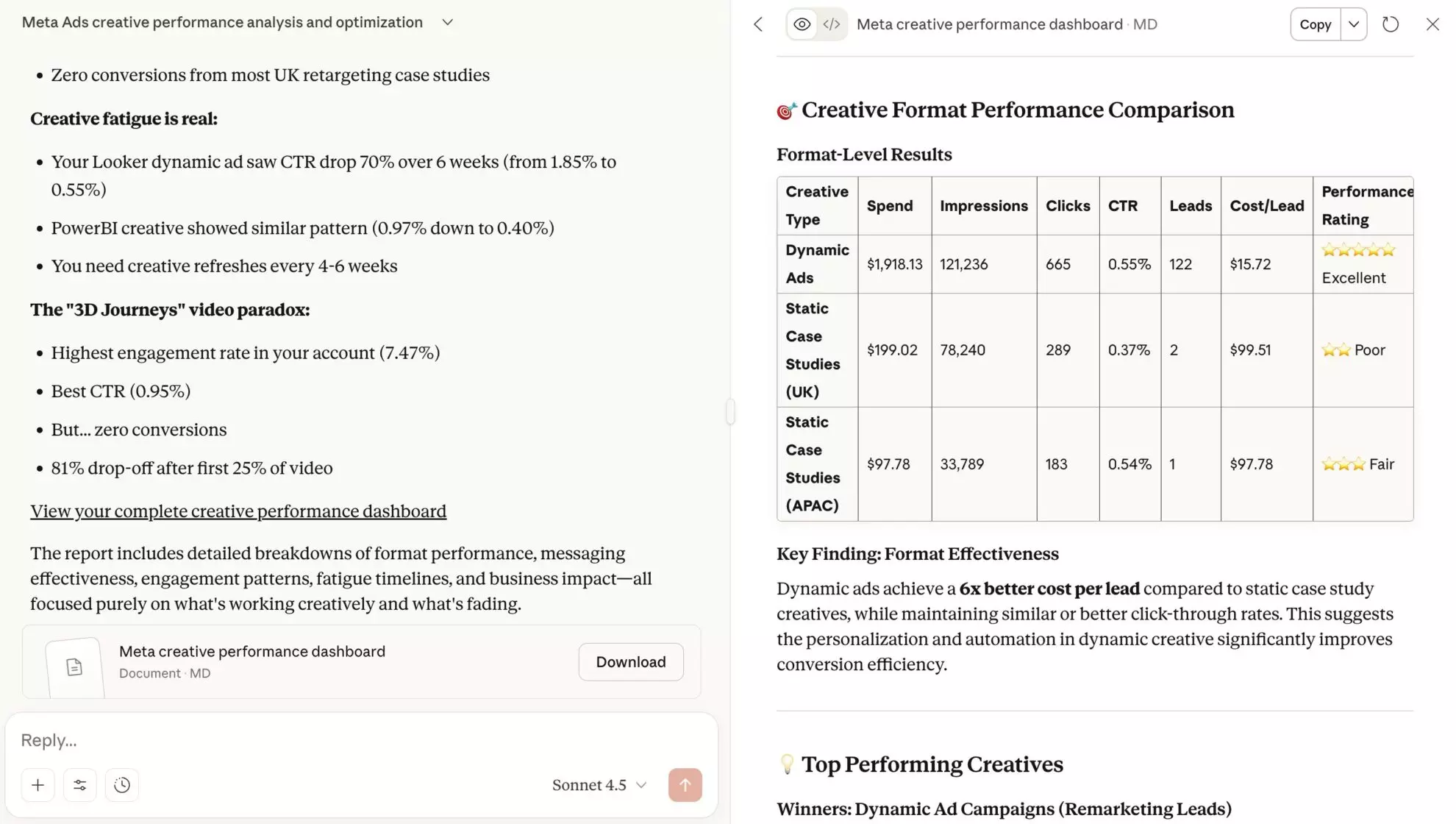
You can go deeper with advanced analytics and modeling by connecting your integrated data to your favorite LLM (ChatGPT, Claude, Gemini, and more) through Windsor MCP.
Simply set up the connector and start querying your data in natural language to explore complex relationships and generate visual summaries in just a few clicks, without analyst bottlenecks.
Learn more about using Windsor for AI insights:
- Windsor MCP Setup Guides for Different LLMs
- How to Use Windsor MCP for AI Data Analysis: Examples & Use Cases
- AI Prompt Library by Windsor.ai: Ready-Made Prompts by Data Source and Use Case
How Windsor MCP transforms traditional analytics into AI-driven analytics
Traditional analytics tools, such as BI dashboards and reports, are built for human interpretation. They rely on predefined queries, static visualizations, and manual exploration. While effective for historical analysis, they struggle to keep up with the speed, flexibility, and contextual reasoning required by modern AI workflows.
🤖 Windsor MCP introduces a new analytics layer designed specifically for AI-native decision-making.
Instead of exposing raw rows and fields like traditional APIs or BI tools, Windsor MCP delivers structured, model-ready context. It sits on top of Windsor.ai’s normalized data layer and transforms integrated business data into summaries, scoped views, and aligned datasets that large language models can reason over directly.
From dashboards to reasoning workflows
In traditional BI:
- Analysts define metrics and plan dashboards in advance
- Users explore data manually through filters and charts
- Insights depend on how reports were designed upfront
With Windsor MCP:
- AI models query business data in natural language in real-time
- Insights are produced immediately on demand, without rebuilding dashboards
- AI systems provide context, not just data
- The need for manual aggregation or metric definitions is removed
- AI systems allow you to explore relationships, trends, and anomalies directly
This approach shifts analytics from visual exploration to conversational reasoning. The result is insights that are interactive, adaptive, and explainable, rather than static and pre-defined.
In short, Windsor MCP doesn’t replace your data stack. It elevates it by turning unified data into real answers you can get instantly, without waiting for analysts’ input. Removing the friction between data and decisions helps you uncover insights in seconds, not days.
Traditional analytics vs AI-driven analytics through Windsor MCP
| Traditional analytics through BI tools | AI-driven analytics through Windsor MCP |
| Require predefined dashboards and reports | Enable question-driven, AI-powered analytics |
| Output charts, tables, and static views | Deliver model-ready context for AI reasoning |
| Insights depend on upfront report design | Insights are generated dynamically on demand |
| Built for interpretation by analysts | Built for interpretation by any team member |
| Exploration via filters and drill-downs | Exploration via natural-language queries |
| Changes require rebuilding reports | Context adapts automatically based on prompts |
| Business logic is embedded in dashboards | Logic is derived from Windsor.ai’s centralized, normalized data layer |
| Best for descriptive and historical analysis | Best for reasoning, summarization, and decision-making |
Real-world use cases for Windsor MCP in business
Use case 1: Weekly performance insights
- Problem: Weekly reporting requires reconciling data across ad platforms, analytics tools, and revenue systems before insights can be trusted.
- How Windsor MCP is used: An LLM queries Windsor’s integrated data and receives a normalized performance summary across all connected channels.
- Outcome: Automated weekly insights with consistent metrics and trend context. You can optionally generate a visual report with all essential information.
- Example prompt: “Across all my connected Windsor platforms, summarize the last 7 days’ top 5 campaigns by CPC and ROAS and explain trends.”
Use case 2: Internal copilot for product and growth teams
- Problem: Product and growth teams need fast answers while exploring funnels and cohorts.
- How Windsor MCP is used: Teams ask natural-language questions against Windsor’s normalized dataset.
- Outcome: Diagnosis of funnel drop-offs and cohort changes in seconds, enabling faster experimentation, prioritization, and optimization decisions.
- Example prompt: “Compare conversion rates across cohorts for the last 30 days and highlight where drop-offs increased.”
Use case 3: Executive one-click performance briefs
- Problem: Executives need concise summaries they can trust, without conflicting numbers.
- How MCP is used: An LLM generates scoped summaries directly from Windsor’s integrated data layer.
- Outcome: Executives get a clear, trusted snapshot of performance trends and opportunities without digging into dashboards or reconciling reports.
- Example prompt: “Provide a one-page summary of overall marketing performance for last week, including key changes, gaps, and opportunities.”
Get started with Windsor.ai
Modern analytics isn’t about building more dashboards; it’s about creating a trusted data foundation that enables smarter decisions.
Windsor.ai turns disconnected marketing and business data into a centralized, normalized context that flows seamlessly across reports, teams, and AI systems.
Whether you’re streamlining data pipelines, speeding up reporting, or enabling AI-powered analytics across your organization, Windsor.ai is built to support you with every task.
🚀 Get started with Windsor.ai for free and unify all your business data in under 5 minutes: https://onboard.windsor.ai.
FAQs
What is Windsor.ai used for?
Windsor.ai is used to automatically integrate, normalize, and sync data from hundreds of business platforms into analytics tools, data warehouses, spreadsheets, and AI systems without writing code.
How many connectors does Windsor.ai support?
Windsor.ai supports 350+ native connectors across ad, social media, analytics, CRM, affiliate, accounting, HR, and e-commece platforms. Connector access is governed by plan terms rather than per-connector purchases.
What destinations does Windsor.ai support?
Windsor.ai supports data warehouses (BigQuery, Snowflake, Databricks), BI tools (Power BI, Looker Studio, Tableau), spreadsheets, databases, programming languages, and AI tools like ChatGPT, Claude, and more.
How often does Windsor.ai refresh data?
You can refresh data every 15 minutes, 30 minutes, hourly, daily, or on a custom schedule.
Does Windsor.ai require engineering or SQL skills?
No. Windsor.ai is a fully no-code platform. Optional SQL transformations are available for advanced users, but most setups are done via a simple visual interface.
What is Windsor MCP and which LLMs does it support?
Windsor MCP (Model Context Protocol) is Windsor’s server layer for delivering model-ready context to LLMs. It supports integrations with ChatGPT, Claude, Gemini, Copilot, Perplexity, and Cursor.
Is Windsor MCP free, and what are the free plan limits?
Windsor MCP is available as part of Windsor’s plans, including a free forever plan.
Can I try Windsor.ai for free?
Yes. Windsor.ai offers a free forever plan so you can connect your data sources and test integrations before committing. Paid plans start from $19/month.
Is my data secure with Windsor.ai?
Yes. Windsor.ai supports SOC 2 compliance, TLS-secured data transfers, and AES-256 encryption at rest, with monitoring and pipeline health checks built in.


