 Destinations
 Data sources
 AI insights
 About us
 Careers
 Security
 Customer reviews
 Contact us
 Affiliate program
 Solution partners
 Template gallery
 Looker Studio templates
 Power BI templates
 Excel templates
 Google Sheets templates
 Tableau templates
 Facebook Ads templates
 Google Ads templates
 Data fields & Metrics
 AI prompt library & Guides
 Product documentation
 API documentation
 Case studies
 Blog
 Data models
 Windsor vs Supermetrics
 Windsor vs Funnel.io
 Windsor vs Fivetran
 Windsor vs Rivery
 Windsor vs Portermetrics
 Windsor vs Coupler.io
Connect Awin to ChatGPT
Ask ChatGPT about your Awin clicks, sales, commission and declined transactions by publisher through the Windsor.ai plugin.
No code needed. Just an Awin API token and your advertiser or publisher ID.
 Sign up with Google
 Free forever plan







Ask ChatGPT about your Awin publishers, commission and sales
With the Windsor.ai plugin, ChatGPT reads Awin publisher performance and individual transactions from the Awin accounts you connect.

Compare commission with sales by publisher
Windsor.ai reads sale value and commission per Awin publisher, each split into confirmed, pending, declined and bonus. Ask ChatGPT for confirmed commission as a share of confirmed sale value for each publisher.

Check declined and pending sales
Each Awin transaction has a commission status and, when declined, a decline reason. Ask ChatGPT for declined transactions as a share of all transactions per publisher, with the most common reasons. ChatGPT can also show how much commission is still pending per publisher.

Compare sales with and without vouchers
Awin records the voucher code on a transaction when your tracking sends it. Ask ChatGPT to compare sales with and without a voucher code per publisher, with the average sale amount for each.

Split new and returning customers
If your tracking sends the customer type, each Awin transaction shows whether the customer is new or returning. Ask ChatGPT which publishers bring mostly new customers and which bring mostly returning ones.
How ChatGPT reads your Awin data through Windsor.ai
Windsor.ai reads two kinds of Awin data. The Awin field reference lists all 92 fields, including date fields Windsor.ai adds.
- Publisher performance: publisher name, ID and tags, clicks and impressions, plus transactions, sale value and commission, each split into confirmed, pending, declined and bonus.
- Individual transactions: transaction and click dates, devices, commission status, sale and commission amounts, amended amounts and the reason, decline reason, new or returning customer, customer country, voucher code, order reference and network fee.
Awin transaction data includes pending, confirmed and declined rows. For valid sales only, ask ChatGPT for confirmed transactions. A date range in your prompt selects transactions by transaction date, in UTC. In Windsor.ai’s Awin data, the Campaign field holds the publisher name. Ask ChatGPT about publishers. With a publisher account, ChatGPT can break the same metrics down by advertiser program, using the advertiser ID and name.
Windsor.ai can reuse the result of an identical data request for up to 6 hours. A transaction confirmed within that time may still show as pending. The Awin connector has no write actions. ChatGPT can’t approve, decline or amend transactions in Awin through Windsor.ai.
The Awin to ChatGPT guide has the full setup, more prompts and troubleshooting.






How to connect Awin to ChatGPT with Windsor.ai
Watch the video and follow the step-by-step guide to add the Windsor.ai plugin to ChatGPT.
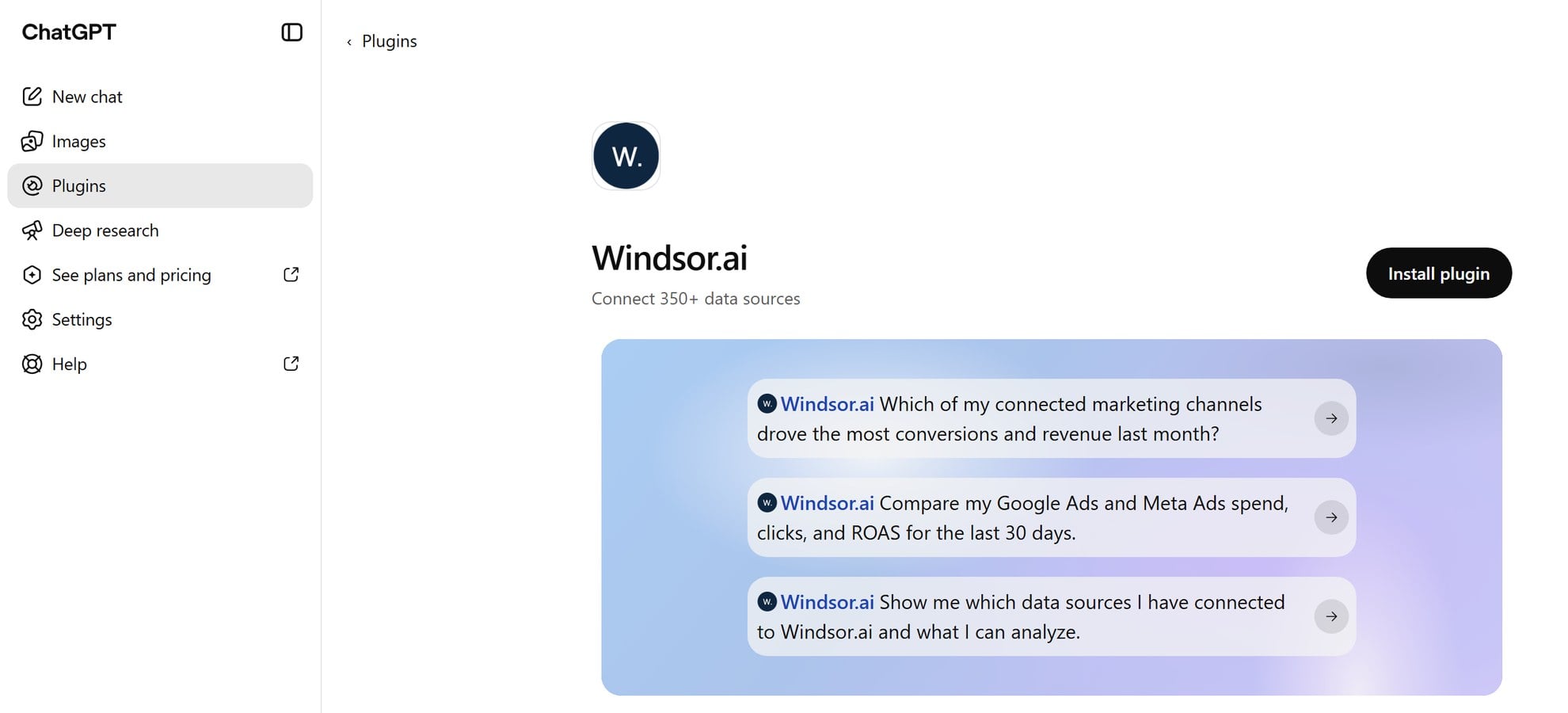
Install the Windsor.ai plugin
In ChatGPT, select Plugins in the sidebar and search for Windsor.ai, or open the Windsor.ai plugin page.
Select Install plugin, then sign in to Windsor.ai and authorize access. Plugin availability depends on your ChatGPT plan and workspace. In a ChatGPT workspace, your admin may need to approve the plugin.
Query your Awin data in ChatGPT
Open a new chat, select + and choose Windsor.ai, or type @Windsor.ai. Then ask in plain language, for example: “Rank my Awin publishers by confirmed commission for the last 30 days.”
FAQs
Does Awin have its own ChatGPT plugin?
Yes. In ChatGPT, select Plugins in the sidebar, search for Awin (Awin plugin page), select Install plugin and sign in with your Awin login. It needs no API token and works with advertiser, publisher and agency accounts. Like the Windsor.ai route, its advertiser reports need the Accelerate or Advanced plan. In ChatGPT, Awin’s plugin needs a paid plan. For advertisers it reports account, publisher and creative performance, lists partnerships, creates tracking links and updates publisher partnership tags, depending on your role. Performance reports cover up to 31 days per request. Awin’s MCP documentation lists its tools.
Use Awin’s plugin to check partnerships, change partnership tags or create tracking links. Use the Windsor.ai plugin for transaction-level fields such as voucher code, decline reason and new or returning customer, or to compare Awin with ad, analytics or store data in the same chat. Through Windsor.ai, Awin is read-only (write actions list).
Which Awin plan do I need?
Advertiser accounts need the Accelerate or Advanced plan. Windsor.ai reads advertiser data through Awin’s advertiser API, which Awin offers on those two plans only (Awin API authentication). Awin’s own plugin has the same requirement for advertiser reports.
Can an Awin publisher connect Awin to ChatGPT through Windsor.ai?
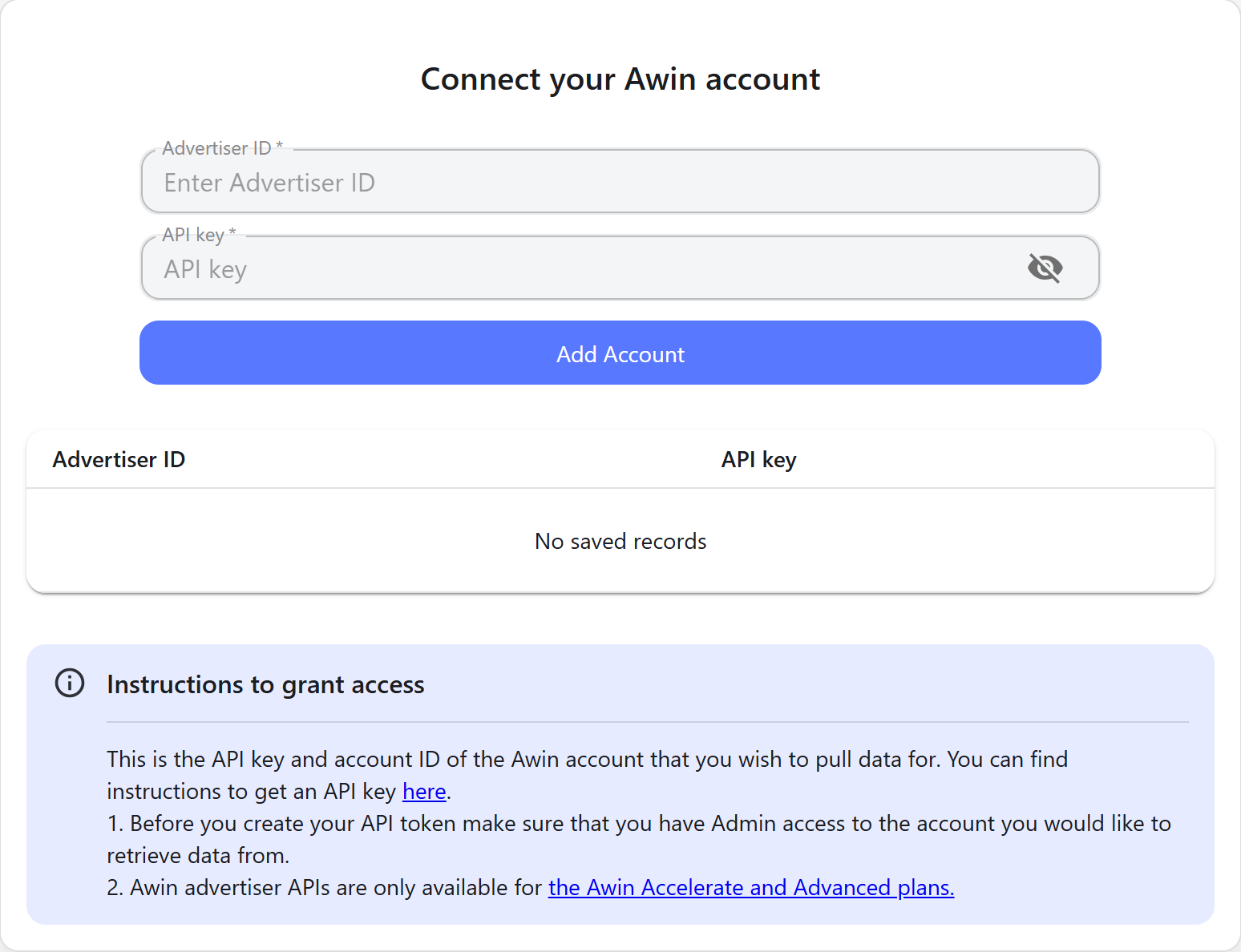
Yes. Windsor.ai connects Awin advertiser and publisher accounts that have at least one active campaign or program. A publisher enters their Awin publisher ID and API token in the same form as advertisers (Step 1). ChatGPT can then break clicks, transactions and commission down by advertiser program.
What Awin data can I analyze in ChatGPT?
Through Windsor.ai, ChatGPT reads 92 Awin fields, including date fields Windsor.ai adds (Awin field reference). Per publisher it reads clicks and impressions, plus transactions, sale value and commission, each split into confirmed, pending, declined and bonus. For individual transactions it also reads commission status, decline and amend reasons, device, customer country and network fee, plus new or returning customer and voucher code when your Awin tracking sends them.
Can ChatGPT approve or decline Awin transactions?
No, not through Windsor.ai. The Awin connector is read-only (write actions list). ChatGPT can report on publishers and transactions but can’t approve, decline or amend them. Awin’s own plugin can’t approve or decline transactions either.
Can I connect more than one Awin account?
Yes. Each Awin advertiser or publisher ID you add in Windsor.ai counts as one account, and one Awin token covers every account your Awin login can see. An agency adds each client’s program as a separate account with the same token. The free forever plan includes 1 account, Basic and Standard include 75, and higher plans include more (pricing).
Can I combine Awin data with other sources in ChatGPT?
Yes. Once Google Ads, Shopify or any of Windsor.ai’s 350+ sources are also connected, ChatGPT can compare them with Awin by date in one chat.
- Google Ads, to put Awin commission per day next to Google Ads spend per day.
- Shopify, to compare Awin confirmed and pending sales per day with Shopify revenue per day.
- Impact, to compare two affiliate networks side by side.
Combining sources after your first 30 days needs a paid plan.
How much does it cost to integrate Awin with ChatGPT using Windsor.ai?
The free forever plan needs no credit card and covers Awin as one source, with data from the last 30 days. Your first 30 days after sign-up include extra capacity for testing Awin with other sources. To keep two or more sources connected after that, paid plans start at $19/month for 3 sources, or $99/month for 7 (billed annually). See the pricing page.
Do you have helpful links to get started with integrating Awin and ChatGPT using Windsor.ai?
Yes. These pages cover setup, fields and the ChatGPT integration:
Ask ChatGPT about your Awin publishers. Try Windsor.ai free.


