 Destinations
 Data sources
 AI insights
 About us
 Careers
 Security
 Customer reviews
 Contact us
 Affiliate program
 Solution partners
 Template gallery
 Looker Studio templates
 Power BI templates
 Excel templates
 Google Sheets templates
 Tableau templates
 Facebook Ads templates
 Google Ads templates
 Data fields & Metrics
 AI prompt library & Guides
 Product documentation
 API documentation
 Case studies
 Blog
 Data models
 Windsor vs Supermetrics
 Windsor vs Funnel.io
 Windsor vs Fivetran
 Windsor vs Rivery
 Windsor vs Portermetrics
 Windsor vs Coupler.io
Connect CreatorIQ to Google Sheets
Bring CreatorIQ creator post, campaign and engagement data into Google Sheets with Windsor.ai.
Pick the CreatorIQ fields you need, such as Campaign Name, Publisher Name and Engagement, and Windsor.ai loads them without a CSV export.
Forget CSVs. Stop copy/paste. Connect in minutes. No code required.
 Sign up with Google
 Free forever plan
No credit card needed










Get your CreatorIQ data into Google Sheets
CreatorIQ is connected once in Windsor.ai, and these are the use cases the fields support:

Compare campaigns
Impressions, Reach and Engagement per Campaign Name show which influencer campaigns reached the most people and got the most interaction.

Rank creators
Engagement, Link Clicks and Saves per Publisher Name show which creators drive interaction and traffic, split by Social Network Name and Post Type.

Separate paid and organic results
Paid Impressions and Paid Clicks next to Impressions and Clicks, with Combined Impressions and Combined Clicks for the total, show how much of a post’s results came from boosting it.
Using Windsor.ai to connect data from CreatorIQ to Google Sheets
Windsor.ai moves your CreatorIQ fields into Google Sheets on a connection you set up once.
For a creator table, pick Publisher Name, Social Network Name, Post Link, Impressions and Engagement, with Campaign Name to filter by campaign.


How to connect CreatorIQ to Google Sheets with Windsor.ai
Explore a step-by-step guide to integrate your CreatorIQ data into Google Sheets with the Windsor.ai connector.
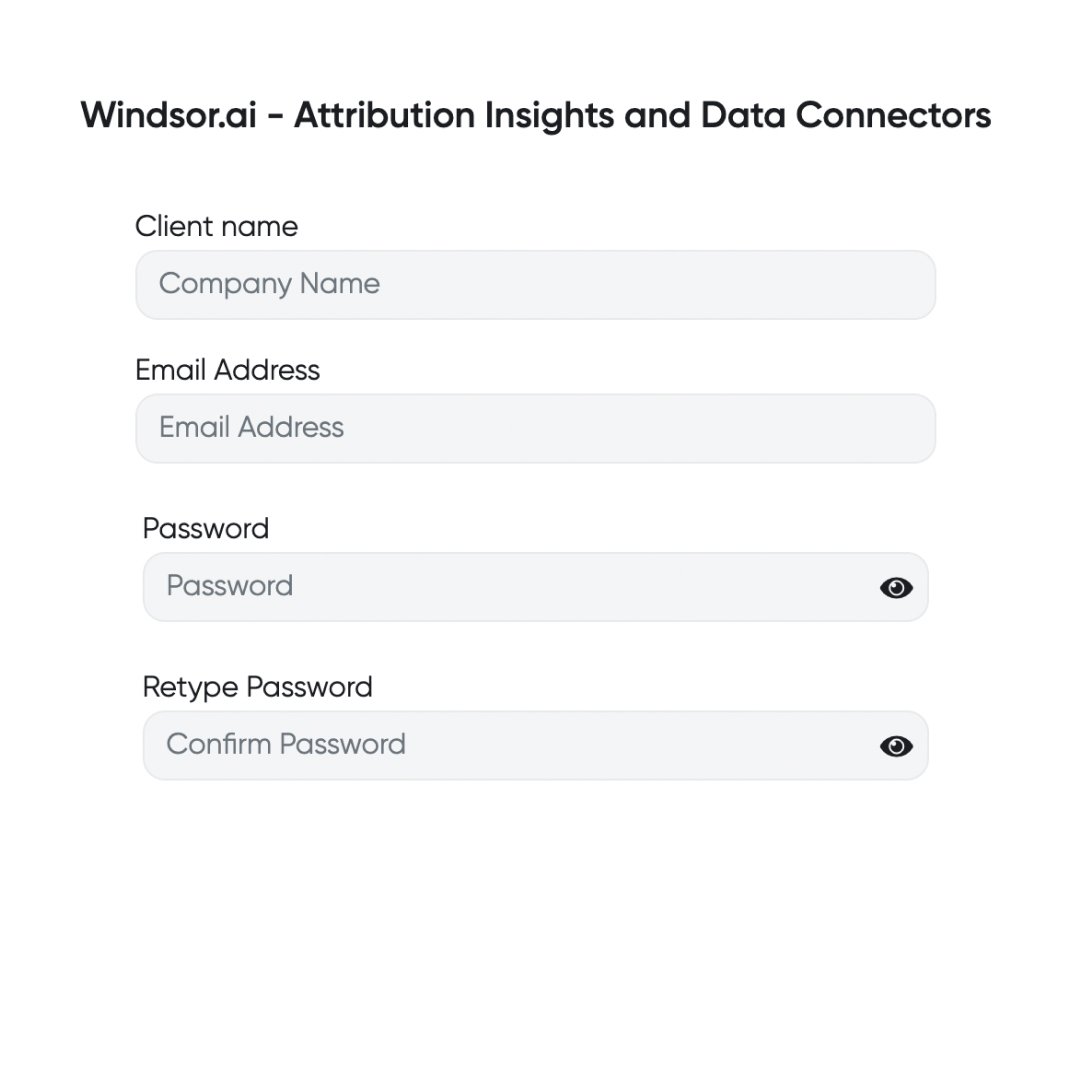
Register and log in to Windsor.ai
Create a new Windsor.ai account or log in if you already have one.
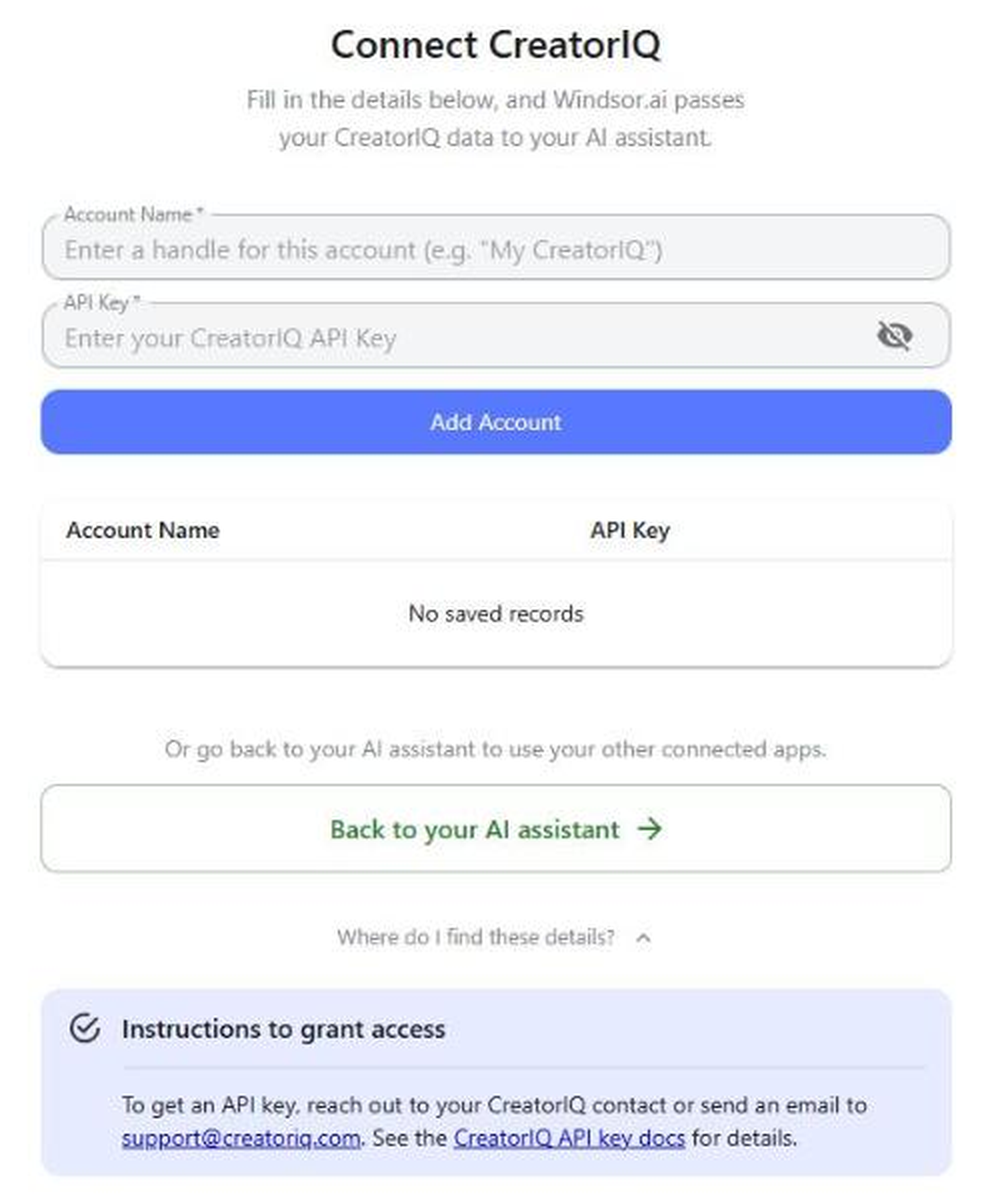
Select your data source
Choose CreatorIQ as your data source, enter a name for the account and your CreatorIQ API key, then click Add Account. To get an API key, ask your CreatorIQ contact or email [email protected].
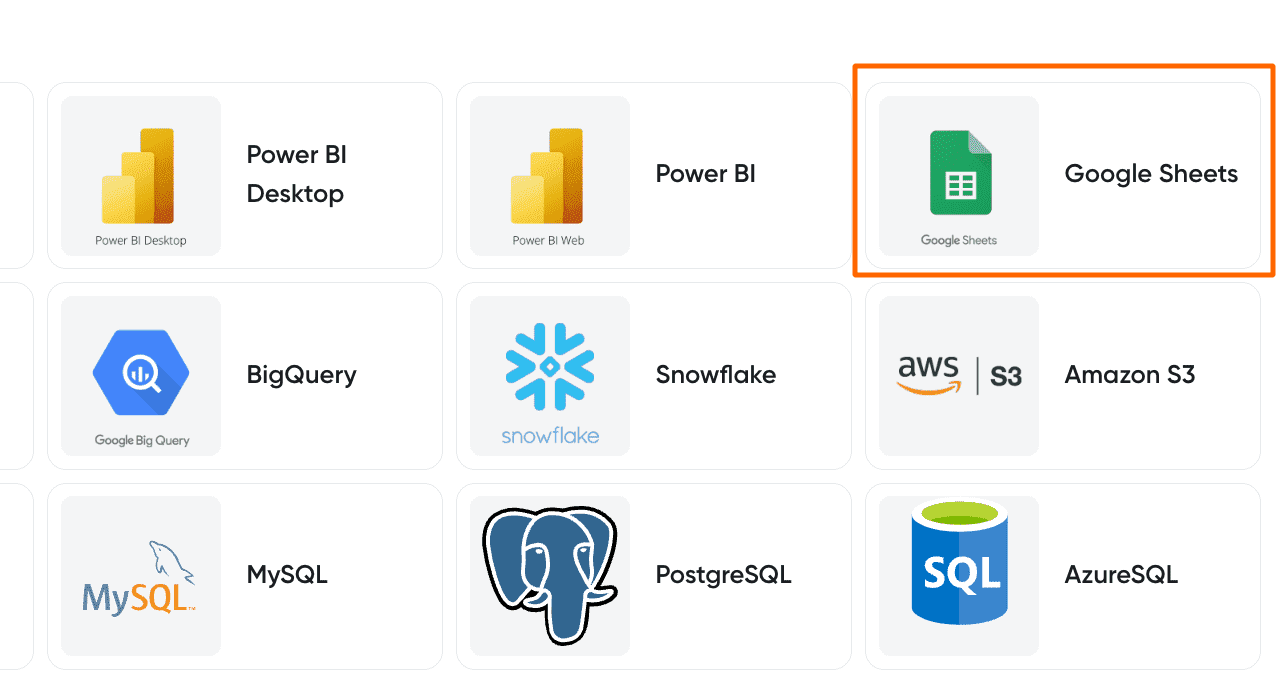
Select your destination
Set Google Sheets as the destination for your data.
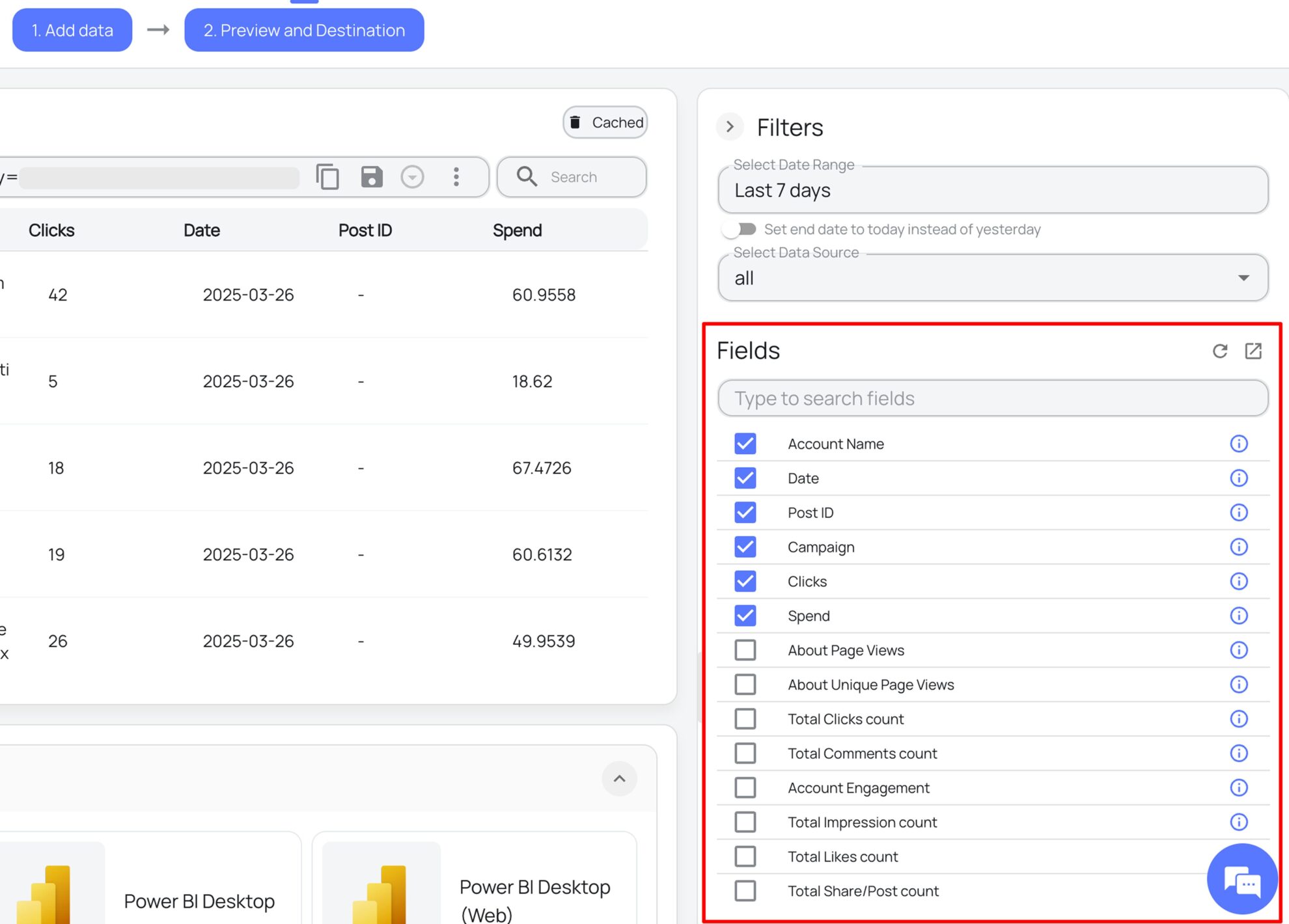
Select the reporting fields
Choose the CreatorIQ fields you want to show in your spreadsheet.
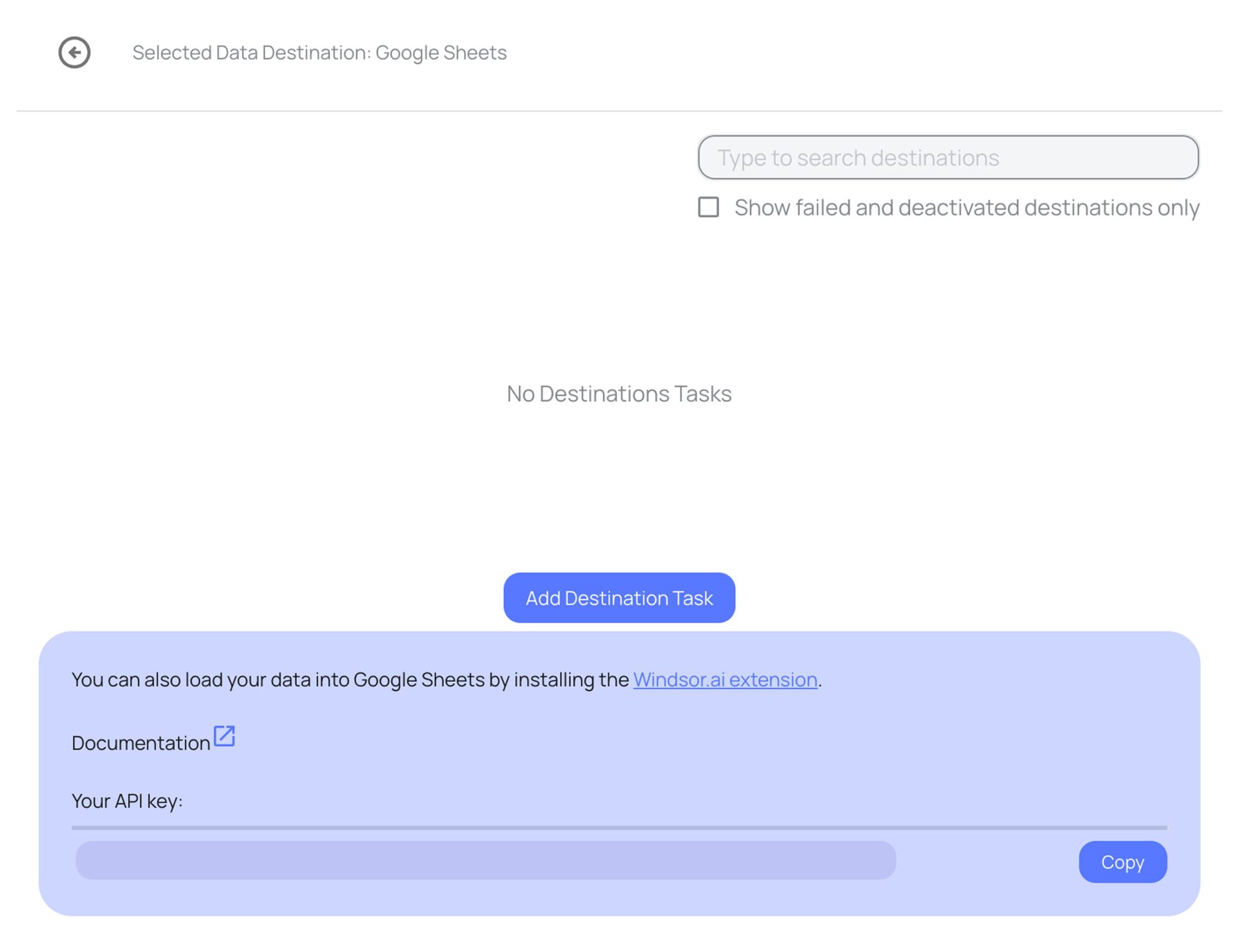
Follow the setup instructions to complete the integration
Depending on the integration method you choose, set up the connection by following the prescribed steps, whether through an extension or directly via an in-app destination task.
FAQs
What CreatorIQ data can I load into Google Sheets?
Windsor.ai gives access to 88 CreatorIQ fields: 49 metrics, such as Impressions and Engagement, and 39 dimensions, such as Publisher Name and Date. These are the groups; the CreatorIQ field reference lists all of them:
- Campaigns and creators: Campaign Name, Publisher Name, User Name, Social Network Name, Post Type, Post Link.
- Reach and impressions: Impressions, Reach, Network Impressions, Network Reach, Estimated Impressions, Estimated Reach, Actual Impressions, Actual Reach, Total Reach.
- Engagement: Likes, Comments, Total Shares, Saves, Engagement, Link Clicks, Post View Count.
- Paid and combined: Paid Impressions, Paid Reach, Paid Clicks, Paid Views, Combined Impressions, Combined Reach, Combined Clicks.
- Stories: Taps Forward, Taps Back, Swipe Aways, Story Swipe Ups, Sticker Taps, Replies.
- Date and account: Date, Week, Month, Year, Account Name.
How does Windsor.ai load CreatorIQ data into Google Sheets?
Windsor.ai sends your chosen CreatorIQ fields straight into a sheet, either through the Google Sheets add-on or through an in-app destination task. You can set it to refresh on a schedule.
Can I combine CreatorIQ data with other sources in my sheets?
Yes. Windsor.ai supports 350+ data sources, so CreatorIQ data can sit next to other connected sources in the same sheets. For example, put CreatorIQ Link Clicks and Engagement by Campaign Name and Date next to GA4 Sessions and Key events by Session campaign for the same days, to compare the clicks creators reported with the visits your site recorded.
Do I need to code to connect CreatorIQ to Google Sheets?
No. You connect CreatorIQ in the Windsor.ai dashboard, pick the fields you want, and Windsor.ai handles the transfer.
How much does it cost to integrate CreatorIQ with Google Sheets using Windsor.ai?
The free forever plan covers 1 data source, so connecting CreatorIQ on its own costs nothing and needs no credit card. Combining CreatorIQ with other sources needs a paid plan: $19/month for 3 sources or $99/month for 7. See the pricing page.
Do you have helpful links to get started with CreatorIQ and Google Sheets?
Yes. The CreatorIQ field reference lists every field with its description, and the Google Sheets integration documentation covers the setup step by step.
The CreatorIQ connector page lists every destination for this data, and the list of Windsor.ai connectors for Google Sheets shows the other sources you can add.
To compare CreatorIQ posts with your own social accounts, read the guide on using Windsor.ai for social media.
Tired of manual CreatorIQ data exports? Try Windsor.ai today to report on current data


