 Destinations
 Data sources
 AI insights
 About us
 Careers
 Security
 Customer reviews
 Contact us
 Affiliate program
 Solution partners
 Template gallery
 Looker Studio templates
 Power BI templates
 Excel templates
 Google Sheets templates
 Tableau templates
 Facebook Ads templates
 Google Ads templates
 Data fields & Metrics
 AI prompt library & Guides
 Product documentation
 API documentation
 Case studies
 Blog
Blog Data models
 Windsor vs Supermetrics
 Windsor vs Funnel.io
 Windsor vs Fivetran
 Windsor vs Rivery
 Windsor vs Portermetrics
 Windsor vs Coupler.io
Connect Google Search Console to Claude
Automatically sync your Google Search Console data to Claude using the Windsor.ai connector.
Easily stream and analyze organic search metrics in Claude, and leverage AI-powered insights to increase search visibility, drive qualified traffic, and improve overall digital performance.
Forget CSVs. Stop copy/paste. Connect data in minutes. No code required.
 Sign up with Google
 Free forever plan
No credit card needed
Free forever plan
No credit card needed










Streamline analytics with Google Search Console to Claude integration
With Windsor.ai, your raw Google Search Console data is transformed into AI-powered insights in Claude, unlocking the following key benefits:

Identify striking-distance keywords
Stop downloading massive CSVs to find quick-win keywords. Feed your GSC data directly to Claude and instantly identify high-impression queries ranking on page two that just need a minor content update to break into the top 3.

Diagnose traffic drops instantly
Did your organic traffic suddenly dip? Ask Claude to analyze changes in your impressions, clicks, and position data week-over-week. Claude will pinpoint exactly which pages or specific queries caused the drop so you can recover faster.

Map search intent to landing pages
Send your raw query data to Claude and let the AI categorize thousands of keywords by search intent (informational, commercial, transactional). Ensure your blog posts are ranking for top-of-funnel queries while your product pages capture the buyers.
Using Windsor.ai to connect data from Google Search Console to Claude
Connecting Google Search Console to Claude typically requires manual exports, file uploads, or costly add-ons. Windsor.ai’s connector makes the process effortless by collecting, normalizing, and streaming your GSC data into Claude within minutes.
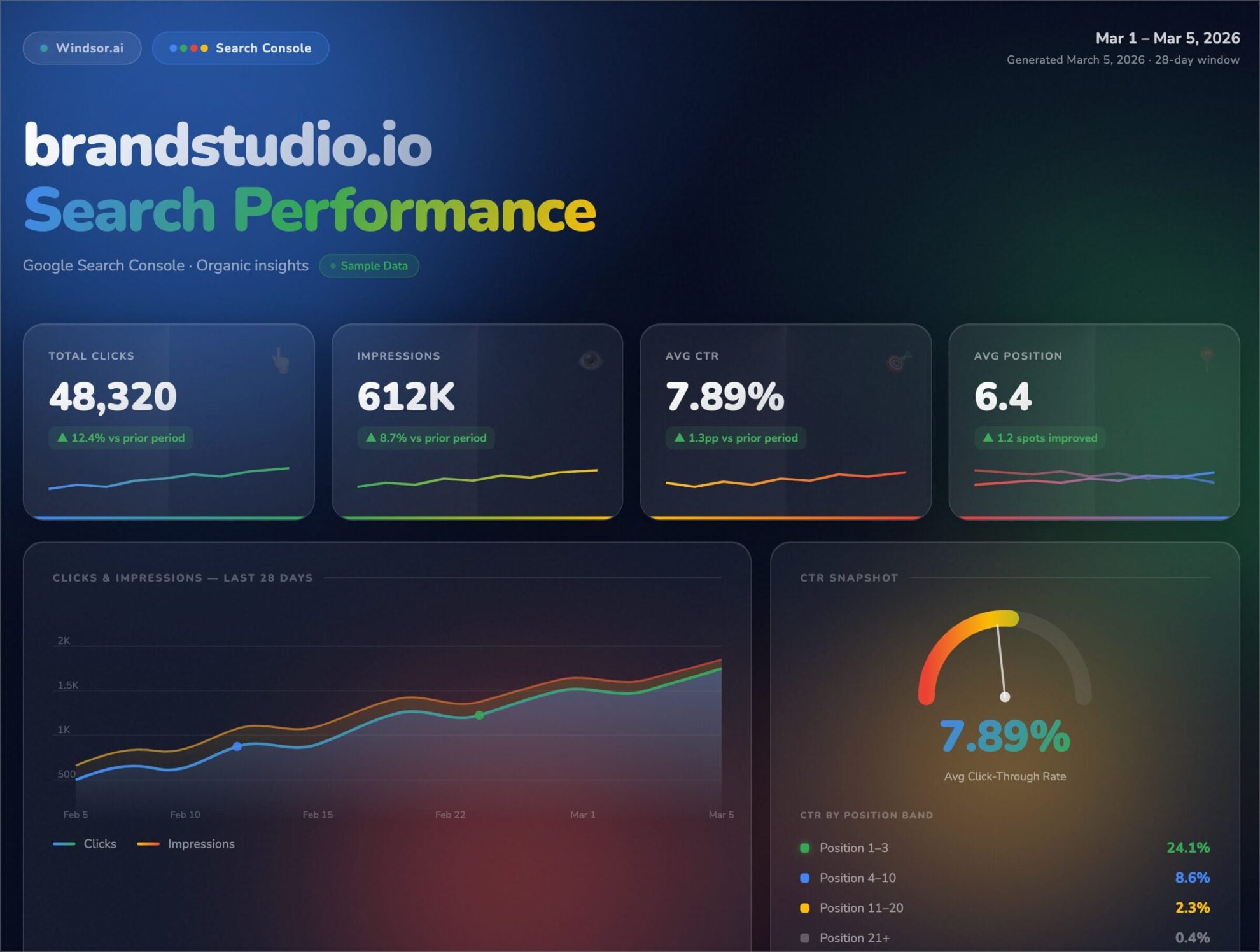
Analyze your SEO performance in natural language to get actionable insights across queries, pages, devices, and countries.














How to connect Google Search Console to Claude with Windsor.ai
Explore our video tutorial and a step-by-step guide to integrate your data from any source into Claude with the Windsor.ai connector.
Select your data source
Choose Google Search Console as your data source and grant access to Windsor.ai.

Install the Windsor.ai connector in Claude
In Claude, open Customize, then Connectors, search for Windsor and click Add. Sign in to your Windsor.ai account when prompted, and the connector appears in your Connectors list. You can also open the Windsor.ai listing in the Claude directory and click Connect.

Query your data in Claude
Start a new chat and ask Claude questions about your connected data: summarize KPIs, create client reporting dashboards, or run advanced analyses.
FAQs
How much historical GSC data can I send to Claude?
Through the official API, Windsor.ai can extract up to 16 months of historical Google Search Console data. This allows you to prompt Claude to run complex year-over-year (YoY) seasonality comparisons and content decay audits.
Can I use regex (regular expressions) to filter queries in Claude?
Because you are using natural language with Claude, you don’t even need to write complex regex. Simply ask Claude to “filter for all queries containing ‘buy’ or ‘cheap'” or “exclude any queries containing my brand name,” and the AI will handle the data filtering for you.
Does the integration bypass the 1,000-row limit in the GSC web interface?
Yes. By utilizing the GSC API through Windsor.ai, you bypass the standard user interface limitations, allowing you to extract and feed tens of thousands of rows of query and page data into Claude for large-scale enterprise analysis.
Do you have helpful links to get started with integrating Google Search Console and Claude using Windsor.ai?
Yes, we have helpful resources to help you get started. You can explore our official documentation and tutorials for seamless Google Search Console to Claude integration with Windsor.ai:
Tired of manual Google Search Console data exports? Try Windsor.ai today to automate your reporting


