 Destinations
 Data sources
 AI insights
 About us
 Careers
 Security
 Customer reviews
 Contact us
 Affiliate program
 Solution partners
 Template gallery
 Looker Studio templates
 Power BI templates
 Excel templates
 Google Sheets templates
 Tableau templates
 Facebook Ads templates
 Google Ads templates
 Data fields & Metrics
 AI prompt library & Guides
 Product documentation
 API documentation
 Case studies
 Blog
 Data models
 Windsor vs Supermetrics
 Windsor vs Funnel.io
 Windsor vs Fivetran
 Windsor vs Rivery
 Windsor vs Portermetrics
 Windsor vs Coupler.io
Connect Google Search Console to PostgreSQL
Windsor.ai syncs your Google Search Console data into PostgreSQL on a schedule, no code required. Date, query, page, clicks, impressions, ctr and position are written to a single table, ready for SQL.
 Sign up with Google
 Free forever plan
No credit card needed










Centralize your SEO metrics with Google Search Console to PostgreSQL integration
Windsor.ai connects Google Search Console to PostgreSQL, giving you a queryable copy of your SEO data. Here’s what you get:

Automated data sync
Windsor.ai syncs Google Search Console data into PostgreSQL on a schedule you set. In our test, a 7 day backfill request loaded 69,406 rows in a few minutes, with no manual exports or scripts.

Cross-channel visibility
By centralizing GSC data in PostgreSQL, you can join it with paid search, web analytics, CRM, and 350+ other sources. Map organic performance against campaigns, user behavior, and conversions in a single query.

Scalable and secure data storage
PostgreSQL scales well past what a spreadsheet can hold. Our test table held 69,406 rows from a single backfill; a full year of daily GSC data loads in the same shape, ready for indexing and joins.
Using Windsor.ai connector to import data from Google Search Console into PostgreSQL
Windsor.ai’s PostgreSQL destination creates the table for you and writes to it on a schedule. In our test it built a 7 column table (date, query, page, clicks, impressions, ctr, position) and loaded 69,406 rows without any manual SQL.
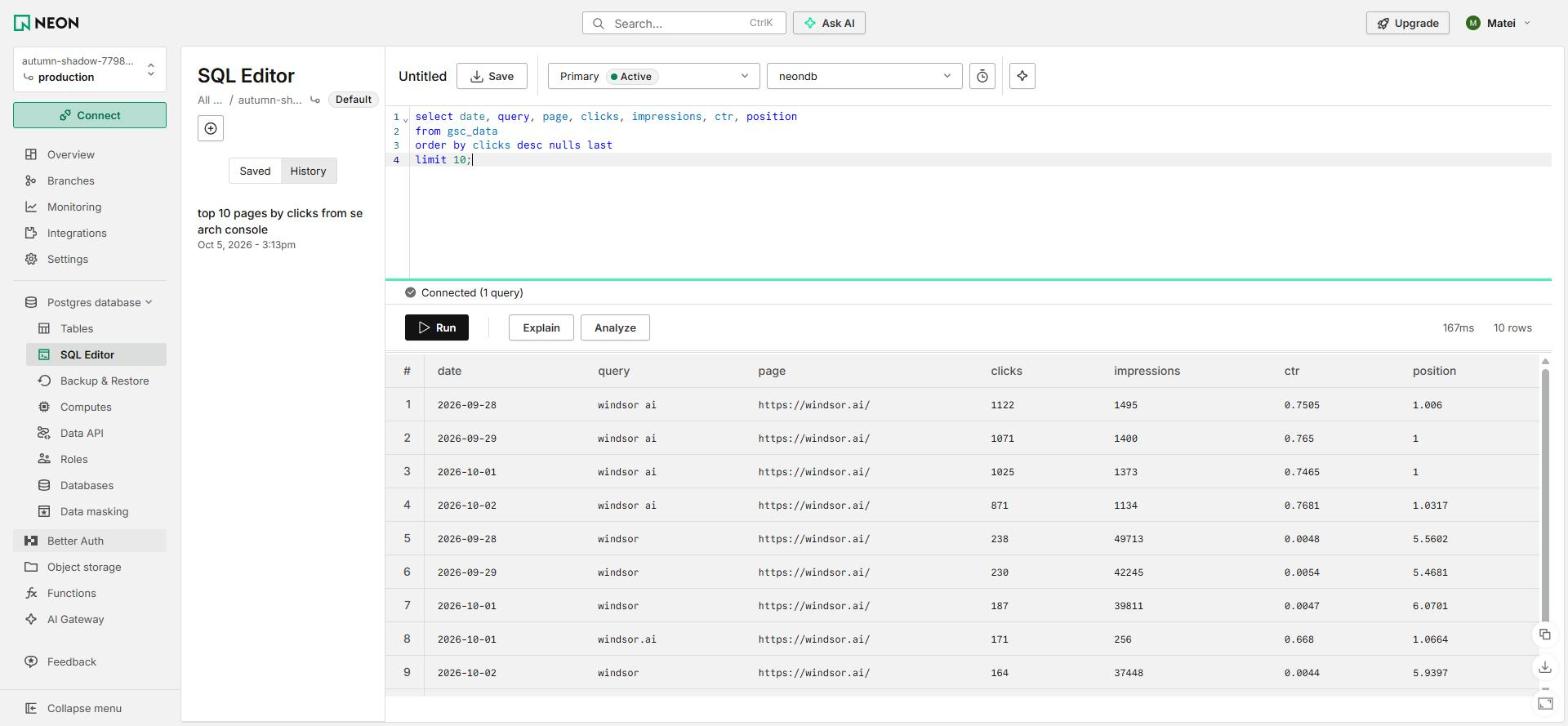
Once it’s running, the data sits in a plain PostgreSQL table: query it directly, join it against your other tables, or point a BI tool at it. For example, grouping by page and summing clicks returns one row per URL with its total clicks, impressions and average position, the same breakdown Search Console’s own Pages report shows, just queryable with SQL and joinable against other tables.
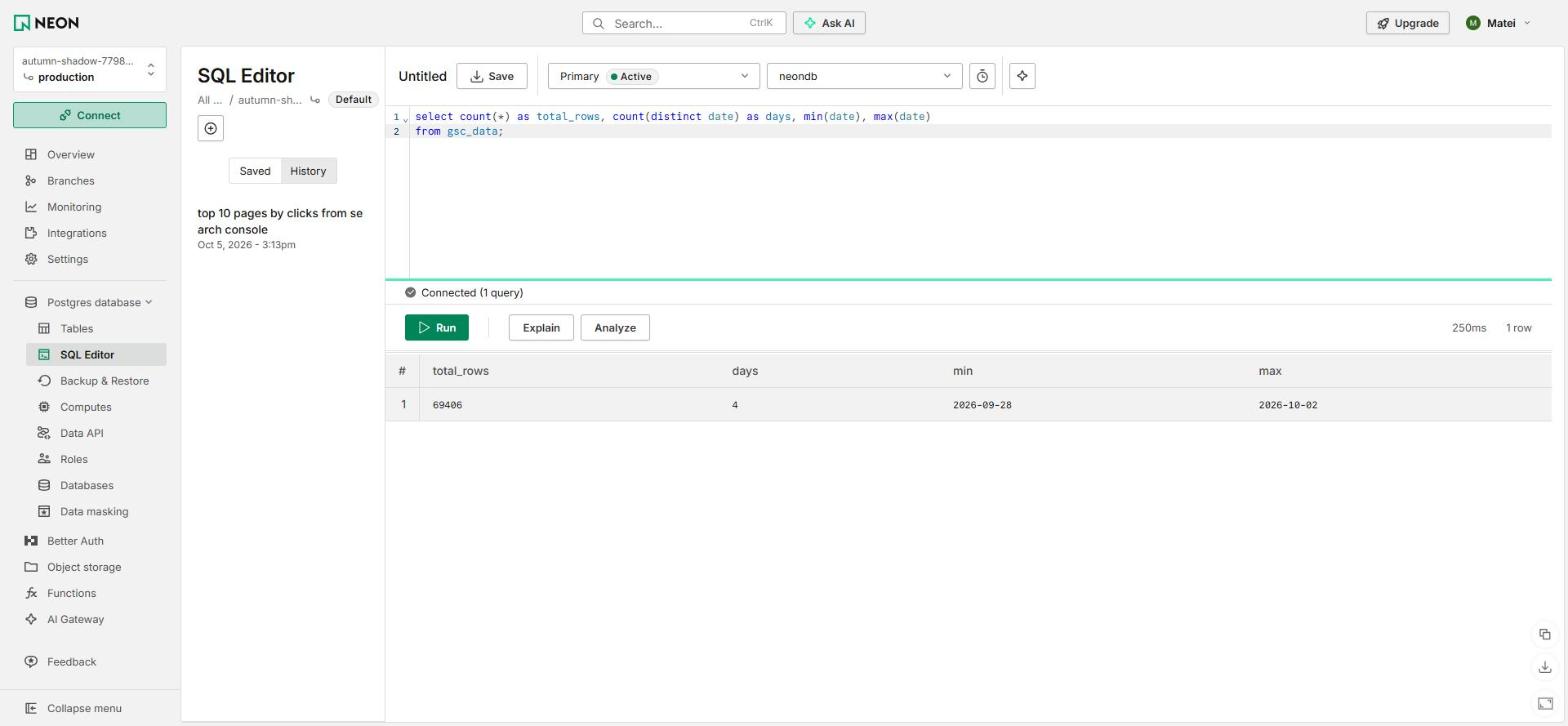


How to connect Google Search Console to PostgreSQL in Windsor.ai
To set up the connector, make sure you have the following things in place:
- Google Search Console account
- Configured PostgreSQL environment
- Active Windsor.ai account
Register and log in to Windsor.ai
Create a new Windsor.ai account or log in if you already have one.
Connect a data source
In your Windsor.ai dashboard, go to Google Search Console under Connect a data source, sign in with the Google account that owns the property, and select the fields to pull (date, query, page, clicks, impressions, ctr, position for this test). Click “Next.”

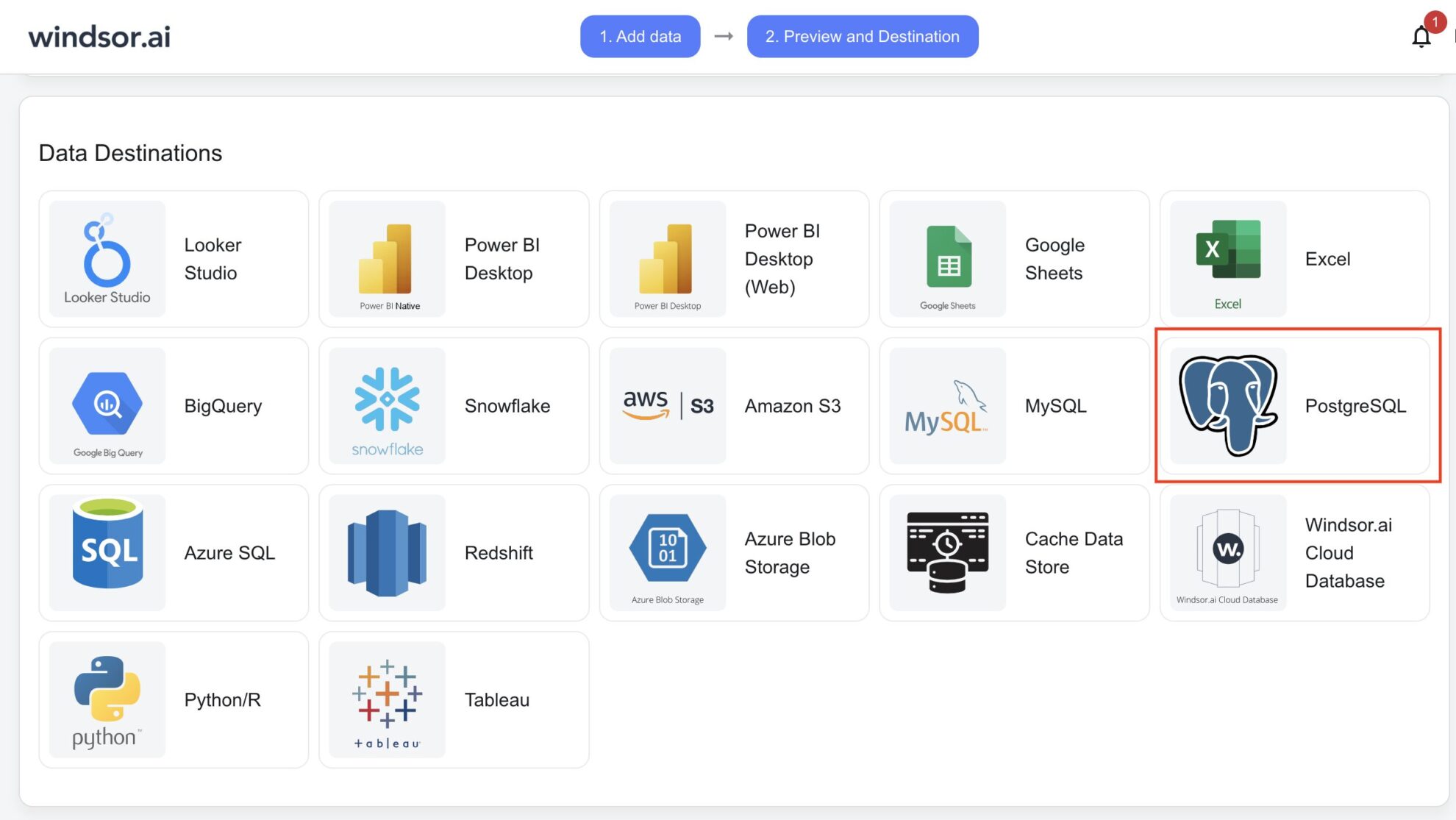
Select PostgreSQL as your data destination
Complete the integration of PostgreSQL with the Windsor.ai connector and create a destination task.
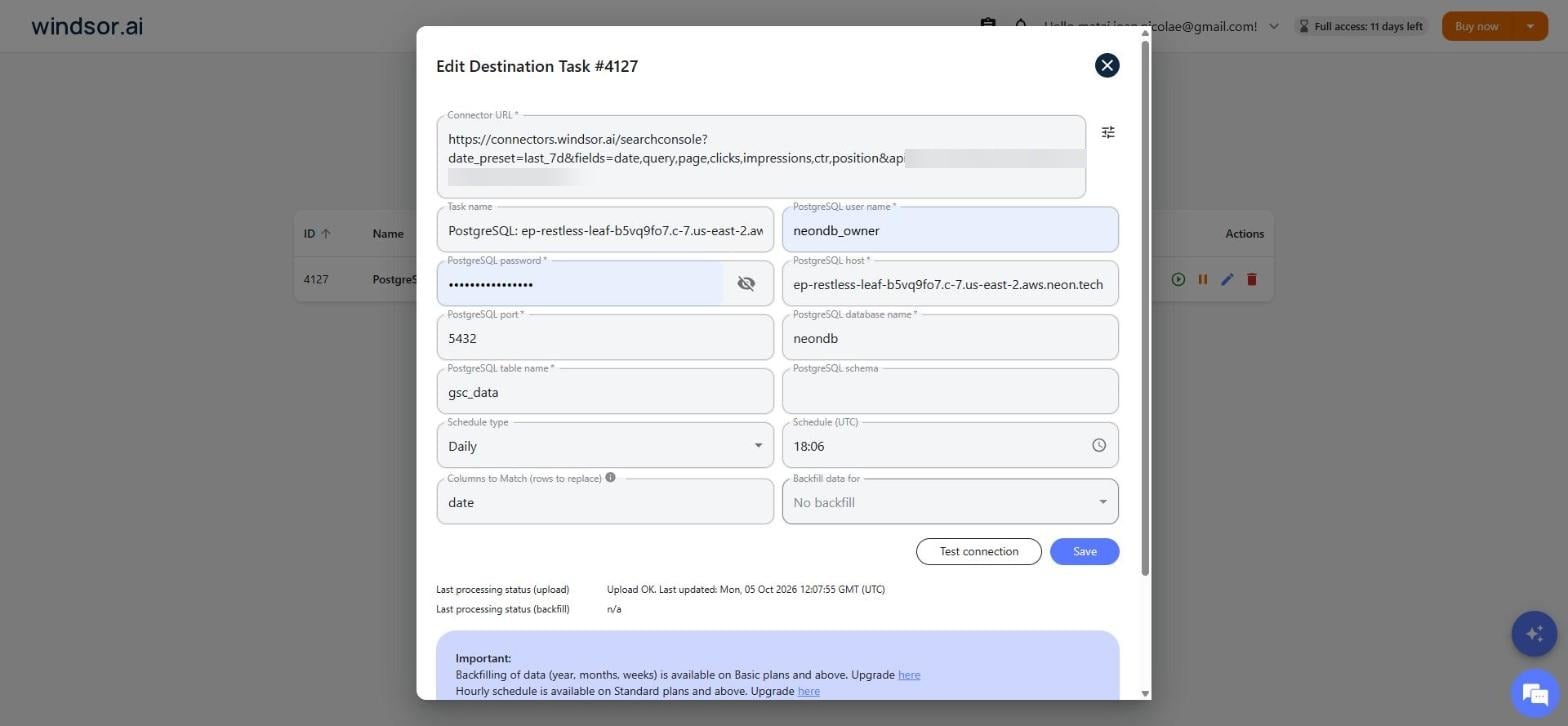
Configure your data integration
Enter your PostgreSQL host, port, user, password, database and a table name, then allow Windsor’s IP address (168.119.226.193) to reach your database. Click “Test connection”, then “Save”.
See the integrated data in PostgreSQL
Query your data directly in PostgreSQL, for example with a simple SELECT ordered by clicks. Any SQL client works, we used the database’s own SQL editor; TablePlus, psql and your BI tool’s native connector all read the same table.
FAQs
Does Windsor create the table for me?
Yes. You only name the table, for example gsc_data; Windsor infers the column types from the fields you selected and creates the table on the first run. In our test it created a 7 column table matching the 7 GSC fields we’d picked, with no manual DDL.
Do you have helpful links to get started with integrating Google Search Console and PostgreSQL using Windsor.ai?
Yes, we have helpful resources to get started: the Google Search Console field reference and the PostgreSQL integration documentation.
How much time do I need to set up Google Search Console to PostgreSQL integration?
If you already have a PostgreSQL database running, connecting it to Windsor.ai and starting the first sync takes under 5 minutes: no engineering work required.
How much does it cost to integrate Google Search Console into PostgreSQL with Windsor.ai?
Windsor.ai’s pricing for Google Search Console into PostgreSQL integration can vary depending on your use case. We offer transparent, fixed pricing plans for diversified business needs and budgets, starting at just $19/month, with a free forever plan available and no credit card required.
How much data can I load, and how fast?
In our test, a 7 day backfill request returned 69,406 rows from a mid-traffic property. Search Console only had 4 of those 7 days published yet (it runs 2 to 3 days behind), so all 69,406 rows were loaded from that 4 day window, in a few minutes on the free Windsor plan. Larger backfills (months or years) are available on paid plans.
What do I need to allow Windsor to reach my PostgreSQL database?
Most managed PostgreSQL providers block external connections by default. Allow Windsor’s IP address, 168.119.226.193, in your database’s firewall or network rules before running the destination task, or the connection test will fail.
Tired of manual Google Search Console data exports? Get started with Windsor.ai today to automate your reporting


