 Destinations
 Data sources
 AI insights
 About us
 Careers
 Security
 Customer reviews
 Contact us
 Affiliate program
 Solution partners
 Template gallery
 Looker Studio templates
 Power BI templates
 Excel templates
 Google Sheets templates
 Tableau templates
 Facebook Ads templates
 Google Ads templates
 Data fields & Metrics
 AI prompt library & Guides
 Product documentation
 API documentation
 Case studies
 Blog
Blog Data models
 Windsor vs Supermetrics
 Windsor vs Funnel.io
 Windsor vs Fivetran
 Windsor vs Rivery
 Windsor vs Portermetrics
 Windsor vs Coupler.io
Connect Instagram Public to Lovable
Automatically sync your Instagram Public data to Lovable using the Windsor.ai connector.
Ask Lovable to analyze your Instagram Public data, surface engagement insights, and ship live dashboards, all with a natural language prompt.
Forget CSVs. Stop copy/paste. Connect data in minutes. No code required.
 Sign up with Google
 Free forever plan
No credit card needed
Free forever plan
No credit card needed










Stay on top of engagement trends with Instagram Public to Lovable integration
Use Windsor MCP to sync your Instagram Public data into Lovable in minutes and get instant answers about competitor performance and content engagement trends. Explore key use cases:

Find top-performing posts
Ask Lovable to rank your posts by likes, comments, and engagement rate to surface what actually resonates. Spot patterns in media type and caption style, then implement the findings in your next content strategy.

Know when it's best to publish
Group all posts by day of the week and compare average likes and comments per day. See exactly when your audience engages most, and schedule your next posts accordingly.

Benchmark against competitors
Connect both Instagram Public and Instagram Insights through Windsor MCP and ask Lovable to compare your engagement rate, posting frequency, and follower growth against any public competitor profile. See exactly where the gap is, and what it takes to close it.

Build live social media dashboard
Ask Lovable to turn your Instagram Public data into a shareable web app and send your team a link, no exports, BI tools, or maintenance.
Using Windsor.ai to connect data from Instagram Public to Lovable
Most methods for syncing Instagram Public data into Lovable require manual exports, data cleanup, and API work. Windsor MCP removes that friction by automatically pulling, organizing, and streaming your Instagram Public data into Lovable.
Ask questions in plain language and build real-time dashboards to track post engagement, follower growth, and content performance.
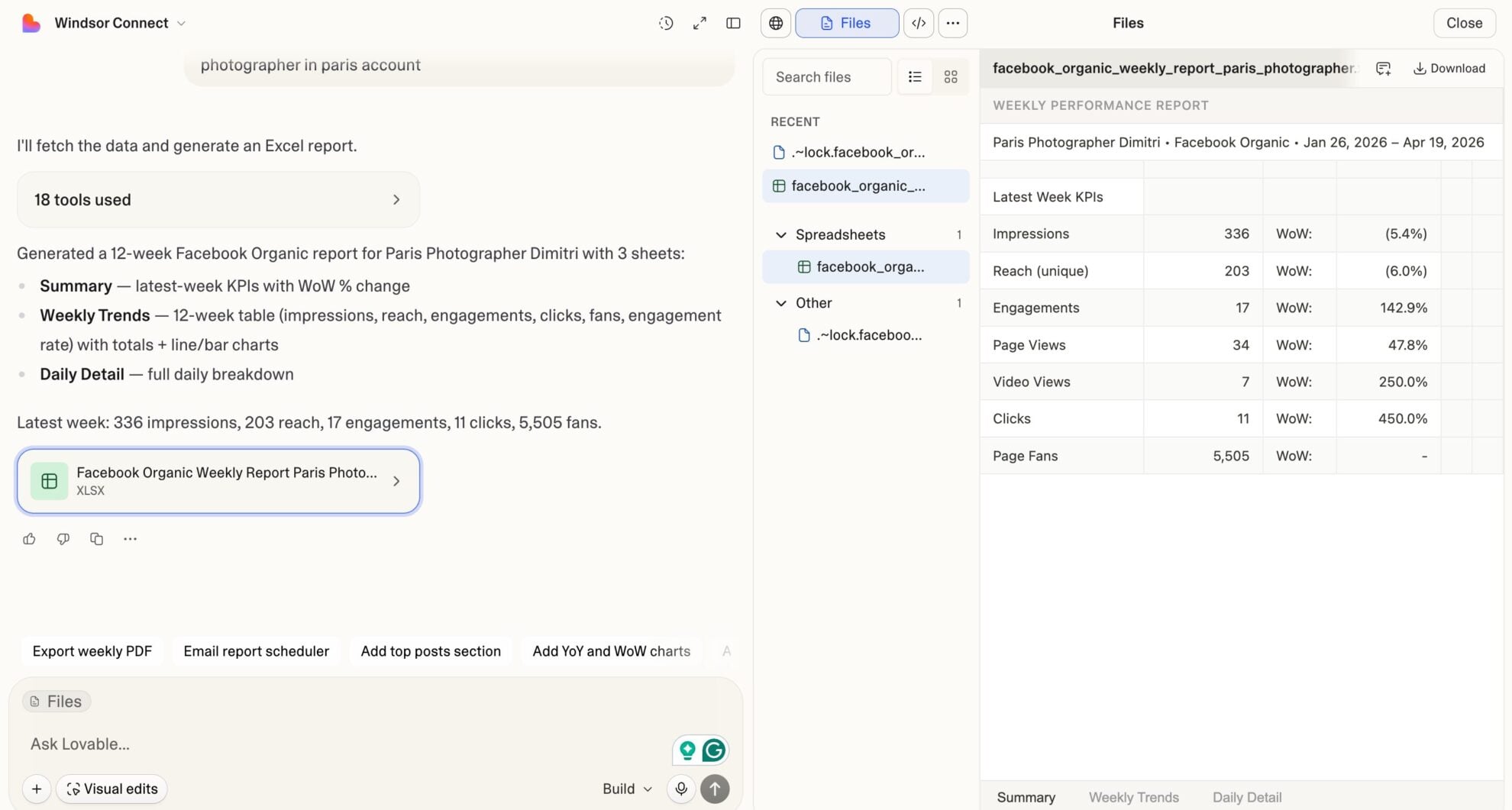














How to connect Instagram Public to Lovable with Windsor.ai
Explore our video tutorial and a step-by-step guide to integrate your Instagram Public data into Lovable with the Windsor.ai connector.
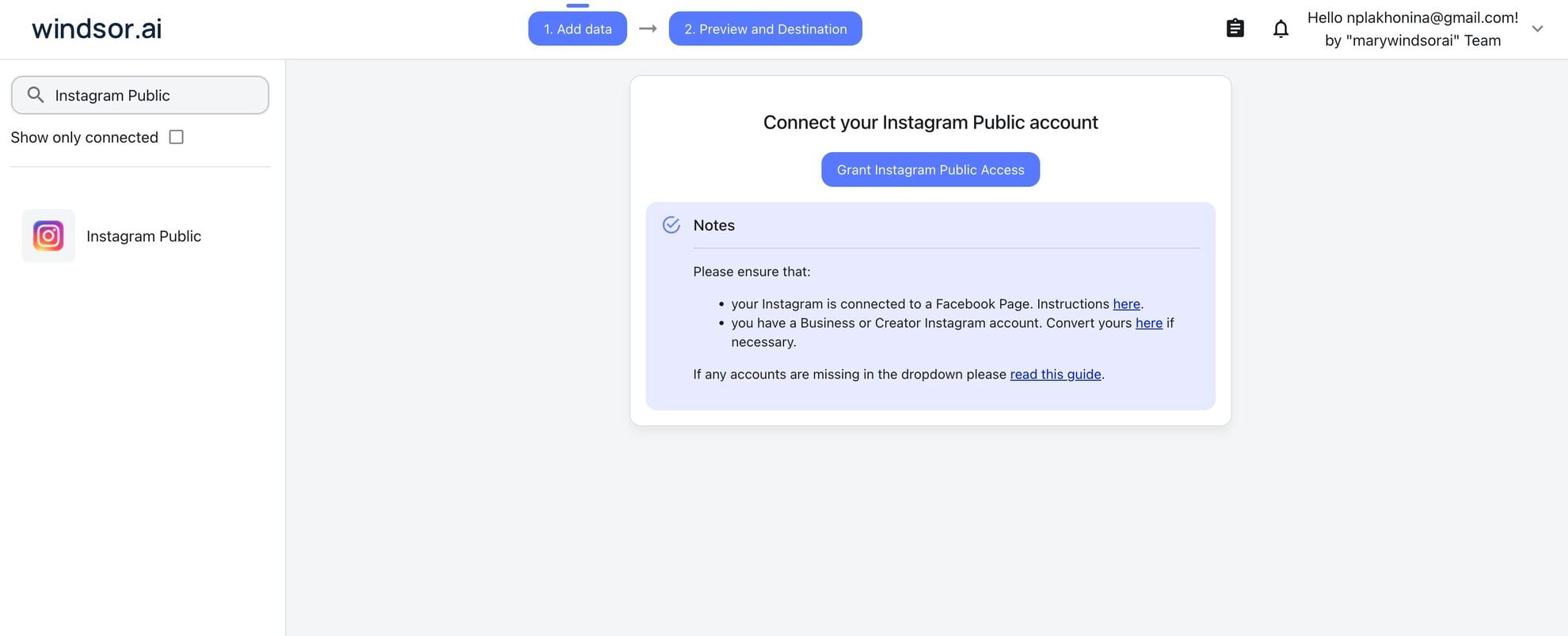
Select your data source
Choose Instagram Public as your data source and grant access to Windsor.ai.
Select custom connector in Lovable
In Lovable, open Connectors and select Custom MCP.

Add MCP server
Enter the following details:
- Name: Windsor.ai
- URL: https://mcp.windsor.ai/
Click Add & Authorize to save the connector and authorize access to Windsor.ai.

Authorize and start querying your data
Once added, Windsor will appear in your list of connectors. Enable Always allow permissions for faster access.
Open a new chat and start querying your connected data.

FAQs
Do I need Instagram API access or a developer account to use this connector?
No. Windsor.ai handles the API connection on your behalf. You authenticate once via OAuth in the Windsor dashboard, select your account, and Windsor MCP delivers the data into Lovable automatically. No developer credentials, no API keys to manage on your end.
What's the difference between the Instagram Public connector and the Instagram Insights connector?
Windsor.ai’s Instagram Insights Lovable connector pulls private, account-owned metrics, such as reach, impressions, saves, and profile views, and requires you to be the account owner. Instagram Public pulls post-level engagement and profile data from any public account, including competitors.
Can I analyze multiple Instagram accounts at the same time in Lovable?
Yes. Connect multiple Instagram profiles through Windsor.ai and query them all in the same Lovable session. Use the account_name or profile_username fields to filter or compare across accounts in a single prompt.
Can Lovable build a dashboard from my Instagram Public data?
Yes. Ask Lovable to generate a live performance dashboard from your Instagram data: follower trends, top posts by engagement, content mix breakdown, and weekly averages. Lovable builds it as a shareable web app your whole team can open in a browser, no tools, logins, or static screenshots that go stale the moment you export them.
Is Windsor.ai's Instagram Public connector available on the free plan?
Yes. Windsor.ai has a free-forever plan with no credit card required. The free plan includes 1 data source and 1 account. If you need to connect multiple Instagram profiles or combine with other data sources, paid plans start at $19/month.
Note: Lovable requires a paid Lovable plan to use custom MCP connectors.
What prompts can I use to analyze my Instagram Public data in Lovable?
Beyond basic performance summaries, you can use more advanced, specific prompts to uncover deeper insights. For example:
-
For the last 90 days, calculate the engagement rate per post as (likes + comments) / followers × 100. Rank all posts by engagement rate. Identify the top 10 posts and list their media type, day of week published, and caption snippet. What patterns do you see?
-
Compare Reel performance vs. Feed posts vs. Carousel albums for the last 60 days. For each media product type, show post count, average likes, average comments, and average engagement rate. Which format delivers the highest engagement rate per post?
-
Analyze the relationship between posting frequency and engagement rate. Group weeks by post volume (1–2 posts, 3–4 posts, 5+ posts). For each bucket, calculate average likes per post and average comments per post. Does posting more frequently dilute engagement on this account?
-
For each post in the last 90 days, calculate the comments-to-likes ratio. Identify posts where comments are disproportionately high relative to likes; these signal controversy or strong discussion. List them with caption snippets and media type.
Do you have helpful links to get started with integrating Instagram Public and Lovable using Windsor.ai?
Yes, we have helpful resources to help you get started. You can explore our official documentation and tutorials for seamless Instagram Public to Lovable integration with Windsor.ai:
Tired of manual Instagram Public data exports? Try Windsor.ai today to automate your reporting


