 Destinations
 Data sources
 AI insights
 About us
 Careers
 Security
 Customer reviews
 Contact us
 Affiliate program
 Solution partners
 Template gallery
 Looker Studio templates
 Power BI templates
 Excel templates
 Google Sheets templates
 Tableau templates
 Facebook Ads templates
 Google Ads templates
 Data fields & Metrics
 AI prompt library & Guides
 Product documentation
 API documentation
 Case studies
 Blog
Blog Data models
 Windsor vs Supermetrics
 Windsor vs Funnel.io
 Windsor vs Fivetran
 Windsor vs Rivery
 Windsor vs Portermetrics
 Windsor vs Coupler.io
Connect Metabase to ChatGPT
Automatically sync your Metabase data to ChatGPT using the Windsor.ai connector.
Bring your Metabase Questions, Dashboards, and Collections into ChatGPT to run analyses, build forecasts, and detect anomalies with zero manual work.
Forget CSVs. Stop copy/paste. Connect data in 2 minutes. No code required.
 Sign up with Google
 Free forever plan
No credit card needed
Free forever plan
No credit card needed










Unlock deeper insights from your Metabase data in ChatGPT
Once your Metabase data is connected to ChatGPT via Windsor MCP, you skip manual work and jump straight into AI analysis, unlocking these key benefits:

Get instant answers
Ask ChatGPT complex questions about your Metabase data in plain language and get instant insights and next-step recommendations. No need to write queries, build new Questions, or wait for the analytics team.

Detect anomalies at scale
Use ChatGPT to scan your Metabase records for unusual spikes, drops, duplicate entries, or revenue risks. It surfaces the patterns a human eye would miss across dozens of Questions and dashboards.

Unify data across channels
Blend your Metabase data with 350+ other sources like Google Ads, GA4, HubSpot, or Shopify. Analyze how marketing spend, customer behavior, and revenue connect, all in a single conversation.

Predict outcomes and plan smarter
ChatGPT can help you project next quarter’s performance or model best-case and worst-case scenarios using your historical Metabase data. Plan budgets, targets, and resourcing with AI-driven projections instead of static spreadsheets.
Using Windsor.ai to connect data from Metabase to ChatGPT
Getting your Metabase data into ChatGPT typically requires manual CSV exports, custom API work, or expensive tools. Windsor MCP eliminates this friction by automatically streaming your Metabase data into ChatGPT through a secure connector.
Connect in minutes to analyze trends, spot anomalies, and uncover growth opportunities, all in natural language.















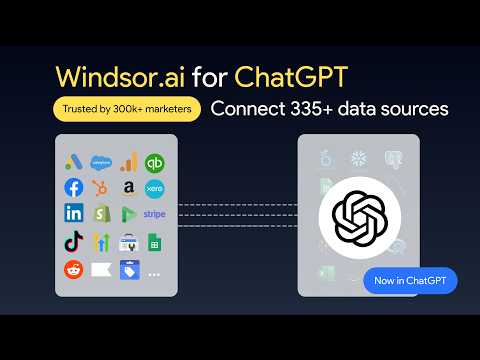
How to connect Metabase to ChatGPT data with Windsor.ai
Explore our video tutorial and a step-by-step guide to seamlessly integrate your data from any source into ChatGPT with the Windsor.ai connector.
Select your data source
Choose Metabase as your data source and grant access to Windsor.ai.

Install the Windsor.ai connector
Log in to your ChatGPT account and open this Windsor.ai connector page.
Click Connect, then authorize access.

Query your Metabase data in ChatGPT
Open a new chat and start asking questions about your connected Metabase data using natural language.
Make sure that the Windsor.ai connector is enabled (click the + sign → More → Windsor.ai.)
FAQs
Does ChatGPT pull every row from my Metabase database?
No. Windsor.ai aggregates and structures your data first, then sends only the relevant, summarized dataset to ChatGPT. This keeps responses fast, accurate, and within token limits, even when your underlying Metabase database has millions of rows.
Can I combine Metabase with other data sources in ChatGPT?
Yes. This is one of the biggest advantages. You can blend Metabase data with any of Windsor.ai’s 350+ supported sources (Google Ads, Meta Ads, GA4, HubSpot, Salesforce, Shopify, TikTok, Klaviyo, and more), and ask cross-channel questions like ‘How does my Metabase-tracked revenue correlate with last month’s Meta Ads spend?’.
Is my Metabase data safe?
The Windsor.ai connector operates in read-only mode; ChatGPT can analyze your Metabase data, but cannot edit, delete, or write back to Metabase. Windsor.ai follows industry-standard security practices, encrypts data in transit, and you control which fields and accounts are exposed.
What prompts can I use when analyzing Metabase data in ChatGPT?
Here are some examples of advanced prompts you can use to uncover high-level strategic insights:
-
Combine my Metabase revenue and conversion data with my connected Google Ads, Meta Ads, and TikTok spend data from Windsor.ai. For the last 90 days, calculate true ROAS by channel, including assisted conversions. Identify which channel is over-credited and which is under-credited compared to last-click attribution.
-
Build a cohort analysis from my Metabase data using [signup month / first-purchase date] as the cohort key. Show retention rates at 7, 30, 60, and 90 days for each cohort over the last 6 months. Identify which cohort retained best, which retained worst, and surface any external events (campaigns, product changes) that might explain the difference.
-
Using the last 24 months of seasonal and trend data from my Metabase Question, forecast the next quarter under three scenarios: best case, base case, and worst case. For the base case, identify the 5 KPIs we must hit weekly to stay on track, and flag which of those KPIs is currently at the highest risk based on recent performance.
-
Combine customer transaction data from Metabase with marketing spend from my connected ad platforms in Windsor.ai. Calculate LTV and CAC by acquisition channel for cohorts acquired in the last 12 months. Show LTV:CAC ratio, payback period, and rank channels by long-term profitability rather than short-term ROAS.
How much does it cost to integrate Metabase into ChatGPT using Windsor.ai?
Windsor.ai is free to start, no credit card required. Paid plans start at $19/month and scale by the number of sources and accounts. See the pricing page.
How long does it take to connect Metabase to ChatGPT?
With Windsor.ai’s intuitive connector, the integration process takes just a few minutes. No technical expertise is required; connecting Metabase to ChatGPT is simple, straightforward, and completely code-free.
Do you have helpful links to get started with integrating Metabase and ChatGPT using Windsor.ai?
Yes, we have helpful resources to help you get started. You can explore our official documentation and tutorials for seamless Metabase to ChatGPT integration with Windsor.ai:
Tired of manual Metabase data exports? Try Windsor.ai today to automate your reporting


