 Destinations
 Data sources
 AI insights
 About us
 Careers
 Security
 Customer reviews
 Contact us
 Affiliate program
 Solution partners
 Template gallery
 Looker Studio templates
 Power BI templates
 Excel templates
 Google Sheets templates
 Tableau templates
 Facebook Ads templates
 Google Ads templates
 Data fields & Metrics
 AI prompt library & Guides
 Product documentation
 API documentation
 Case studies
 Blog
Blog Data models
 Windsor vs Supermetrics
 Windsor vs Funnel.io
 Windsor vs Fivetran
 Windsor vs Rivery
 Windsor vs Portermetrics
 Windsor vs Coupler.io
Connect Salesforce Marketing Cloud to Data Studio
Easily integrate Salesforce Marketing Cloud with Data Studio through Windsor.ai ETL connectors.
Our platform automates Marketing Cloud reporting, giving you real-time visibility into customer interactions across channels. Analyze campaign performance at scale, uncover engagement trends, and optimize your marketing strategy with confidence.
Forget CSVs. Stop copy/paste. Connect data in 2 minutes. No code required.
 Sign up with Google
 Free forever plan
No credit card needed
Free forever plan
No credit card needed










Unlock advanced analytics with Salesforce Marketing Cloud to Data Studio integration
Connecting Salesforce Marketing Cloud to Data Studio with Windsor.ai centralizes engagement, conversion, and ROI metrics in one place and unlocks these key benefits for your business:

Automated data sync
Windsor.ai automates Salesforce Marketing Cloud reporting by syncing email, SMS, social, and ad campaign performance directly into Data Studio. Forget manual exports and spreadsheets — your dashboards are always up to date with accurate, real-time performance metrics.

Cross-channel analysis
Combine Salesforce Marketing Cloud with CRM, web analytics, and paid media to see the full customer journey in one place. This unified view shows how each channel influences conversions, retention, and revenue growth, helping you refine targeting and allocate budgets with confidence.

Enhanced personalization
With Data Studio dashboards, you can analyze audience behavior, campaign engagement, and content performance in detail. These insights help you fine-tune segmentation, personalize messaging, and continuously optimize campaigns to maximize customer impact.
Using Windsor.ai connector to import data from Salesforce Marketing Cloud into Data Studio
Most methods for connecting Salesforce Marketing Cloud to Data Studio require technical expertise, manual exports, or expensive third-party solutions. Windsor.ai’s no-code ETL connector streamlines the process, making it fast and affordable.
In just a few minutes, Windsor.ai automatically syncs your Salesforce Marketing Cloud data into Data Studio, delivering always up-to-date dashboards.
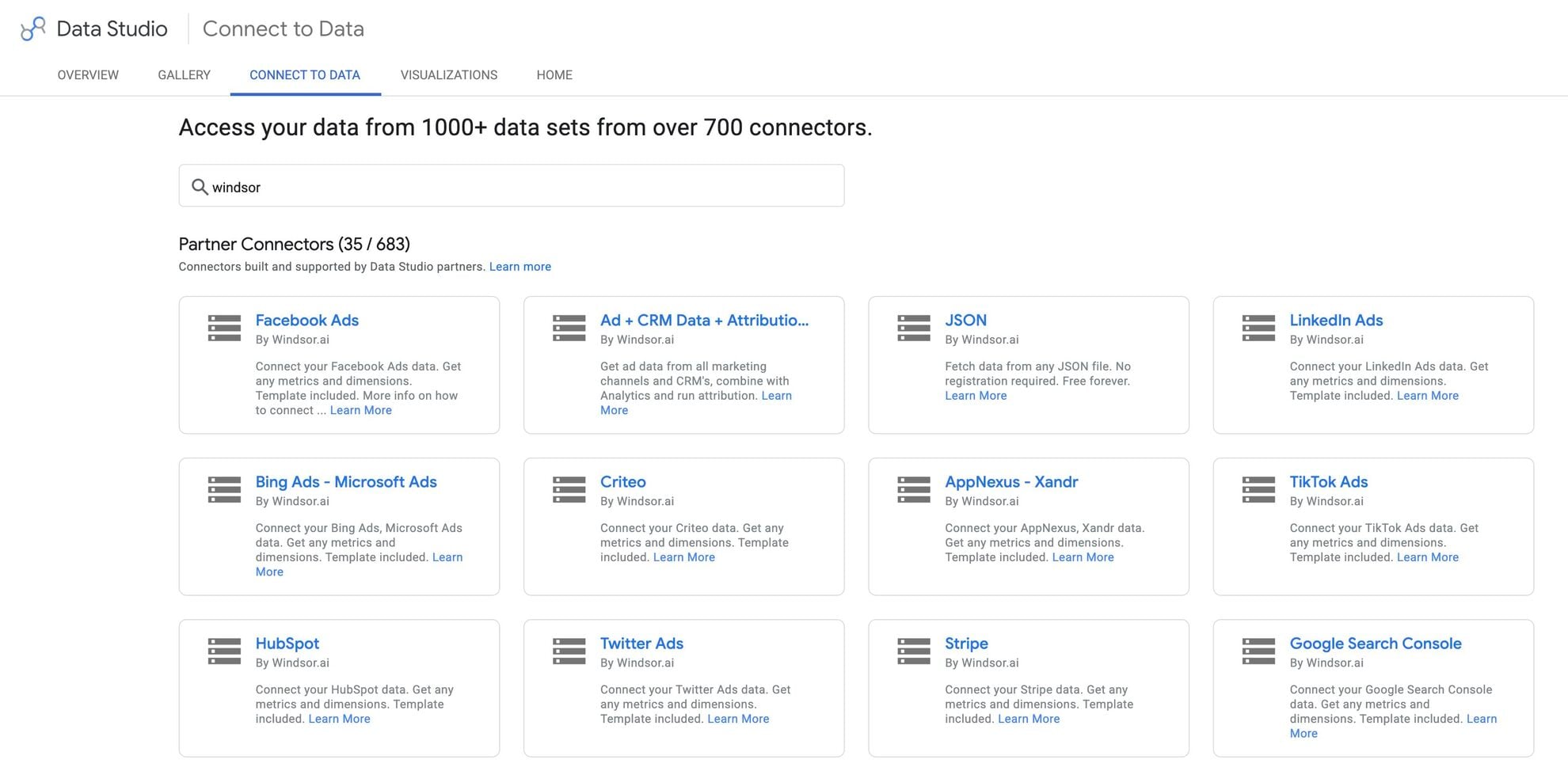














How to connect Salesforce Marketing Cloud to Data Studio in Windsor.ai
To set up the connector, make sure you have the following things in place:
- Salesforce Marketing Cloud account (Visit our privacy policy and terms of use)
- Google account for Data Studio integration
- Active Windsor.ai account
Register and log in to Windsor.ai
Create a new Windsor.ai account or log in if you already have one.

Select your data source
Choose Salesforce Marketing Cloud as your data source and grant access to Windsor.ai.

Select the reporting metrics and dimensions
Choose the Salesforce Marketing Cloud fields you want to import into Data Studio on the right side and preview your data before export.
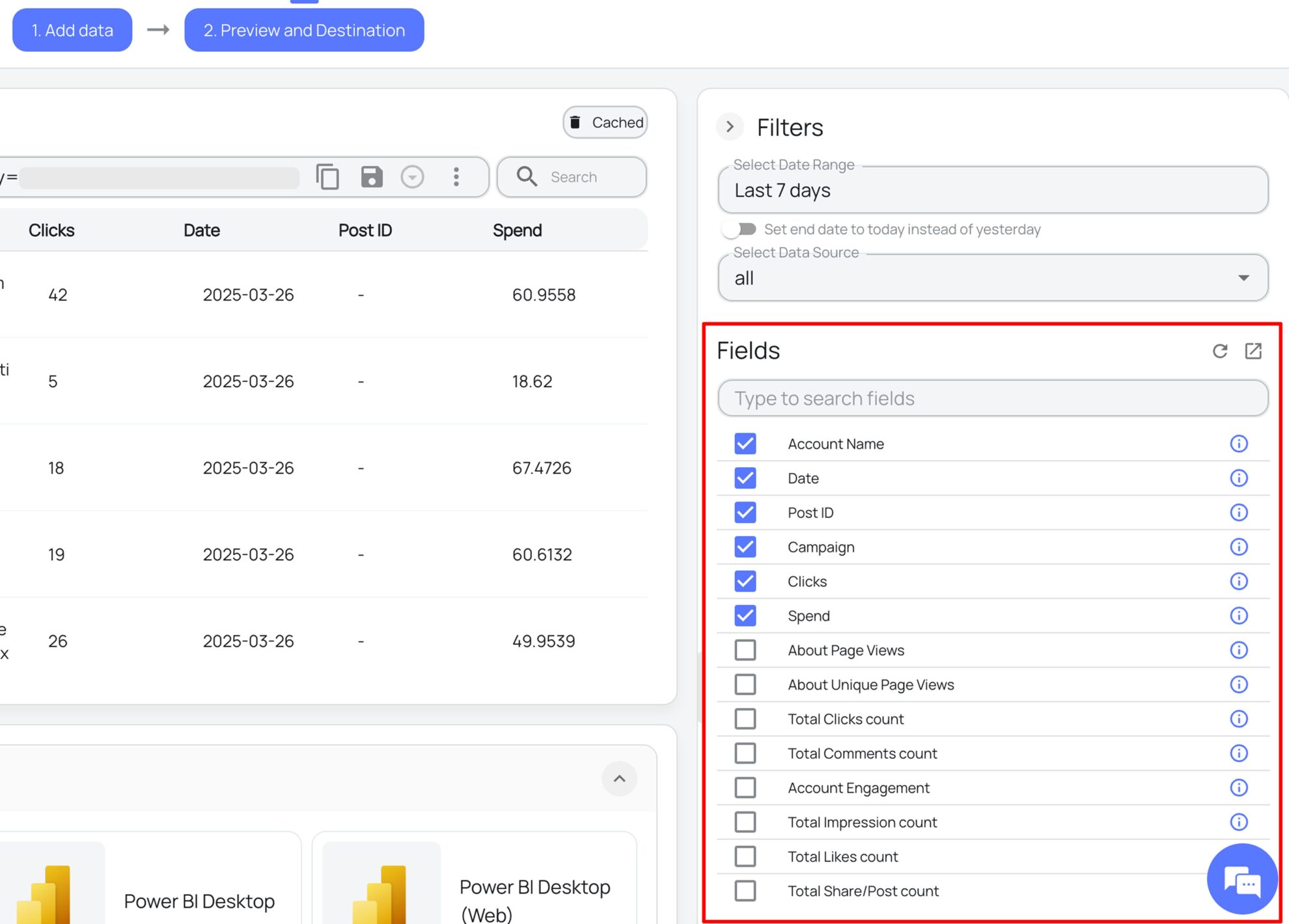
Select Data Studio as your data destination
Scroll down to the list of data destinations and click Data Studio. Install the Windsor.ai connector by authorizing your account, selecting the required Salesforce Marketing Cloud account(s), and clicking Connect → Create Report.

FAQs
What is Data Studio?
Data Studio (formerly known as Looker Studio) is a leading business intelligence tool that enables users to create personalized dashboards for visualizing data across specific variables. It offers robust reporting capabilities and integrates seamlessly with other Google Cloud tools, such as Workspace, Google Analytics, and machine learning, to enhance data analysis and foster collaboration.
Do you have helpful links to get started with integrating Salesforce Marketing Cloud and Data Studio using Windsor.ai?
Yes, we have helpful resources to help you get started. You can explore our official documentation and ready-to-use templates for seamless Salesforce Marketing Cloud to Data Studio integration with Windsor.ai:
- Salesforce Marketing Cloud Field Reference
- Data Studio Integration Documentation
- Salesforce Dashboard Templates
How much time do I need to create the Salesforce Marketing Cloud and Data Studio integration?
Using Windsor.ai’s no-code ETL connector, you can integrate Salesforce Marketing Cloud with Data Studio in a few minutes, benefiting from a quick and stress-free setup process.
How much does it cost to integrate Salesforce Marketing Cloud into Data Studio with Windsor.ai?
Windsor.ai’s pricing for Salesforce Marketing Cloud to Data Studio data integration can vary depending on your use case and data volume. We offer transparent pricing plans tailored to diverse business needs and budgets.
Tired of manual Salesforce Marketing Cloud data exports? Get started with Windsor.ai today to automate your reporting


