 Destinations
 Data sources
 AI insights
 About us
 Careers
 Security
 Customer reviews
 Contact us
 Affiliate program
 Solution partners
 Template gallery
 Looker Studio templates
 Power BI templates
 Excel templates
 Google Sheets templates
 Tableau templates
 Facebook Ads templates
 Google Ads templates
 Data fields & Metrics
 AI prompt library & Guides
 Product documentation
 API documentation
 Case studies
 Blog
 Data models
 Windsor vs Supermetrics
 Windsor vs Funnel.io
 Windsor vs Fivetran
 Windsor vs Rivery
 Windsor vs Portermetrics
 Windsor vs Coupler.io
Connect Shopify to ChatGPT
Connect your Shopify data to ChatGPT using the Windsor.ai plugin.
Connect Shopify to ChatGPT to get AI-powered insights that help you optimize inventory, boost sales, and improve e-commerce store performance. Shopify’s own ChatGPT plugin runs the store; the Windsor.ai plugin is for analysis, on its own or next to your ad and analytics data.
No code required. Connect your store with a Shopify Dev Dashboard app, then ask ChatGPT questions in plain English.
 Sign up with Google
 Free forever plan










Make the most out of your data with Shopify to ChatGPT integration
With Windsor.ai, you can analyze your Shopify metrics in ChatGPT in plain English. Here are four analyses to start with:

Identify slow-moving products
Find products with inventory or product listings that receive very few orders over a specific time period. This helps highlight items that may require pricing adjustments, promotions, or removal from your catalog.

Get AI-driven recommendations
ChatGPT not only analyzes your Shopify data but also generates an action plan to optimize pricing, promotions, products, and operations. With clear guidance, you can take the next steps to improve sales, inventory, and overall store performance.

Perform cross-channel analysis
Combine Shopify with marketing sources to see if specific marketing campaigns (via order_customer_last_visit_utm_campaign) are driving high-volume but low-quality sales that result in above-average refund rates. With these insights, you can cut spending on traffic that brings orders but costs a lot in returns. Combining sources needs a paid plan. The free forever plan includes 1 data source.

Analyze repeat purchase behavior
ChatGPT interprets customer order counts and last order metrics to detect customers who buy repeatedly. Identify loyal customer segments and opportunities for retention campaigns, subscriptions, or loyalty programs.
Example: a Shopify catalog check in ChatGPT
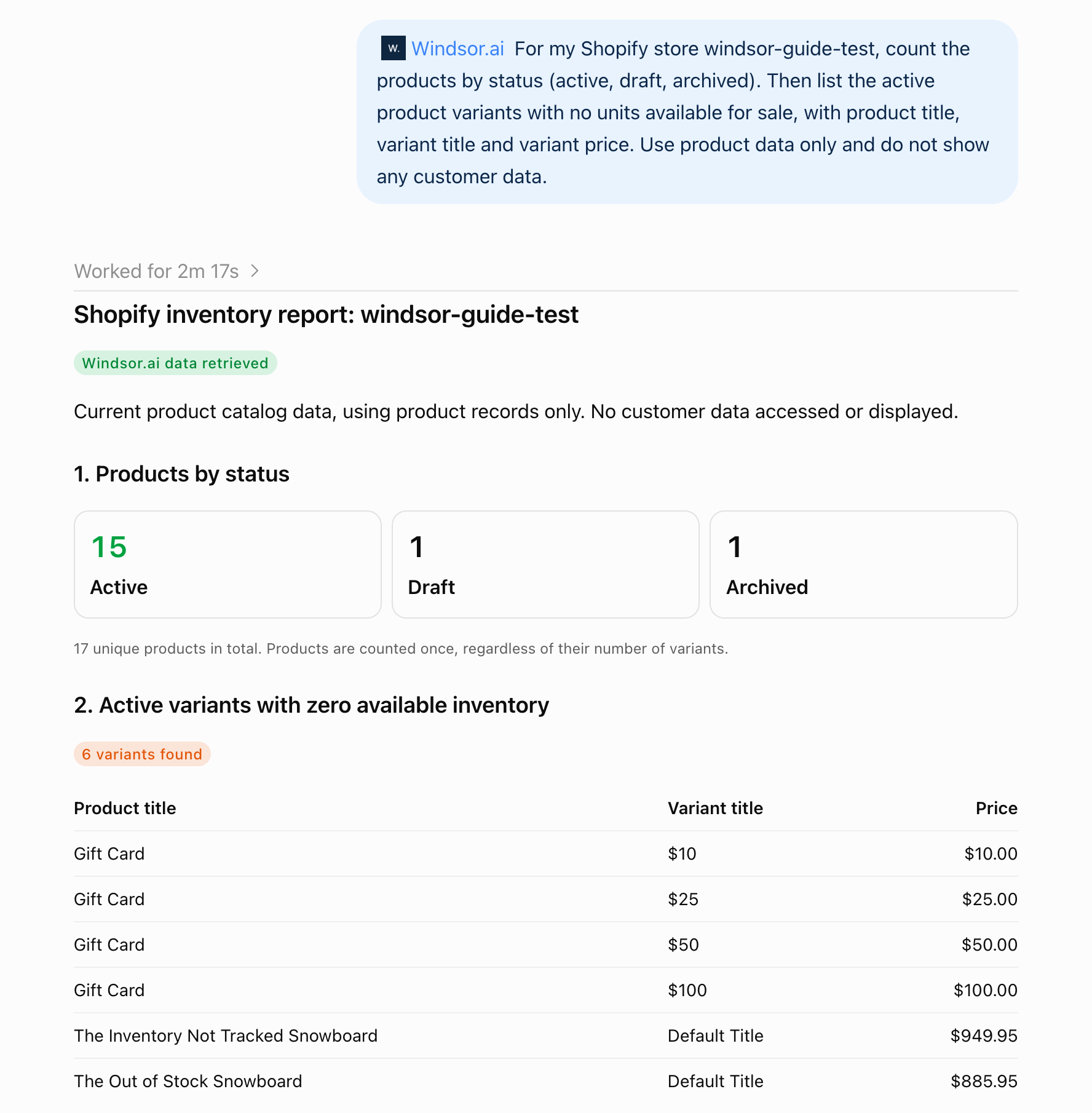
We asked ChatGPT, through the Windsor.ai plugin: “For my Shopify store windsor-guide-test, count the products by status (active, draft, archived). Then list the active product variants with no units available for sale, with product title, variant title and variant price. Use product data only and do not show any customer data.”
The answer comes from Shopify product fields: product_status, product_title, product_variant_title, product_variant_price and product_variant_inventory_quantity.
The store has 17 products: 15 active, 1 draft and 1 archived. Six active variants had no units available: the four Gift Card values ($10, $25, $50 and $100), The Out of Stock Snowboard and The Inventory Not Tracked Snowboard. ChatGPT noted that the untracked snowboard shows zero because Shopify does not count its stock, so a zero there does not mean it cannot be sold.
This check uses current stock levels, which the free forever plan covers.
Connect your store once with a Shopify Dev Dashboard app, then query your data in natural language. For example prompts and the fields to use, see how to connect Shopify to ChatGPT.


How to connect Shopify to ChatGPT data with Windsor.ai
Explore our video tutorial and a step-by-step guide to integrate your data from any source into ChatGPT with the Windsor.ai plugin. For the full Shopify steps, a worked example, example prompts, the Shopify fields to use, cross-channel analysis ideas and fixes for common problems, see how to connect Shopify to ChatGPT.
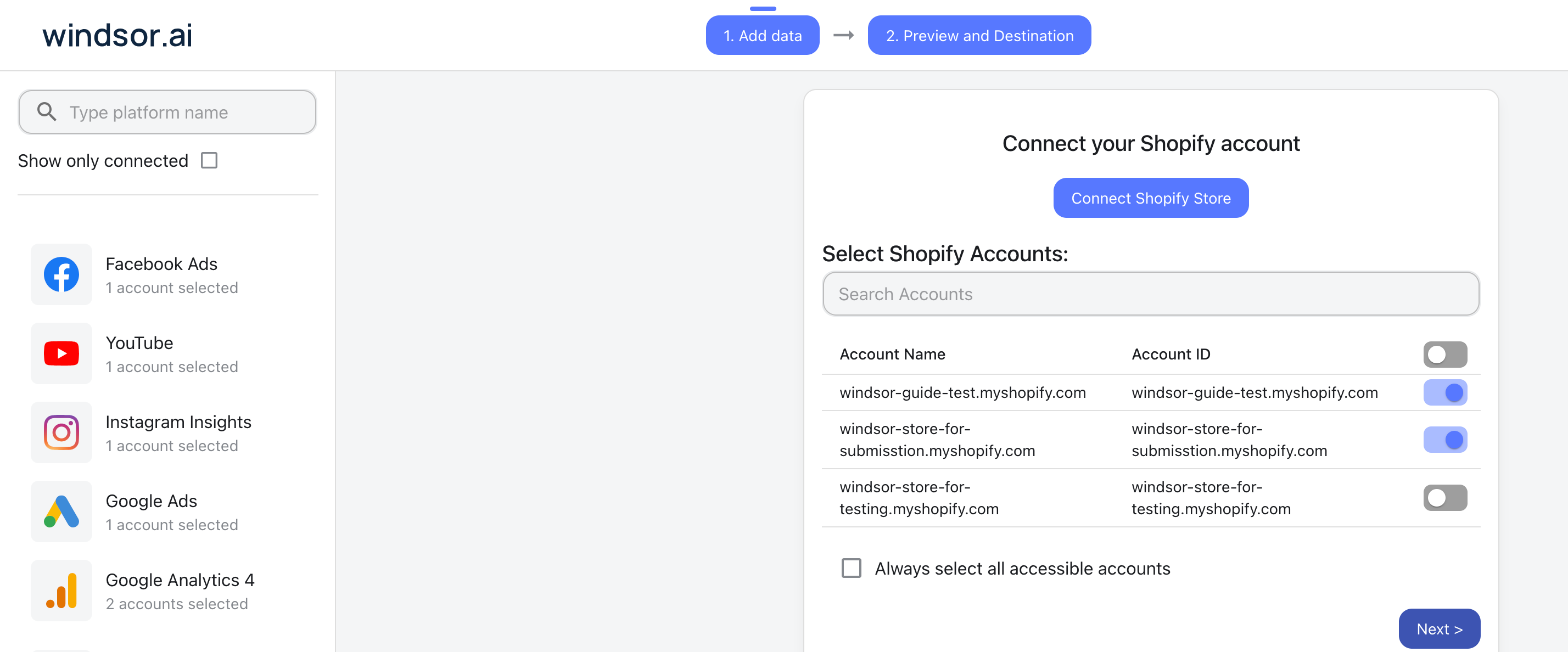
Select your data source
Choose Shopify as your data source and click Connect Shopify Store. Enter your shop name and the Client ID and Client Secret of an app you create for your store in the Shopify Dev Dashboard and install on the store. See the Shopify Configuration Guide for how to create the app. Then tick your store under Select Shopify Accounts.
Install the Windsor.ai plugin
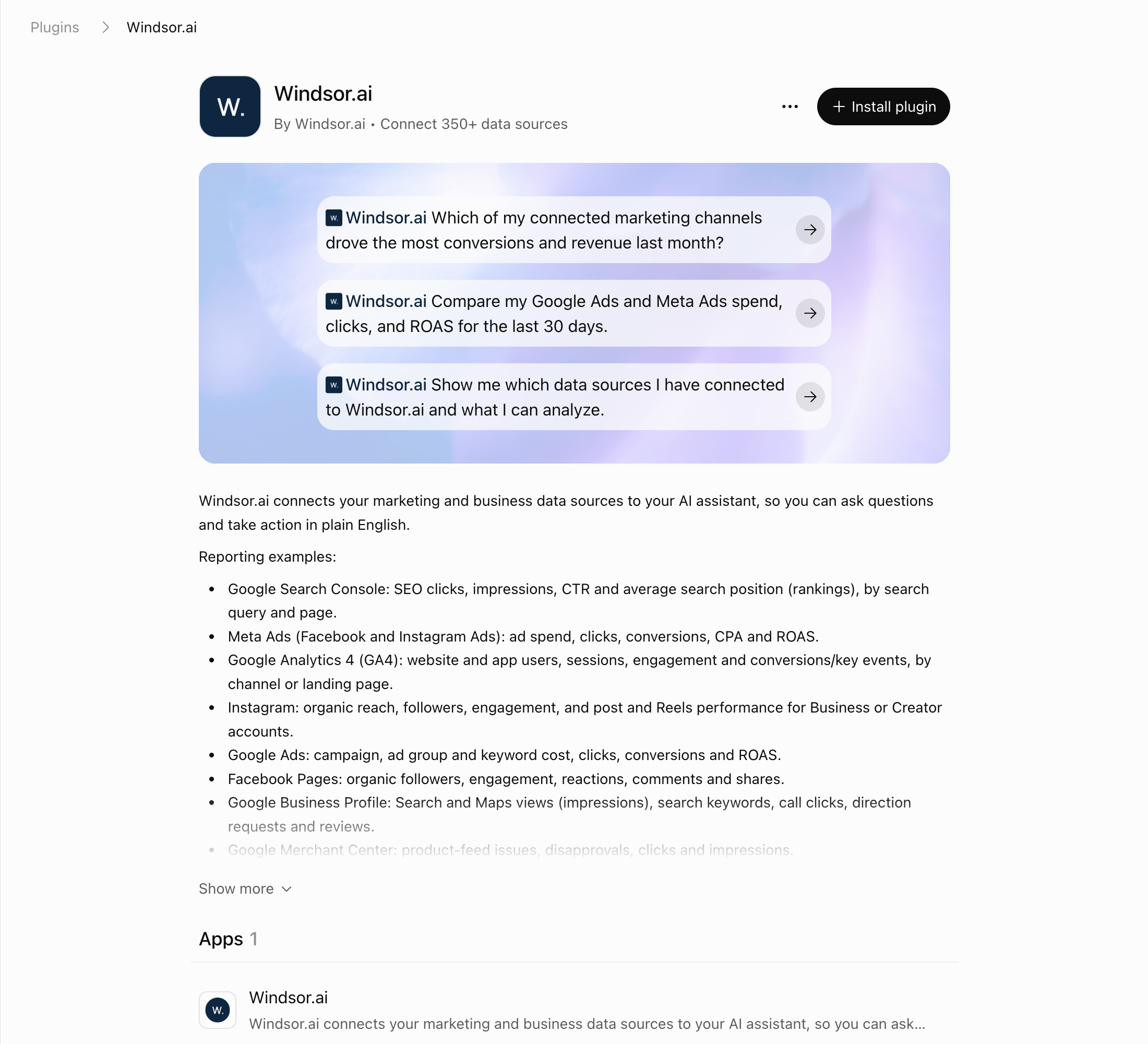
In ChatGPT, select Plugins in the sidebar and search for Windsor.ai, or open the Windsor.ai plugin page.
Select Install plugin, then sign in to Windsor.ai and authorize access.
Query your Shopify data in ChatGPT
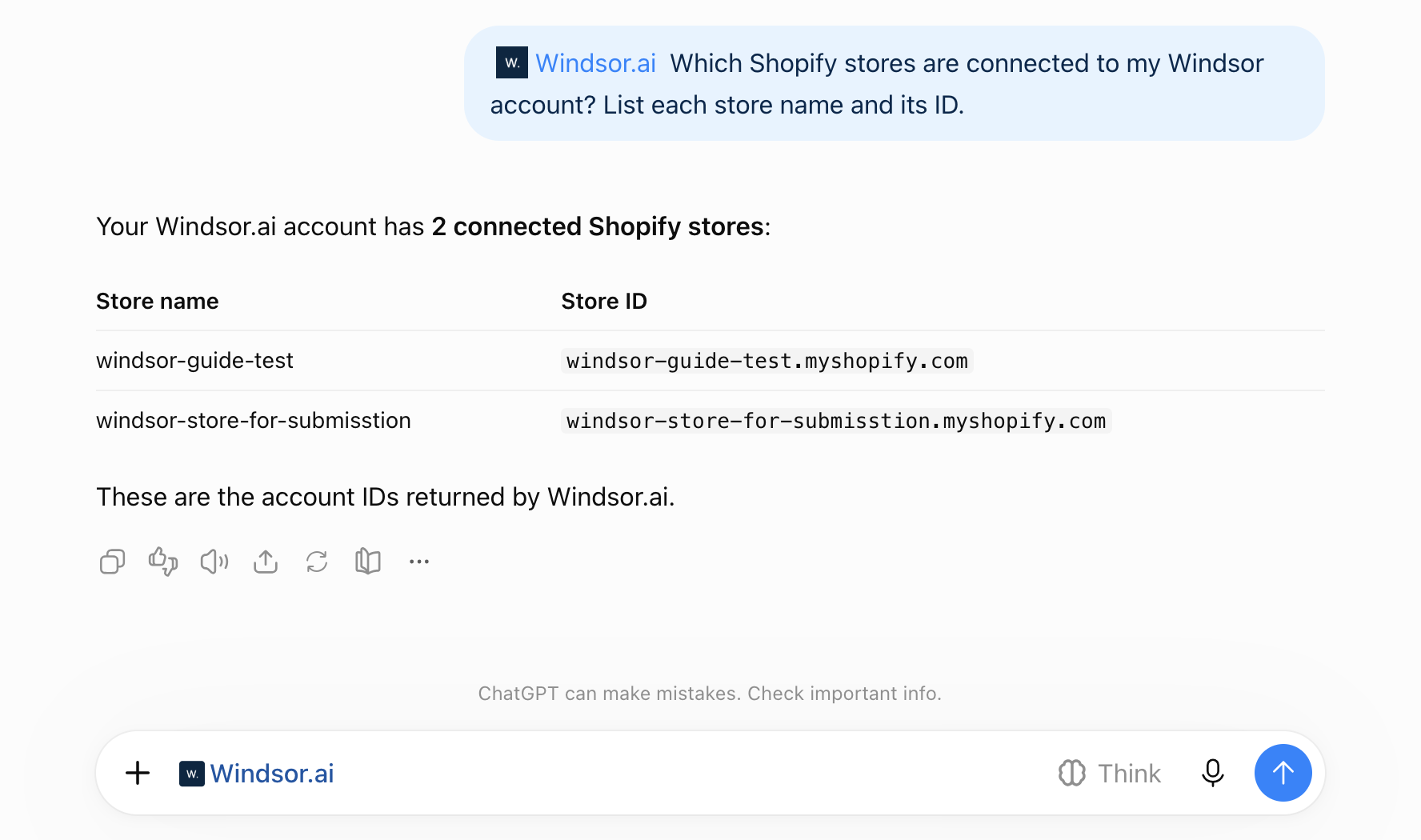
Open a new chat and start asking questions about your connected Shopify data using natural language. Make sure that the Windsor.ai plugin is enabled: click + and choose Windsor.ai, or type @Windsor. Start with “Which Shopify stores are connected to my Windsor account? List each store name and its ID.”
FAQs
What is the Windsor.ai plugin for Shopify in ChatGPT?
The Windsor.ai plugin is a code-free integration that uses the Model Context Protocol (MCP) to connect your Shopify store data, including sales, inventory, and customer metrics, to ChatGPT. Windsor.ai reads your store through an app you create in the Shopify Dev Dashboard. The Dev Dashboard app takes a few steps in Shopify, and after that connecting ChatGPT takes a few minutes. You then analyze your e-commerce store performance using natural language prompts.
What Shopify data can I analyze in ChatGPT?
Windsor.ai’s Shopify connector provides 435 fields: 122 metrics and 313 dimensions (see the Shopify field reference), including:
- Order metrics: Order creation date, sales channel, subtotal and total price, discounts and taxes, financial status, line items, and order status details.
- Shipping metrics: Shipping address, shipping-related order details, and fulfillable quantity to monitor delivery and fulfillment processes.
- Revenue data: Subtotal price, total price, taxes, and discounts that help analyze revenue trends, average order value, and promotion impact.
- Customer information: Customer total spent, customer order count, customer tags, and last order details for analyzing customer value, segmentation, and repeat purchase behavior.
Can I combine Shopify with advertising data in ChatGPT?
Yes. Windsor.ai supports combining Shopify with 350+ other data sources, including Meta, Instagram, TikTok Ads, Salesforce, and more, so you can analyze the full path from ad spend to revenue inside ChatGPT. Combining sources needs a paid plan. The free forever plan includes 1 data source.
What prompts I can use to analyze Shopify data in ChatGPT?
Beyond basic summaries and reports, use more specific and advanced prompts to gain deeper insights into your Shopify store’s performance. For example:
-
Calculate the 'Fee Burden' (Shopify Payments processing fees as a % of revenue) for each product category. Identify 'High Burden, Low Velocity' items that are draining cash flow and recommend a liquidation strategy for them.
-
Group customers by first purchase month and calculate the revenue, average order value, and repeat purchase rate for each cohort over time. Identify which cohorts generate the highest lifetime value and explain what acquisition periods or promotions may have contributed to their performance.
-
Identify customers who made 2 or more purchases in the past but have not ordered again in the last 60 days. Estimate the potential revenue at risk from these customers and suggest retention actions such as targeted offers or re-engagement campaigns.
-
List the top 3 products with the highest refund rates this month. Cross-reference this with the refund notes and tell me if a specific vendor or fulfillment service is causing these issues.
Prompts that cover more than 30 days need a paid plan. The free forever plan includes the last 30 days.
How much does it cost to integrate Shopify into ChatGPT using Windsor.ai?
Windsor.ai has a free forever plan with no credit card required: 1 user, 1 data source and 1 account, with the last 30 days of data. Paid plans start at $19/month for 3 sources (Basic) and $99/month for 7 (Standard), billed annually, and scale by the number of sources and accounts. See the pricing page.
How long does it take to connect Shopify to ChatGPT?
The Dev Dashboard app takes a few steps in Shopify, and after that connecting ChatGPT takes a few minutes. In Shopify you create an app for your store in the Dev Dashboard and copy its Client ID and Client Secret into Windsor.ai, then you add the Windsor.ai plugin in ChatGPT. No code is involved. The Shopify Configuration Guide shows each screen.
How do I give ChatGPT access to my Shopify store data?
Add a plugin in ChatGPT. For analysis, connect your store in Windsor.ai with a Shopify Dev Dashboard app and add the Windsor.ai plugin; to manage the store, add Shopify’s own plugin and tag @Shopify. The Windsor.ai steps are in how to connect Shopify to ChatGPT.
Is Windsor.ai an app in the Shopify App Store?
No. Windsor.ai is not installed from the Shopify App Store. You create your own app for your store in the Shopify Dev Dashboard and enter its Client ID and Client Secret in Windsor.ai, as the Shopify Configuration Guide shows.
Which ChatGPT plans can use the Windsor.ai plugin?
We set this up on ChatGPT’s Free plan. OpenAI says plugin availability depends on your plan, region, workspace and the ChatGPT interface you use, and in a Business, Enterprise or Edu workspace an admin can turn plugins on or off.
Do you have helpful links to get started with integrating Shopify and ChatGPT using Windsor.ai?
Yes. These pages cover setup and use:
- Shopify Configuration Guide: create the Shopify app and connect your store
- How to connect Shopify to ChatGPT: the full steps, a worked example, example prompts with the Shopify fields behind them, and fixes for common problems
- Shopify field reference: all 435 field IDs
- ChatGPT integration documentation
Can I connect multiple Shopify stores to a single ChatGPT session?
Yes. Agencies and multi-brand owners can connect several Shopify stores in Windsor.ai, each with its own Dev Dashboard app (one app can cover stores in the same Shopify Plus organization), and ask ChatGPT to compare performance or aggregate revenue across all of them. Tracking more than one account needs a paid plan. The free forever plan includes 1 account.
How often does the Shopify data refresh in ChatGPT?
ChatGPT requests the data from Windsor.ai when you ask. You do not need to export or upload anything.
Tired of manual Shopify data exports? Try Windsor.ai today to automate your reporting


