 Destinations
 Data sources
 AI insights
 About us
 Careers
 Security
 Customer reviews
 Contact us
 Affiliate program
 Solution partners
 Template gallery
 Looker Studio templates
 Power BI templates
 Excel templates
 Google Sheets templates
 Tableau templates
 Facebook Ads templates
 Google Ads templates
 Data fields & Metrics
 AI prompt library & Guides
 Product documentation
 API documentation
 Case studies
 Blog
Blog Data models
 Windsor vs Supermetrics
 Windsor vs Funnel.io
 Windsor vs Fivetran
 Windsor vs Rivery
 Windsor vs Portermetrics
 Windsor vs Coupler.io
Connect Shopify to Databricks
Easily integrate your Shopify data into Databricks with Windsor.ai’s no-code ETL connectors.
Our integration platform automates Shopify reporting, delivering fully structured data into Databricks, ready for advanced AI analysis and real-time performance tracking. Boost store performance, optimize customer journeys, and drive smarter growth decisions for your e-commerce business.
Forget CSVs. Stop copy/paste. Connect your data in under 2 minutes. No code required.
 Sign up with Google
 Free forever plan
No credit card needed
Free forever plan
No credit card needed










Maximize value of your e-commerce analytics with Shopify to Databricks integration
Integrating Shopify with Databricks via Windsor.ai streamlines your store’s analytics, simplifying data storage, transformation, and analysis while unlocking powerful capabilities like these:

Automated data ingestion
Windsor.ai continuously syncs key Shopify metrics and dimensions into Databricks in real-time, keeping your data always up-to-date and ready for advanced analysis, reporting, and machine learning.

AI-powered forecasting
Leverage Databricks’ native machine learning capabilities to forecast sales, detect seasonal patterns, and segment customers by behavior or lifetime value. Train and deploy models directly on Shopify data to drive personalized marketing and smarter inventory planning.

Cross-channel insights
Combine Shopify data with paid media, email, and web analytics in Databricks to gain a clearer understanding of how marketing activities impact customer behavior and sales. Analyze full-funnel performance, identify high-impact touchpoints, and improve attribution across channels.
Using Windsor.ai connector to import data from Shopify into Databricks
Syncing Shopify data with Databricks is often complex, expensive, and time-consuming. Windsor.ai simplifies the entire process, making data integration fast, affordable, and user-friendly.
Our automated ETL connector seamlessly streams your Shopify data into Databricks in minutes, fully structured and ready for AI-powered analysis and advanced reporting.















How to connect Shopify to Databricks in Windsor.ai
To set up the connector, make sure you have the following things in place:
- Shopify store, and an app created for it in the Shopify Dev Dashboard
- Configured Databricks environment
- Active Windsor.ai account
Register and log in to Windsor.ai
Create a new Windsor.ai account or log in if you already have one.

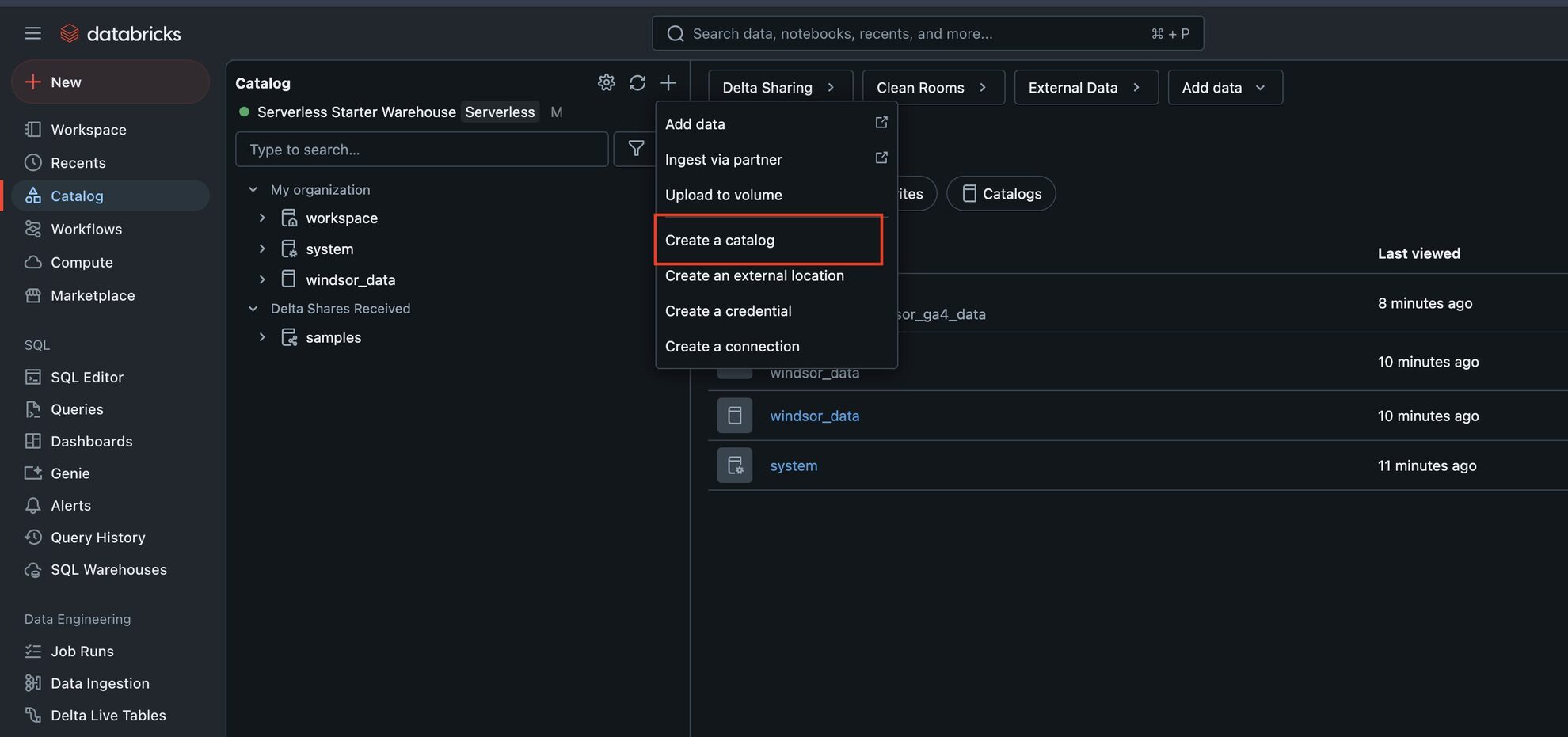
Configure Databricks environment
Set up your Databricks catalog and schema to ingest data from Windsor.ai and generate an access token.
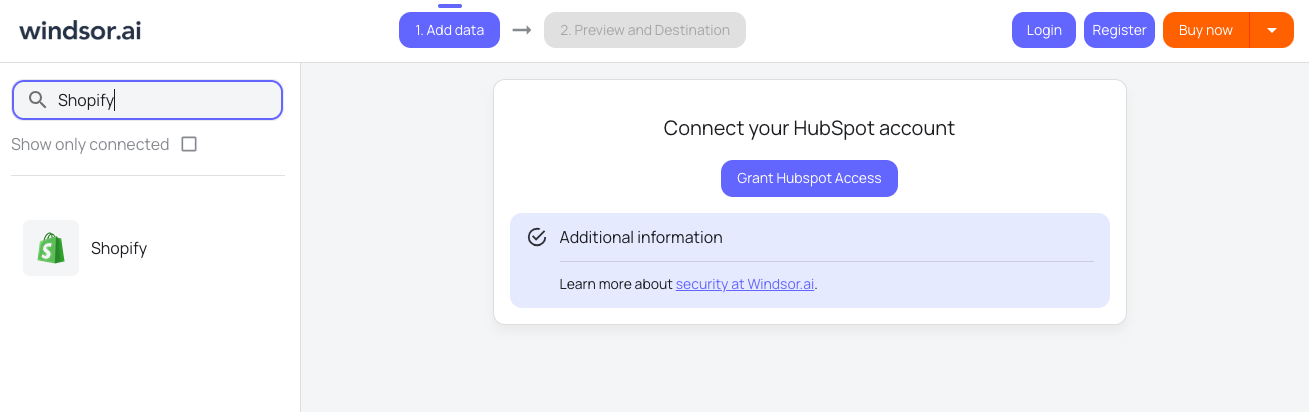
Connect a data source
Choose Shopify as your data source and click Connect Shopify Store. Enter your shop name and the Client ID and Client Secret of an app you create for your store in the Shopify Dev Dashboard (see the Shopify Configuration Guide for how to create the app). Then select the store you want to pull data from and click ‘Next.’
Set Databricks as a data destination
Create a destination task, enter all the essential details, and run the task.

See the integrated data in Databricks
Verify that your data is being added to the Databricks table.
FAQs
What is Databricks?
Databricks is a unified data analytics platform built on Apache Spark, designed to simplify data engineering, analytics, and machine learning workflows. It integrates with cloud platforms like Azure, AWS, and Google Cloud, offering a collaborative environment for large-scale data processing and AI development.
Databricks delivers unmatched scalability, enabling seamless handling of massive datasets. Its Delta Lake ensures data reliability and ACID compliance, while the Photon engine accelerates query performance by up to 10X. The platform supports collaboration with a unified workspace and integrates with MLflow for advanced machine learning workflows.
Do you have helpful links to get started with integrating Shopify and Databricks using Windsor.ai?
Yes, we have helpful resources to help you get started. You can explore our official documentation and tutorials for seamless Shopify to Databricks integration with Windsor.ai:
How much time do I need to create the Shopify and Databricks integration?
Most of the setup happens in Shopify: you create an app for your store in the Shopify Dev Dashboard and copy its Client ID and Client Secret into Windsor.ai, then send the data to Databricks. No code is involved. The Shopify Configuration Guide shows each screen.
How much does it cost to integrate Shopify into Databricks with Windsor.ai?
Windsor.ai’s pricing for Shopify into Databricks integration can vary depending on your use case. We offer absolutely transparent, fixed pricing plans for diversified business needs and budgets, starting at just $19/month, with a free forever plan available and no credit card required.
Tired of manual Shopify data exports? Get started with Windsor.ai today to automate your reporting


