 Destinations
 Data sources
 AI insights
 About us
 Careers
 Security
 Customer reviews
 Contact us
 Affiliate program
 Solution partners
 Template gallery
 Looker Studio templates
 Power BI templates
 Excel templates
 Google Sheets templates
 Tableau templates
 Facebook Ads templates
 Google Ads templates
 Data fields & Metrics
 AI prompt library & Guides
 Product documentation
 API documentation
 Case studies
 Blog
Blog Data models
 Windsor vs Supermetrics
 Windsor vs Funnel.io
 Windsor vs Fivetran
 Windsor vs Rivery
 Windsor vs Portermetrics
 Windsor vs Coupler.io
Connect BigQuery to Python
Sync BigQuery with Python using Windsor.ai’s no-code ELT connector.
Our platform extracts your BigQuery data and loads it straight into your Python environment, so you can query, model, and visualize large datasets without maintaining custom scripts or local hardware.
No CSV exports. No pipeline maintenance. Connect in under five minutes.
 Sign up with Google
 Free forever plan
No credit card needed
Free forever plan
No credit card needed









Why do I need BigQuery and Python integration?
Querying, analyzing and visualizing your BigQuery data inside Python unlocks several key benefits:

Enhanced data processing
BigQuery handles massive datasets with ease, while Python offers flexible data manipulation tools. Combining them gives you a dedicated environment for processing large-scale data efficiently, without the burden of maintaining local hardware.

Predictive modeling and ML-driven insights
Python’s machine learning libraries work directly with your BigQuery data. Blend it with 350+ other sources for cross-channel analysis, then build forecasting models on top of everything you collect.

Streamlined visualization and reporting
Use pandas, Matplotlib and Seaborn to explore BigQuery data and build sophisticated plots with little code. Automate report generation to cut manual processing time and reduce the risk of error.
Using the Windsor.ai connector to import data from BigQuery into Python
Most ways of getting BigQuery data into Python mean writing and maintaining client library code, managing service account credentials, and handling pagination and schema drift yourself.
Windsor.ai removes that work. The connector delivers clean, standardized BigQuery data into your Python environment automatically, with no custom API scripts and no manual preparation.














How to connect BigQuery to Python in Windsor.ai
To set up the connector, make sure you have the following in place:
- A Google Cloud project with BigQuery enabled
- A configured Python environment
- An active Windsor.ai account
Register and log in to Windsor.ai
Create a new Windsor.ai account or log in if you already have one.

Connect BigQuery as a data source
In your Windsor.ai dashboard, select BigQuery as a data source and grant access. Choose the project and dataset you want to pull from, then click “Next.”

Set Python as a data destination
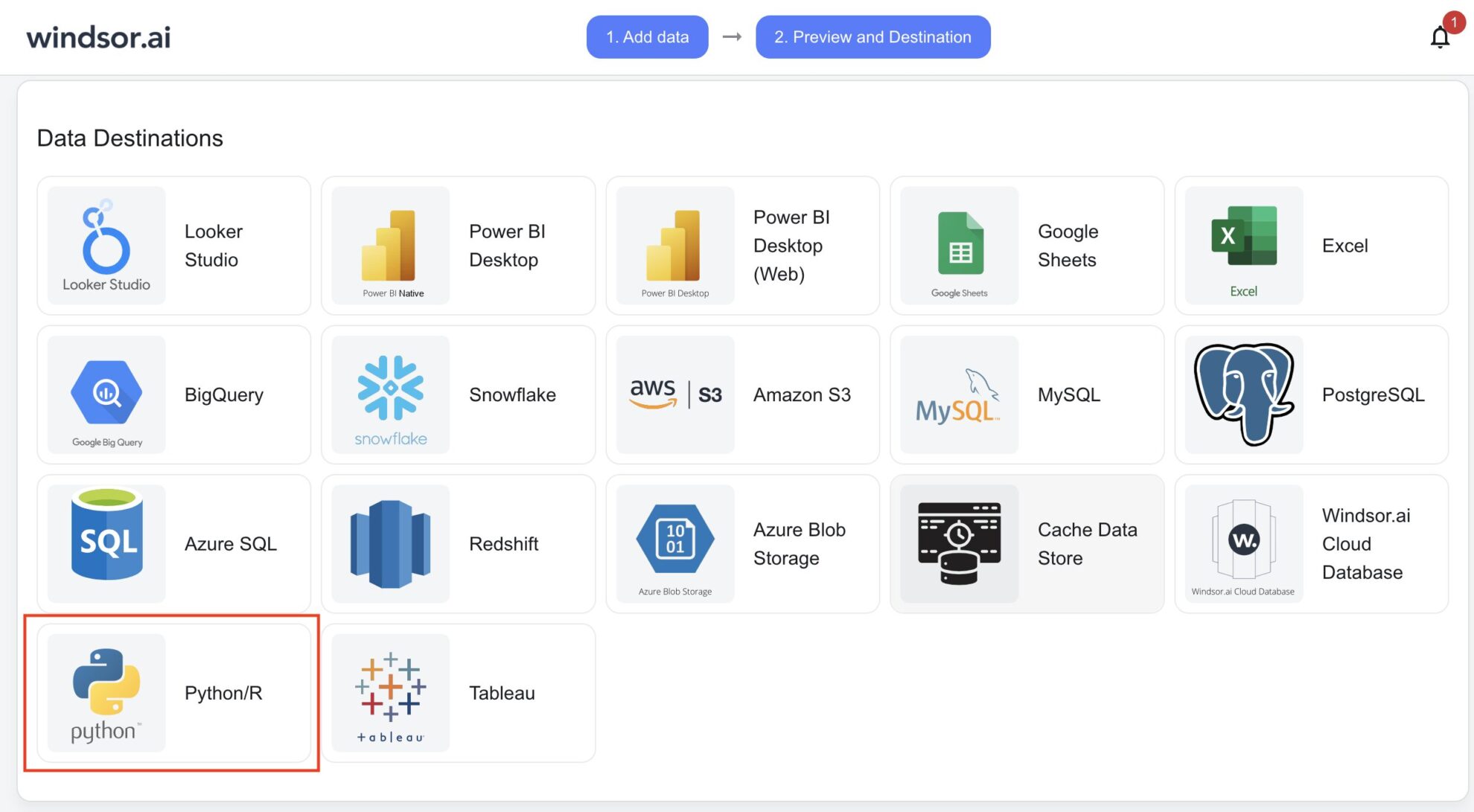
Scroll down and choose Python from the data destination list. Copy the API Key URL provided in the instructions below.
Integrate the API Key URL into your Python code to stream data
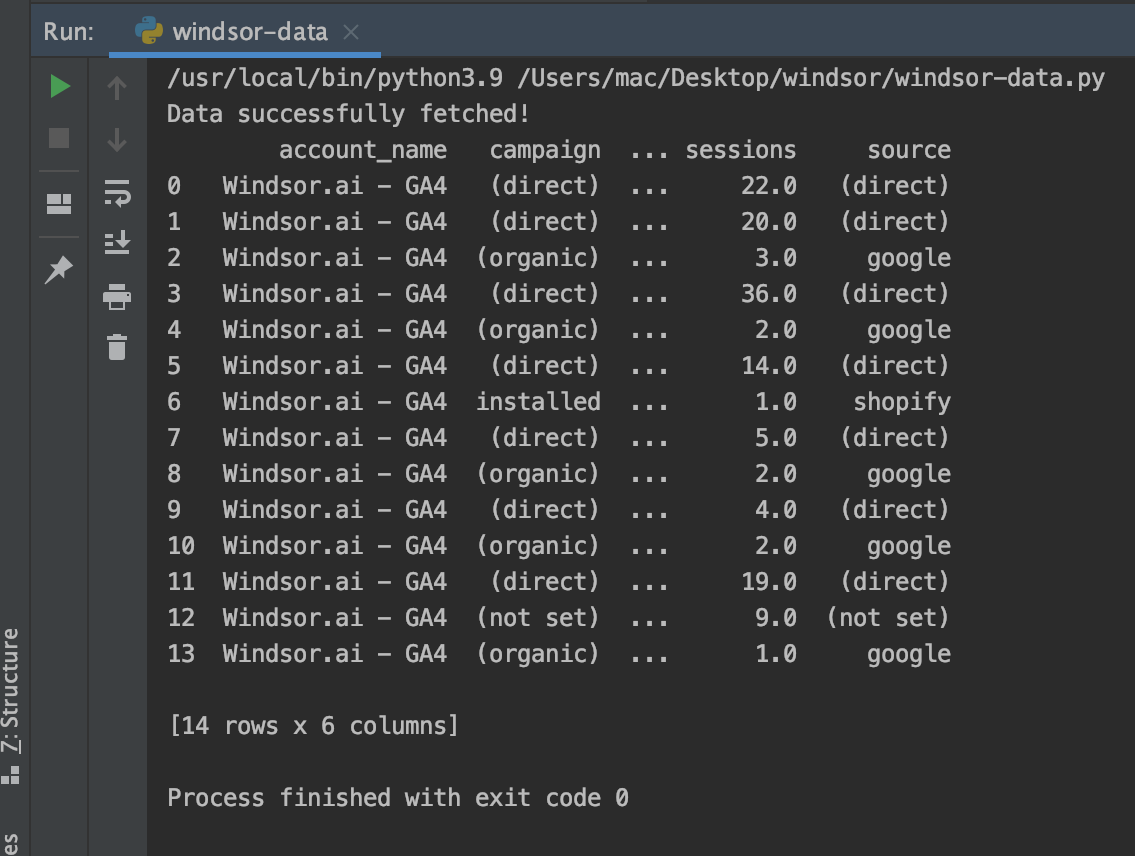
Use Python’s requests library, or pandas, to retrieve data from Windsor.ai by making an API call with your API Key URL.
FAQs
What is Python?
Python is a high-level programming language known for its simplicity and versatility. Its easy-to-read syntax and extensive library ecosystem make it a standard choice for data analysis, visualization and model development.
Do you have helpful links to get started with integrating BigQuery and Python using Windsor.ai?
Yes. You can explore our documentation for BigQuery to Python integration:
How much time do I need to create the BigQuery and Python integration?
Windsor.ai provides a user-friendly interface and a powerful data connector that lets you integrate BigQuery with Python in under 5 minutes.
How much does it cost to integrate BigQuery into Python with Windsor.ai?
Pricing depends on your use case. We offer transparent, fixed pricing plans starting at $19/month, with a free forever plan available and no credit card required.
Tired of exporting BigQuery data by hand? Get started with Windsor.ai today to automate your reporting


