 Destinations
 Data sources
 AI insights
 About us
 Careers
 Security
 Customer reviews
 Contact us
 Affiliate program
 Solution partners
 Template gallery
 Looker Studio templates
 Power BI templates
 Excel templates
 Google Sheets templates
 Tableau templates
 Facebook Ads templates
 Google Ads templates
 Data fields & Metrics
 AI prompt library & Guides
 Product documentation
 API documentation
 Case studies
 Blog
 Data models
 Windsor vs Supermetrics
 Windsor vs Funnel.io
 Windsor vs Fivetran
 Windsor vs Rivery
 Windsor vs Portermetrics
 Windsor vs Coupler.io
Connect Facebook Page Insights to ChatGPT
Connect your Facebook Page Insights data to ChatGPT using the Windsor.ai plugin.
Get AI-driven insights from your organic metrics, and take actions directly from the chat.
Connect data in about a minute. No code required.
 Sign up with Google
 Forever free plan








What you can do with Facebook Page Insights in ChatGPT
Send your Facebook Page Insights data to ChatGPT to analyze engagement, reach, and audience metrics through natural language queries.

Spot trends faster
Ask for page_total_media_view_unique, page_post_engagements and page_daily_follows_unique by day for the last 30 days. ChatGPT lines up reach, engagement and new follows in one table, so you can see which days moved together.

Get recommendations from your own posts
Ask ChatGPT to rank your posts from the last 30 days by post_engagements and post_clicks per impression, then suggest the format and topic of next week’s posts based on the top ones.

Detect posts with high share rates
Ask ChatGPT to identify posts where the share-to-reach ratio is significantly higher than average. These posts often indicate content that resonates strongly with audiences and spreads organically.

Analyze Reels watch time
Compare post_video_avg_time_watched with each Reel’s length and fb_reels_total_plays to see which Reels people watch longest. Average watch time is in milliseconds and Reel length is in seconds, so ask ChatGPT to convert one before comparing them. Refine your hooks and Reel length for higher engagement.

Compare paid vs organic reach
Facebook Page Insights reports post_impressions_organic and post_impressions_paid for each post, so you can see how many of a boosted post’s impressions came from ads. With the Windsor.ai plugin, you can also put Facebook Organic next to Facebook Ads spend for the same days. Combining sources needs a paid plan. The free forever plan includes 1 data source.
Examples: daily follows and Reels watch time on our Facebook Page
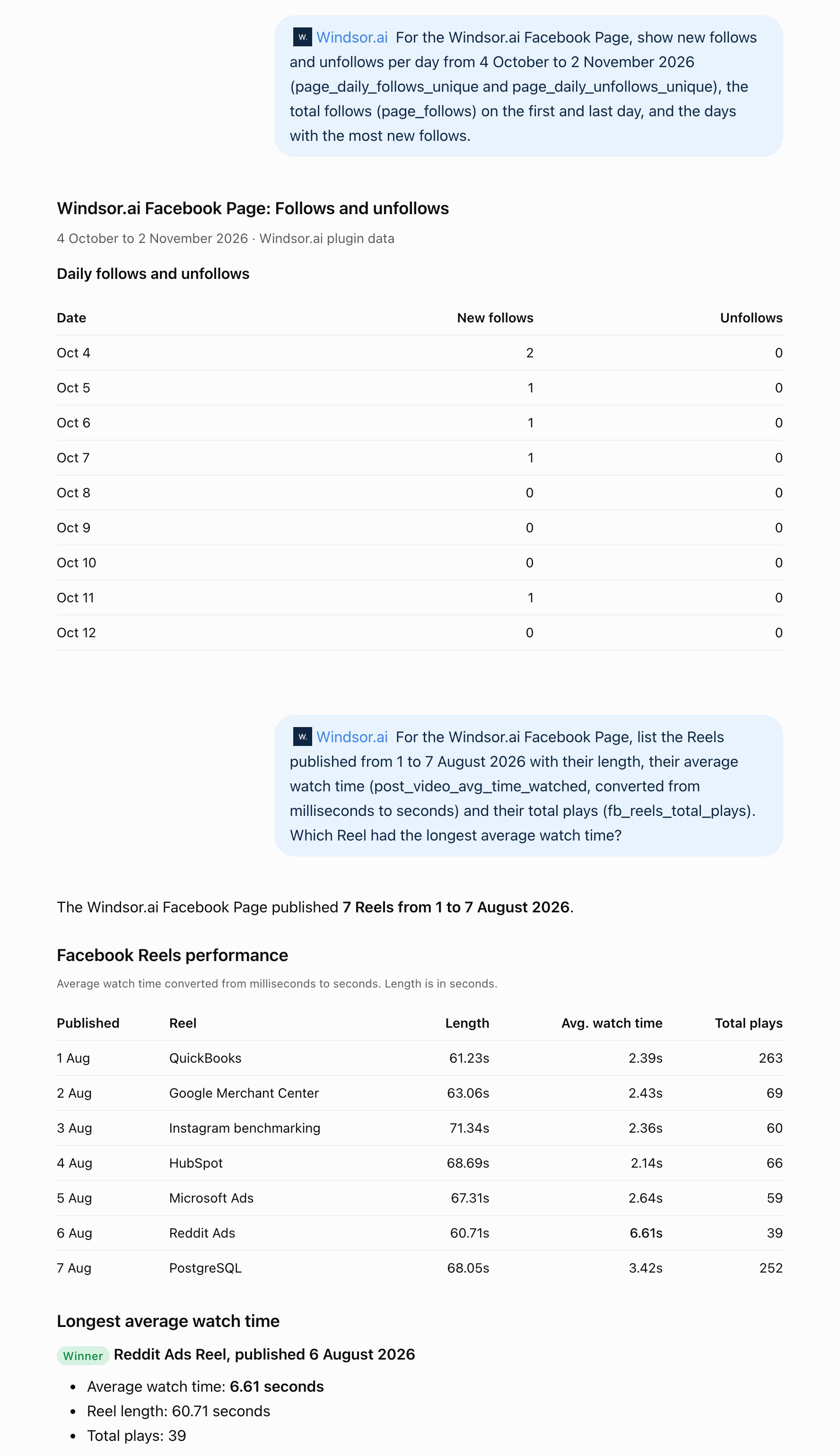
We asked ChatGPT, through the Windsor.ai plugin: “For the Windsor.ai Facebook Page, show new follows and unfollows per day from 4 October to 2 November 2026 (page_daily_follows_unique and page_daily_unfollows_unique), the total follows (page_follows) on the first and last day, and the days with the most new follows.”
- New follows: the Page gained 19 new follows in those 30 days and had no unfollows.
- Total follows: page_follows was 277 at the end of 4 October, a total that already counts that day’s 2 new follows, and 294 on 2 November.
- Best days: 18 October brought the most new follows (3), followed by 4 October and 2 November (2 each).
Second example: Reels watch time
We asked ChatGPT, through the Windsor.ai plugin: “For the Windsor.ai Facebook Page, list the Reels published from 1 to 7 August 2026 with their length, their average watch time (post_video_avg_time_watched, converted from milliseconds to seconds) and their total plays (fb_reels_total_plays). Which Reel had the longest average watch time?”
- Watch time: the seven Reels were 61 to 71 seconds long, and people watched them for 2.1 to 6.6 seconds per play on average.
- Longest watched: the Reddit Ads Reel (6 August) averaged 6.6 seconds and had the fewest plays (39).
- Most played: the QuickBooks Reel (263 plays) and the PostgreSQL Reel (252 plays) averaged 2.4 and 3.4 seconds.
Average watch time is reported in milliseconds and Reel length in seconds, which is why the prompt asks for the conversion. These Reels were published more than 30 days ago. Prompts that cover more than 30 days need a paid plan. The free forever plan includes the last 30 days.
For a full walkthrough with sample prompts, another example and fixes for common problems, see How to Connect Facebook Page Insights to ChatGPT.
Available actions
Create Photo Post
Publish a single image post to a connected Facebook Page. Provide either a publicly accessible image URL or the photo_id returned by upload_photo for a local file, plus an optional caption. For a text/link-only post use create_post instead.
Create Post
Publish a post to a connected Facebook Page's feed. Provide a message (post text), a link (shared URL), or both - at least one is required. For an image post use create_photo_post instead.
Upload Photo
Upload one image file (JPEG, PNG or GIF, at most 4 MB) to a connected Facebook Page and return its photo_id. The image is sent as a file uploaded with the request, so it needs no public URL. Nothing is published: pass the photo_id to create_photo_post to publish it. Facebook deletes an unpublished photo after about 24 hours.


How to connect Facebook Page Insights to ChatGPT data with Windsor.ai
Explore our video tutorial and a step-by-step guide to integrate your data from any source into ChatGPT with the Windsor.ai plugin. For Facebook Page Insights, the full steps, a worked example and fixes for common problems are in how to connect Facebook Page Insights to ChatGPT.
Select your data source
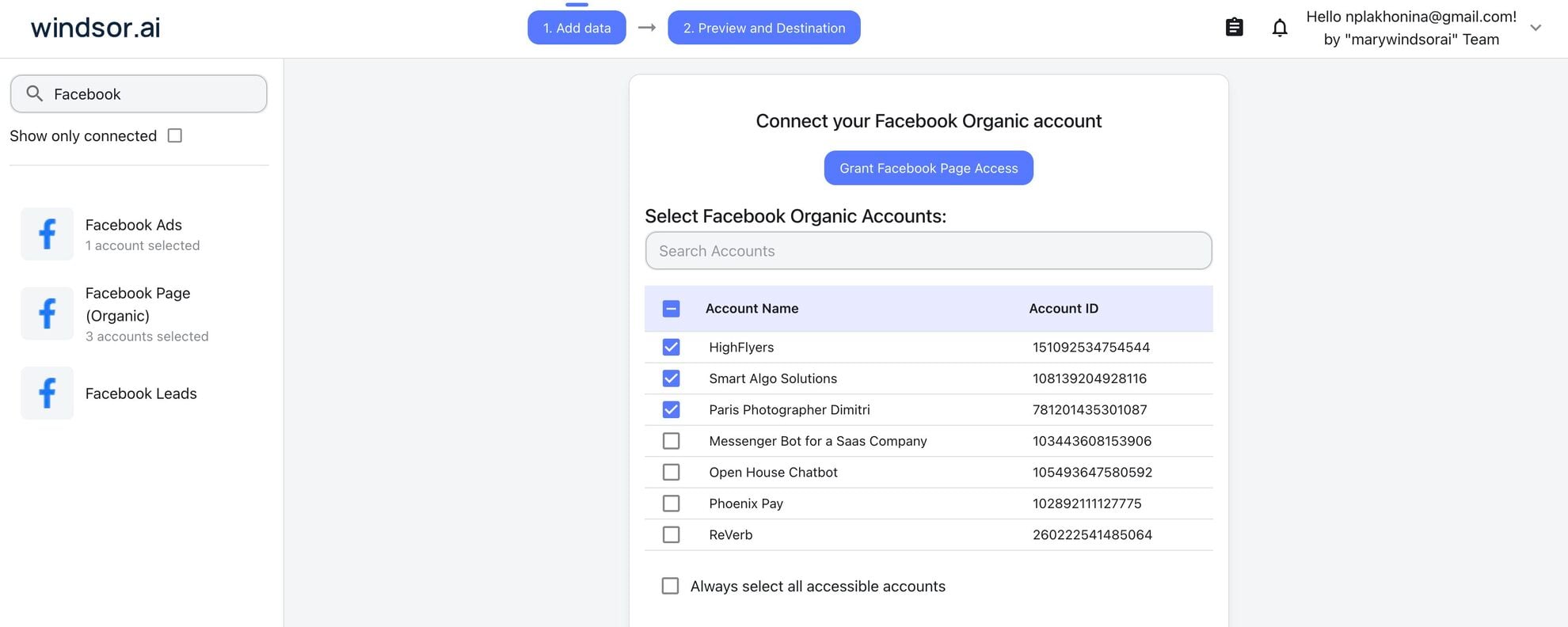
Open onboard.windsor.ai/app/facebook_organic and sign in to Windsor.ai, or create a free account. Choose Facebook Page Insights as your data source, log in with the Facebook profile that has Facebook access (full or partial control) or task access that includes insights for the Page, grant access to Windsor.ai and select the Pages you want ChatGPT to read.
Install the Windsor.ai plugin
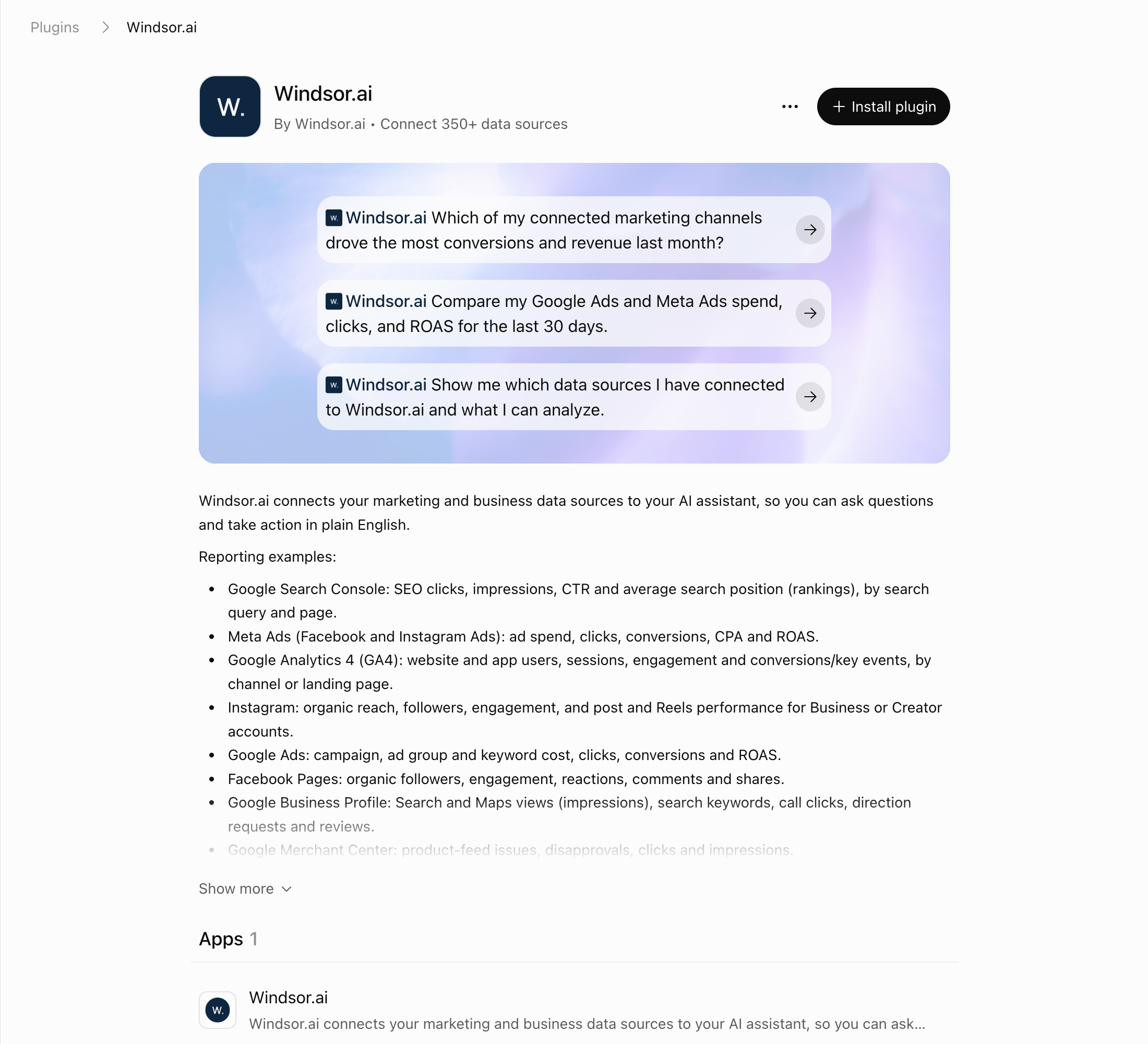
In ChatGPT, select Plugins in the sidebar and search for Windsor.ai, or open the Windsor.ai plugin page.
Select Install plugin, then sign in to Windsor.ai and authorize access. We set this up on ChatGPT’s Free plan.
Query your Facebook Page Insights data in ChatGPT
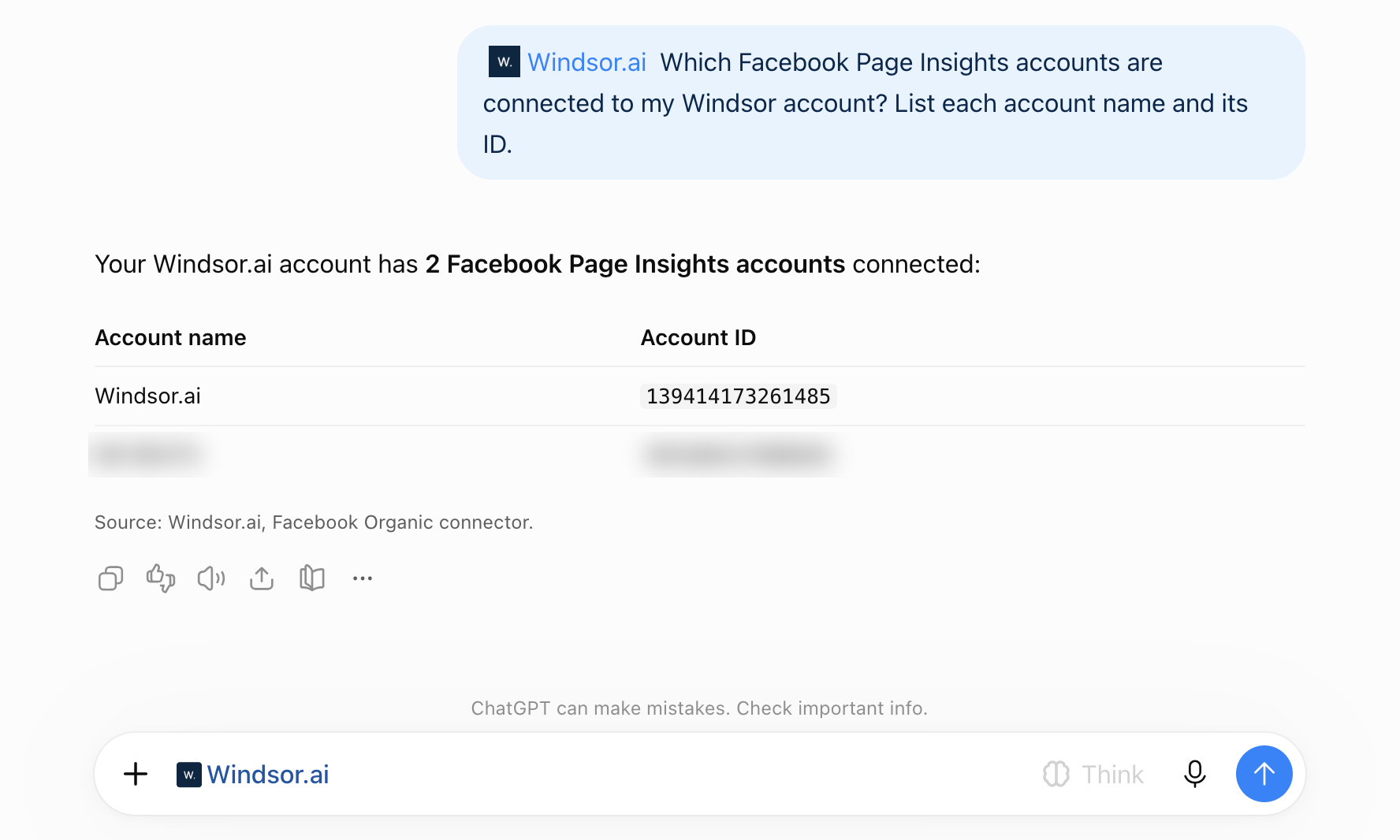
Open a new chat, click + and choose Windsor.ai, or type @Windsor. Then start asking questions about your connected Facebook Page Insights data using natural language.
To check the connection, ask: “Which Facebook Page Insights accounts are connected to my Windsor account? List each account name and its ID.”
FAQs
What can I do with Facebook Page Insights data in ChatGPT?
Once your Facebook Page Insights data is in ChatGPT, you can:
- Audit your organic content. ChatGPT can identify which post types and formats correlate with deeper engagement.
-
Model Reels retention. By analyzing
blue_reels_play_countandpost_video_avg_time_watched, ChatGPT can compare how long viewers watch each Reel to help you script more effective short-form content. - Publish straight to the Page. Turn the winning pattern into the next post, as text, a link, or a photo with a caption, without opening Meta Business Suite.
-
Detect shared content. Identify organic posts with the most shares (
post_activity_by_action_type_share) to act as ‘seed’ content for more effective paid ad targeting. - Run cross-channel analysis. Combine Facebook Page Insights with Facebook Ads, TikTok Ads, and CRM data to understand how organic content contributes to the broader marketing mix and influences customer engagement. Combining sources needs a paid plan. The free forever plan includes 1 data source.
Can ChatGPT publish to my Facebook Page?
Yes. Alongside reporting, ChatGPT can publish a text or link post, or a single photo post with an optional caption, to the Pages you connect. It shows you the exact copy before anything goes live, and the Available actions list above is fetched live from the Windsor.ai API, so it always reflects what is currently supported.
What prompts can I use to analyze Facebook Organic data in ChatGPT?
Beyond daily reports and summaries, you can use advanced prompts to analyze Facebook organic data and uncover deeper insights into your page’s performance. Here are a few examples:
-
Analyze my Facebook Page posts from the last 90 days and rank them by engagement rate relative to reach. Identify posts that significantly outperformed the page average and explain what characteristics (format, topic, length, posting time) likely contributed to their success.
-
Evaluate my Facebook Page content performance by grouping posts into categories (e.g., educational, promotional, entertainment, product-related). Identify which categories drive the most engagement and which are underperforming, and recommend adjustments to improve the content mix.
-
Analyze the relationship between posting frequency and engagement over time. Determine whether higher posting frequency improves or reduces engagement per post and recommend the optimal posting cadence.
-
Compare posts with the highest reach to those with the highest engagement rate. Identify patterns explaining why some posts achieve wide distribution but lower interaction, and suggest ways to improve engagement on high-reach posts.
Prompts that cover more than 30 days need a paid plan. The free forever plan includes the last 30 days.
How often is my Facebook Page Insights data refreshed in ChatGPT with the Windsor.ai plugin?
ChatGPT requests the data from Windsor.ai when you ask.
Does the connector support Reels and Stories metrics?
Yes for Reels, no for Stories. The connector includes specific fields for Reels Total Plays, Reels View Time and Reels Followers, enabling a complete audit of modern short-form video performance. It has no Facebook Stories fields.
How much does it cost to integrate Facebook Page Insights into ChatGPT using Windsor.ai?
Windsor.ai has a free forever plan for 1 user, 1 data source and 1 account with the last 30 days of data, no credit card required. Paid plans start at $19/month for 3 sources (Basic) and $99/month for 7 (Standard), billed annually, and scale by the number of sources and accounts. See the pricing page.
How long does it take to connect Facebook Page Insights to ChatGPT?
The setup takes about a minute and needs no code.
Do you have helpful links to get started with integrating Facebook Page Insights and ChatGPT using Windsor.ai?
Yes, we have helpful resources to help you get started. You can explore our official documentation and tutorials for Facebook Page Insights to ChatGPT integration with Windsor.ai:
Tired of manual Facebook Page Insights data exports? Try Windsor.ai today to automate your reporting


