 Destinations
 Data sources
 AI insights
 About us
 Careers
 Security
 Customer reviews
 Contact us
 Affiliate program
 Solution partners
 Template gallery
 Looker Studio templates
 Power BI templates
 Excel templates
 Google Sheets templates
 Tableau templates
 Facebook Ads templates
 Google Ads templates
 Data fields & Metrics
 AI prompt library & Guides
 Product documentation
 API documentation
 Case studies
 Blog
Blog Data models
 Windsor vs Supermetrics
 Windsor vs Funnel.io
 Windsor vs Fivetran
 Windsor vs Rivery
 Windsor vs Portermetrics
 Windsor vs Coupler.io
Connect Google Analytics 4 to ChatGPT
Automatically sync your Google Analytics 4 data to ChatGPT using the Windsor.ai connector.
Easily send your GA4 metrics to ChatGPT for fast, AI-driven analysis, so you can optimize campaigns, improve user experience, and maximize conversions.
Forget CSVs. Stop copy/paste. Connect data in minutes. No code required.
 Sign up with Google
 Free forever plan
No credit card needed
Free forever plan
No credit card needed










Optimize user journeys with Google Analytics 4 to ChatGPT integration
Connecting Google Analytics 4 to ChatGPT via Windsor.ai gives you instant access to advanced analysis without exporting data or building complex dashboards. Key benefits include:

Uncover hidden performance patterns
ChatGPT analyzes your GA4 data in seconds, helping you detect trends, anomalies, and subtle shifts across channels and campaigns. Ask natural-language questions to uncover early warning signals and growth opportunities before they impact revenue.

Get AI recommendations
When you query your GA4 data in ChatGPT, you get more than insights; it generates an action plan to optimize acquisition and conversion paths.
Discover valuable traffic sources
ChatGPT can help you scan your Session Source traffic data to identify niche referral or social channels that generate low traffic but unusually high conversion rates. This helps uncover high-ROI opportunities that are often overlooked in large GA4 reports.

Optimize landing pages
Analyze landing page performance across different traffic sources to identify pages where visitors engage but fail to convert. ChatGPT can highlight pages where messaging may not match user intent and suggest improvements to headlines or CTA.
Using Windsor.ai to connect data from Google Analytics 4 to ChatGPT
Bringing Google Analytics 4 data into ChatGPT often involves manual exports, complex setups, or costly tools. Windsor.ai removes that friction with a connector that automatically collects, standardizes, and streams your GA4 metrics directly into ChatGPT.
Connect in minutes and start asking natural-language questions to explore your GA4 data in depth.















How to connect Google Analytics 4 to ChatGPT data with Windsor.ai
Explore our video tutorial and a step-by-step guide to seamlessly integrate your data from any source into ChatGPT with the Windsor.ai connector.
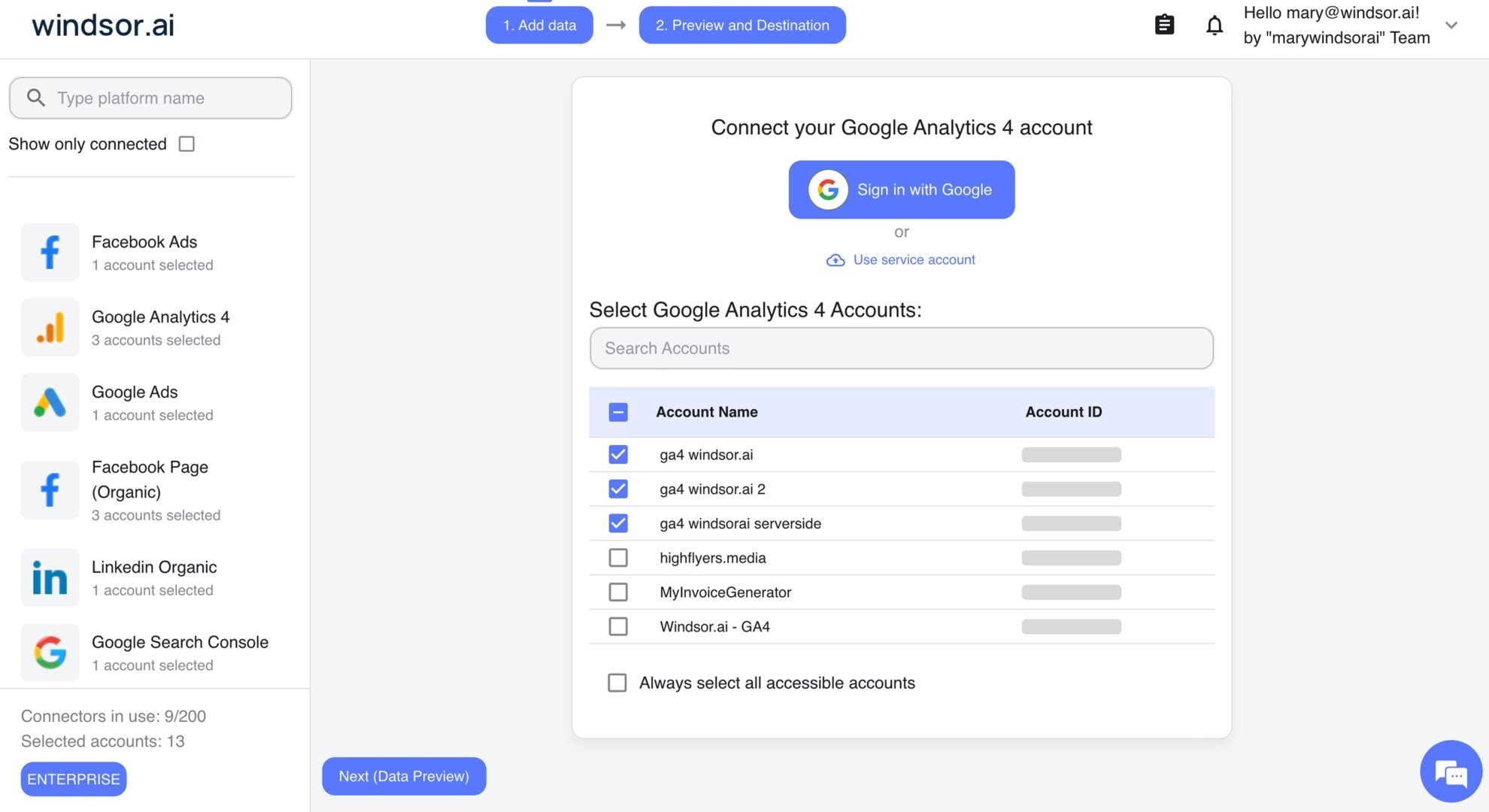
Select your data source
Choose Google Analytics 4 as your data source and grant access to Windsor.ai.
Install the Windsor.ai connector
Log in to your ChatGPT account and open this Windsor.ai connector page.
Click Connect, then authorize access.

Query your Google Analytics 4 data in ChatGPT
Open a new chat and start asking questions about your connected GA4 data using natural language.
Make sure that the Windsor.ai connector is enabled (click the + sign → More → Windsor.ai.)
FAQs
Can I blend GA4 data with my ad spend?
Absolutely. Windsor MCP supports 350+ data sources. Combine GA4 performance data with ad spend from platforms like Meta Ads or Google Ads to analyze how your marketing budget impacts traffic, engagement, and conversions. This helps you better understand which channels are driving results and answer other critical business questions.
What GA4 metrics can I analyze in ChatGPT with Windsor MCP?
With Windsor.ai, you can access over 400+ metrics and dimensions, including:
-
User activity and retention. Track audience size and loyalty with metrics like
active_users,active7_day_users,active28_day_users, anddau_per_mau. -
Conversions and revenue. Evaluate business outcomes with
conversions,ecommerce_purchases,gross_purchase_revenue,average_purchase_revenue, andaverage_revenue_per_user. -
Audience and device insights. Break down performance by
devicecategory,browser,country,city,audience_name, andageto understand who your users are and how they access your site. -
E-commerce behavior. Explore purchase intent and shopping activity with
add_to_carts,checkouts,cart_to_view_rate,item_view_events, anditem_revenue. -
Traffic. Understand where users come from with dimensions such as
first_user_source_medium,first_user_default_channel_group,campaign_name, andfirst_user_campaign_name.
What prompts can I use when analyzing Google Analytics 4 data in ChatGPT?
Beyond basic reports, use advanced prompts to gain deeper insights from your GA4 data. For example:
- Analyze the relationship between
average_session_durationandpurchase_conversion_rateacross our top 20 landing pages. Identify the ‘sweet spot’ for engagement that leads to a sale. - Analyze
item_view_events,add_to_carts,checkouts, andecommerce_purchasesto identify where users drop off in the purchase funnel. Highlight the largest conversion gaps and recommend areas for optimization. - Which traffic sources bring users who are most likely to convert or generate revenue? Compare the performance of acquisition channels and identify where we should increase marketing investment.
- Compare conversions, engagement, and session duration across mobile, desktop, and tablet devices. Identify which device types generate the most conversions and where engagement or conversion performance drops.
Can ChatGPT help me identify why my conversion rate dropped?
Yes. Instead of manually comparing date ranges in GA4, you can ask ChatGPT to compare this week’s conversion data with last week’s and identify the specific landing pages or traffic sources where the drop is most significant. It can then highlight potential causes and weak points in your funnel.
How much does it cost to integrate Google Analytics 4 into ChatGPT using Windsor.ai?
Windsor.ai is free to start, no credit card required. Paid plans start at $19/month and scale by the number of sources and accounts. See the pricing page.
How long does it take to connect Google Analytics 4 to ChatGPT?
With Windsor.ai’s intuitive connector, the integration process takes just a few minutes. No technical expertise is required; connecting Google Analytics 4 to ChatGPT is simple, straightforward, and completely code-free.
Do you have helpful links to get started with integrating Google Analytics 4 and ChatGPT using Windsor.ai?
Yes, we have helpful resources to help you get started. You can explore our official documentation and tutorials for seamless Google Analytics 4 to ChatGPT integration with Windsor.ai:
Tired of manual Google Analytics 4 data exports? Try Windsor.ai today to automate your reporting


