 Destinations
 Data sources
 AI insights
 About us
 Careers
 Security
 Customer reviews
 Contact us
 Affiliate program
 Solution partners
 Template gallery
 Looker Studio templates
 Power BI templates
 Excel templates
 Google Sheets templates
 Tableau templates
 Facebook Ads templates
 Google Ads templates
 Data fields & Metrics
 AI prompt library & Guides
 Product documentation
 API documentation
 Case studies
 Blog
Blog Data models
 Windsor vs Supermetrics
 Windsor vs Funnel.io
 Windsor vs Fivetran
 Windsor vs Rivery
 Windsor vs Portermetrics
 Windsor vs Coupler.io
Connect Shopify to Claude
Automatically sync your Shopify data to Claude using the Windsor.ai connector.
Turn raw e-commerce data into AI-powered insights to increase conversions, boost sales, and enhance your Shopify store’s profitability.
Forget CSVs. Stop copy/paste. Connect data in 2 minutes. No code required.
 Sign up with Google
 Free forever plan
No credit card needed
Free forever plan
No credit card needed










Grow your e-commerce business with Shopify to Claude integration
Windsor.ai quickly delivers your e-commerce data to Claude, making it instantly ready for conversational AI analysis and unlocking these key advantages:

Get fast AI insights
Get fast AI insights
Skip manual BI setup, filters, and spreadsheets. Claude interprets your Shopify metrics, detects trends, anomalies, and correlations, and provides structured answers in seconds, making analysis effortless.

Boost revenue growth
Boost revenue growth
Ask Claude natural-language questions like “Which products deliver the highest margins?” or “Which customer segments have the strongest repeat purchase rate?” and turn these insights into strategies that increase sales and maximize profit.

Unify data across channels
Unify data across channels
Combine Shopify with paid media, CRM, analytics, and finance data to eliminate silos. Map the full customer journey and optimize marketing, sales, and retention for stronger business outcomes.

Generate visual dashboards
Generate visual dashboards
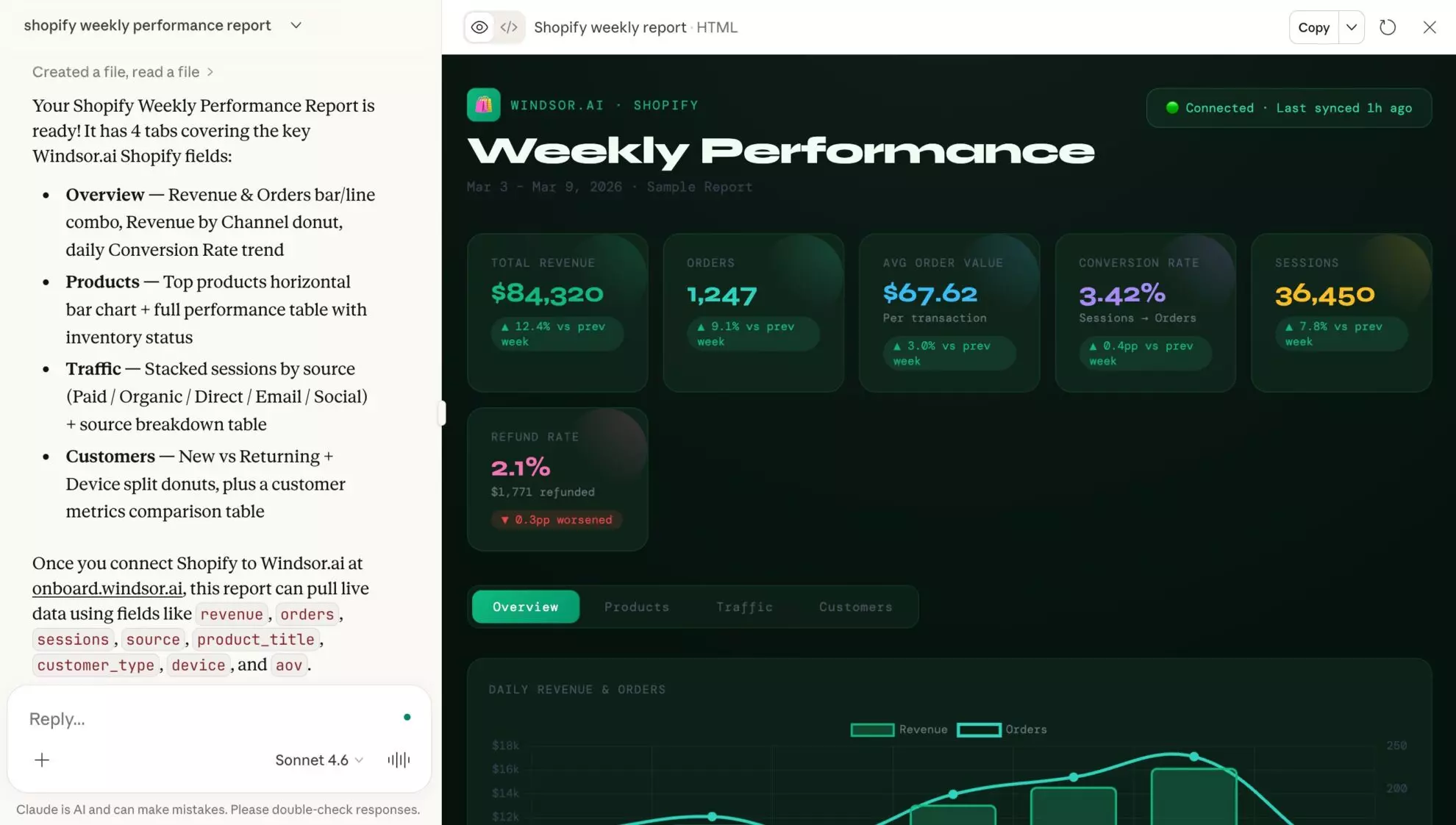
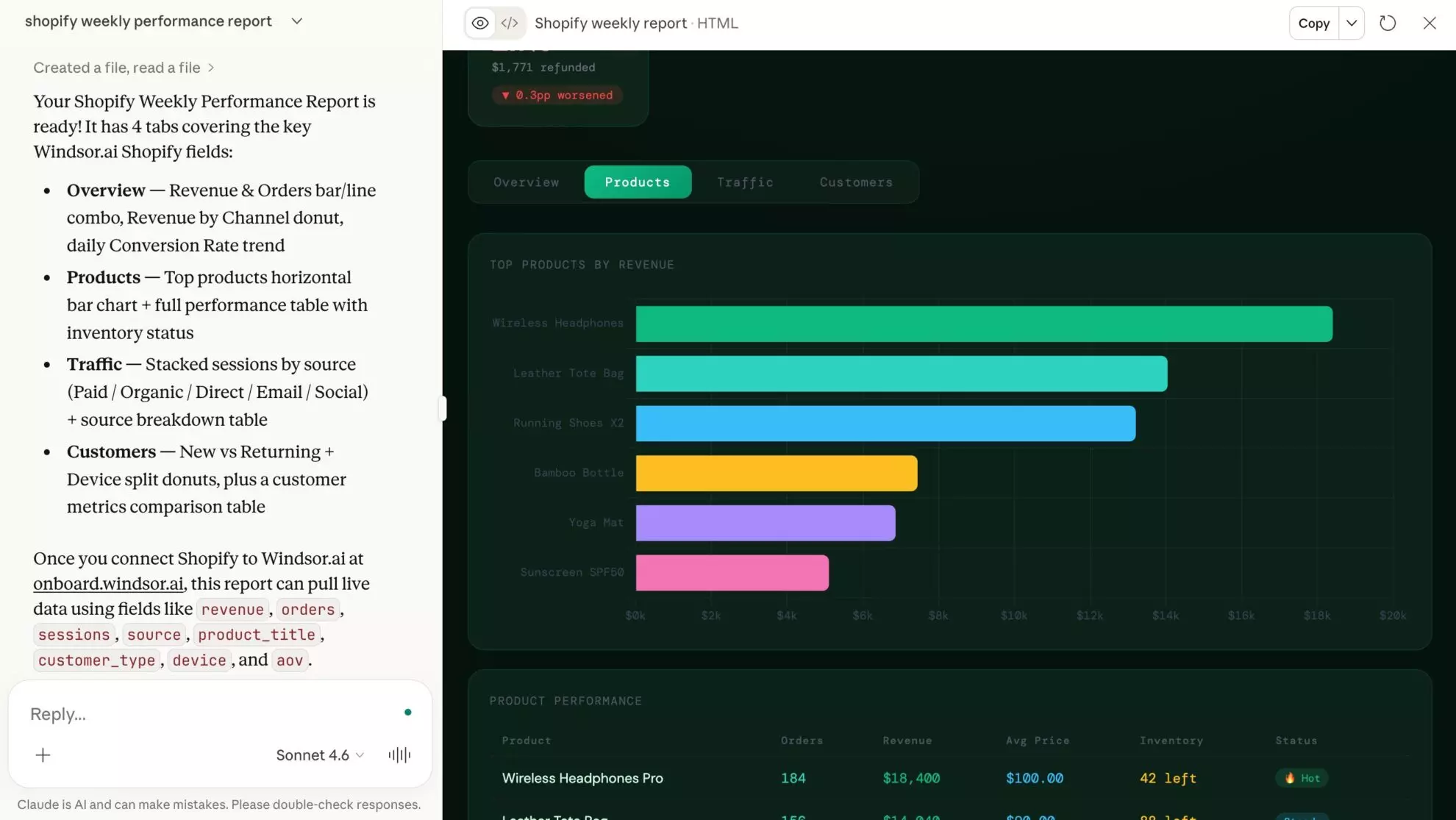
Create tailored visual dashboards with a simple prompt. Share clear, up-to-date reports and views with your team and align on the latest performance metrics.

Personalize product bundling
Personalize product bundling
Let Claude examine ‘frequently bought together’ patterns and suggest personalized product bundles for specific customer segments. Use these insights to create new bundles and increase Average Order Value (AOV).

Optimize inventory
Optimize inventory
Claude analyzes sell-through rates, trends, and seasonality to predict when SKUs may run out. Get alerts on when and how much to reorder to avoid lost sales and excess inventory.
Using Windsor.ai to connect data from Shopify to Claude
Most ways to connect Shopify to Claude require CSV exports, technical setup, or costly tools. Windsor.ai simplifies this process with a connector that automatically pulls, organizes, and streams your Shopify data into Claude.
Get started in minutes and unlock instant AI-powered insights into your store’s performance.














How to connect Shopify to Claude with Windsor.ai
Explore our video tutorial and a step-by-step guide to integrate your Shopify data into Claude with the Windsor.ai connector.
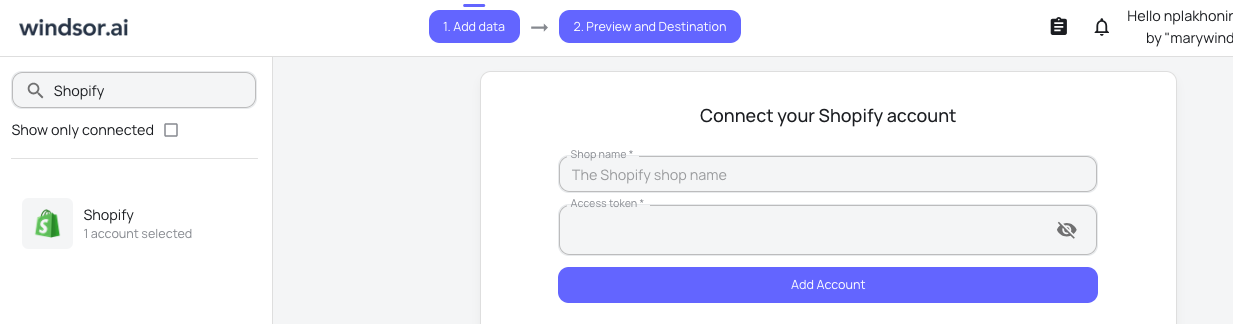
Select your data source
Choose Shopify as your data source and grant access to Windsor.ai.
Install the Windsor.ai connector in Claude
In Claude, open Customize, then Connectors, search for Windsor and click Add. Sign in to your Windsor.ai account when prompted, and the connector appears in your Connectors list. You can also open the Windsor.ai listing in the Claude directory and click Connect.

Query your data in Claude
Start a new chat and ask Claude questions about your connected data: summarize KPIs, create client reporting dashboards, or run advanced analyses.
FAQs
What can I do with Shopify data in Claude?
Claude acts as an e-commerce consultant, analyzing thousands of metrics to help you:
- Instant performance summaries. Generate daily, weekly, or monthly reports to monitor store performance and accelerate business decisions.
- Identify winning products. Ask Claude to uncover items with the highest profit margins or lowest return rates, beyond just top sellers.
- Predict inventory needs. Analyze historical sales velocity to predict when you’ll run out of stock.
- Segment your audience. Group customers into categories like “VIP,” “At-Risk,” or “Window Shoppers” based on purchase behavior.
- Analyze cart abandonment. Detect whether shipping rates, product combinations, or other factors are causing customers to drop off before completing purchases.
- Run cross-channel analysis. Combine Shopify with 350+ other sources to eliminate data silos and gain a full view of business performance.
Find more details about Windsor MCP for Claude use cases in this guide: https://windsor.ai/how-to-use-windsor-mcp-examples-use-cases/.
What prompts can I use when analyzing Shopify data in Claude?
Use advanced prompts to extract deeper insights from your Shopify data. Here are some examples:
-
Which products are most frequently bought together in the same order? Suggest three new bundles we should create to increase our average order size.
-
Find our loyal customers who haven't bought anything in the last two months. What did they buy last time, and what specific 'Win-Back' offer should we send them?
-
Calculate our true profit per order after taking out the cost of the goods and the shipping prices. Which of our suppliers are the most profitable for us?
-
Based on how fast we are selling our top products, which items are we likely to run out of in the next two weeks? Give me a reorder list.
-
Analyze our customers based on their first purchase source. Do customers coming from YouTube organic have a higher Lifetime Value (LTV) after 90 days than those from Google Ads?
How far back can I pull Shopify data?
The Windsor.ai connector allows you to access your entire Shopify history. Whether you want to compare this year’s Black Friday to three years ago or analyze long-term customer retention trends, Windsor MCP can pull the historical data needed to give you the full picture.
How often does Shopify data refresh in Claude with the Windsor MCP?
Because the connector uses a live API link via MCP, your data refreshes each time you query it in Claude. This allows you to monitor the latest performance and make informed optimization decisions.
How much does it cost to integrate Shopify into Claude using Windsor.ai?
Windsor.ai’s pricing for Claude data integration varies depending on the number of connected accounts and data sources. We offer absolutely transparent pricing plans for diversified business needs and budgets.
How long does it take to connect Shopify to Claude?
With Windsor.ai’s intuitive connector, the integration process takes just a few minutes. No technical expertise is required; connecting Shopify to Claude is simple, straightforward, and completely code-free.
Do you have helpful links to get started with integrating Shopify and Claude using Windsor.ai?
Yes, we have helpful resources to help you get started. You can explore our official documentation and tutorials for seamless Shopify to Claude integration with Windsor.ai:
Is my store's financial data secure?
Yes. Windsor.ai connects to Shopify through official authentication and encrypted API access. You grant the required permissions during setup, and access is limited to the data available under those permissions. Your Shopify login credentials are never shared with Windsor.ai.
Can Claude help me reduce cart abandonment?
Yes. By analyzing abandoned carts, shipping rates, and product combinations, Claude can reveal patterns behind lost sales and suggest optimizations to increase completed purchases, boosting your overall revenue.
Can Claude help me optimize my pricing strategy?
Yes. Let Claude analyze the relationship between your product costs, shipping expenses, and sales prices to identify underpriced items. It can recommend specific price adjustments or ‘Free Shipping’ thresholds, ensuring you maximize your actual take-home profit.
Tired of manual Shopify data exports? Try Windsor.ai today to automate your reporting


