 Destinations
 Data sources
 AI insights
 About us
 Careers
 Security
 Customer reviews
 Contact us
 Affiliate program
 Solution partners
 Template gallery
 Looker Studio templates
 Power BI templates
 Excel templates
 Google Sheets templates
 Tableau templates
 Facebook Ads templates
 Google Ads templates
 Data fields & Metrics
 AI prompt library & Guides
 Product documentation
 API documentation
 Case studies
 Blog
Blog Data models
 Windsor vs Supermetrics
 Windsor vs Funnel.io
 Windsor vs Fivetran
 Windsor vs Rivery
 Windsor vs Portermetrics
 Windsor vs Coupler.io
 Last updated: 20 August 2026




Traditional backup methods can hardly keep up with today’s cloud-native workloads, where countless syncs and transformations happen across platforms.
That’s exactly what we’ll cover in this post: the real-world challenges of cloud data recovery and the best practices to mitigate them. Read on to learn how to build a robust data recovery strategy that won’t fall apart under pressure.
How cloud data pipelines changed the way we handle data
In the past, data resided in specific locations: a computer’s hard drive, a server, or a backup disk. Today, data is flowing everywhere. With the advent of cloud technologies, data collection, processing, and storage have been revolutionized. Data is now streaming with cloud pipelines automating the transfer of information from source systems (CRMs, analytics platforms, and even ad networks) to dashboards, cloud storage, or data warehouses.
This usually happens through ETL (Extract, Transform, Load) or ELT (Extract, Load, Transform) data pipelines. The difference between ETL and ELT data pipelines is in the order of operations.
- ETL transforms data before it’s loaded into the destination.
- ELT loads raw data first, then you transform it inside the destination.
An example would look something like this:
- Extract information from platforms such as Facebook Ads, Shopify, Salesforce, or others.
- Load that information into a cloud warehouse, for example, BigQuery.
- Transform this raw data into a clean and consistent reporting layer with dbt.
Simple enough. But when you’re syncing data across 10+ platforms, things get messy fast. Pipelines can break. APIs can change. Syncs can fail. That’s the hidden risk with modern data stacks: the more automated they are, the easier it is to assume everything’s working flawlessly (until it isn’t).
Recovery in this environment isn’t about restoring a single file. It’s about your entire pipeline. You need visibility into what’s moving where, guardrails to catch issues early, and a reliable way to pull back data when something breaks.
That is exactly when recovery-ready pipeline design is needed, and where systems like Windsor.ai can be useful. Windsor offers robust, reliable data pipelines designed to withstand sync failures, API changes, and platform shifts.
With support for over 350+ sources, Windsor not only centralizes your data but also automates schema handling, error monitoring, and refresh schedules. You get full visibility into your data flows and the confidence that your pipeline won’t silently break. It’s a smart foundation for business-critical analytics to keep your operations resilient, even when things go wrong.
Common data recovery scenarios and solutions
Now let’s talk about existing data recovery scenarios in more detail. Data loss doesn’t always come with flashing red lights. Here’s what that looks like in the real use cases.
GA4 data missing after retention expiry
This is a scenario that often goes unnoticed until it’s too late. A team attempts to pull performance metrics from Google Analytics 4, only to realize that event-level data from over a year ago is no longer accessible.
By default, GA4 retains detailed user and event data for a limited time (typically 14 months, unless the settings have been modified). For organizations that rely on long-term reporting or campaign analysis, this retention limit can be a serious blind spot.
The solution is to implement an automated pipeline that exports GA4 data to a destination with support for historical data for longer retention, such as BigQuery or Google Sheets.
With a setup like this, when it’s time to run those year-over-year comparisons or dig into historical performance trends, your data will still be there, ready to use.
Deleted Facebook Ads campaigns
It’s not uncommon for ad campaigns to be archived or deleted, sometimes as part of regular cleanup, but often due to accidents.
Facebook Ads doesn’t always retain detailed data for long, and once a campaign is removed, recovering those insights becomes difficult (especially if reporting was never exported).
The best way to avoid this is to regularly copy advertising data into a controlled storage environment. That could be a data warehouse (you can send Facebook Ads data to BigQuery), a BI platform, or a structured spreadsheet. When campaign data exists outside the ad platform, you’re not at the mercy of limited interfaces or short retention windows.
Report overwritten by mistake
It’s a simple mistake, but it happens all the time. Someone opens last quarter’s report, adds new data, hits save, and overwrites the original file. The formatting’s gone. The filters are broken. The historical numbers are no longer accurate. Now you’re stuck rebuilding a report that took days to assemble.
This kind of data loss doesn’t come from a system crash or cyberattack. It comes from regular people trying to move fast, meet deadlines, and stay productive. After all, human error is still the number one threat to data reliability.
In fact, according to a survey, 66% of Chief Information Security Officers (CISOs) in the United States said that human error is their organization’s most significant cyber vulnerability.

In these cases, recovery depends on whether version control was part of your workflow. Cloud tools like Google Sheets, Excel Online, and most data warehouses support revision history or rollback features. If your data pipeline was syncing results into one of those environments, you can quickly revert to a clean version without starting from scratch.
Without versioning or backups, though, the situation becomes harder to fix. And that’s exactly why reliable, version-aware storage in data warehouses is part of a basic recovery plan.
Corrupted data from a broken pipeline script
Not every failure is obvious. Sometimes, a pipeline runs on schedule, finishes without errors, and still delivers the wrong data.
Maybe a transformation script had a logic issue. Or a column was renamed upstream, and no one updated the mapping. Either way, bad data ends up in your warehouse or dashboard, and no one notices until decisions are already being made.
These silent errors are especially tricky because they don’t break anything visibly. The reports are updated. But the output is misleading (or flat-out wrong).
When that happens, your recovery options depend on how your pipeline is structured. If you’ve separated raw data from transformed outputs, the fix is simple: isolate the bad output, rerun the transformation using clean source data, and restore consistency. For media-heavy datasets, using a video compressor before processing can also help reduce storage load and make pipeline operations more efficient.
But if raw and processed data are stored in the same place (or if no intermediate copies exist), you may not have anything accurate to fall back on.
Connector went down and data went missing
This is one of the most unpleasant types of data loss because it doesn’t break the pipeline outright. The pipeline still runs, but no new data is coming in. A changed password, expired API token, or platform issue quietly breaks the connection, and no one notices until reports start showing gaps.
If the source still holds the data, you can often recover by backfilling the missed range. But that assumes the problem is caught early.
That’s why pipeline monitoring should be more than just basic status checks. You need a tool that supports historical syncs and gives you visibility into data freshness across sources.
Cloud storage or drive deletion
And finally, there’s the kind of data loss that feels permanent the moment it happens: when entire folders vanish from cloud storage or critical files are deleted from a local drive.
Maybe someone was cleaning up a bucket in S3 or Azure Blob and didn’t realize a folder was still in use. Or a team member wiped files from an SSD, assuming everything had already been backed up. Without versioning, the data’s just gone. But not necessarily forever.
If versioning or immutable storage wasn’t enabled, it’s often still possible to recover data from SSD. The key is to act quickly. Experts in data recovery warn that SSDs are notoriously difficult to work with due to TRIM, a process that proactively clears deleted blocks. Once TRIM has run, recovery becomes unlikely. But that doesn’t mean it’s impossible. If the data hasn’t been overwritten, there’s still a chance.
5 best practices for cloud data resilience
We’ve covered the most common ways cloud pipelines break. Now comes the practical part: what to do about it.
There’s no single fix that works for everyone. Each setup has its own quirks. But there are a few practices you can build into your workflows that, in our experience, make recovery a lot more manageable. Consider it an initial checklist of things to do.
1. Separate raw and transformed data
Always keep a clean copy of your raw data.
If a transformation fails (whether from bad logic or a silent schema change), you’ll need that original data to recover. Without it, you’re stuck re-pulling from the source, if it’s still available.
A raw data layer in your cloud storage or data warehouse gives you that safety net. It also reinforces your cloud backup setup by maintaining an untouched version of the data. If something breaks downstream, you still have a clean copy ready to reload and fix the issue.
2. Use versioned, durable cloud backup storage
Backups only help if they hold the right version of the data.
Cloud storage systems like Amazon S3, Azure Blob, and Google Cloud Storage offer built-in versioning. When enabled, you can recover earlier versions of files or tables.
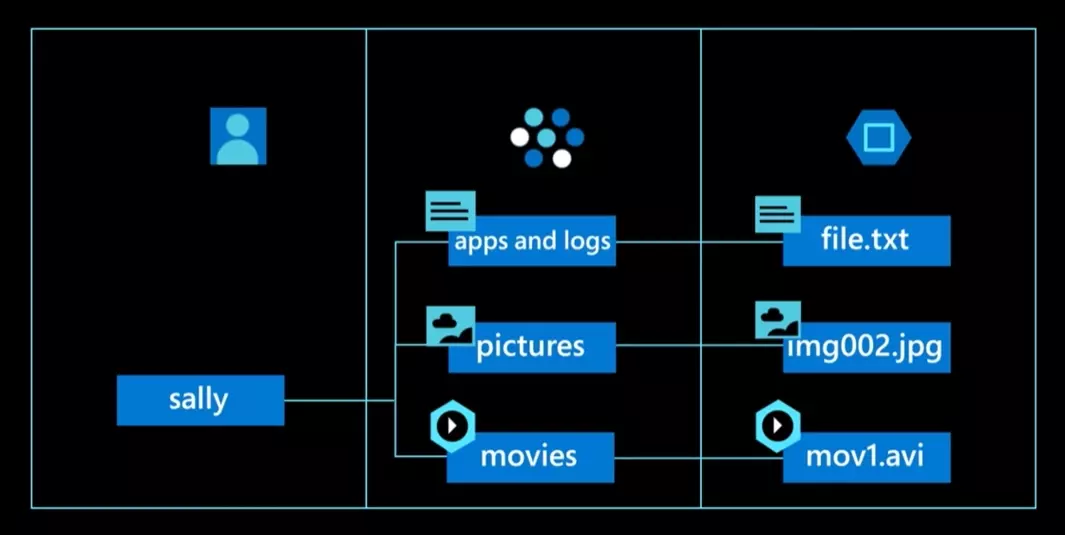
This is a must for any serious cloud backup plan. A single overwritten export, if unversioned, can erase days of usable data. But with versioning active, you can roll back quickly.
Durability matters too. Choose storage that’s designed to hold data over time, not just transfer it.
3. Monitor more than job status
A successful pipeline run doesn’t always mean the data is right. If no one’s watching the actual output, those problems go unnoticed until reports start looking off.
Track more than job success. Monitor data volume, update frequency, and schema changes. Set alerts when numbers fall outside expected ranges. Automated ELT tools like Windsor.ai make this easier by flagging freshness issues and letting you backfill gaps.
The sooner you catch a problem, the smaller the cleanup.
As more teams embed AI services into data workflows, monitoring should include AI-specific risks, model endpoints exposed to the internet, over-permissive service accounts, insecure prompt/secret storage, and data leakage paths between raw and transformed layers.
Complement your pipeline checks with a Wiz AI security assessment, which offers a free 1‑on‑1 expert review, an API-based scan of your cloud and AI environment, and a prioritized remediation plan. It’s a practical way to validate that recovery-ready designs, like separation of raw data, versioning, and least-privilege access, are also resilient against AI-driven threats.
4. Build pipelines that can fail and recover gracefully
Your pipelines should be fault-tolerant by design. That means making key steps idempotent (safe to re-run) and using checkpoints so failed jobs don’t have to start from scratch.
If something breaks midway, you don’t want to duplicate records or corrupt output. You want the job to resume cleanly.
For teams that also need reliable infrastructure to support their data workflows, solutions like ScalaHosting managed cloud VPS offer scalable resources, strong uptime, and built-in security features. This helps ensure consistent performance and stability for business-critical applications and data environments.
5. Test your recovery measures like you test your code
Don’t assume your recovery plan will work; prove it. A disaster recovery plan for cloud services only holds up if it’s been tested.
Make time to simulate real failure scenarios. Delete a table. Break a connector. Trigger a bad sync. Then walk through the recovery process: restore from a backup, re-run the pipeline, or load data from a cold copy. And to prevent avoidable failures in the first place, using code quality tools helps catch vulnerabilities and inconsistencies early, long before they turn into costly recovery exercises.
These exercises reveal what works, what doesn’t, and who’s responsible for what. They turn assumptions into something reliable.
Conclusion
If we had to summarize everything in a few words, it’s this: data recovery in the age of cloud pipelines needs to be part of the design, and not an afterthought.
That means:
- Thinking beyond backups
- Building systems that can recover from silent failures, bad syncs, and human mistakes without bringing everything to a halt
- Separating raw data
- Using durable cloud backup storage
- Monitoring more than status codes
- Testing your recovery process
These are the practices that give you control when things go wrong.
And if you’re managing data across multiple platforms, like is often the case in modern teams, Windsor.ai can simplify the entire process. With support for over 350+ connectors, no-code setup, and historical data integration, it helps you build pipelines that don’t just run but also easily recover.
Get started for free and see how much more confident you feel when your pipeline is built with recovery in mind!


