Destinations
 Data sources
 AI insights
 About us
 Careers
 Security
 Customer reviews
 Contact us
 Affiliate program
 Solution partners
 Template gallery
 Looker Studio templates
 Power BI templates
 Excel templates
 Google Sheets templates
 Tableau templates
 Facebook Ads templates
 Google Ads templates
 Data fields & Metrics
 AI prompt library & Guides
 Product documentation
 API documentation
 Case studies
 Blog
Blog Data models
 Windsor vs Supermetrics
 Windsor vs Funnel.io
 Windsor vs Fivetran
 Windsor vs Rivery
 Windsor vs Portermetrics
 Windsor vs Coupler.io
Connect Google Search Console to Google Sheets
Load Search Console data into Google Sheets with the Windsor.ai add-on: clicks, impressions, CTR and average position by date, query, page, country and device, past the 1,000 rows the Performance report shows.
Each query writes to a sheet you name and can refresh on a schedule. The free Search Console Google Sheets template turns the rows into a dashboard.
 Sign up with Google
 Free forever plan
No credit card needed
Free forever plan
No credit card needed










What to do with Search Console data in Sheets
A few uses that need more than the Performance report’s 1,000 rows:

Track queries over time
Load date and query, then use a pivot table to follow a group of queries day by day, or to find the date a query started to lose clicks.

Split branded and non-branded search
Add a column with REGEXMATCH on the query to label searches for your brand, then compare clicks and CTR for both groups.

Find pages that compete for one query
Load query and page together and count pages per query. Several pages with impressions for the same query can split its clicks.
Limits to plan for
Size. A Google Sheets file holds up to 10 million cells, and the add-on has its own limit per load. A month of date, query and page rows for windsor.ai returned “Too big dataset for googlesheets”; six days loaded. For long history or large sites, load fewer days per query, or send the data to BigQuery.
Freshness. Search Console data is usually 2 to 3 days behind. On 2 October 2026 the latest day available was 29 September.
Several Google accounts. If the Get Data into Sheet panel does not open, try a browser window signed in to one Google account only.














How to connect Google Search Console to Google Sheets
You need:
- Access to a Search Console property
- A Windsor.ai account (free forever plan, no credit card)
- A Google Sheets file you can edit
Sign in to Windsor.ai
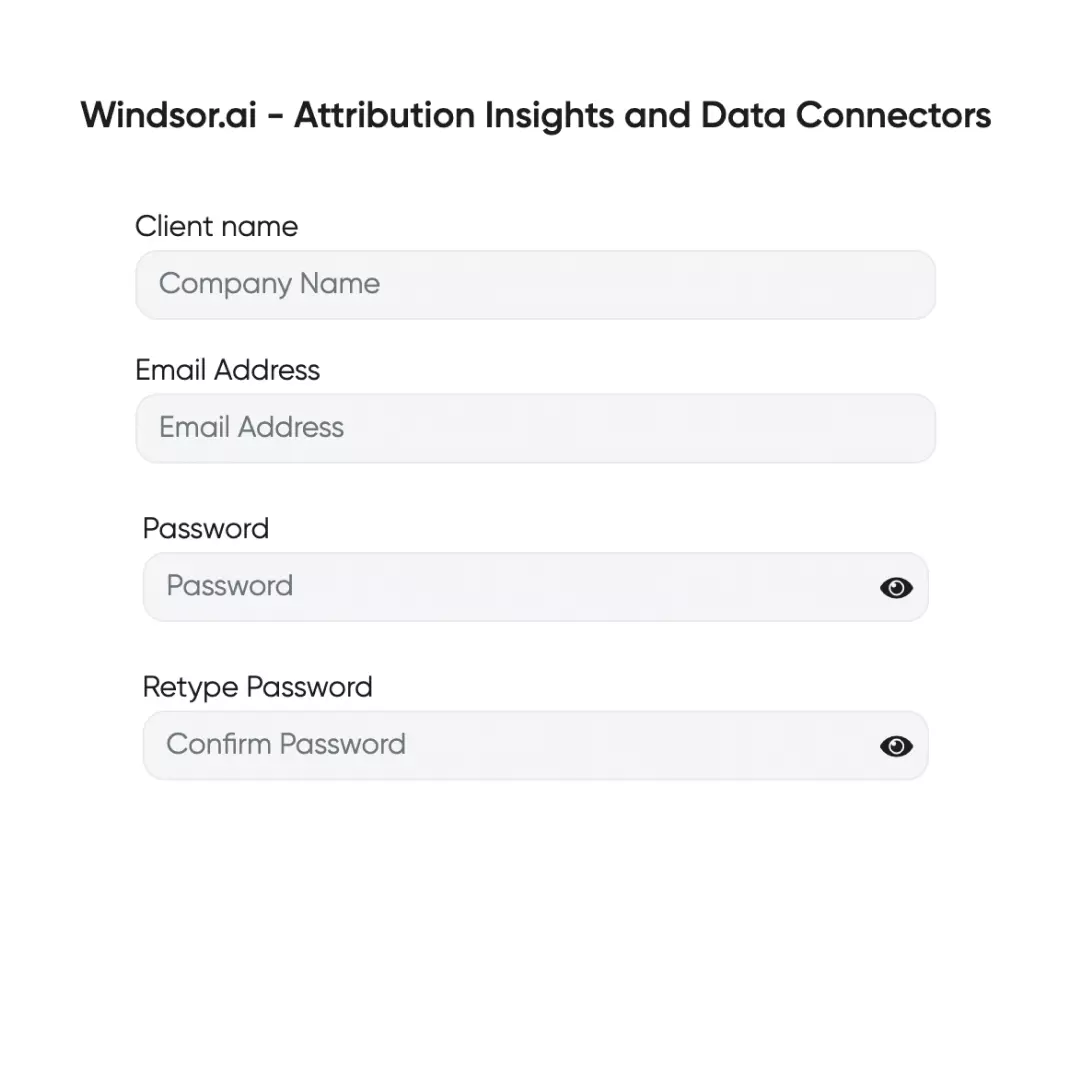
Create a Windsor.ai account or sign in at onboard.windsor.ai.
Connect Search Console
Choose Google Search Console, sign in with the Google account that has access to your property and select the property. Domain properties appear as sc-domain:example.com.

Choose Google Sheets and copy your API key
Choose Google Sheets as the destination and copy the API key from the instructions. Anyone with the key can read your connected data, so keep it private.

Install the add-on and log in
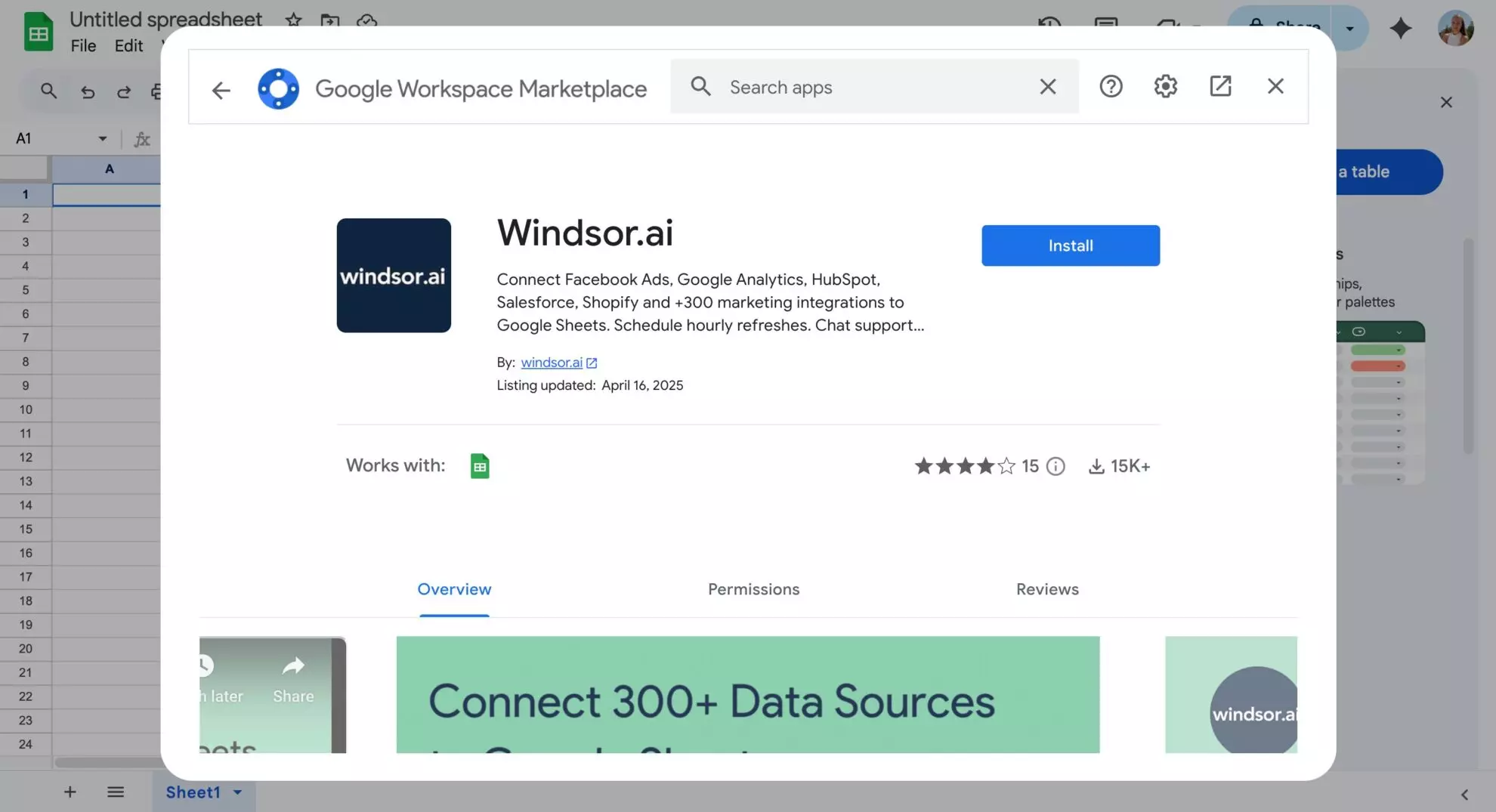
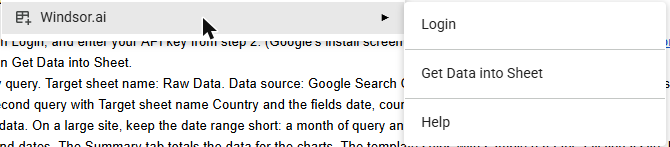
Install the Windsor.ai add-on from the Google Workspace Marketplace. Google’s permission screen calls it Data & Analytics by Windsor.ai; in Sheets it appears as Extensions, Windsor.ai. Choose Login and paste your API key.
Create a query and load the data
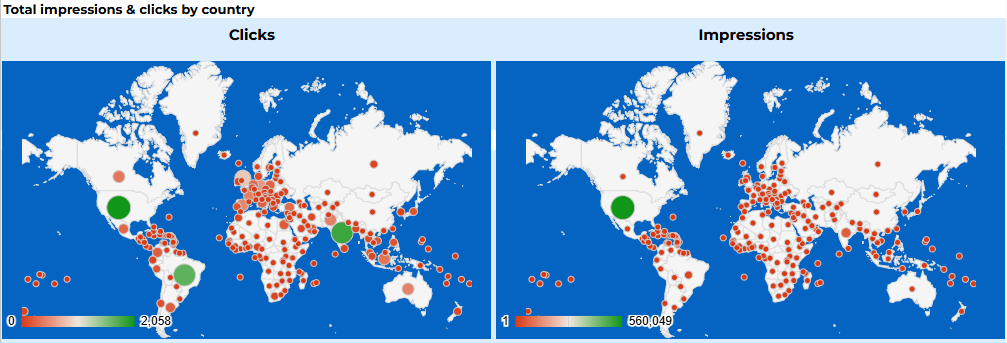
Choose Extensions, Windsor.ai, Get Data into Sheet, then + Add new query. Name the target sheet, pick Google Search Console as the data source, your property, the dates and the fields, then click Save and load data. Set a schedule in the same panel to refresh the sheet automatically. The free Search Console Google Sheets template turns the loaded rows into charts and country maps like these.
What lands in your sheet
Each query you create writes one row per combination of the fields you pick. These are the Search Console fields we used in our own test:
| Field | What it contains |
|---|---|
| date | The day of the search |
| query | The search query, for queries Google reports |
| page / pagepath | The full URL, or the path without the domain (empty for the homepage) |
| country, device | Where and on which device the search happened |
| clicks, impressions, ctr | Clicks, impressions and click-through rate |
| position, position_page | Average position, and the average results page it falls on |
The Search Console field reference lists every field, including sitemaps.
Our test on windsor.ai
We loaded windsor.ai’s own Search Console property into Google Sheets with fields date, query, page path, clicks, impressions, CTR and position for 24 to 29 September 2026. The add-on wrote 95,409 rows in about five minutes. Totals for the rows that carry a query, by day:
| Date | Clicks | Impressions |
|---|---|---|
| 24 Sep 2026 | 2,311 | 132,304 |
| 25 Sep 2026 | 1,832 | 134,700 |
| 26 Sep 2026 | 1,092 | 118,988 |
| 27 Sep 2026 | 1,323 | 123,271 |
| 28 Sep 2026 | 2,341 | 143,811 |
| 29 Sep 2026 | 2,370 | 156,894 |
A second query by date and country returned 15,993 clicks for the same days, more than the 11,269 in the query rows. Google does not report rare queries, so their clicks only appear in tables without the query field.
Splitting branded and non-branded with REGEXMATCH
Next to the query column, a helper column with =REGEXMATCH(A2,"windsor") flags each row as branded or not, and a pivot table sums clicks, impressions and CTR for each group. On the same query rows, 743 distinct queries matched “windsor”: 8,947 clicks from 334,148 impressions, a 2.68% CTR. The other 11,909 queries brought 2,227 clicks from 352,068 impressions, a 0.63% CTR. Branded queries were under 6% of distinct queries but carried 80% of clicks, the usual shape for a site people already search for by name.
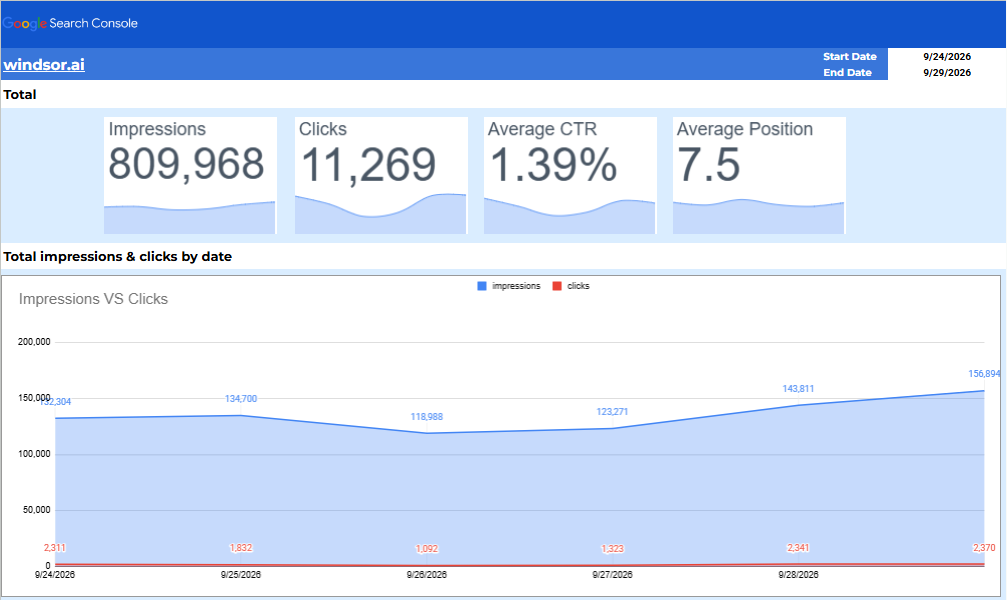
Above: the same rows in the free Search Console Google Sheets template.
FAQs
Is the Search Console to Google Sheets connection free?
Yes, on the free forever plan, which covers one data source with no credit card. Paid plans start at $19 a month for more sources; see pricing.
How often does the sheet refresh?
The sheet refreshes when you load the query, and on a schedule if you set one in the add-on’s query panel. Search Console data itself is usually 2 to 3 days behind.
Why are my totals lower than in Search Console?
Google does not report rare queries, so a table that includes the query field has fewer clicks than the site total. On windsor.ai, the query rows held 11,269 clicks for 24 to 29 September and the country rows 15,993. The latest 2 to 3 days are also still being filled in.
What does "Too big dataset for googlesheets" mean?
The query returned more rows than the add-on loads in one run. Load fewer days or fewer fields per query. On windsor.ai, six days of date, query and page rows (95,409 rows) loaded, and a month did not.
Is there a ready-made Search Console dashboard for Google Sheets?
Yes. The free Search Console Google Sheets template has totals, a daily chart, top queries and country maps. The Search Console dashboard templates page compares it with the Data Studio, Power BI and Tableau templates.
Where is the documentation for the Google Sheets add-on?
The documentation explains how to integrate data into Google Sheets with Windsor.ai, including the API key and scheduling.
Load your Search Console data into Google Sheets. Try Windsor.ai free