 Destinations
 Data sources
 AI insights
 About us
 Careers
 Security
 Customer reviews
 Contact us
 Affiliate program
 Solution partners
 Template gallery
 Looker Studio templates
 Power BI templates
 Excel templates
 Google Sheets templates
 Tableau templates
 Facebook Ads templates
 Google Ads templates
 Data fields & Metrics
 AI prompt library & Guides
 Product documentation
 API documentation
 Case studies
 Blog
Blog Data models
 Windsor vs Supermetrics
 Windsor vs Funnel.io
 Windsor vs Fivetran
 Windsor vs Rivery
 Windsor vs Portermetrics
 Windsor vs Coupler.io
Connect Facebook Ads to Data Studio
Data Studio (formerly Looker Studio) has no built-in Facebook Ads connector. The Facebook Ads connector by Windsor.ai is a partner connector that adds your Meta Ads campaigns, ad sets, ads, spend and results to Data Studio as a data source.
Build your own report or start from a free Facebook Ads template. Connector ID for the Linking API: AKfycbxvhYo5-Z5faPpxqZd5EXHZg1nxWcjG0tU9985gUVCdaGg-qxEnBkaxfVZ8aLMUNhrL
 Sign up with Google
 Free forever plan
No credit card needed
Free forever plan
No credit card needed









What you can report on in Data Studio
The connector brings the same Meta Ads fields you see in Ads Manager into Data Studio, by day. Reports teams build first:

Spend and results by campaign, ad set and ad
Amount spent, impressions, reach, frequency, clicks, CTR, CPC and CPM next to leads, purchases or your custom conversions, with cost per result, for any date range.

Placement, audience and device
Break results down by platform and placement, age and gender, country or device. Meta rejects some breakdown and field combinations; our guide to Facebook Ads field errors lists them.

Facebook Ads next to Google Ads
Add a Google Ads or GA4 data source from Windsor.ai and blend them in Data Studio to compare spend and results across channels. The Google Ads vs Facebook Ads dashboard template is built that way.

Creative and copy
Ad name, headline, body text, image URL and call to action come in the same rows as the metrics, next to spend and results.
How the Facebook Ads connector works in Data Studio
The connector is listed in Data Studio as Facebook Ads By Windsor.ai, under partner connectors. It asks for two authorizations: one lets Data Studio use the community connector, the other connects your Facebook account through Windsor.ai. You then pick the ad accounts, and Data Studio creates a data source you can use in any report.
What we saw when we connected it. On 18 October 2026 we connected our own ad account. After both authorizations, the connector asked which ad accounts to use and offered optional settings: include objects without insights, child object activities, activities category, the unified attribution setting and the attribution window. Each of them can also be left open for people to change inside a report. The Data Studio data source listed 647 fields, out of the 858 Meta Ads fields the connector offers in total (656 metrics and 202 dimensions), with a data freshness of 12 hours. The full list is in the field reference.
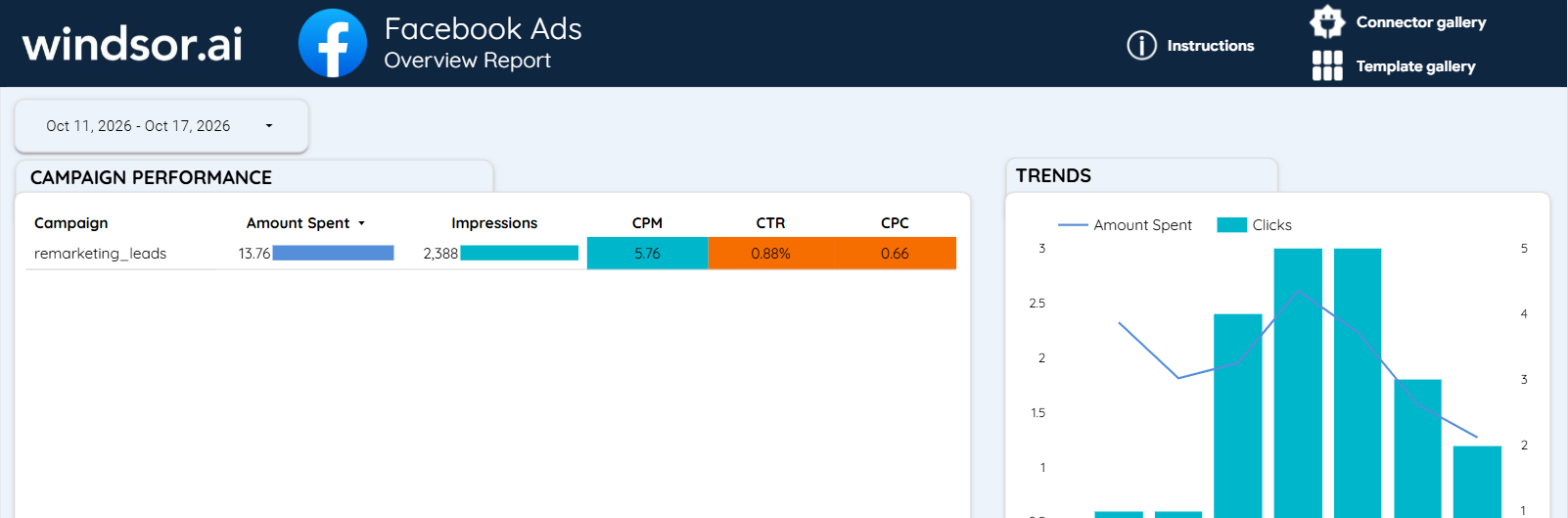
Clicking Create report opened a copy of Windsor.ai’s Facebook Ads Overview Report on our data. For 11 to 17 October 2026 it showed $13.76 spent, 2,388 impressions, a CPM of 5.76, a CTR of 0.88% and a CPC of 0.66, the same figures the connector’s API returned for those dates.
If installation fails, Windsor.ai’s note on the connector screen is to stay signed in to only one Google account in the browser and try again.














How to connect Facebook Ads to Data Studio in Windsor.ai
Before you start, you need:
- A Facebook account with access to the ad accounts. Analyst access is enough for reporting.
- A Google account with Data Studio.
- A Windsor.ai account. The free forever plan covers one data source, no credit card.
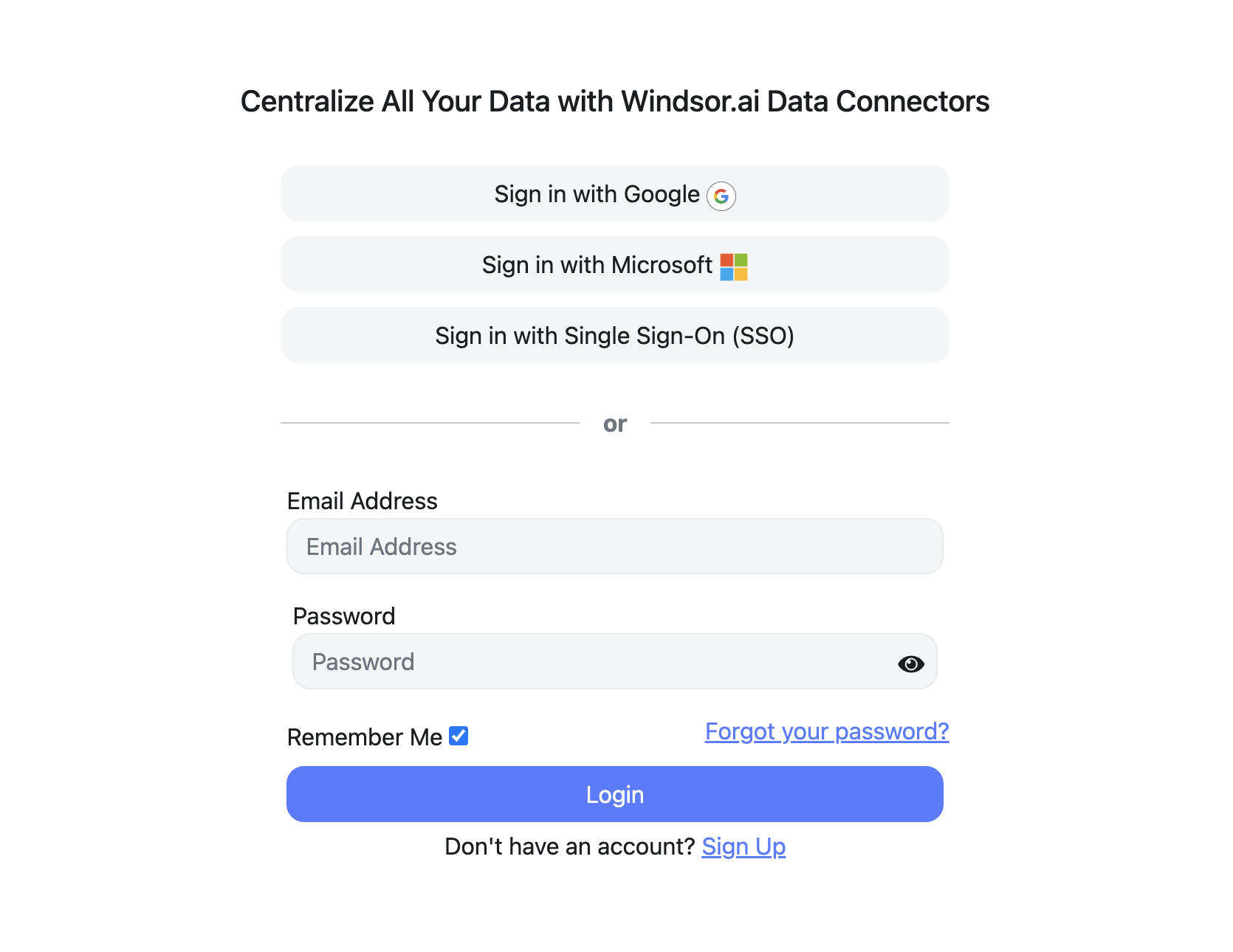
Register and log in to Windsor.ai
Create a new Windsor.ai account or log in if you already have one.
Connect Facebook Ads
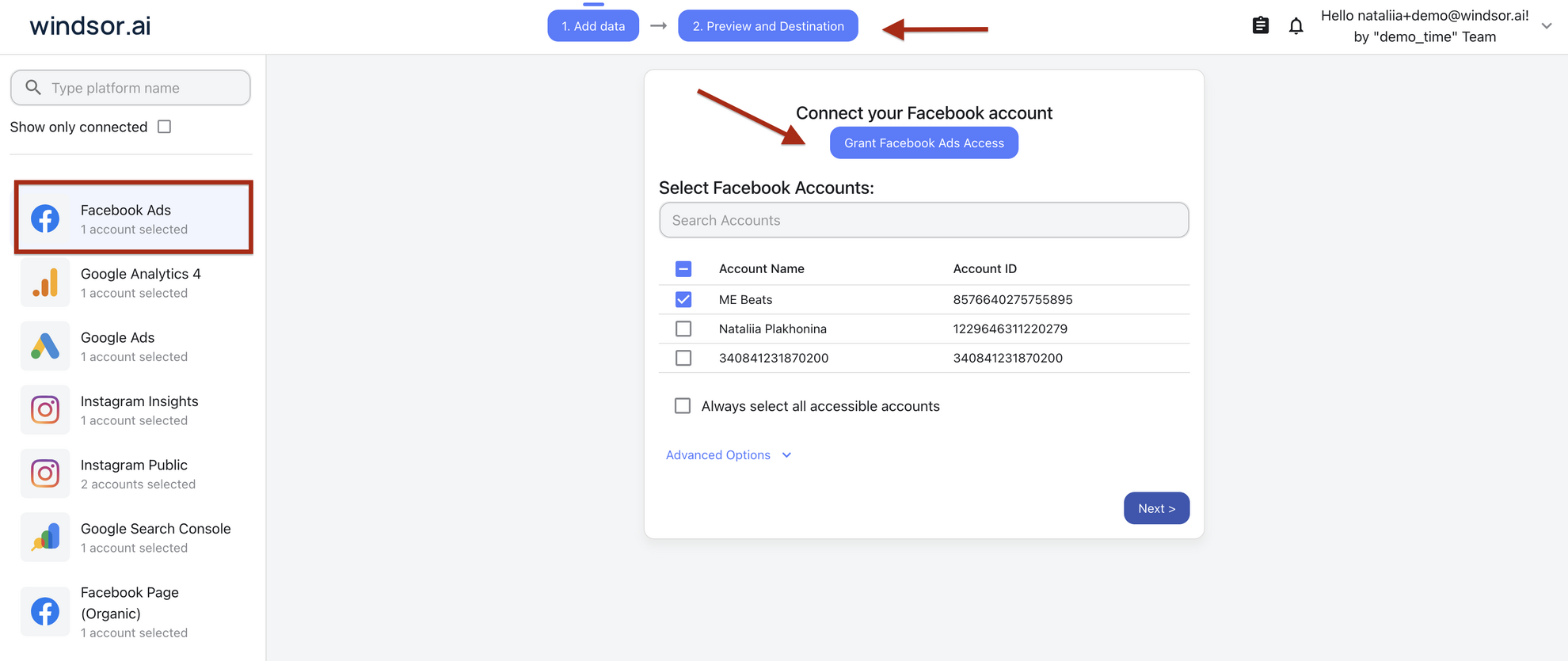
Choose Facebook Ads, sign in with Facebook and select the ad accounts to report on.
Preview your fields
Pick fields such as Campaign, Amount Spent, Leads and Cost per Leads on the right and check the preview before you send the data.
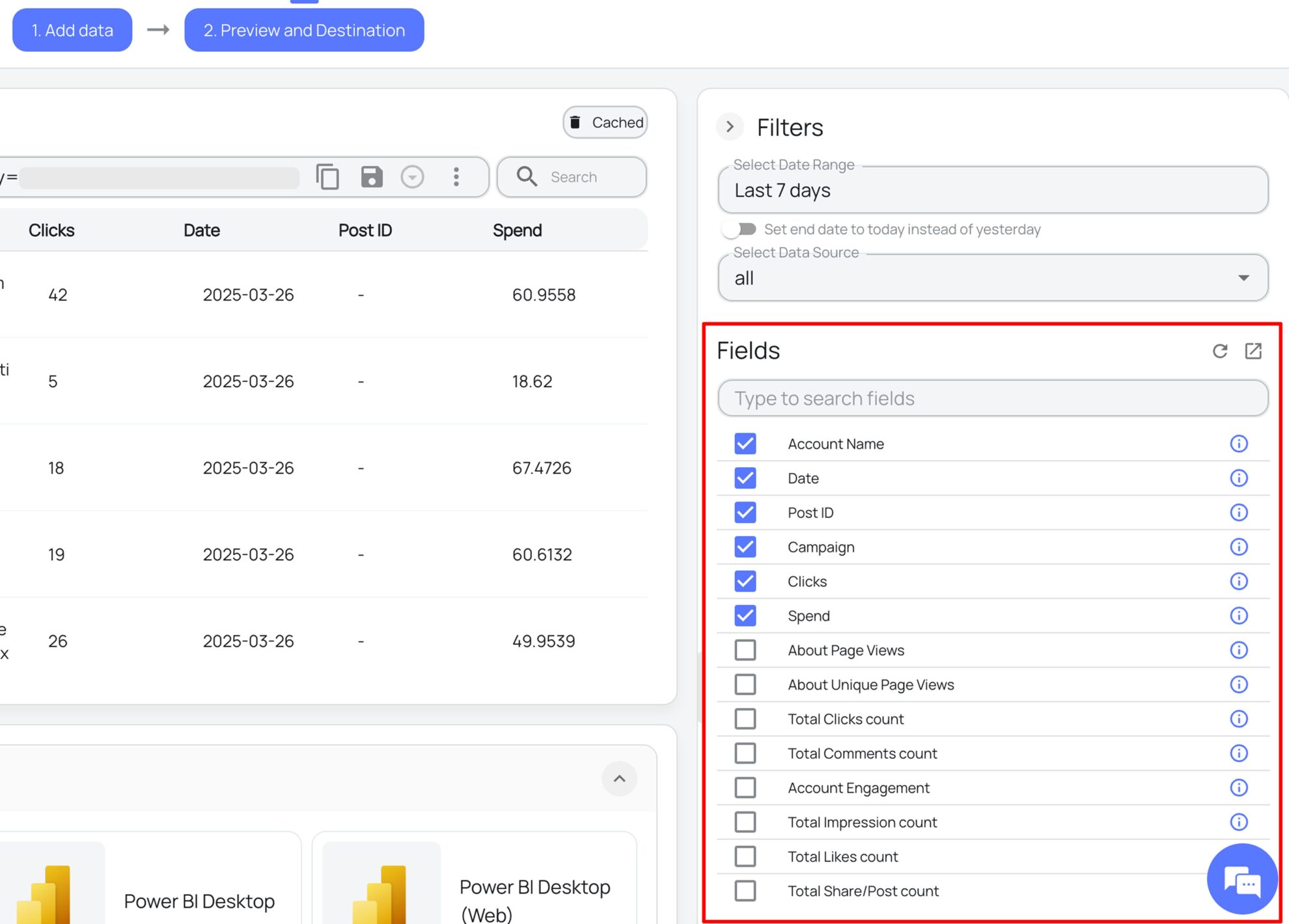
Open it in Data Studio
Click Data Studio in the list of destinations. Data Studio opens the Windsor.ai connector: authorize it, authorize Facebook Ads, pick the accounts, then click Connect and Create report. You can also start in Data Studio: Create, Data source, search for Facebook Ads By Windsor.ai.

FAQs
Is Looker Studio the same as Data Studio?
Yes. Google renamed Looker Studio back to Data Studio in April 2026, and Data Studio now shows the notice “Looker Studio is now called Data Studio”. Reports, data sources and partner connectors, including this one, work the same under either name.
Can I connect Facebook Ads to Data Studio without a connector?
Yes, with an export. Download a report from Ads Manager as a CSV or send it to Google Sheets, then add the file or Sheet as a data source. The data does not update until you export it again, and each export holds only the columns and breakdown you chose in Ads Manager.
Is the Facebook Ads connector for Data Studio free?
Yes. The free forever plan includes one data source and one account, with no credit card, and reaches back 30 days. For more ad accounts, longer history or Facebook Ads next to Google Ads in the same report, paid plans start at $19 a month for 3 data sources and 75 accounts, billed annually. See pricing.
Are there free Facebook Ads templates for Data Studio?
Yes. Start from the Facebook Ads Data Studio template, the Facebook Ads e-commerce dashboard or the Google Ads vs Facebook Ads dashboard. The Facebook Ads template gallery has the rest.
Why does the connector fail to install?
The most common cause is being signed in to several Google accounts in the same browser. Windsor.ai’s note on the connector screen is to sign in to only one Google account and try again. Also check that the Facebook account you authorize has access to the ad accounts.
Can I put Facebook Ads and Google Ads in the same Data Studio report?
Yes. Add a Facebook Ads data source and a Google Ads data source from Windsor.ai to the report, then use Data Studio’s blend feature to join them on date or campaign. Two sources need a paid plan after the first 30 days.
What is the connector ID for the Data Studio Linking API?
The Facebook Ads connector ID is AKfycbxvhYo5-Z5faPpxqZd5EXHZg1nxWcjG0tU9985gUVCdaGg-qxEnBkaxfVZ8aLMUNhrL. It is also linked from the Facebook Ads field reference, together with every field the connector returns.
Get Facebook Ads into Data Studio. Start with Windsor.ai


