 Destinations
 Data sources
 AI insights
 About us
 Careers
 Security
 Customer reviews
 Contact us
 Affiliate program
 Solution partners
 Template gallery
 Looker Studio templates
 Power BI templates
 Excel templates
 Google Sheets templates
 Tableau templates
 Facebook Ads templates
 Google Ads templates
 Data fields & Metrics
 AI prompt library & Guides
 Product documentation
 API documentation
 Case studies
 Blog
Blog Data models
 Windsor vs Supermetrics
 Windsor vs Funnel.io
 Windsor vs Fivetran
 Windsor vs Rivery
 Windsor vs Portermetrics
 Windsor vs Coupler.io
Magento Connector
Seamlessly integrate your Magento data into your data warehouse or visualization platform using Windsor.ai’s ELT connectors.
Transform raw e-commerce data into actionable insights to boost sales, optimize inventory, and maximize your store’s profitability.
Forget CSVs. Stop copy/paste. Connect data in minutes. No code required.
 Free forever plan
No credit card needed
Free forever plan
No credit card needed



Make the most out of your Magento data with Windsor.ai
Focus on the data that matters by choosing from our extensive documentation or easily creating custom fields.

Leverage our pre-built, customizable dashboard templates for a comprehensive performance overview tailored to your data needs.
Send your Magento data to any destination
Import your Magento data into any destination using Windsor.ai.
























Extract and load Magento data effortlessly with Windsor.ai’s connector
Integrating Magento data typically requires manual exports, complex setups, and advanced technical expertise.
Windsor.ai streamlines this process with a no-code ELT connector that automatically streams Magento data to your preferred destination with just a few clicks.
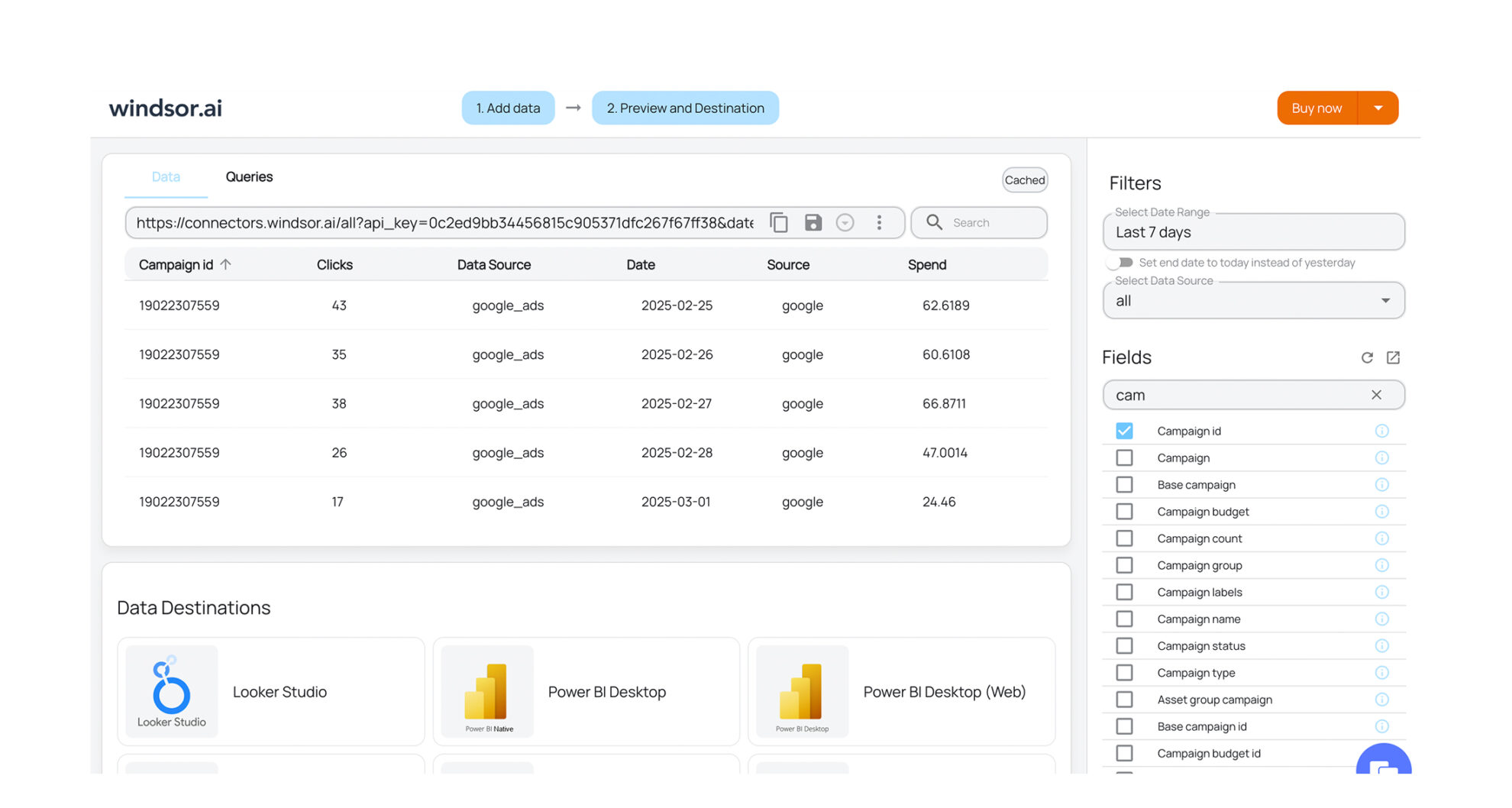














How to export Magento data with the Windsor.ai connector
Sign up and start for free
Create your Windsor.ai account and log in.
Select Magento as a data source
In your dashboard, connect the Magento data source, select the necessary account(s), and grant access to Windsor.ai.

Choose report fields and metrics
Select the fields that you’d like to add to your report. For example, you can include metrics such as Order Created At, Order Item ID, Order Item Cost, and hundreds more.

Select a data destination
Choose a destination where you want to stream your Magento data.

FAQs
Why use Windsor.ai’s Magento connector?
Windsor.ai’s Magento connector automates data sync between your store data and analytics stack, eliminating manual exports and complex setups. Instantly sync your Magento data with multiple destinations, cutting data preparation time by over 50%.
Once integrated, track customer behavior, monitor orders and product performance, and make smarter, data-driven decisions. Also, our Windsor.ai’s connector allows you to combine Magento with 350+ other marketing, CRM, and finance sources for complete cross-channel insights and full-funnel visibility.
How much does it cost to integrate Magento with Windsor.ai?
Windsor.ai’s pricing for Magento data integration can vary depending on your use case and data volume. We offer absolutely transparent, volume-based event pricing plans for diversified business needs and budgets.
How long does it take to sync Magento to a destination using Windsor.ai?
With Windsor.ai’s intuitive interface, the integration process takes a few minutes. No technical expertise is required. Connecting Magento data is simple, straightforward, and completely code-free.
What data can I extract from Magento?
With Windsor.ai, you can access a comprehensive range of Magento data to analyze your e-commerce store’s performance. Key types of data include:
- Order and revenue data: Order ID, status, created date, total paid, total refunded, total quantity ordered, item count.
- Discounts and promotions: Coupon codes, discount amounts, invoiced and refunded discounts (order and item level).
- Tax and shipping: Tax amounts, shipping fees (incl. tax), shipping discounts, refunded shipping, and tax.
- Customer data: Customer email, name, guest vs. registered status, billing details.
- Product and item performance: SKU, product ID, product type, price, cost, quantity ordered/shipped/refunded/canceled.
Plus, hundreds of additional metrics and dimensions for flexible reporting.
Do you have helpful links to get started with integrating Magento and Windsor.ai?
Yes, we have helpful resources to help you get started. You can explore our official documentation for Magento data integration into a chosen destination, available Magento data fields, and ready-to-use templates:
Other popular Windsor.ai connectors

Facebook Page Insights (Meta)

Google My Business

Shopify

HubSpot
Magento
Tired of manual Magento data exports? Get started with Windsor.ai today to automate your reporting


