 Destinations
 Data sources
 AI insights
 About us
 Careers
 Security
 Customer reviews
 Contact us
 Affiliate program
 Solution partners
 Template gallery
 Looker Studio templates
 Power BI templates
 Excel templates
 Google Sheets templates
 Tableau templates
 Facebook Ads templates
 Google Ads templates
 Data fields & Metrics
 AI prompt library & Guides
 Product documentation
 API documentation
 Case studies
 Blog
Blog Data models
 Windsor vs Supermetrics
 Windsor vs Funnel.io
 Windsor vs Fivetran
 Windsor vs Rivery
 Windsor vs Portermetrics
 Windsor vs Coupler.io






























































































































































































































Tired of manual data exports? Get started with Windsor.ai today to automate your reporting and extract deeper AI insights
Access all your data from various sources in one place. Get started for free.


Connect your business data from 350+ platforms to Gemini Enterprise with Windsor.ai.
Ask questions about live data in plain language and get answers from your connected sources, without exports or spreadsheets.
 Free forever plan
No credit card needed
Free forever plan
No credit card needed
















Follow our step-by-step guide to connect Windsor.ai to Gemini Enterprise as a data store. Setup is done once in the Google Cloud console.
To start with one data source, open its guide for the setup steps and example questions in Gemini Enterprise.
Log in at onboard.windsor.ai and connect the data sources you want to query, such as Google Ads or Facebook Ads. Gemini can only query sources connected in Windsor.ai.
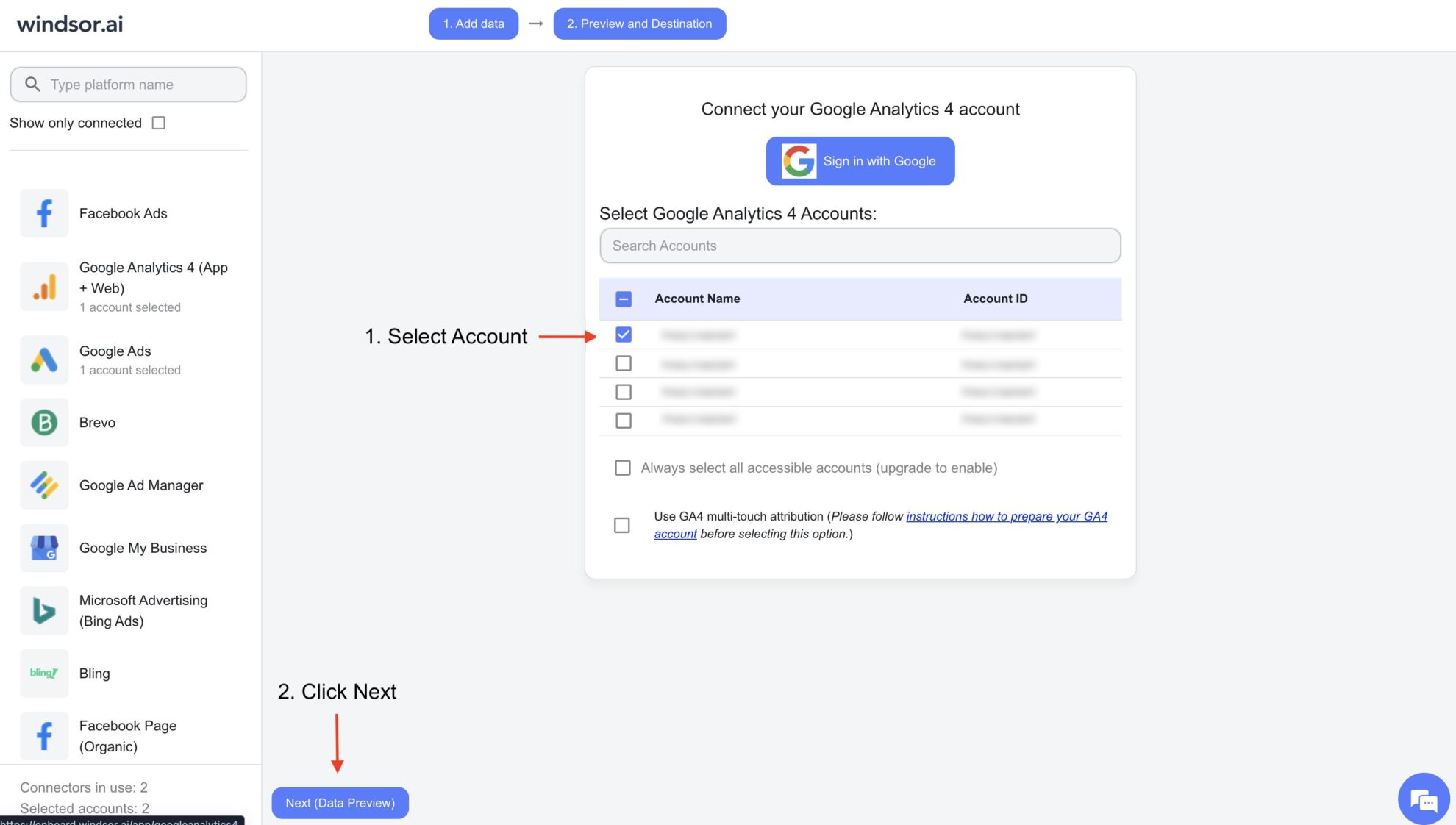
In the Google Cloud console, open Gemini Enterprise, go to Data stores and click Create data store. Under Third-party data sources, find Windsor.ai and click Add data source. Choose the actions to enable, set the location and create the store.
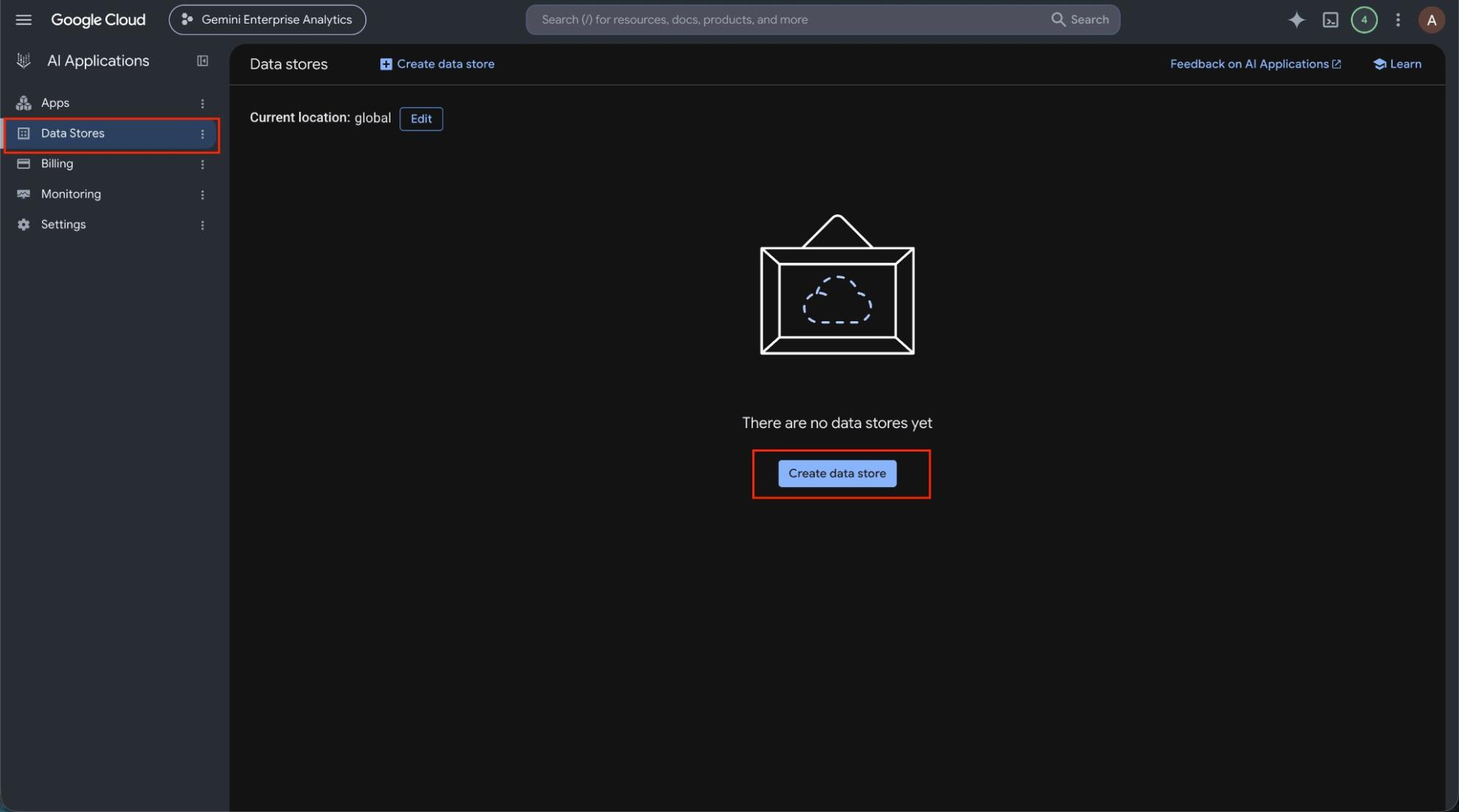
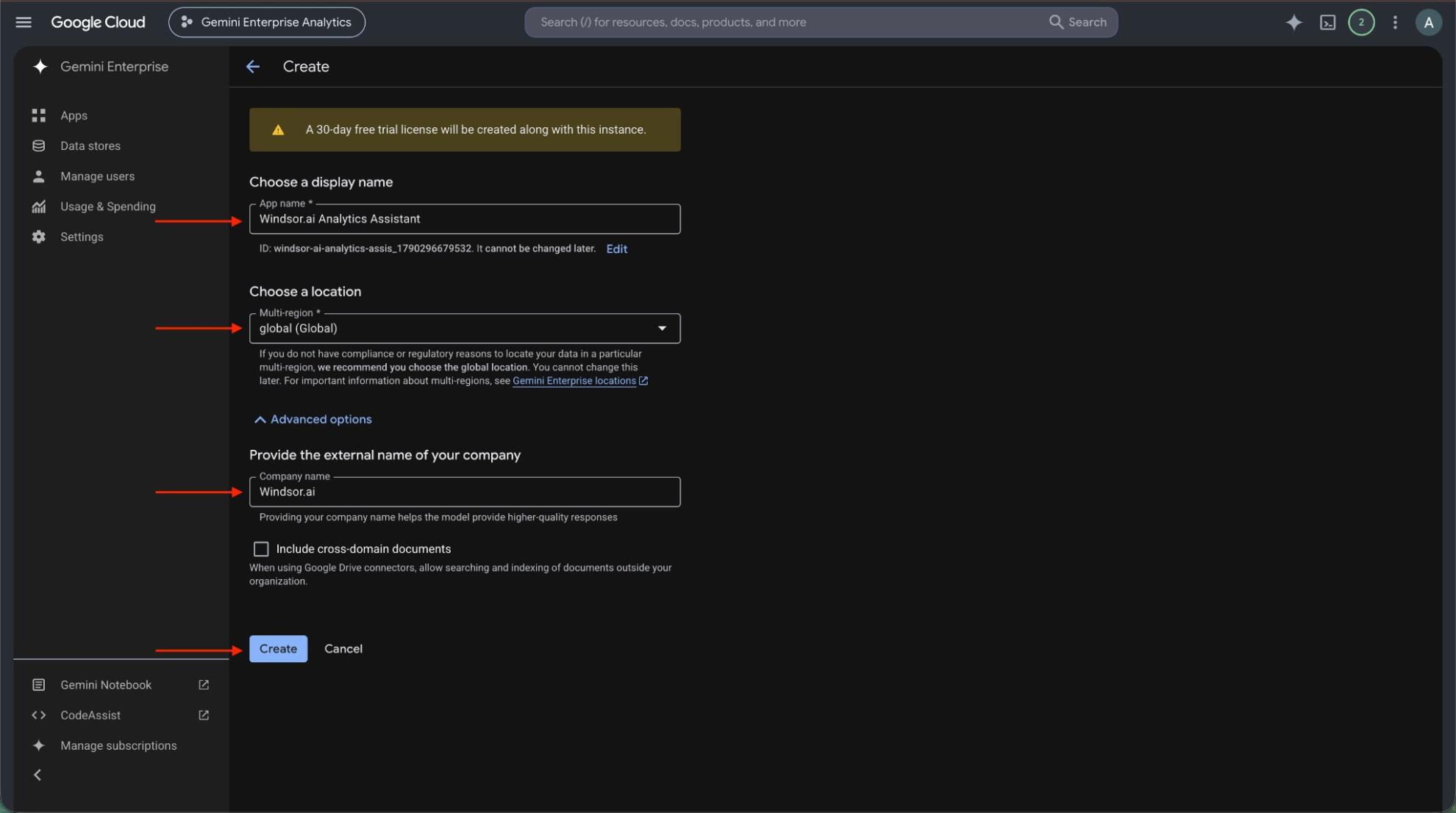
Create a Gemini Enterprise app in the same location as your data store, or pick an existing one. Then open Connected data stores in the app and add the Windsor.ai data store.
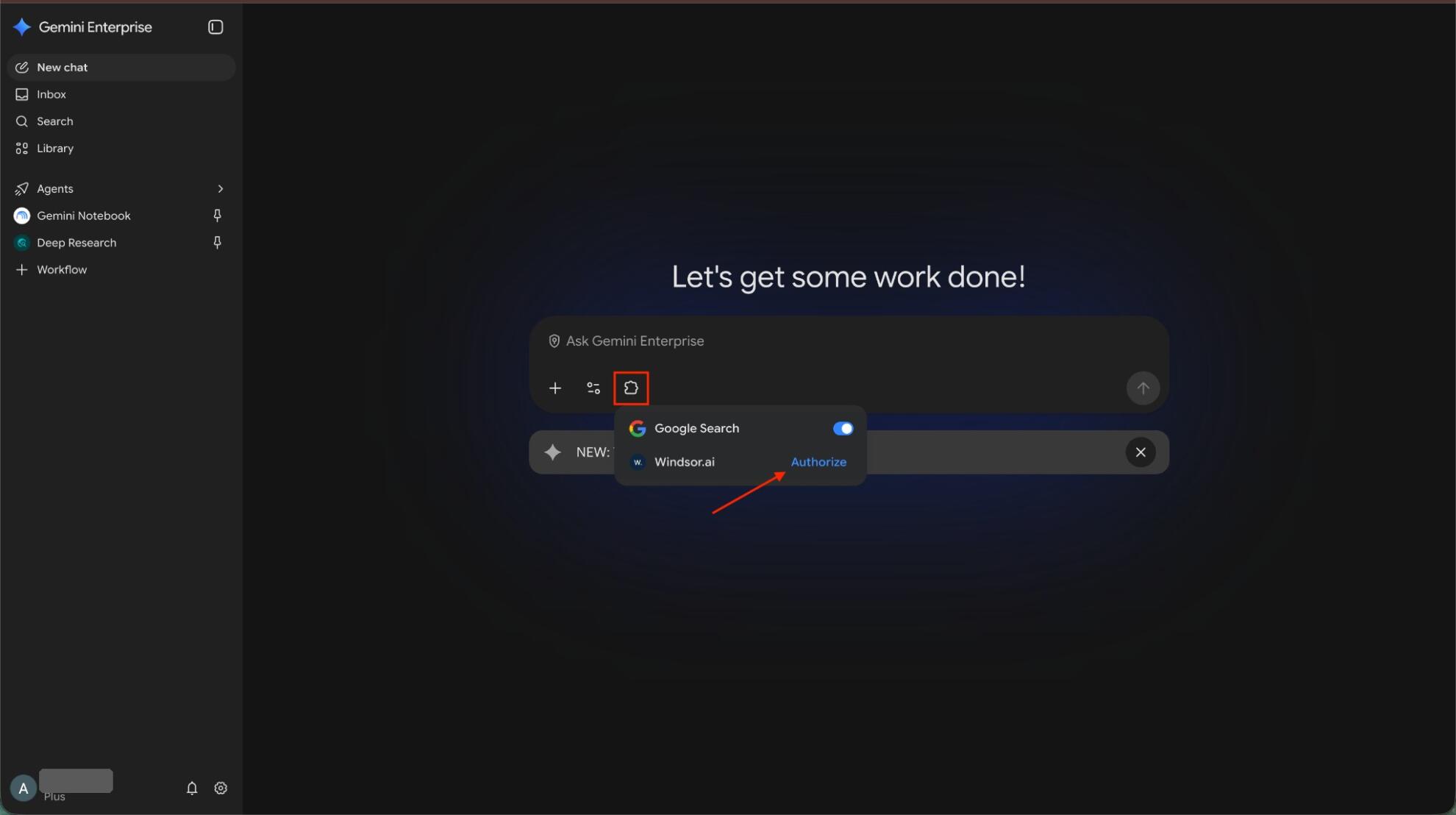
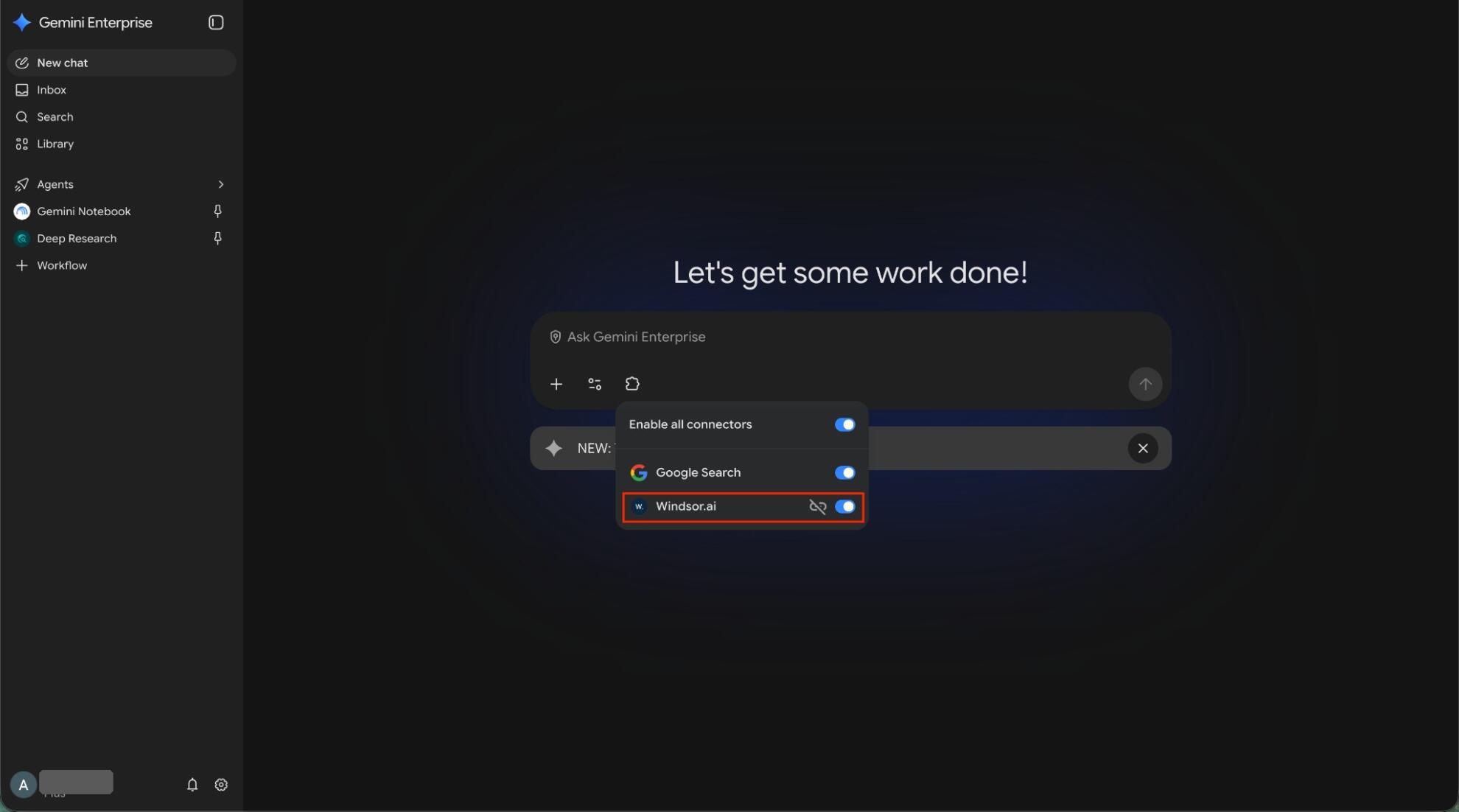
Open the app’s web app, click the puzzle piece icon and click Authorize next to Windsor.ai. Allow access, sign in to Windsor.ai if asked, and click Finish.
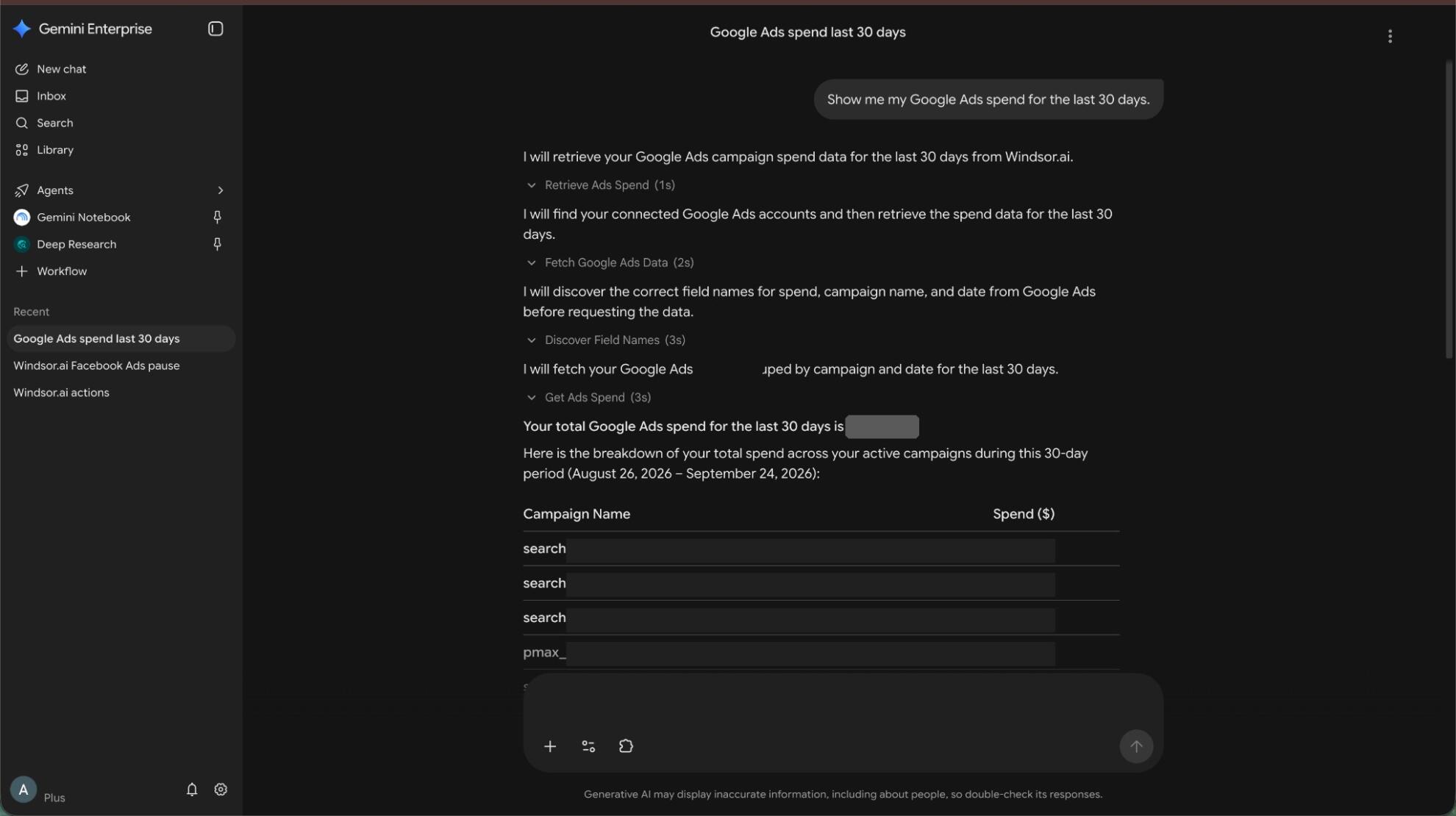
Ask a question such as “Show me my Google Ads spend for the last 30 days.” Data can take about 10 minutes to appear after you connect the data store to the app.
Gemini Enterprise is only as useful as the data it can reach. Windsor.ai is a listed third-party connector in Gemini Enterprise, so your team can query live data from 350+ sources and act on it from the same chat, with no SQL or manual exports. Here is what you can do with the Windsor.ai to Gemini Enterprise integration:
Ask about your business data in plain language, with no SQL, APIs or manual exports. Windsor.ai connects 350+ sources, including Google Ads, Meta, GA4, Shopify, Salesforce and Stripe, and Gemini Enterprise answers from them live.
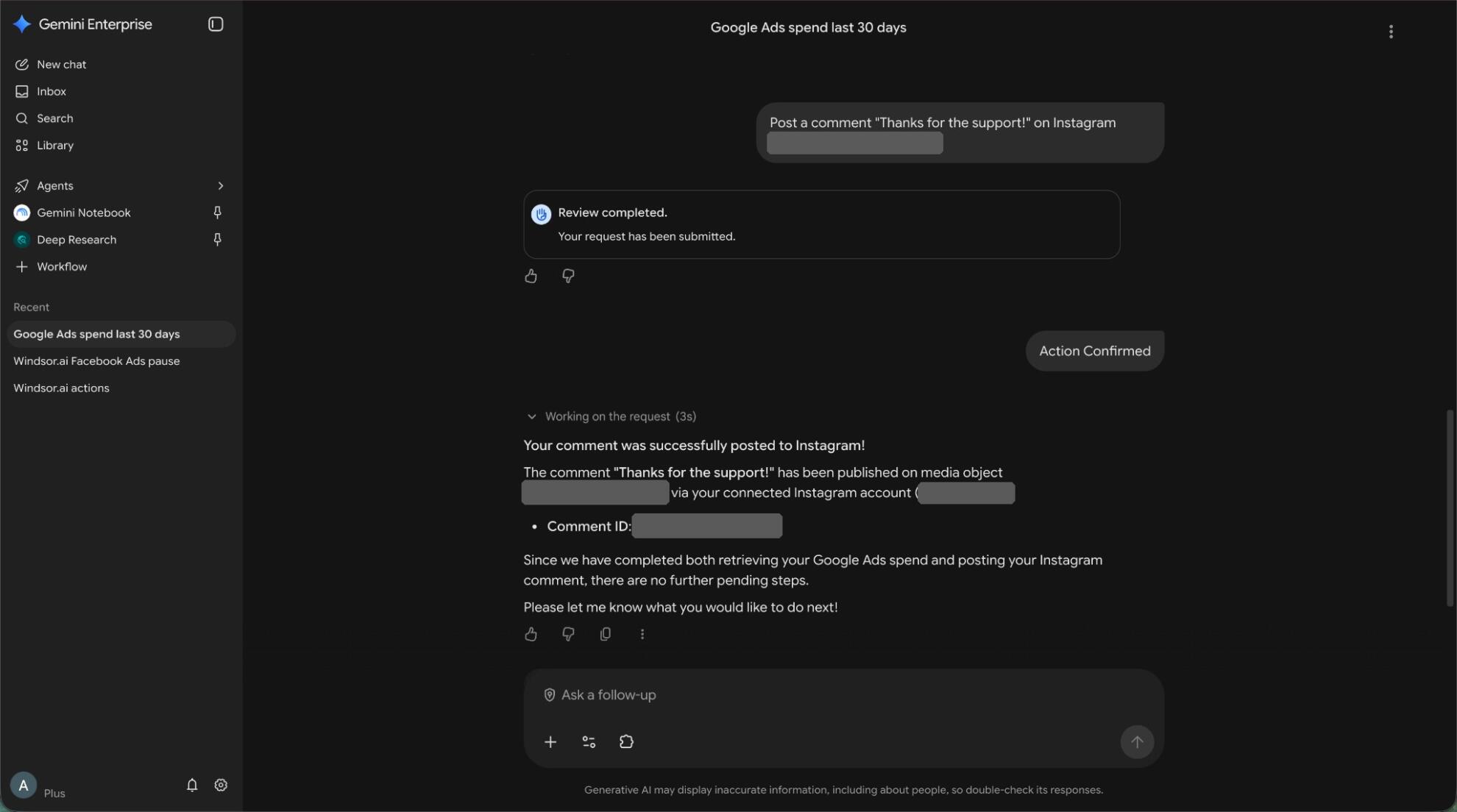
For platforms that support write actions, ask Gemini to make a change, such as pausing a campaign, adjusting a budget or posting a comment. Gemini shows the request for review and asks you to confirm it before it runs.
Windsor.ai unifies data from all your connected sources, so you can ask cross-channel questions like “Compare ROAS across Google Ads, Meta and TikTok last quarter” and get one answer.
Access is set up per user. Each person authorizes Windsor.ai with their own account, and the Write actions setting applies only to that user, not to the rest of the team.
Ask about your business data in plain language, with no SQL, APIs or manual exports. Windsor.ai connects 350+ sources, including Google Ads, Meta, GA4, Shopify, Salesforce and Stripe, and Gemini Enterprise answers from them live.
For platforms that support write actions, ask Gemini to make a change, such as pausing a campaign, adjusting a budget or posting a comment. Gemini shows the request for review and asks you to confirm it before it runs.
Windsor.ai unifies data from all your connected sources, so you can ask cross-channel questions like “Compare ROAS across Google Ads, Meta and TikTok last quarter” and get one answer.
Access is set up per user. Each person authorizes Windsor.ai with their own account, and the Write actions setting applies only to that user, not to the rest of the team.
Windsor MCP is the Model Context Protocol server from Windsor.ai. It lets AI tools such as Gemini Enterprise, Claude or ChatGPT query your connected business data in plain language, without SQL or manual exports.
Any of the 350+ Windsor.ai connectors, including Google Ads, Meta Ads, GA4, TikTok Ads, Shopify, HubSpot, Salesforce, LinkedIn Ads, Amazon Ads and Stripe. New sources you connect in Windsor.ai become available in Gemini Enterprise without repeating the setup.
You need a Gemini Enterprise edition set up in the Google Cloud console (Standard, Plus, Frontline or Pay-as-you-go) and a Google Cloud project that belongs to a Google Workspace or Cloud Identity organization. A personal Gmail account cannot be used. The person creating the data store needs the Discovery Engine Editor role.
No. Your data is not indexed or stored in Gemini Enterprise. Each question is sent to Windsor.ai, which returns the answer from your connected sources at that moment. Windsor.ai is SOC2 certified.
Yes, for platforms that support write actions, such as pausing a campaign or changing a budget. You choose the actions when you create the data store, and you turn on Write actions in your Windsor.ai authorization. Gemini shows each request for review and asks you to confirm it before it runs. See the full list of write actions.
Ask for KPI summaries, cross-channel comparisons, trends and anomalies, for example “Show me my Google Ads spend for the last 30 days.” For ready-to-use prompts for each data source, see our AI Prompt Library.
Windsor.ai has a free forever plan with 1 data source, and paid plans start at $19/month for 3 sources. See our pricing. Gemini Enterprise and the data store are billed separately by Google Cloud to the billing account linked to your project.
It is in public preview under Google’s Pre-GA terms, so support may be limited and the console may change. It supports the global, US and EU locations.