 Destinations
 Data sources
 AI insights
 About us
 Careers
 Security
 Customer reviews
 Contact us
 Affiliate program
 Solution partners
 Template gallery
 Looker Studio templates
 Power BI templates
 Excel templates
 Google Sheets templates
 Tableau templates
 Facebook Ads templates
 Google Ads templates
 Data fields & Metrics
 AI prompt library & Guides
 Product documentation
 API documentation
 Case studies
 Blog
Blog Data models
 Windsor vs Supermetrics
 Windsor vs Funnel.io
 Windsor vs Fivetran
 Windsor vs Rivery
 Windsor vs Portermetrics
 Windsor vs Coupler.io
























































































































































































































































Tired of manually transferring data to Supabase? Try Windsor.ai today to automate the process
Access all your data from various sources in one place. Get started for free.


Sync data from over 350+ sources into Supabase automatically with Windsor.ai’s connectors.
Get clean, unified data ready for your internal applications and company dashboards with no manual exports, custom API development, or technical maintenance.
 Free forever plan
No credit card needed
Free forever plan
No credit card needed

















Windsor.ai provides 350+ data connectors for Supabase, enabling real-time business and marketing analysis without coding.
Choose from 350+ platforms, including CRMs, e-commerce systems, marketing tools, and business apps, select the account(s), and grant access to Windsor.ai.
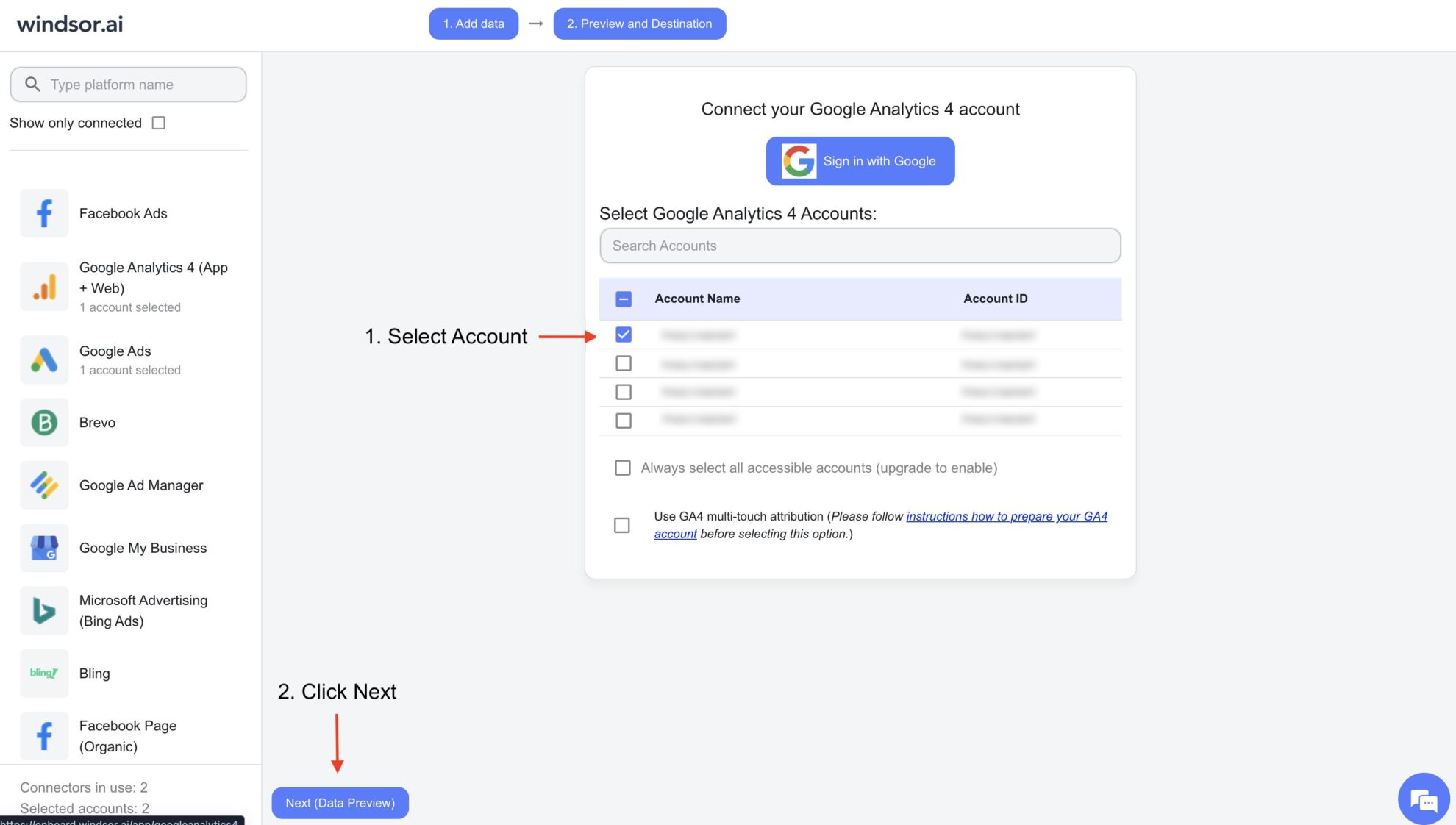
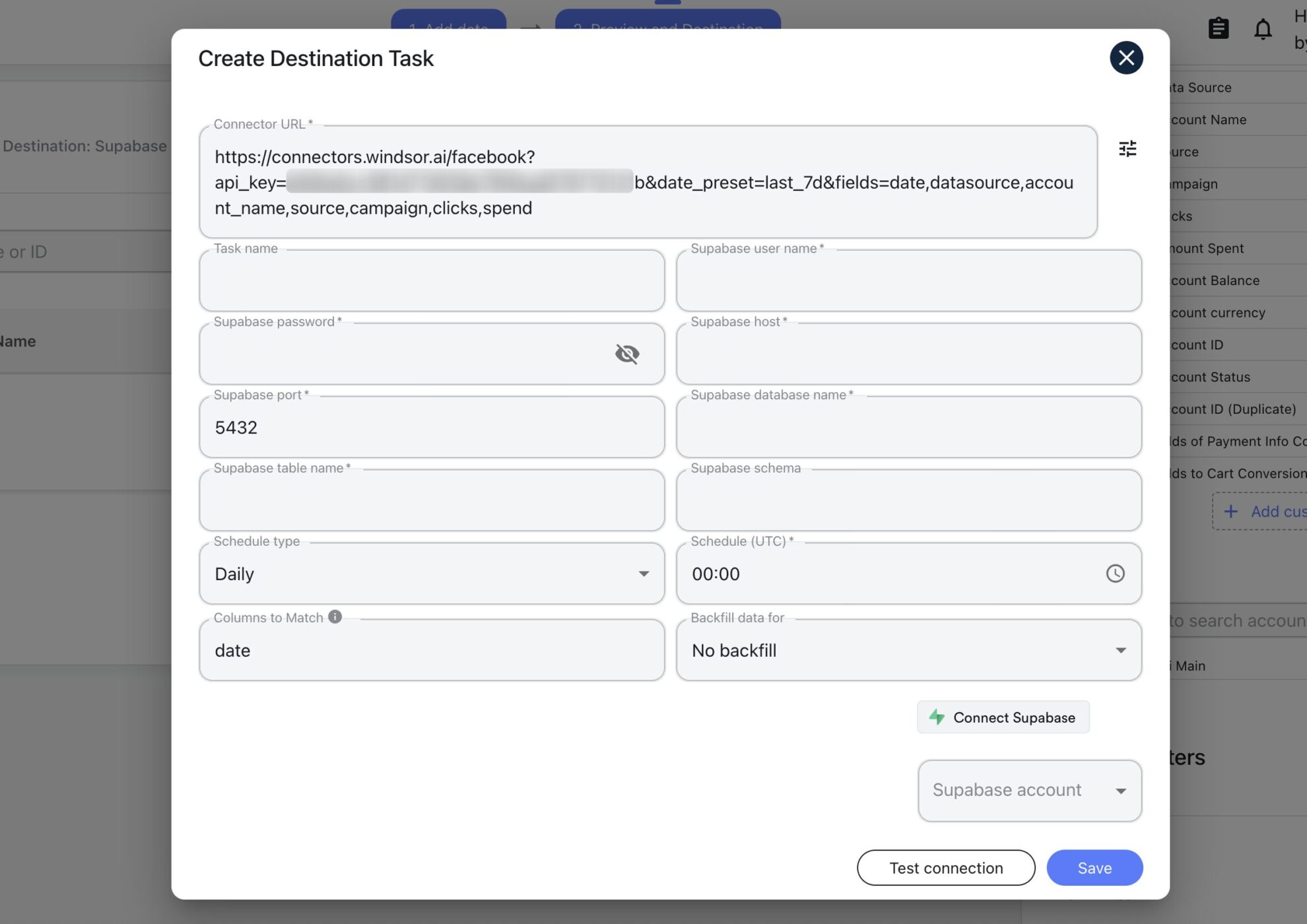
Complete the integration of Supabase with the Windsor.ai connector and create a destination task.
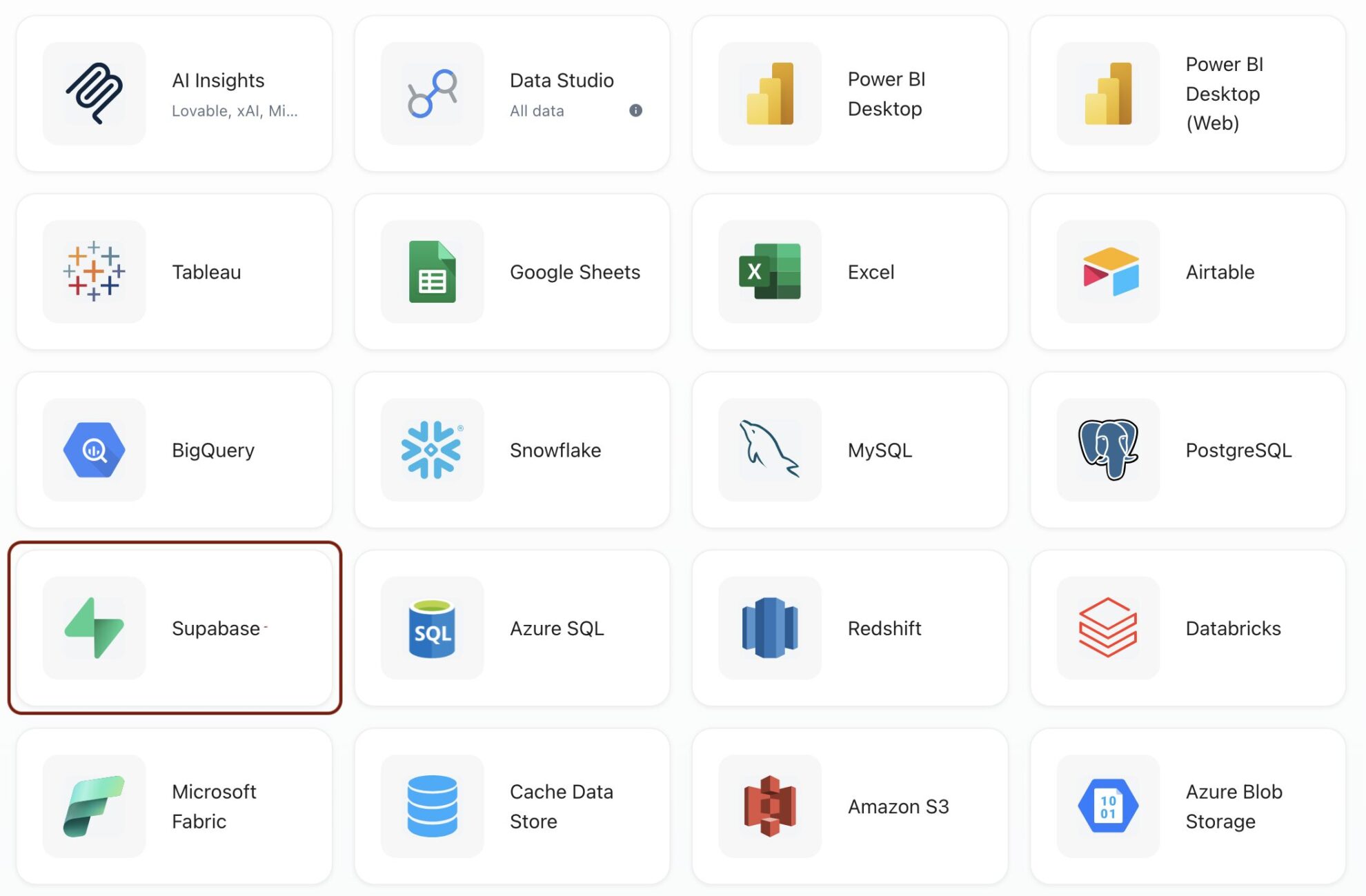
Enter all the required credentials in the destination task, choose the Supabase account, and click ‘Connect Supabase’.
Click ‘Save’ to save your configurations.
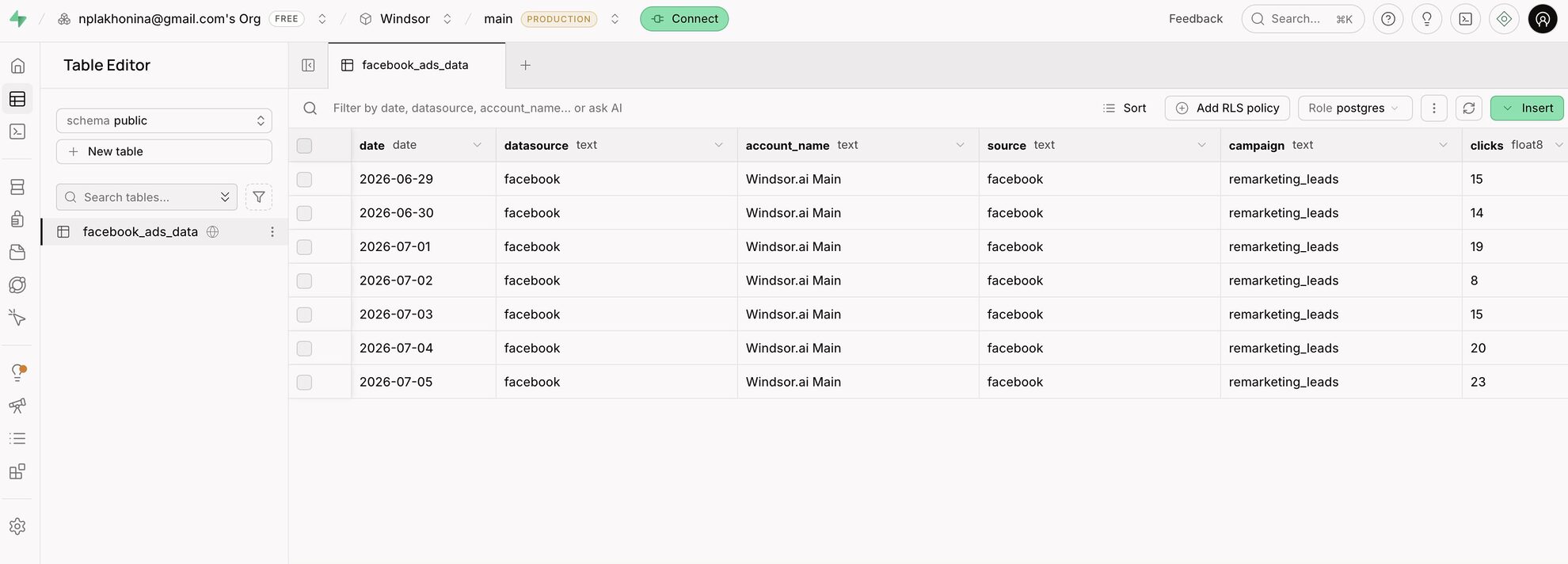
Check that your data is added to the Supabase database.
Windsor.ai ELT connectors easily integrate data into Supabase, bringing the following benefits to your business:
Pull in data from 350+ sources, like Google Ads, Shopify, Salesforce, Klaviyo, Mailchimp, Stripe, and more, into one Supabase database. Query it all together for a clear view of business performance, instead of piecing it together across separate platform UIs.
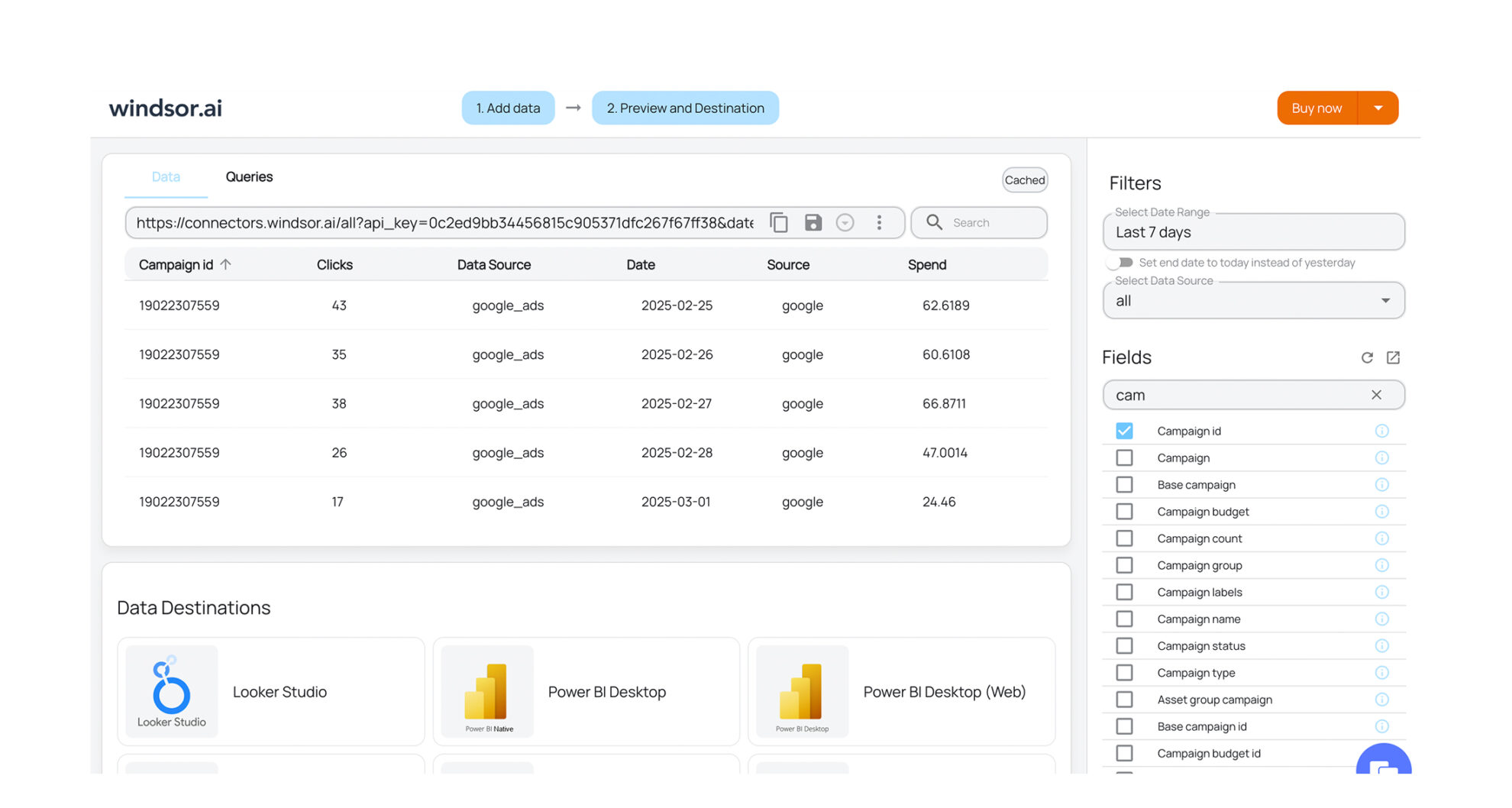
Run SQL in Supabase’s editor, connect a BI tool like Data Studio or Power BI, or query it conversationally with an AI tool via Windsor MCP. However your team works, the data’s ready without exporting or reformatting.
Windsor transfers your data over SSL/TLS with role-based access control, and is independently audited SOC 2 Type II, and GDPR compliant. Once synced, your data is encrypted in transit and at rest in Supabase, with Row Level Security available to control exactly who can access it.

Pull in data from 350+ sources, like Google Ads, Shopify, Salesforce, Klaviyo, Mailchimp, Stripe, and more, into one Supabase database. Query it all together for a clear view of business performance, instead of piecing it together across separate platform UIs.
Run SQL in Supabase’s editor, connect a BI tool like Data Studio or Power BI, or query it conversationally with an AI tool via Windsor MCP. However your team works, the data’s ready without exporting or reformatting.
Windsor transfers your data over SSL/TLS with role-based access control, and is independently audited SOC 2 Type II, and GDPR compliant. Once synced, your data is encrypted in transit and at rest in Supabase, with Row Level Security available to control exactly who can access it.
Once your data lands in Supabase via Windsor.ai, it becomes the single source you build on.
Yes, at the database layer. Supabase runs on standard PostgreSQL under the hood, so your data is real Postgres, not a proprietary format. The difference is everything built on top: Supabase adds a dashboard, authentication, file storage, and instant APIs, so you get a full backend instead of just a database.
No. The integration is fully managed. Once the initial setup is authorized, data flows automatically from your business platforms directly into your database without requiring technical maintenance or manual script updates.
A Supabase connector is Windsor’s built-in bridge between a data source and your Supabase database. Using ELT (Extract, Load, Transform) capabilities, Windsor.ai automates the entire transfer, eliminating manual exports and custom scripts. Choose from 350+ sources, like Meta Ads, Google Ads, Shopify, HubSpot, and more, and Windsor.ai pulls the data straight into a Supabase table automatically on a set schedule.
You can customize the sync schedules based on your operational needs, ensuring your reporting environments, internal applications, or custom dashboards consistently reflect recent campaign performance.
To begin your data integration into Supabase with Windsor.ai, you will need:
168.119.226.193) whitelisted; only if you’ve enabled Network RestrictionsIt’s the connection method Supabase recommends for tools like Windsor. Using the direct connection instead often causes timeouts. Windsor’s Connect button uses the pooler automatically.