 Destinations
 Data sources
 AI insights
 About us
 Careers
 Security
 Customer reviews
 Contact us
 Affiliate program
 Solution partners
 Template gallery
 Looker Studio templates
 Power BI templates
 Excel templates
 Google Sheets templates
 Tableau templates
 Facebook Ads templates
 Google Ads templates
 Data fields & Metrics
 AI prompt library & Guides
 Product documentation
 API documentation
 Case studies
 Blog
Blog Data models
 Windsor vs Supermetrics
 Windsor vs Funnel.io
 Windsor vs Fivetran
 Windsor vs Rivery
 Windsor vs Portermetrics
 Windsor vs Coupler.io
 Last updated: 31 August 2026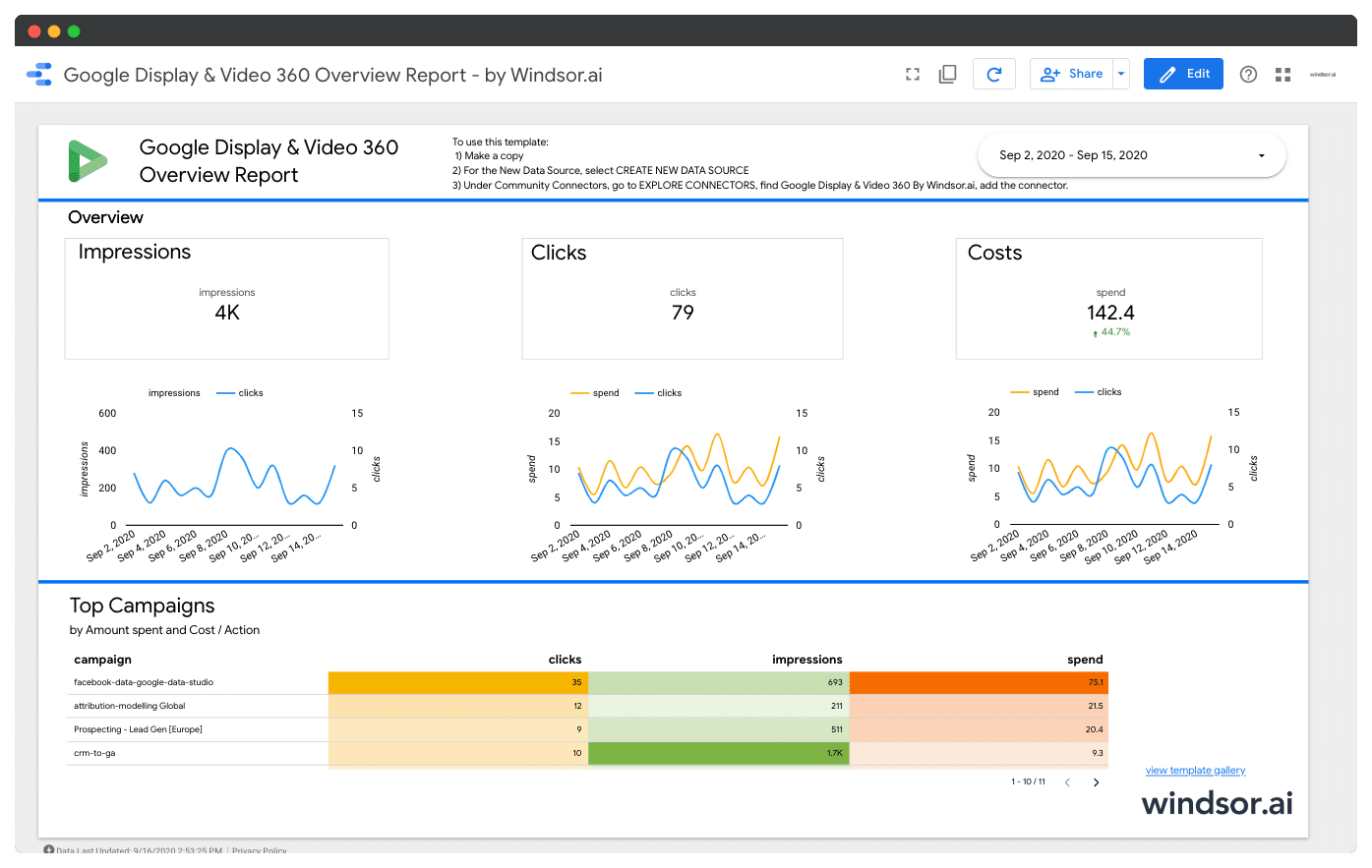




Are you buying media via Google Display & Video 360, DV 360 (formerly known as DoubleClick Bid Manager, DBM)? This dashboard gets you started with visualising DV 360 reports quickly. Simply connect your DV360 account and get insight on how your video, display, TV and audio advertising is performing. The default dashboard comes with a basic set of key indicators which are visualized. It can very easily be edited and extend so you get your agency or advertiser report set up in no time.
A prerequisite is that of course you will need to have access to a G-Suite account which is linked to a Google Display & Video 360 account. You will be prompted to authenticate during installation of the template. The whole process takes less than 5 minutes.
This dashboard connects to the following data source
- Google Display & Video 360
To start using it
- Configure the Looker Studio Connector: Google Display & Video 360
- Once you finished connecting your DV360 advertiser accounts, click Finish
- Back in Looker Studio, click on CREATE REPORT
- Now your DV360 dashboard is set up
To get other channels connected and visualised please check out our Free Marketing Template Gallery.

Get started for free
Access all your data from your favorite sources in one place.
Free forever plan, no credit card


