 Destinations
 Data sources
 AI insights
 About us
 Careers
 Security
 Customer reviews
 Contact us
 Affiliate program
 Solution partners
 Template gallery
 Looker Studio templates
 Power BI templates
 Excel templates
 Google Sheets templates
 Tableau templates
 Facebook Ads templates
 Google Ads templates
 Data fields & Metrics
 AI prompt library & Guides
 Product documentation
 API documentation
 Case studies
 Blog
Blog Data models
 Windsor vs Supermetrics
 Windsor vs Funnel.io
 Windsor vs Fivetran
 Windsor vs Rivery
 Windsor vs Portermetrics
 Windsor vs Coupler.io
 Last updated: 3 September 2026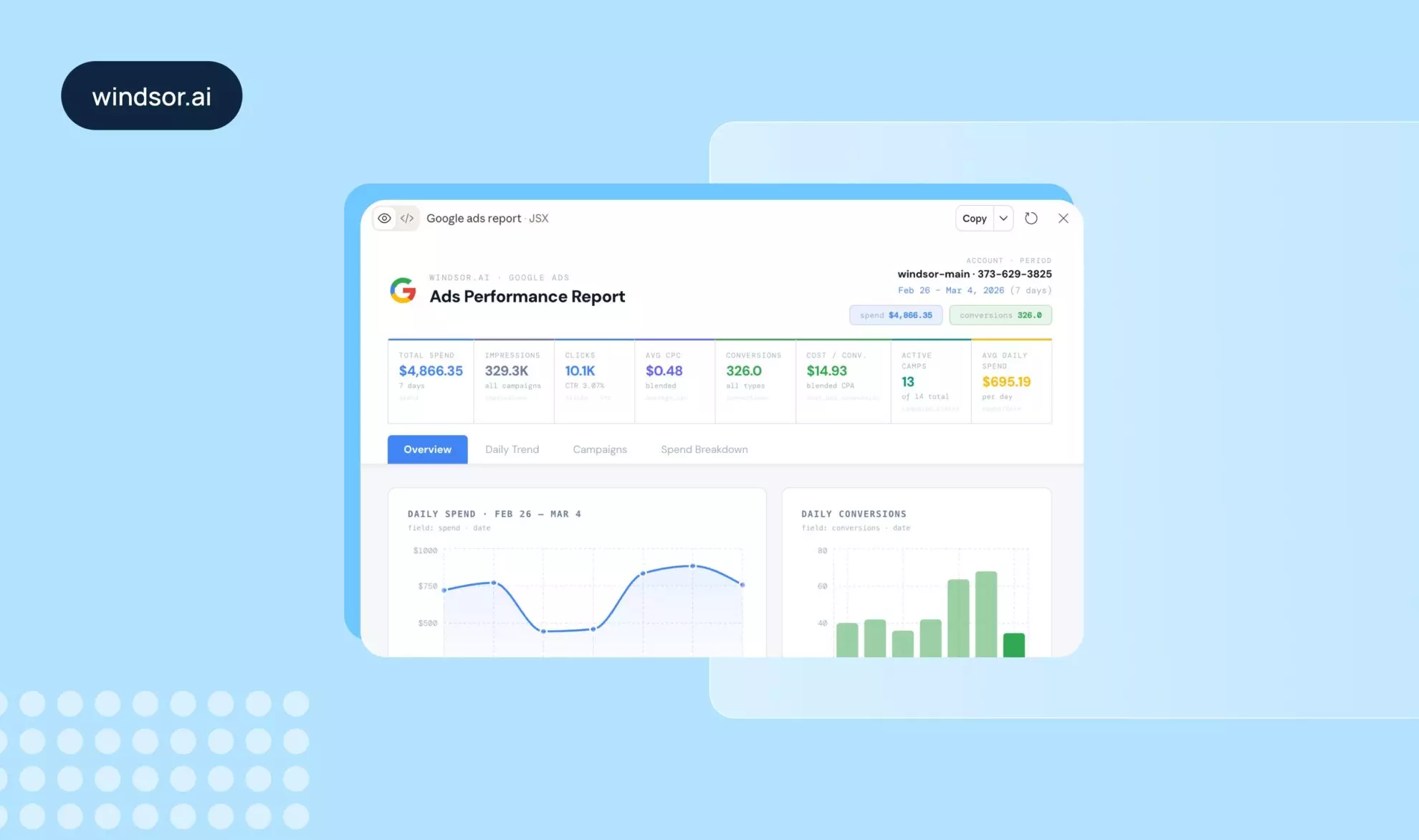




Claude for marketing means four things in 2026: chatting with your live marketing data through a connector, running Anthropic’s Marketing plugin and skills for content and campaign work, automating multi-step workflows in Claude Code, and handing whole tasks to Claude Cowork. Most teams end up combining two or three of them.
This guide is built on what marketing teams do with Claude in practice. Windsor.ai’s connector is listed in Claude’s connector directory and moves data from 350+ platforms into Claude, so every data query and every write action leaves a log line. We have already published two studies on those logs, Claude vs ChatGPT and the best Claude connectors ranked by usage, and this page pulls the marketing-relevant findings together with the setup steps and 12 workflows you can copy.
- The four ways marketers use Claude
- What marketing teams do with Claude, by the numbers
- Marketing workflows to run in Claude, with prompts
- Claude marketing skills and the Marketing plugin
- Claude Code for marketing
- Claude Cowork for marketing
- How to connect your marketing data to Claude
- Who this is for
- Frequently asked questions
🔗 Connect Google Ads, Meta Ads, GA4, and the rest of your stack to Claude in minutes, with no code and no CSV exports. Free forever plan, no credit card: https://onboard.windsor.ai/.
The four ways marketers use Claude
Claude is one product with several surfaces, and each suits a different marketing job:
- Best for analysis and reporting on live data, such as cross-channel performance, budget pacing, or a weekly summary: Claude chat with a data connector. Install the Windsor.ai connector from Claude’s directory and ask questions about your ad platforms, analytics, CRM, and e-commerce data in plain language. Works on every Claude plan.
-
Best for content, campaign plans, and brand voice: Anthropic’s Marketing plugin and skills. The plugin adds commands such as
/draft-content,/campaign-plan,/brand-review,/competitive-brief,/performance-report,/seo-audit, and/email-sequence, and it reads a brand voice and style guide you configure once. - Best for automation and repeatable multi-step workflows: Claude Code, Anthropic’s agent for the terminal. It supports MCP connectors and the same skills, keeps project context in files, and can chain steps such as pull the data, build the report, and post it to Slack.
- Best for handing off a whole task across files and apps: Claude Cowork, the desktop mode on paid plans. You give it a goal, it works through your files, connectors, and a built-in browser, and you review the finished output.
These are not mutually exclusive. A connector installed in Claude is available in chat and in Cowork, Claude Code reaches the same data through MCP, and the Marketing plugin’s skills run on top of whichever surface you use.
What marketing teams do with Claude, by the numbers
Our connector logs cover thirteen weeks of production usage (June 1 to August 28, 2026). The marketing-relevant findings:
- Ad platforms come first. Instagram Insights, Meta Ads, and Google Ads each reached roughly a third of the teams querying data through Claude in an average week. Google Analytics 4 followed at about a fifth of teams and Search Console at a tenth, and those five sources carried four fifths of all Claude data queries. The full ranking is in the best Claude connectors article.
- Claude is the default assistant for marketing data. In one full week of logs, teams analyzing their data through Claude outnumbered teams using OpenAI’s clients about seven to one, and about one data query in nine on the platform now comes from an AI assistant rather than a person in a dashboard. Details in the Claude vs ChatGPT study.
- Teams let Claude act, cautiously. Measured by how many teams use it, the most widespread write action run from Claude is pushing negative keywords to Google Ads, followed by pushing keywords and creating responsive search ads. On Meta, the most common actions are creating ad sets, campaigns, and ads. Budget changes and pausing or enabling campaigns sit just behind. The defensive actions succeed almost every time (negative keyword pushes at 98.9% and keyword pushes at 99.7%), and Google Ads writes as a group succeeded 96.6% of the time over the quarter.
- Usage is growing fast. The number of teams querying marketing data through Claude in a given week grew 2.3x between the first week of June and the last week of August, with the success rate holding between 90 and 91 percent throughout.
12 marketing workflows to run in Claude, with prompts
Every prompt below assumes your data is connected through Windsor.ai (setup steps are further down). Replace channel and account names with your own.
1. Analyze cross-channel marketing performance
Instead of juggling multiple dashboards across Google Ads, Meta, LinkedIn, TikTok, and GA4, ask Claude to pull it all together in one answer. Windsor blends your data across channels so Claude sees a unified, side-by-side view of your marketing stack.
Example prompt:
Show me last month's performance across all paid channels (clicks, spend, conversions, and ROAS), sorted by efficiency.
What you get:
A comparison table across every channel you have connected, with Claude highlighting winners, laggards, and next steps.

2. Diagnose underperforming campaigns
If a campaign drops off, describe the symptom to Claude and let it investigate using your live Windsor data instead of drilling down by hand.
Example prompt:
Our Google Ads conversions dropped 30% this week compared to last week. Can you figure out which campaigns, ad groups, or keywords are responsible?
What you get:
Claude fetches your campaign-level data from Windsor, isolates the drop to specific segments, and suggests whether the issue is budget-related, quality-score driven, a seasonal dip, or something else.

3. Build performance summaries (daily, weekly, monthly)
With Windsor MCP for Claude, you get a narrative summary of your performance over any period, plus a visual report you can share with stakeholders, clients, or team members. Anthropic’s own marketing team showed a version of this in an August 2026 webinar: a weekly metrics report that used to take two days now takes two hours in Cowork.
Example prompt:
Write a weekly performance summary for our marketing team covering all channels connected to windsor.ai. Include key wins, areas of concern, and 3 recommended actions for next week. Generate a visual report on top of this data.
What you get:
A structured, readable summary with context. Claude interprets what changed, why it matters, and what to prioritize, grounded in your Windsor data.

4. Identify your highest- and lowest-ROI channels and audiences
Comparing cost per acquisition across channels is hard when each platform reports it differently. Windsor normalizes spend and conversion data across all your platforms, giving Claude a complete picture of what is driving revenue or wasting budget at the channel and campaign level.
Example prompt:
Across all connected windsor data sources, which channels and specific campaigns are generating the lowest cost-per-acquisition this quarter? Are there audience segments or geographies that are consistently outperforming and otherwise show the lowest engagement?
What you get:
A ranked breakdown of your best- and worst-performing channels and campaigns by CPA and ROAS, with audience and geographic segments highlighted. Windsor’s blended data model means Claude sees the full funnel rather than last click alone.

5. Forecast trends using historical data
Windsor stores historical data from all your connected sources, beyond the retention limits of native platform analytics. Claude can use that history to spot seasonality patterns, predict upcoming peaks, and help you plan spending and capacity.
Example prompt:
Looking at our GA4 data from the last 12 months, what seasonal trends do you see? When should we expect our next traffic and conversion peak and drop? Suggest the actions to improve our results over such periods.
What you get:
A narrative analysis of seasonal patterns in your data, with Claude identifying week-over-week and month-over-month cycles and recommending when to increase or pull back spend.

6. Create instant client-ready reports
Adding Claude to Windsor’s multi-account setup means an agency can go from raw data to a narrative report per client in minutes, ready to share or customize.
Example prompt:
Create a monthly performance report for my client's Shopify account. Cover paid social, paid search, and organic traffic, with clear KPIs and a summary of what drove results this month.
What you get:
A structured report covering performance, context, and strategic commentary. You can copy it into a deck or document, or share it with the client via a direct link.

💡 Pro tip: Filter accounts in Windsor MCP when using Claude to prepare separate reports for each client by specifying account IDs or names.
7. Monitor budget pacing and flag anomalies
Overspending, underspending, and sudden spikes often go unnoticed until the month is over. Windsor keeps your spend data fresh, and Claude can review it and flag anything that looks off.
Example prompt:
Review our ad spend across all platforms for this week. Are any campaigns pacing to overspend or underspend their monthly budget? Flag anything that looks anomalous.
What you get:
A pacing summary with red flags highlighted. Claude compares the current spend rate against your monthly budget and tells you which campaigns need attention before the budget is gone.

8. Act on the findings: negative keywords, pauses, and budgets
This is the workflow our logs show teams adopting most. Windsor’s connector supports write actions on Google Ads, Meta Ads, TikTok Ads, LinkedIn Ads, and Microsoft Ads, and each action runs only after you confirm it in the chat. Start with the reversible ones.
Example prompt:
Find search terms in our Google Ads account from the last 30 days with more than $50 in spend and zero conversions. List them, and if I confirm, push them as negative keywords to the campaigns they appeared in.
What you get:
A list of wasted-spend search terms with the spend behind each, then the negative keywords pushed to Google Ads on your confirmation. The same pattern works for pausing an ad set that has blown through its budget or moving budget from a low-ROAS campaign to a high-ROAS one. See how to manage Meta Ads campaigns from Claude for the Meta side.
9. Improve content strategy based on the top-performing posts
You might know which posts get likes or clicks, but not which ones drive conversions or revenue. With Windsor MCP for Claude, you can connect content performance across platforms (LinkedIn, GA4, and CRM data) and tie it to business outcomes.
Example prompt:
Across our LinkedIn Organic posts, which content topics and formats are driving the most conversions and revenue? What themes should we double down on? Suggest 10 new content ideas that are likely to drive conversions.
What you get:
Claude identifies your best-performing topics by revenue impact rather than traffic, the formats that convert (guides, comparisons, case studies), and the gaps in your current plan, then proposes new ideas based on that evidence.
10. Refine messaging based on what converts
Your ads, landing pages, emails, and social posts already contain signals about which messaging resonates. The problem is that they are spread across platforms. With Windsor MCP, Claude can analyze messaging performance across your entire stack and find the patterns behind high-converting campaigns.
Prompt:
Analyze our top-performing campaigns across all channels. What messaging patterns, value propositions, or hooks appear most often in high-converting campaigns?
What you get:
Claude surfaces your winning angles (for example “save time” or “increase ROI”), emotional versus rational patterns, and the tone that consistently converts, so you can standardize it across channels.
11. Align SEO and paid strategy
SEO and paid media teams often work in silos. High-converting paid keywords rarely inform the SEO plan, and organic winners rarely get bid on. With both datasets connected through Windsor MCP, Claude can analyze organic and paid performance together.
Prompt:
Compare our organic and paid performance. Which keywords, topics, or pages perform well in both? Where are we missing opportunities?
What you get:
Claude identifies overlapping winners worth doubling down on, paid insights that should shape the content plan, and organic gaps worth bidding on.
12. Detect creative fatigue early
Creative fatigue is one of the most common reasons campaign performance declines, and the early signals, such as a slow slide in engagement or conversion rate, are easy to miss by hand. With Windsor MCP feeding performance data into Claude, you can catch fatigue before results drop.
Example prompt:
Which campaigns or creatives are showing declining performance over time? Is there evidence of fatigue?
What you get:
Claude highlights early declines in CTR and conversions, detects time-based decay, and suggests when creatives should be refreshed.
👉 For more use cases: https://windsor.ai/how-to-use-windsor-mcp-examples-use-cases/.
👉 For ready-made analytics prompts: https://windsor.ai/prompt-library/.
Claude marketing skills and the Marketing plugin
A skill is a set of instructions Claude loads when a task calls for it, so a repeatable job such as a weekly report or a brand-voice check comes out the same way every time. Anthropic’s Marketing plugin is a verified bundle of marketing skills you install in Claude Cowork. It covers content creation, campaign planning, brand voice management, competitive analysis, and performance reporting, exposed as commands: /draft-content for blog posts, social, email newsletters, landing pages, press releases, and case studies; /campaign-plan for objectives, channel strategy, content calendars, and success metrics; /brand-review against your style guide; /competitive-brief; /performance-report; /seo-audit; and /email-sequence. Open-source marketing skill packs on GitHub cover similar ground for Claude Code.
The one thing a skill cannot do is supply the data. A /performance-report skill with no connector attached still needs you to paste in CSV exports, which is the workflow most teams are trying to leave. Pair the skill with a connector and the report reads live spend, conversions, and traffic instead.
Should I use Claude skills or a data connector for marketing?
Both, for different jobs. Skills tell Claude how to do a task and in what format, while a connector gives Claude the live data the task runs on. The Marketing plugin’s /performance-report with the Windsor.ai connector attached produces a report from your real Google Ads, Meta Ads, and GA4 numbers; the same skill without a connector produces a template you fill in by hand.
Claude Code for marketing
Claude Code is Anthropic’s agent for the terminal and IDE. Marketers use it for the jobs that repeat: a script that pulls last week’s numbers from every channel, builds the report, and files it, or a content pipeline that drafts, reviews against the style guide, and publishes. It keeps project context in files, so brand voice and audience notes persist across sessions, and it connects to MCP servers. Windsor MCP connects to any MCP-compatible client, Claude Code included (see the guide for any AI client), so a report step can query live ad data rather than an export.
Two notes from our logs. First, marketing data querying is shifting into coding agents: in the Claude vs ChatGPT study, more OpenAI-side teams queried marketing data from Codex than from the ChatGPT app, and the teams working through agents ran about 35% more queries. Second, Claude Code is where write actions tend to be chained, so put the confirmation step in your workflow before any campaign change.
If you do not want a terminal, Cowork below gives most of the same automation with a desktop interface.
Claude Cowork for marketing
Claude Cowork is the desktop mode where you hand Claude a goal and review the finished work. It runs across your files, your connectors, and a built-in browser, and it is where Anthropic’s Marketing plugin installs. It requires a paid Claude plan.
Anthropic’s own marketing operations and campaign teams demonstrated their weekly Cowork workflows in an August 2026 webinar: a weekly metrics report cut from two days to two hours, and a campaign intake process that builds a webinar across Slack, Salesforce, HubSpot, and an events platform without a person copying data between them.
For a marketing team the practical split is this: Cowork for the tasks you would otherwise delegate (build the monthly report, prepare the client deck), the chat app for questions in the moment, and Claude Code when you want the workflow to run on a schedule without you.
How to connect your marketing data to Claude (1-minute setup)
Windsor MCP exposes your marketing and business data, already cleaned, normalized, and blended across platforms, to any Claude surface that supports connectors. Once connected, Claude queries it on your behalf in plain language, without SQL, exports, or scripts.
- Create a Windsor.ai account at https://onboard.windsor.ai/ (free forever plan, no credit card).
- Connect your data sources (Google Ads, Meta Ads, GA4, Shopify, and so on) with a single click or a short form, depending on the platform.
- Open the Windsor.ai connector in Claude and click Connect.

You can also open the connector directly in Claude Desktop by pasting this link into your browser:claude://claude.ai/directory/connectors/360c0c31-4bb6-42ca-8e50-5da0a100a68e
Start asking questions. The connector you install in Claude is available in Cowork as well; for Claude Code, add Windsor MCP as an MCP server using the guide for any AI client. The step-by-step guide covers the Claude setup in detail.
Who this is for
Marketing analysts
Narrative summaries, anomaly detection, and cross-channel analysis on demand, so the hours a week spent assembling reports go to the analysis itself.
Digital agencies
Reporting for dozens of clients without adding headcount. Windsor’s multi-account setup plus Claude’s plain-language analysis produces client-ready reports per account.
Data teams
Managed connectors instead of custom scripts, with Claude as the interface that makes the data accessible to non-technical stakeholders.
Performance marketers
Answers about what is working across the full media mix, and the ability to act on them (negative keywords, pauses, budget moves) from the same conversation.
Conclusion
Claude on its own can only reason about what you paste into it, which means stale exports and no way to scale. Connected to your marketing data, it can do the reporting, watch the pacing, and, with your confirmation, push the negative keywords and pause the campaigns.
Next steps: rank your own connectors against the most used Claude connectors, see how Claude and ChatGPT users differ in the Claude vs ChatGPT study, and pick your first source from the guides for Google Ads, Meta Ads, and Google Analytics 4.
🚀 Connect your first marketing data source to Claude in under a minute. Free forever plan, no credit card: https://onboard.windsor.ai/.
FAQs
Is Claude better than ChatGPT for marketing?
They differ more than they compete. In our logs, Claude has the wider adoption for marketing data, while OpenAI’s users query about 35% more intensively per team. Write actions started from Claude succeeded 90.8% of the time versus 86.6% from OpenAI clients. The two also count GA4 users differently by default (Claude tends to request total users, ChatGPT active users), so a team that mixes both will get mismatched reports. Pick one assistant per workflow. The full comparison is in our Claude vs ChatGPT study.
How do I use Claude in marketing?
Connect your data first, then ask. Install the Windsor.ai connector from Claude’s directory and connect your ad platforms, analytics, and CRM at onboard.windsor.ai. Ask about performance, pacing, and anomalies, add the Marketing plugin when you need content and campaign plans, and let Claude make campaign changes once you are comfortable confirming each one in the chat.
Does Claude have a marketing tool or plugin?
Yes. Anthropic publishes a verified Marketing plugin that installs in Claude Cowork and adds commands for drafting content, planning campaigns, reviewing copy against your brand voice, competitive briefs, performance reports, SEO audits, and email sequences. It works on the data you give it; pair it with a connector such as Windsor.ai so the performance report and SEO audit run on live numbers.
What are the best Claude skills for marketing?
Start with the seven in Anthropic’s Marketing plugin: draft-content, campaign-plan, brand-review, competitive-brief, performance-report, seo-audit, and email-sequence. Open-source skill packs on GitHub add channel-specific ones for Claude Code, such as CRO, paid media, and lifecycle email. Whichever you use, a skill only defines how a task is done; the data it runs on has to come from a connector or a file you provide.
Which Claude connectors are best for marketing?
By how many teams use them each week: Instagram Insights, Meta Ads, and Google Ads, then Google Analytics 4 and Google Search Console. TikTok Organic, Facebook Page Insights, YouTube, Google Business Profile, TikTok Ads, LinkedIn Ads, and Shopify follow. The ranking, with success rates per connector, is in the best Claude connectors article.
Can Claude Code do marketing?
Yes. Claude Code connects to MCP servers, and Windsor MCP works with any MCP-compatible client, so the same marketing data reaches Claude Code as the chat app. It keeps brand and audience context in project files and can chain steps such as pulling last week’s data, writing the report, and posting it. It suits repeatable workflows and scheduled reporting; for one-off questions the chat app is faster. Put a confirmation step before any campaign change in a Claude Code workflow.
Do I need coding skills to use Claude for marketing with Windsor.ai?
No. The Windsor.ai connector installs with one click from Claude’s directory, data sources connect with a login or a short form, and you ask questions in plain language. Claude Code is optional and only matters if you want workflows to run without you.
Can agencies manage multiple clients in Claude through Windsor.ai?
Yes. Windsor’s multi-account setup lets you filter by account ID or name inside a prompt, so Claude can prepare a separate report for each client from the same connection.
What does it cost to use Claude for marketing with Windsor.ai?
Windsor.ai has a free forever plan with no credit card, and the Claude connector is included; paid plans depend on how many accounts and data sources you connect (see the pricing page). On the Claude side, the connector works on every plan, while Claude Cowork and the Marketing plugin require a paid Claude plan.


