 Destinations
 Data sources
 AI insights
 About us
 Careers
 Security
 Customer reviews
 Contact us
 Affiliate program
 Solution partners
 Template gallery
 Looker Studio templates
 Power BI templates
 Excel templates
 Google Sheets templates
 Tableau templates
 Facebook Ads templates
 Google Ads templates
 Data fields & Metrics
 AI prompt library & Guides
 Product documentation
 API documentation
 Case studies
 Blog
Blog Data models
 Windsor vs Supermetrics
 Windsor vs Funnel.io
 Windsor vs Fivetran
 Windsor vs Rivery
 Windsor vs Portermetrics
 Windsor vs Coupler.io

























































































































































































































































Tired of manual data exports? Get started with Windsor.ai today to automate your reporting and extract deeper AI insights
Access all your data from various sources in one place. Get started for free.


Connect your business data from 350+ platforms to Cursor with Windsor.ai.
Build dashboards, scripts and data-driven pages on your real marketing data, without exporting CSVs.
 Free forever plan
No credit card needed
Free forever plan
No credit card needed
















Follow our step-by-step guide to add Windsor MCP to Cursor. It takes a few minutes and no code.
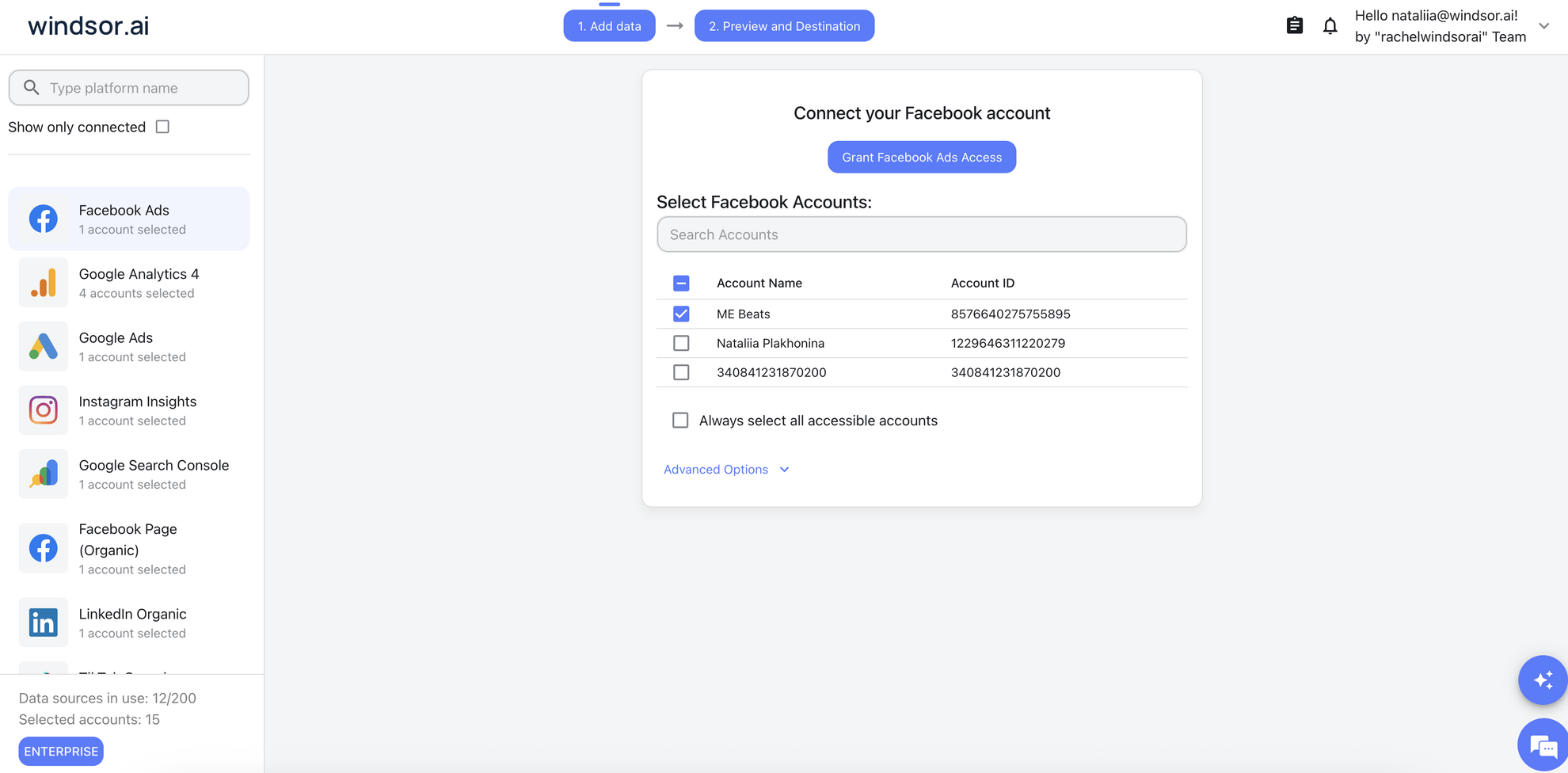
Log in at onboard.windsor.ai and connect the data sources you want to query, such as Google Ads or Facebook Ads.
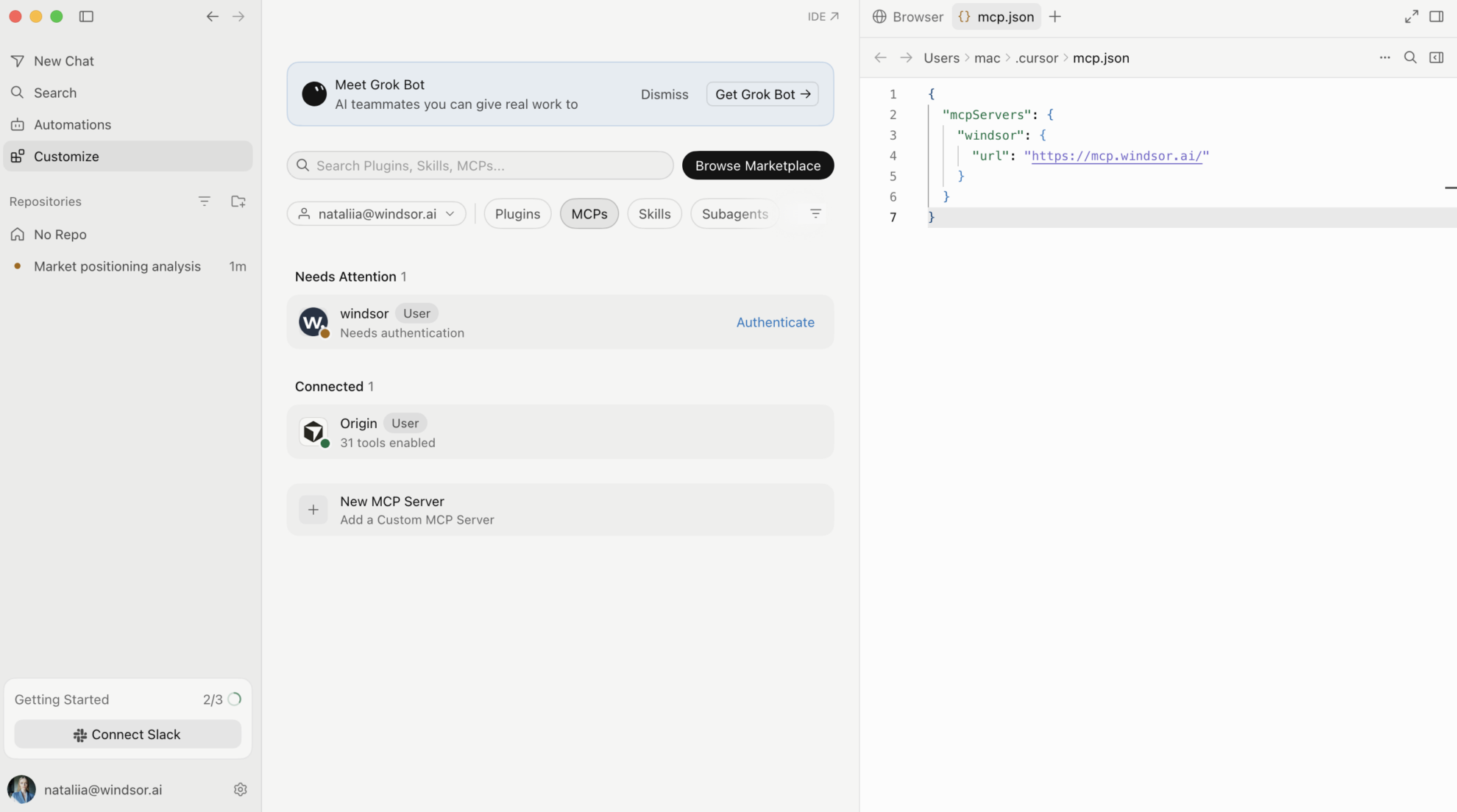
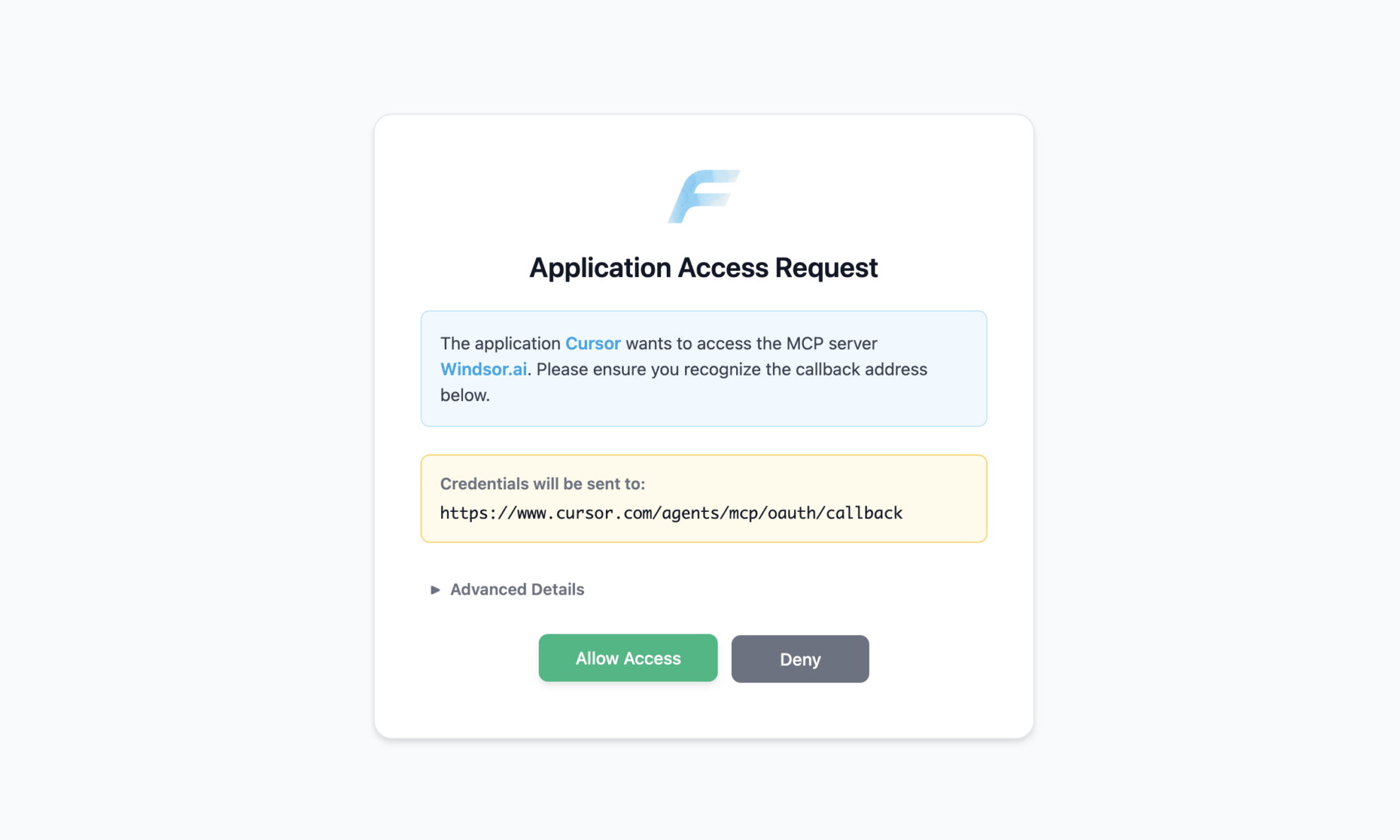
Save the mcp.json file. Then Windsor will appear in MCPs. Click Authenticate and finish the process.
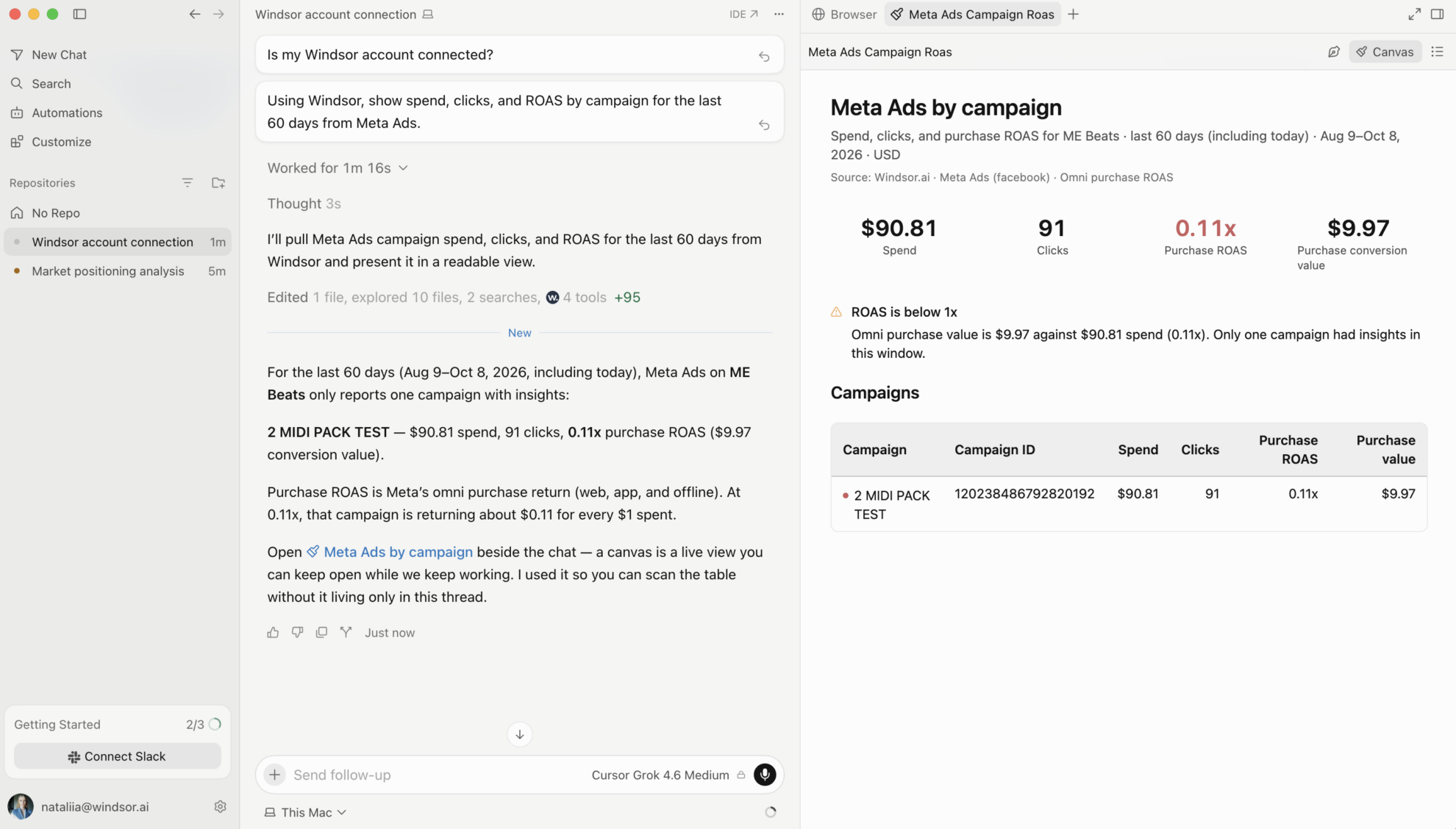
Ask any question about your marketing and business data, for example, “Which campaigns had the highest ROAS last month?”
Cursor is where you build. Windsor MCP gives it your live business data from 350+ sources, so the code it writes is based on your real campaigns, metrics and field names instead of placeholders. Here is what you can do with the Windsor.ai to Cursor integration:
Ask Cursor to create a dashboard or web app on top of your live ad and analytics data. It pulls the actual metrics and fields from Windsor.ai, so you build with real numbers from the start.
Have Cursor draft scripts for recurring jobs, such as a weekly CPA report or a budget alert, using the exact fields and values available in your connected accounts.
Mock up a live performance view for a demo or an internal tool in minutes, using your own data from 350+ sources instead of dummy content.
Ask in the chat, for example “Pull the last 30 days of ROAS by campaign,” and Cursor fetches it live, with no SQL or manual exports. Check a number, then keep building.
Ask Cursor to create a dashboard or web app on top of your live ad and analytics data. It pulls the actual metrics and fields from Windsor.ai, so you build with real numbers from the start.
Have Cursor draft scripts for recurring jobs, such as a weekly CPA report or a budget alert, using the exact fields and values available in your connected accounts.
Mock up a live performance view for a demo or an internal tool in minutes, using your own data from 350+ sources instead of dummy content.
Ask in the chat, for example “Pull the last 30 days of ROAS by campaign,” and Cursor fetches it live, with no SQL or manual exports. Check a number, then keep building.
Windsor MCP is the Model Context Protocol server from Windsor.ai. It lets AI tools such as Cursor, Claude or ChatGPT query your connected business data in plain language, without SQL or manual exports.
Any of the 350+ Windsor.ai connectors, including Google Ads, Meta Ads, GA4, TikTok Ads, Shopify, HubSpot, Salesforce, LinkedIn Ads, Amazon Ads and Stripe.
An active Windsor.ai account with at least one connected data source, and the Cursor desktop app. You add Windsor MCP to Cursor’s MCP settings and log in to Windsor.ai once in the browser.
No. With this setup Cursor reads your data through Windsor MCP without modifying, updating or affecting any of your connected accounts.
Yes. Windsor.ai is SOC2 certified. Your data is queried live through an authenticated connection and is not stored in Cursor.
Ask for KPI summaries, cross-channel comparisons, trends and anomalies. For ready-to-use prompts for each data source, see our AI Prompt Library.
Windsor.ai has a free forever plan with 1 data source, and paid plans start at $19/month for 3 sources. See our pricing. Cursor is billed separately by Cursor.